
Rock Climbing Log & Tracker
Rock Climbing Log & Tracker — A bouldering log that converts every grade as you go
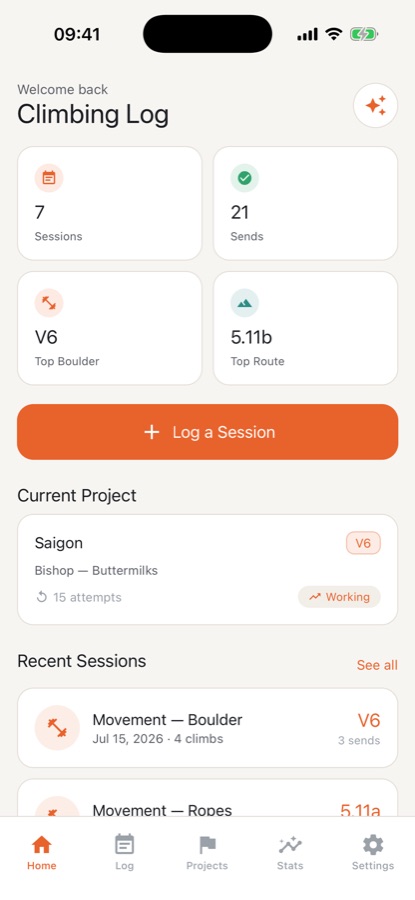
Rock Climbing Log & Tracker is an iOS and Android bouldering log and route logbook for the gym or the crag. Record each climb in the grade system you know, read your history in another one, and watch your send pyramid fill in. A projecting board, a tick list and a hangboard timer sit in the same app, and logging works without signal.


- Price
- Free, Pro upgrade
- Platforms
- iOS and Android
- Languages
- 10
- Age rating
- 4+
- Requires
- iOS 15.1 or later
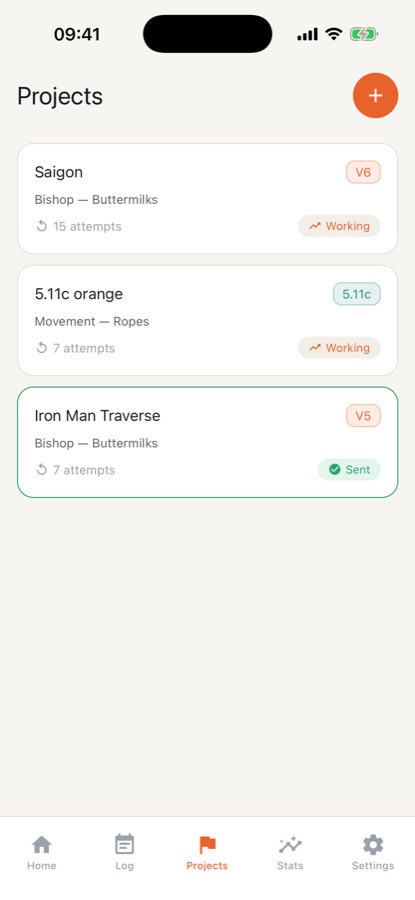
A hard climb is a project, not a single attempt.
Most real progress in climbing is spread across many sessions on the same problem. Logging each burn with its high point, your beta and how your skin and motivation felt makes the slow part visible. It also shows when a project has gone cold: one untouched for three weeks moves to the Icebox.
What it is
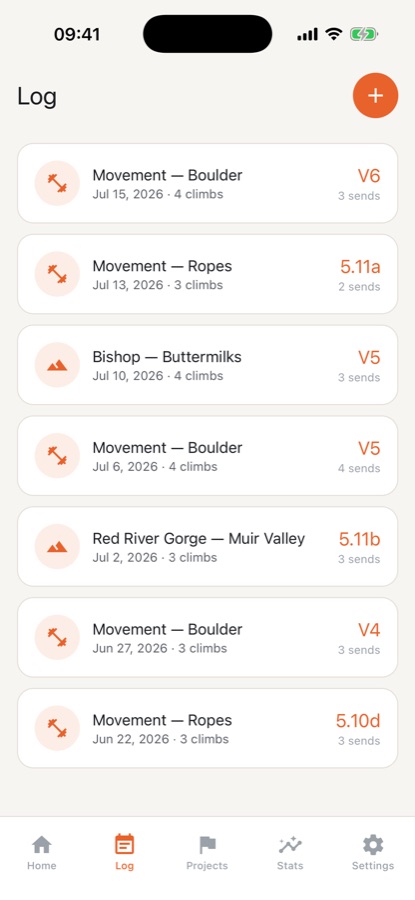
Rock Climbing Log & Tracker is an iOS and Android climbing logbook for bouldering and roped routes. Each climb is logged with its grade, attempts, outcome, ascent style, wall angle and style tags, and the app converts between V-scale, Font, YDS, French and UIAA. It adds a send pyramid, personal bests, a projecting board, a tick list and a hangboard timer, with AI training plans in Pro. It is a logbook and training aid, not instruction, and it does not make climbing safer.
Inside the app
What it looks like
Background
How do climbing grades convert, and what does a send pyramid show?
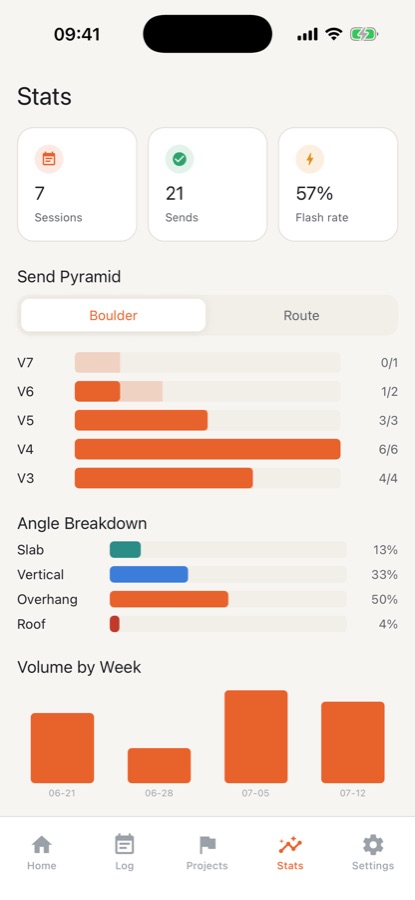
Bouldering is graded on the V-scale or the Fontainebleau (Font) scale, and roped routes on YDS, French or UIAA scales, depending on where you climb. The systems do not line up exactly, so a conversion is a good guide rather than a precise equivalent. A send pyramid plots how many climbs you have completed at each grade: a healthy base of easier sends under a few at your limit shows where your volume sits, and a flat or lopsided shape shows where you stall.
V-scale and Fontboulder grades
The V-scale starts at VB and counts upward, and Font uses a number and letter such as 6A. Each is used in different regions, so a climber who travels often meets both. The app covers VB to V17 and converts between the two.
YDS, French and UIAAroute grades
YDS, such as 5.11a, is common in North America, French grades such as 6b are common in Europe, and UIAA is used in parts of central Europe. The app covers 5.5 to 5.15d and shows the others beneath the one you logged.
Ascent stylehow the climb was done
An onsight is a first try with no prior information, a flash is a first try with beta, and a redpoint is a send after earlier attempts. Recording the style keeps an easy send honest and shows how often your first try works.
Wall angle and stylewhy the same grade feels different
A V4 slab, a V4 overhang and a V4 on pockets can feel unlike each other. Tagging angle and holds, such as crimps, slopers, pinches or dynos, is what lets a log reveal a bias toward one type of climbing.
How it works
How logging works
A session is recorded on the phone at the wall, without sign-up and without signal, then reviewed later as a pyramid and a set of trends.
Log the session and each climb
Choose indoor or outdoor, name the gym or crag, then add each boulder or route with its grade, attempts, outcome and style. Wall angle, style tags, session length and a fatigue score can be added, and the tick list lets you plan climbs at home and log one with a tap.
Read it in the grade system you prefer
Log in one grade system and read the other grades directly beneath it. A boulder logged in V-scale shows its Font equivalent, and a route logged in YDS shows French and UIAA.
Track projects and train
Open the projecting board for a hard climb, log every burn with your high point and beta, and use the hangboard timer for repeaters. Pro adds the AI training plan and weakness analysis built from your log.
What's inside
What comes with the app
5 systems
Grade converter
V-scale and Font for boulders, YDS, French and UIAA for routes, from VB to V17 and 5.5 to 5.15d. Log in one and read the rest.
Pyramid
Send pyramid and personal bests
Pyramids for boulders and routes with a pyramid check, plus your hardest boulder and route, first send at each grade and biggest week. A Monday Send Report comes with a shareable send card.
Projects
Projecting board
Log every burn with a high point by move or clip, see where most burns end, and keep beta, skin and psych notes. The free plan holds one project.
Timers
Hangboard timer and drills
Work and rest timers with audio cues that keep running with the screen locked. Free: a rest timer and hangboard repeaters. Pro: max hangs, campus ladders, limit bouldering, ARC endurance, antagonist and mobility.
AI
AI training, in Pro
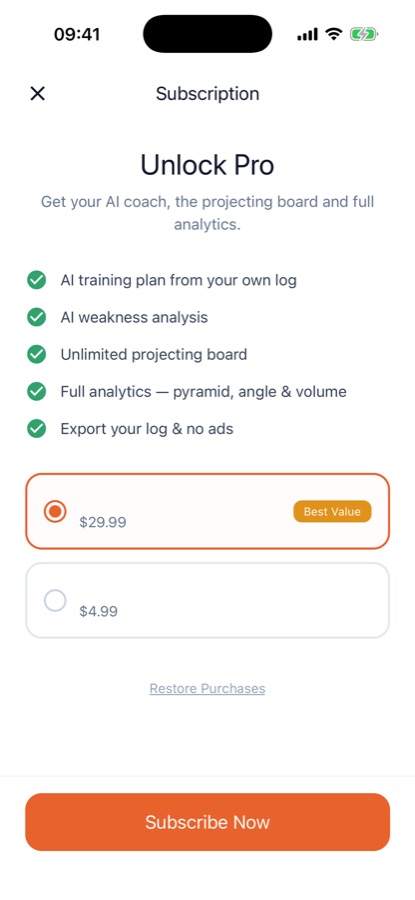
A multi-week training plan, a weakness analysis of angle bias, style gaps and flash rate, and a four-week training block with a weekly check-in. The AI asks permission first and needs three logged sessions.
Stats
Trends over time
The last 14 days at a glance with rest days included, plus angle breakdown, weekly volume and, with Pro, send rate by temperature and grade calibration.
Fit
Who it's for — and who it isn't
A good fit if you
- Climb indoors, outdoors or both, and want one record that follows you between gyms and crags
- Move between V-scale, Font, YDS, French and UIAA and want conversions without a lookup table
- Work hard climbs over many sessions and want every attempt and piece of beta in one place
- Want to see your angle bias and flash rate rather than guess at them
- Prefer not to create an account just to write down a climb
Not the right tool if you
- Want a social feed or a community of other climbers; the app is a private logbook
- Need instruction on belaying, anchors or ropes; the app gives no safety or technique coaching
- Expect every tool free: unlimited logging, the converter, pyramid and one project are free, while AI, full analytics and the full timer library need Pro
Safety and limits
Climbing is dangerous, and this is only a logbook
Rock climbing can cause serious injury or death. Rock Climbing Log & Tracker is a logbook and training aid, not instruction, and no substitute for a qualified instructor, guide or safety training. It gives no belay, anchor, rope or outdoor-hazard advice and does not make climbing safer.
Hangboard, campus and limit training load the fingers and joints hard and are not right for everyone. Stop if you feel pain, and ask a doctor or physiotherapist before starting a training plan. The AI plan and weakness analysis are not medical advice.
You are responsible for your own safety, gear and partner checks.
Privacy
Where your log lives
The log is saved on your phone, so logging works without signal and without an account. You sign in with email or Google only for cloud backup or to keep Pro on a new phone. If you use the AI features, a summary of grades, outcomes, angles, styles, session type and fatigue is sent through the app's server to an AI provider after you give permission, and never gym or crag names, notes or account details. Firebase is used for sign-in, analytics and crash reports, AdMob for ads and RevenueCat for subscriptions, and you can delete your account in the app.
Full details are in the CoddyKit privacy policy.
Questions
Frequently asked questions
What is Rock Climbing Log & Tracker?
Rock Climbing Log & Tracker is an iOS and Android logbook for bouldering and roped routes, indoors or outdoors. It records grade, attempts, outcome and style for each climb, converts between five grading systems, and shows a send pyramid, personal bests, trends, projects and a hangboard timer. It is a private logbook and training aid.
Is Rock Climbing Log & Tracker on iPhone and Android?
Yes. Rock Climbing Log & Tracker is a free-to-start bouldering and route log for iPhone, where it needs iOS 15.1 or later, and for Android through Google Play. The app interface is available in 10 languages and is rated 4+.
Which grading systems does it support?
Bouldering uses the V-scale and Fontainebleau (Font) from VB to V17, and roped routes use YDS, French and UIAA from 5.5 to 5.15d. You log a climb in the system you think in, and the app shows the other grades right under it. Conversions between systems are approximate, as they are in any guide.
Does it work without internet at the crag?
Yes. The log is saved on your phone, so you can record climbs at a gym or crag with no signal and no sign-up. You only need to sign in, with email or Google, for cloud backup or to restore Pro on a new phone.
How do I track a project?
Add the climb to the projecting board, then log every burn with your high point by move or clip, plus beta, skin and psych notes. The board shows where most burns end, and a project untouched for three weeks moves to the Icebox. The free plan allows one project, and an optional ad opens a second slot for 7 days.
What is the send pyramid?
The send pyramid counts how many climbs you have sent at each grade, separately for boulders and routes. In Rock Climbing Log & Tracker a pyramid check helps you see whether your base of easier climbs supports your hardest sends, and the shape shows the grade where you stall.
What does the hangboard timer include?
The timers run work and rest intervals with audio cues that keep going with the screen locked, as long as notifications are on. The free version has a rest timer and hangboard repeaters. Pro adds max hangs, campus ladders, limit bouldering, ARC endurance, antagonist work and mobility.
What do the AI features do, and what do they send?
With Pro, the AI builds a multi-week training plan from your recent sessions, analyses angle bias, style gaps and flash rate, and runs a four-week training block. It needs three logged sessions and asks permission first. It receives grades, outcomes, angles, styles, session type and fatigue, never gym or crag names, notes or account details.
What is free and what is Pro?
Free: unlimited logging, the grade converter, send pyramid, personal bests, tick list, weekly report, one project and two timers, with ads. Pro, a monthly or yearly subscription, adds unlimited projects, full analytics, every drill timer, the AI features, cloud backup, CSV export and no ads.
Does it teach me how to climb safely?
No. Rock Climbing Log & Tracker is a logbook and training aid and gives no belay, anchor, rope or outdoor-hazard advice. Learn those skills from a qualified instructor or guide, and treat training plans as fitness guidance only, asking a doctor or physiotherapist before loading your fingers hard.
Get started
Write down your next send
Free to start on iOS and Android, in 10 languages.
More from CoddyKit
Available on iOS and Android.