Learn Python: Beginner Coding
Learn Python: Beginner Coding — Write and run real Python on your phone
Learn Python: Beginner Coding is a free iOS and Android app with a real CPython interpreter built into the phone — your code runs on the device, input() works, and turtle drawings and matplotlib charts show up right in the output. 76 courses and an AI Mentor take you from your first print() to Flask, pandas and interview prep.


- Price
- Free, Pro upgrade
- Platforms
- iOS and Android
- Languages
- 22
- Age rating
- 4+
- Requires
- iOS 15.1 or later
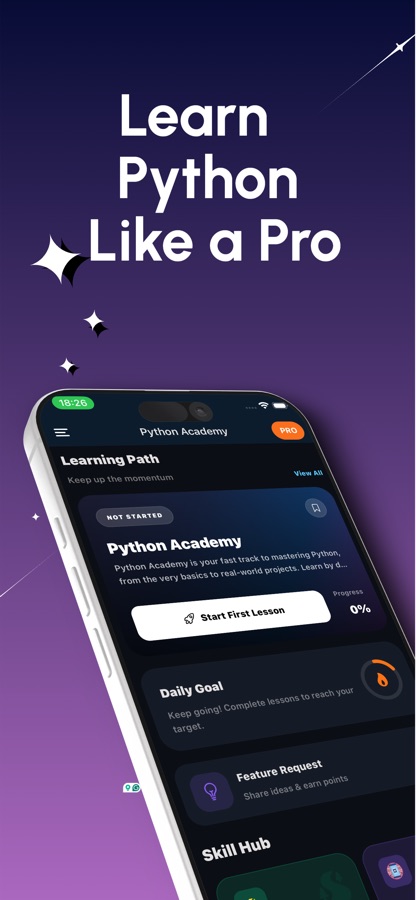
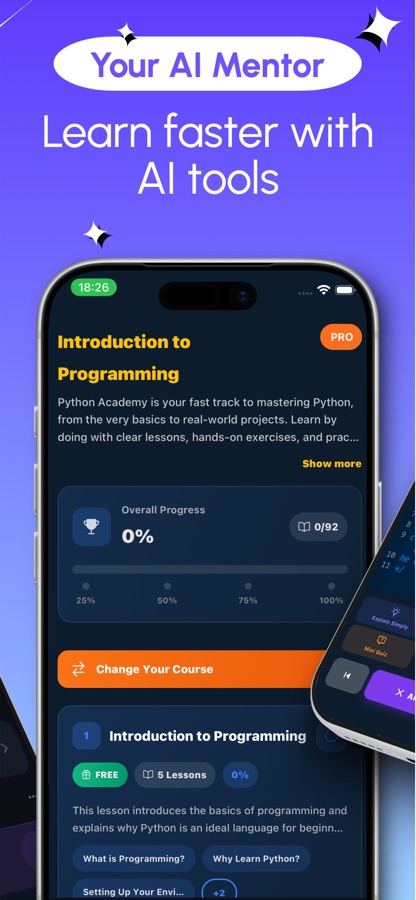
The code runs on the phone, not on a server.
Download the interpreter once — about 11 MB — and Python runs on the device from then on, even with no connection. That is what makes input() work mid-program and a turtle drawing or a matplotlib chart appear in the output instead of an error about a missing display.
What it is
Learn Python: Beginner Coding is a free iOS and Android app that teaches Python programming from the first print() statement through real projects, with a full CPython interpreter running locally on the phone rather than on a remote server. It covers 76 courses across 320 lessons, from variables and loops to object-oriented programming, web development with Flask and Django, and data work with pandas and NumPy, with an AI Mentor on hand for anything that does not make sense.
Inside the app
What it looks like
The course
What the Python course covers
76 courses, 320 lessons, drawn from the app's own course list — from a first print() statement to web backends, data tools and a first look at machine learning.
Introduction to Programming & Python Basics
What programming is and why Python is a reasonable first language, then variables, types, input and the first lines of real code.
Conditionals, Iteration and Data Structures
if/elif/else and loops, followed by lists, tuples, dictionaries and sets — the building blocks every later course assumes you already have.
Functions and Object-Oriented Programming
Functions and arguments, modular programming, then classes, inheritance, polymorphism, dataclasses and enums.
File Handling, Errors and Testing
Reading and writing files with pathlib, try/except error handling, logging and debugging, and testing with pytest.
Working with Libraries & Advanced Python Features
Modules, packages, pip and virtual environments, then comprehensions, generators, decorators, context managers, closures and async/await.
Introduction to Web Development
A first web backend course, followed by dedicated courses on Flask, Django and FastAPI as the app's curriculum goes deeper.
Python for Automation
Command-line tools, the subprocess module, automating Excel with openpyxl, and web scraping with BeautifulSoup and Scrapy.
Data Science with Python
SQLite and SQLAlchemy, NumPy and pandas for data work, Matplotlib and Plotly for charts, and an introduction to machine learning with scikit-learn.
How it works
How a session works
Each session mixes a short explanation with code you actually run, so the lesson and the practice happen in the same sitting rather than theory now and practice later.
Take one bite-sized lesson
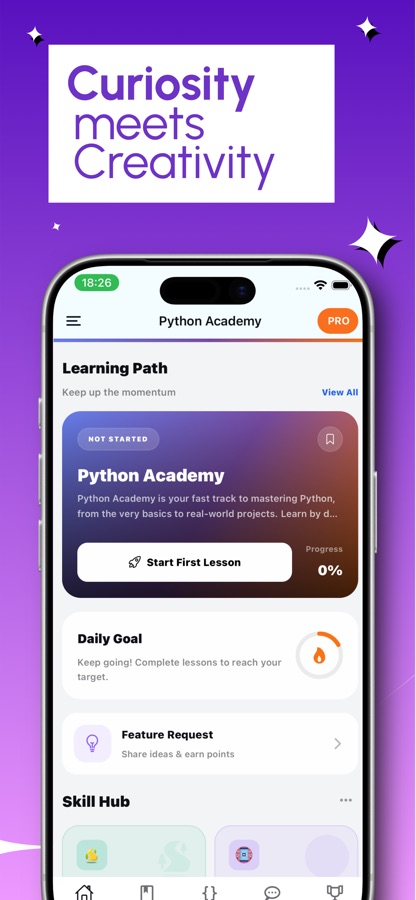
Open a topic and work through a single lesson of five to ten minutes: plain-language theory first, then practice, sized so a lesson finishes before a bus ride does.
Write and run real Python on the device
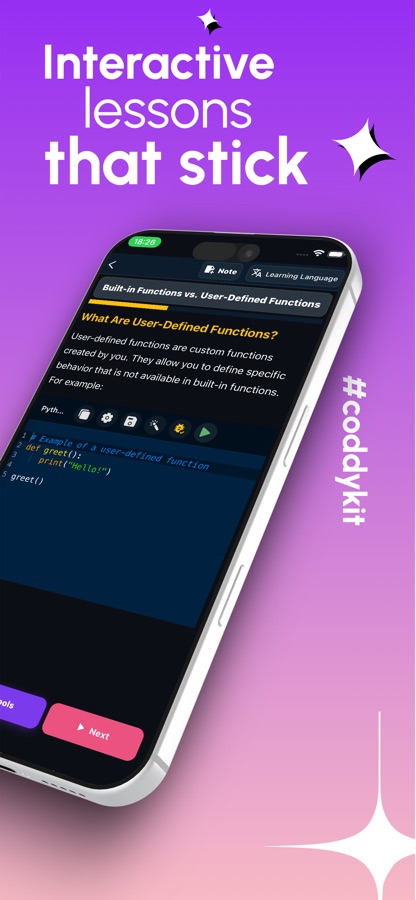
The built-in editor runs a real CPython interpreter on the phone — download it once (about 11 MB) and code executes offline from then on. input() works mid-program, and turtle drawings or matplotlib charts render directly in the output.
Check it stuck, then push further
A quiz and a coding challenge close every topic. When a concept or an error message does not make sense, the AI Mentor explains it in seconds, and a coding mission, the Weekly Code Duel or a Bug Hunt round gives the idea a second workout.
What's inside
What comes with the app
76
Courses, A1 to C1
320 lessons across 76 courses, from variables, loops and functions through object-oriented programming, error handling, decorators and async/await, up to Flask, Django, FastAPI, pandas and a first look at scikit-learn.
On-device
Real CPython interpreter
Code runs on the phone itself, not on a server: input() works while a program is running, and turtle graphics or matplotlib charts show up in the output window. Download the runtime once and run it offline.
AI
AI Mentor
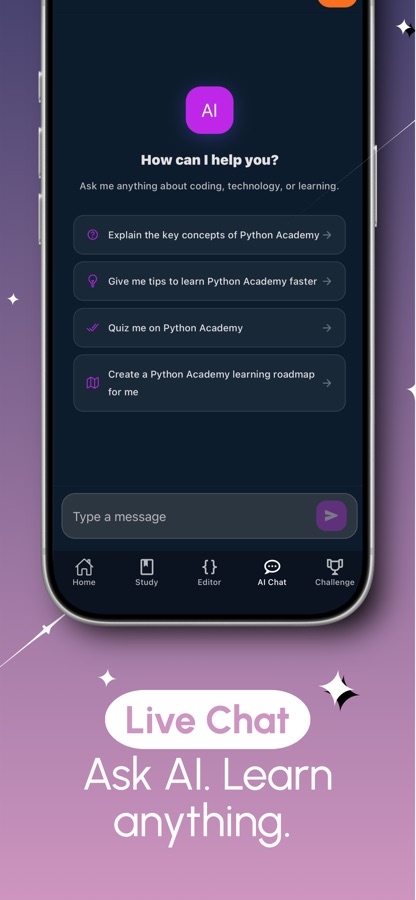
Stuck on a concept or an error message? Ask the AI Mentor and get a clear explanation in seconds, from the lesson's chat screen.
60
Coding missions
20 easy, 20 medium and 20 hard missions, plus 20 guided projects such as querying a SQLite database or writing your own decorator, one step at a time.
Bug Hunt
Find the bug
Short snippets with a bug hidden in them, weighted toward the topics you personally miss most — a different kind of practice than writing code from scratch.
Interview
Python interview prep
Python interview questions with model answers, plus an AI mock interview that asks follow-up questions and scores your answers at the end.
Background
Can you actually learn Python on a phone, and what is it used for?
Python is a general-purpose programming language known for syntax that reads close to plain English, which is why it is usually recommended as a first language. It runs web backends (Django, Flask, FastAPI), automates repetitive tasks (renaming files, filling spreadsheets, scraping web pages), and does most of the heavy lifting in data analysis and machine learning (pandas, NumPy, scikit-learn). A phone cannot replace a laptop for a large multi-file project, but it is a real option for the part that actually blocks beginners: reading a concept once and typing the code that uses it before the idea fades, which fits a five-to-ten-minute gap far better than opening a laptop does.
Interpreted, not compiledwhy it runs instantly
Python code is read and executed line by line by an interpreter, with no separate build step. That is also why it can run locally on a phone at all: the same CPython interpreter that runs on a laptop runs in the app, so a lesson's code executes the moment you tap run.
Dynamic typingthe first real adjustment
A variable's type is decided by the value assigned to it, not declared up front, and it can change later in the same program. This is usually easier for a beginner's first lines of code, but it is also the source of a specific class of error once functions and arguments are introduced.
Indentation as structurethe first beginner trap
Python uses indentation, not braces, to mark which lines belong inside a loop, function or condition. It reads cleanly once it clicks, but an inconsistent space or tab is a syntax error rather than a style complaint, which catches almost every beginner at least once.
The standard library and pipwhy Python feels so capable
Python ships with a large standard library (file handling, dates, regular expressions) and pip installs anything it does not — pandas for data, Flask for a web server, BeautifulSoup for scraping. Most of what Python is known for being used for is really a popular third-party package, not the core language.
Fit
Who it's for — and who it isn't
A good fit if you
- Are a complete beginner and want every concept explained before you type a line of code
- Want code that actually runs on the device, with input() and chart output, not a read-only example
- Learn in five-to-ten-minute sessions rather than sitting down for a long study block
- Are preparing for a technical interview and want practice questions plus a scored mock interview
- Want to see Python used for automation and data work, not only theory
Not the right tool if you
- Need to build a large multi-file project — that still calls for a laptop and a full IDE eventually
- Expect everything free: the first course and a handful of features are free, Pro unlocks the rest
- Already write Python professionally and want a reference manual rather than a beginner course
- Want numpy, pandas or matplotlib to work with zero setup — those download on first import, which needs a connection once
Questions
Frequently asked questions
What is the best app to learn Python on a phone?
The two things that matter on a phone are whether the code actually runs on the device and whether a session fits a short gap in the day. Learn Python: Beginner Coding runs a real CPython interpreter locally — input() works, turtle drawings and matplotlib charts render in the output — across 76 courses of five-to-ten-minute lessons, with an AI Mentor for anything that does not click. It is free to start on iOS and Android, in 22 languages.
Can you really learn Python on a phone, or do you need a laptop?
The fundamentals genuinely work on a phone: variables, loops, functions, data structures and object-oriented programming are ideas you can read and test in small pieces. Learn Python: Beginner Coding runs a real interpreter on the device, so you write and execute actual Python rather than reading about it. A laptop becomes useful again once you are building a multi-file project with its own folder structure, a database and a deployment step — that stage comes later, not on day one.
What is Python actually used for?
Mainly three things: web backends (Django, Flask, FastAPI power a large share of the web's server side), automation (renaming files, filling spreadsheets, scraping a web page), and data work (pandas and NumPy for analysis, scikit-learn for a first model). Which one matters to you should shape which courses you take first — the app's curriculum covers all three as separate tracks rather than assuming one path fits everyone.
How long does it take to learn the basics of Python?
Consistency matters more than total hours. Working through short daily lessons — variables, conditionals, loops, functions and the core data structures — most beginners can write small working programs in a matter of weeks, well before reaching object-oriented programming or web frameworks. Learn Python: Beginner Coding is built around that shape: lessons of five to ten minutes, a quiz after every topic, and streaks and reminders so the gap between sessions does not grow.
Do I need any experience to start?
No. Learn Python: Beginner Coding assumes no prior programming experience and starts from what a variable is and why indentation matters in Python specifically. Lessons mix short plain-language theory with something to type and run, so the first course is a genuine starting point rather than a refresher aimed at people who already know another language.
Why do numpy, pandas or matplotlib need a download the first time I use them?
The app's interpreter runs Python itself fully offline once the roughly 11 MB runtime is downloaded, but heavier libraries like numpy, pandas and matplotlib are fetched the first time a lesson imports them, which needs a connection for that one download. After that first import, the same package runs locally. This only affects the data-science courses — the core language courses run offline from the start.
Is Learn Python: Beginner Coding free?
The app is free to download on the App Store and Google Play. The first course is free, along with a daily allowance of AI Mentor questions, two coding missions and the Weekly Code Duel, so you can try real lessons before deciding anything. Pro unlocks every course and lesson, unlimited AI Mentor, the mid and senior mock interviews, and the certificate exam.
Is there a certificate at the end?
Yes. Passing the final exam issues a certificate of completion that you can share on LinkedIn — evidence of the work you did, useful alongside projects you can talk through in an interview, rather than an accredited academic qualification.
Does the app help with Python interview prep?
Yes, as a dedicated section rather than an afterthought: a set of Python interview questions with model answers, plus an AI mock interview that asks follow-up questions and gives a scored report at the end. A free junior mock interview is available monthly; mid and senior-level mock interviews are part of Pro.
What platforms and languages does it support?
Learn Python: Beginner Coding runs on iOS through the App Store and on Android through Google Play, and the app's interface is available in 22 languages. It is rated 4+, so nothing in the material is age-restricted.
Get started
Write your first line of Python today
Free to start on iOS and Android, in 22 languages.
More from CoddyKit
Available on iOS and Android.