
Learn Java Programming & OOP
Learn Java Programming & OOP — A Java course you can write and run on your phone
Learn Java Programming & OOP is a free iOS and Android Java course for beginners and developers going deeper, running your code on a real Java compiler, javac and the JVM, so there is no IDE or JDK to install. 104 courses take you from your first System.out.println through object-oriented programming and the Streams API to a Spring Boot REST API, with an AI Mentor for compiler errors and anything that does not click.


- Price
- Free, Pro upgrade
- Platforms
- iOS and Android
- Languages
- 22
- Age rating
- 4+
- Requires
- iOS 15.1 or later
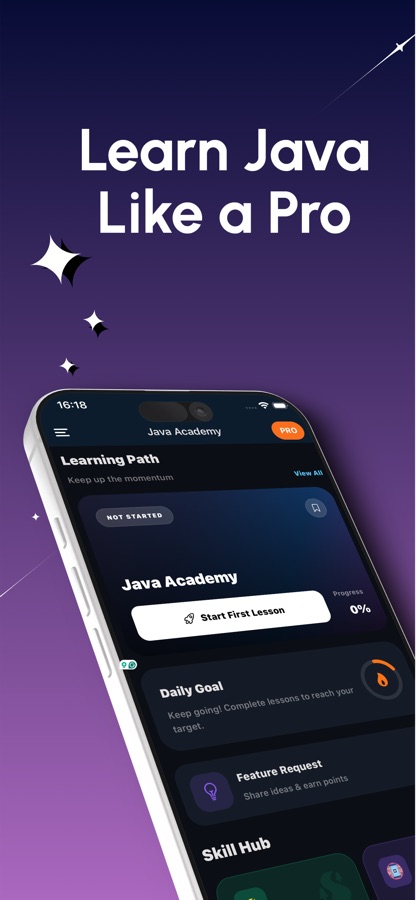
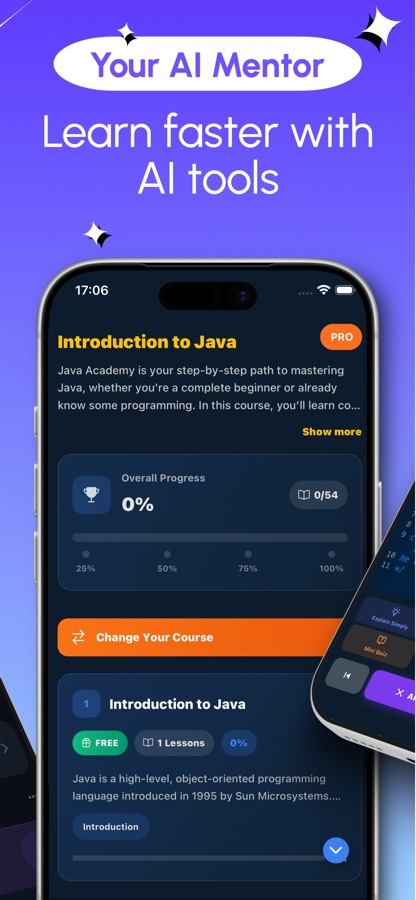
Real compiler errors, in a lesson you can finish on a bus.
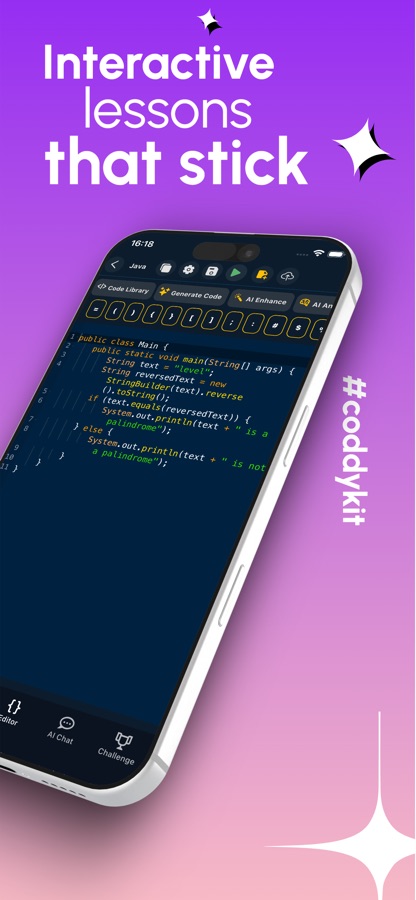
Java is strict about types and syntax, and the errors it reports are the way professionals learn the language. The editor sends your code to a real Java compiler and shows what javac says, so you fix a missing semicolon or a type mismatch the way you would in a work project instead of reading a screenshot of one.
What it is
Learn Java Programming & OOP is a free iOS and Android app that teaches Java from your first program to backend development. Code written in the built-in editor is compiled and run on a real Java compiler (javac and the JVM, online), and 104 courses with 370+ short lessons cover the basics, object-oriented programming, collections, exceptions, generics, lambdas and Streams, concurrency, JVM internals, and Spring Boot with Spring Data JPA and REST APIs. Quizzes, 20 guided projects, 60 coding missions, interview questions and an AI Mentor sit alongside the lessons.
Inside the app
What it looks like
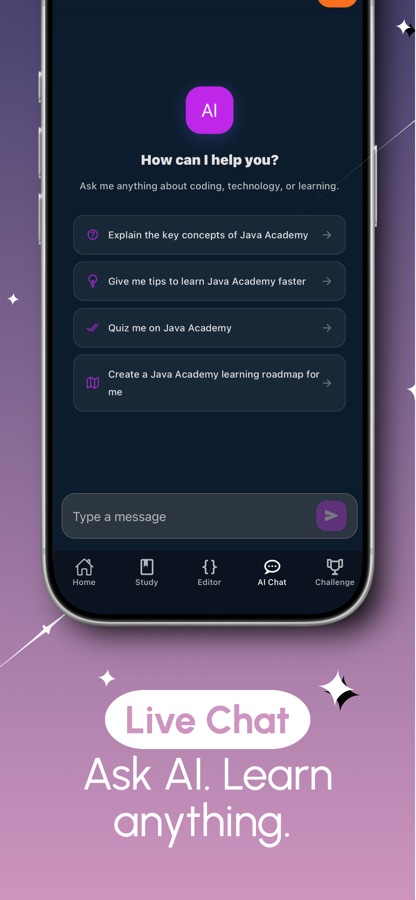
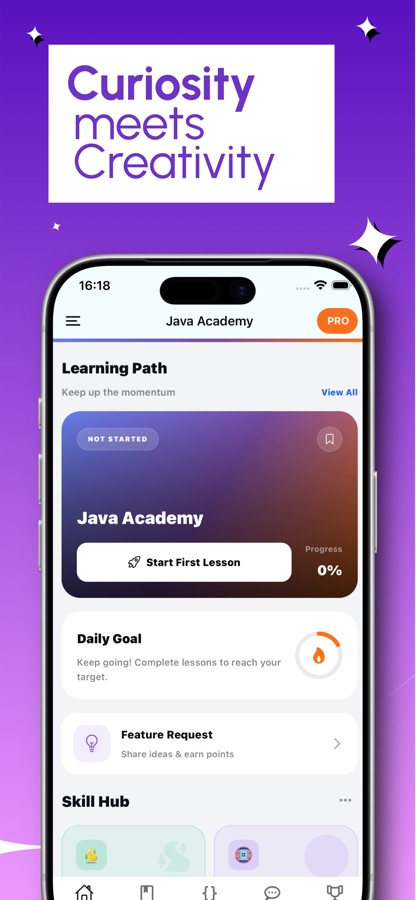
The course
What the Java course covers
104 courses in the app's own course list, graded A1 to C2. These are the main stretches, using the real course names.
Getting started: Introduction to Java, Hello Java and Scanner
What Java is, a first program, and reading console input with Scanner, followed by Variables and Expressions Essentials.
Conditions, loops, methods and arrays
If/else and switch, while and for loops, methods and their design, then one and two-dimensional arrays, with printf and switch expressions as extras.
Object-oriented programming
Classes and objects, inheritance, abstractions and interfaces, with a Shape Hierarchy mini project, then enums, records and sealed classes.
Collections, exceptions and files
Lists, sets and maps, comparators and iterators, exception handling, and files and I/O, finished by a Log Analyzer mini project.
Lambdas, Streams and generics
Lambdas and functional interfaces, method references, Streams pipelines and collectors, and interfaces and generics including bounded wildcards.
Backend with Spring Boot
Maven and Gradle, JDBC, then Spring Boot configuration and dependency injection, Spring Data JPA, REST API validation and error handling, JUnit 5 testing and a REST API mini project.
Concurrency and the JVM
ExecutorService and thread pools, locks and atomics, CompletableFuture, virtual threads, memory management and garbage collection, and classloading and bytecode.
How it works
How you learn Java in the app
Each topic follows the same loop of reading a little, running code and checking what you took in.
Pick a course and read one short lesson
Lessons run five to ten minutes and mix a plain-language explanation with an example. Your first course is free, and the path starts at Introduction to Java.
Edit and run the example
Open the example in the code editor, change it and run it on the Java compiler. Compiler errors are shown the way a developer sees them, so you can fix them and run again.
Lock it in, then ask if you are stuck
A quiz with an explanation for every answer, a project step or a coding mission follows each topic. If a compiler error or a stream pipeline does not make sense, the AI Mentor explains it, and you can select code in the editor and ask it to explain, optimize or rewrite it.
What's inside
What comes with the app
104
Courses from beginner to advanced
More than 370 bite-sized lessons graded from A1 beginner to C2 advanced, from variables and loops to concurrency and the Foreign Function and Memory API.
javac
A real Java compiler
Code is compiled and run with javac and the JVM online, so what you see is what a Java installation would report. No IDE or JDK to install.
20
Guided projects
Each project is built step by step, and every step is checked by compiling and running your code against the expected output.
60
Coding missions
Extra practice outside the lessons, with XP for each mission you finish.
AI
AI Mentor
Ask about a compiler error, a stream or an OOP concept, or select code in the editor and ask for an explanation, an optimization or a rewrite.
Interview
Interview prep
A Java interview question of the day, such as JDK versus JRE versus JVM, the OOP pillars, the String pool and abstract class versus interface, plus a cheat sheet and a code library.
Background
What is Java used for, and what does a Java programming course need to cover?
Java is a statically typed, object-oriented language that runs on the Java Virtual Machine. It is the language behind Android apps, Spring backend services and many enterprise systems, which is why Java developer and backend interviews are a common reason to study it. A course that gets you there has to cover more than syntax: the object model, the collections framework, error handling, generics, functional features such as lambdas and Streams, and then the backend tooling, Maven or Gradle, JDBC, Spring Boot and testing, that real projects are built with.
JDK, JRE and JVMthe first interview question
The JVM runs compiled bytecode, the JRE bundles the JVM with the standard libraries, and the JDK adds the compiler and tools you need to write programs. In this app the compiling and running happens on a server, so you do not install any of them to start.
Compiled to bytecodewhy errors come early
javac checks your source before anything runs and turns it into bytecode for the JVM. Type mistakes and missing symbols stop the build with a message, which is stricter than a scripting language and is a large part of what makes Java code easier to maintain at scale.
Object-oriented programmingclasses, interfaces, records
Java organises code into classes and objects, with inheritance, interfaces, abstract classes, enums and records to model data and behaviour. Understanding when to use an interface instead of an abstract class is one of the topics interviewers ask about most.
Collections and Streamseveryday Java
List, Set and Map are the containers most Java code is written around, and the Streams API lets you filter, map and collect them in a functional style. Comparators, iterators and Optional round out the toolkit.
Spring BootJava on the backend
Spring Boot is the most widely used framework for building Java REST services. Its building blocks are dependency injection, Spring Data JPA for databases, request validation and JUnit-based tests.
Fit
Who it's for — and who it isn't
A good fit if you
- Want a serious first programming language and prefer lessons in short sessions
- Are a student who needs extra practice next to classes and exams
- Are preparing for a Java developer or backend interview and want question practice
- Already know Android or Python and want core Java as a second language
- Want to see compiler errors and fix them, not only read finished examples
Not the right tool if you
- Need to build a large multi-file project in an IDE, which still calls for a laptop
- Want to compile code offline, since the Java compiler runs online
- Expect everything free, because the first course is free and Pro unlocks the rest
- Are looking for an official Oracle course or certification, since the app is independent
Questions
Frequently asked questions
What is a good Java course app for a phone?
The things that matter are whether the code really compiles and runs, and whether the course goes past syntax. Learn Java Programming & OOP compiles your code on a real Java compiler (javac and the JVM, online), and its 104 courses run from the basics through OOP, collections, Streams and concurrency to Spring Boot. It is free to start on iOS and Android and comes in 22 languages.
Can you really learn Java programming on a phone?
The core of the language, variables, loops, methods, classes and collections, can be learned in short lessons with examples you run yourself. Learn Java Programming & OOP is built that way, with five-to-ten-minute lessons, a code editor and a quiz after each topic. A laptop becomes useful later, when you assemble a multi-file Spring Boot project with its own build setup.
Do I need to install the JDK or an IDE?
No. Learn Java Programming & OOP sends the code you write in the built-in editor to a real Java compiler, javac and the JVM, so there is nothing to install. The trade-off is that running code needs an internet connection.
Does the app cover Spring Boot?
Yes. After the language courses, the backend stretch covers Maven and Gradle, JDBC, Spring Boot configuration and dependency injection, Spring Data JPA, REST APIs with validation and error handling, and JUnit 5 testing. It ends with a REST API mini project, so you finish with a small service rather than only the theory.
What is the difference between the JDK, JRE and JVM?
The JVM is the virtual machine that runs compiled Java bytecode, the JRE is the JVM plus the standard libraries, and the JDK is the JRE plus the compiler and developer tools. Java interviews ask this often, and the Java interview question of the day in Learn Java Programming & OOP uses it as an example.
Is Java the same as JavaScript?
No, they are different languages with similar names. Java is statically typed, compiled to bytecode and runs on the JVM, and it is used for Android, backend services and enterprise systems. JavaScript runs in browsers and on Node.js. This app teaches Java only.
Is Learn Java Programming & OOP free?
It is free to download and the first course is free, with one AI Mentor question a day, and free users see ads. Pro unlocks every course, all the projects and missions and the certificate exam, removes ads and lifts the daily AI Mentor limit.
How long does it take to learn Java basics?
It depends on how regularly you practise, more than on total hours. Working through short lessons on variables, conditions, loops, methods and arrays gets most beginners to small working programs within a few weeks, well before they reach OOP or Spring. The app supports that with streaks, progress tracking and reminders.
Is there a certificate?
Yes. Passing the certificate exam, which is part of Pro, lets you share a Java certificate of completion. It records the work you did in this course and is not an Oracle certification.
Is the app affiliated with Oracle?
No. Java is a registered trademark of Oracle and/or its affiliates, and Learn Java Programming & OOP is an independent learning app that is not affiliated with Oracle.
Get started
Compile your first Java program today
Free to start on iOS and Android, in 22 languages.
More from CoddyKit
Available on iOS and Android.