

Learn React: Build Apps
Learn React: Build Apps — Learn React programming by writing JSX and running it on your phone
Learn React: Build Apps is a free-to-start iOS and Android app that teaches React programming to beginners with a little HTML, CSS or JavaScript and to developers switching from another framework. Write JSX in a code editor, tap Run and watch your component render in a live preview inside the app. 88 courses and 324 lessons take you from a first component through hooks and state management to Next.js, with 20 guided projects along the way.


- Price
- Free, Pro upgrade
- Platforms
- iOS and Android
- Languages
- 22
- Age rating
- 4+
- Version
- 82.6.1
- Requires
- iOS 15.1 or later
- App Store
- 3.8 ★ (4)
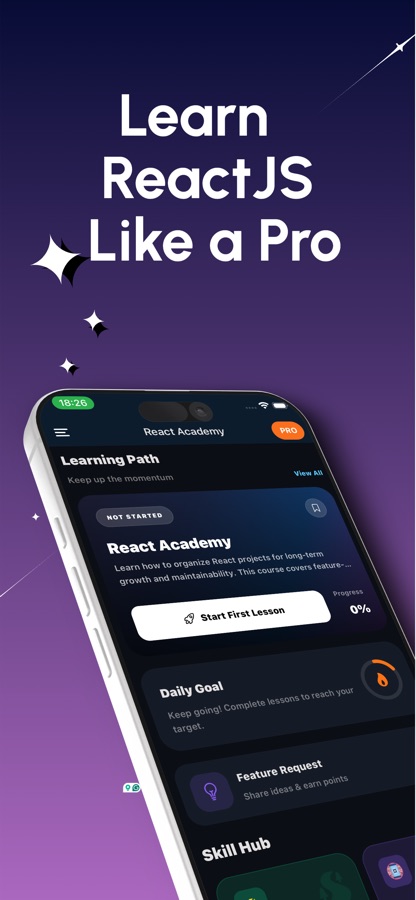
Your component renders on the phone, not on a server.
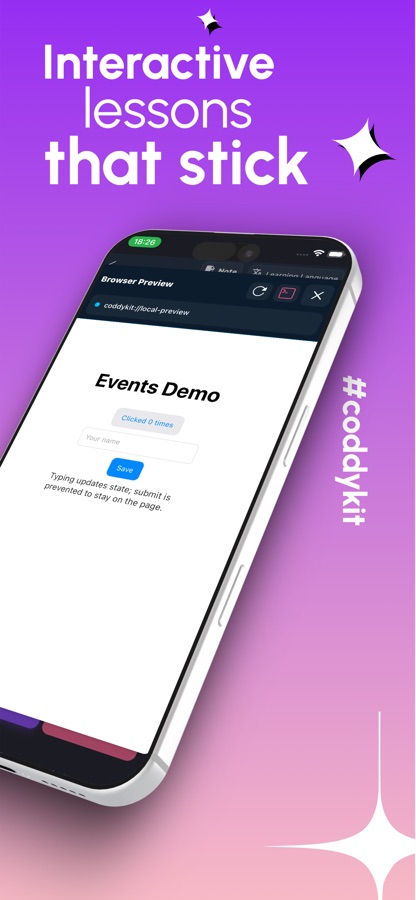
The runtime, ReactDOM and Babel, is bundled into the app, so the JSX you write is compiled and shown on the device. You can tap the button you just built, type into your form and see the UI respond, which is the feedback loop that makes hooks start to make sense.
What it is
Learn React: Build Apps is a free-to-start React course for iOS and Android with 88 courses and 324 interactive lessons, from the first line of JSX to hooks, state management, React 19 and the Next.js App Router. The built-in editor compiles your code on the device and renders the component in a live preview, and 20 guided projects check each step before you move on. It is an independent learning app and is not affiliated with Meta or Vercel.
Inside the app
What it looks like
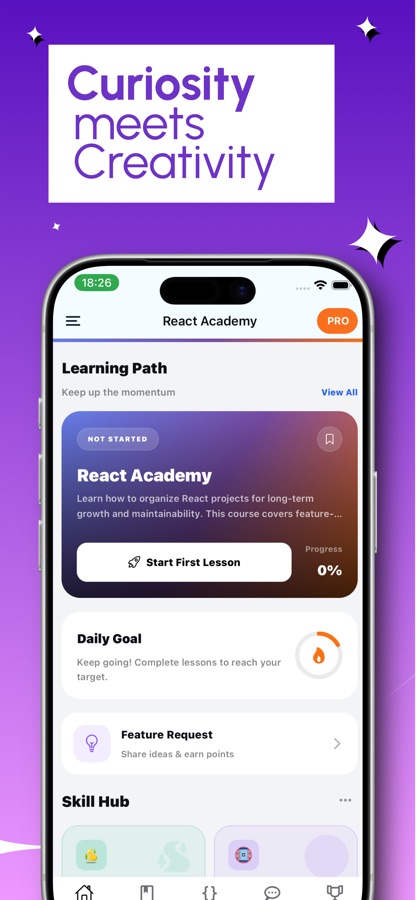
The course
What the React course covers
88 courses drawn from the app's own list, ordered the way a first pass through React usually goes.
React Kickoff, JSX and Props & Composition
Components, declarative UI and how React updates the DOM, then JSX rules, rendering lists and passing data down with props.
State, Events, Forms and useRef
useState and event handling, controlled forms with validation, and useRef for values and DOM access that do not trigger a render.
useEffect, Data Fetching and Custom Hooks
When effects run, dependency arrays, loading and error states for API calls, and extracting reusable logic into your own hooks.
Context, Redux Toolkit and Zustand
Sharing state without prop drilling with Context and useReducer, then Redux Toolkit with RTK Query, Zustand and Jotai for larger apps.
Routing, React Query and Forms at Scale
Client-side routing and React Router patterns, server state with TanStack Query and SWR, React Hook Form and optimistic UI.
Performance, Testing and TypeScript
Rendering and memoisation, code splitting, virtualised lists, testing with React Testing Library, and typing components and hooks.
React 19, Server Components and Next.js
Server Components and Actions, SSR and hydration, then the Next.js App Router with data fetching, caching and authentication.
How it works
How a lesson works
A lesson is a short concept followed straight away by code you write and run, so the idea and the result sit on the same screen.
Read one concept
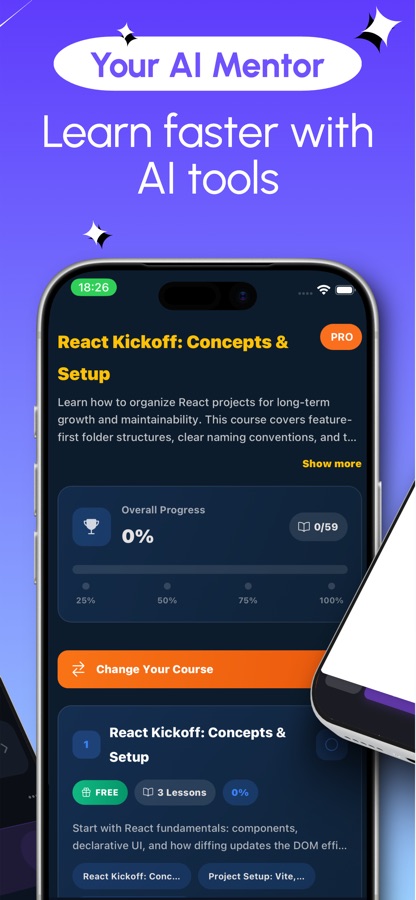
Open a course from the learning path and read a short lesson, such as how state updates or why a list needs keys. The course overview marks which lessons are free, so you can see the format before committing.
Write JSX and tap Run
Type the component in the code editor and run it. The live preview renders your component inside the app, so you can click the button, type into the field and see what the code does.
Check it, then build on it
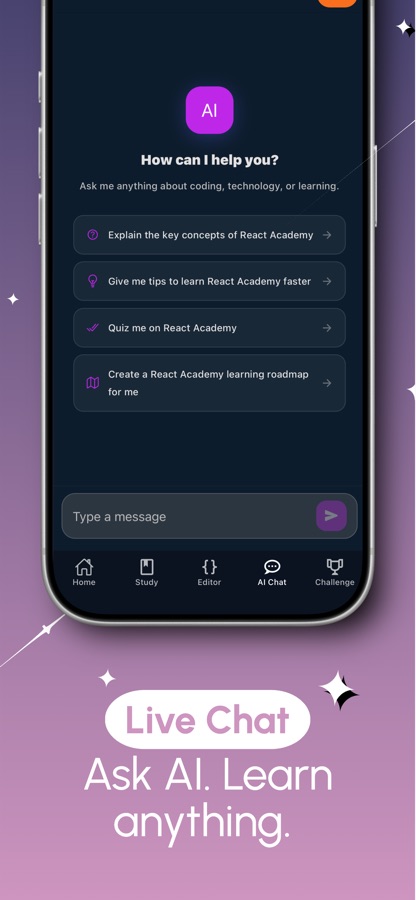
Quizzes, coding missions and guided projects confirm the idea stuck, and the AI mentor explains a hook or an error you cannot read. Bug Hunt and UI Match give the concept a second workout.
What's inside
What comes with the app
88
Courses, 324 lessons
From JSX, props and state through custom hooks, forms, Context and Redux Toolkit to Server Components, SSR and the Next.js App Router, grouped from A1 to C1.
Live
Editor with a live preview
A code editor made for JSX with the component rendered inside the app. Multi-file projects let you import one component into another, the way real apps are built.
20
Guided projects
Build a like button, profile cards, a tip calculator, a quiz game, a shopping cart and more, one small step at a time. Each step checks the component really works.
Lab
Hooks Lab and props knobs
Watch every state change and re-render as it happens, and change a prop with a slider to see the component update. A render profiler and state timeline are part of Pro.
30
Coding missions
Missions at easy, medium and hard levels on hooks, rendering, forms, context and performance, plus UI Match, Bug Hunt and Component Recall with spaced repetition.
AI
AI mentor
Ask for an explanation, let the AI review your code and suggest a fix, or generate a custom lesson on any topic. The mentor and the certificate exam are part of Pro.
Background
What do you actually need to understand to write React, and in what order?
React is a JavaScript library for building user interfaces out of small, reusable components that redraw themselves when their data changes. Most beginners stall not on syntax but on the model underneath it: what a render is, what counts as state and when effects run. Learning those ideas in order, with something on screen to test each one, is faster than reading about them all at once.
Components and propsthe unit of reuse
A component is a function that returns a piece of the interface, and props are the inputs it receives from its parent. Because data flows down through props, you can read a component and predict what it will draw.
Statewhat changes over time
State is data a component remembers between renders, such as the text in a field or whether a menu is open. Updating state schedules a new render, which is the one mechanism behind almost every interactive screen.
Hooks and effectswhere beginners get stuck
Hooks such as useState, useRef and useReducer let a component hold state and reach the DOM. useEffect runs code after a render, and a wrong dependency array is the most common source of loops and stale values.
Rendering and re-renderingwhy the app feels slow
A component re-renders when its state or props change, and so do the components inside it. Knowing what triggered a render is the starting point for every performance fix, from memoisation to code splitting.
Fit
Who it's for — and who it isn't
A good fit if you
- Know a little HTML, CSS or JavaScript and want to start React properly
- Are a developer from another framework who needs to switch to React quickly
- Learn best when the result appears on screen the moment the code runs
- Are building a portfolio of small projects and want guided steps
- Are preparing for a frontend interview and want questions to rehearse
Not the right tool if you
- Have never seen JavaScript, because the course assumes a little of it
- Want to build and deploy a full project, which still takes a laptop
- Expect everything free, as the first course is free and Pro unlocks the rest
- Want an official course from the React team, since this is an independent app
Questions
Frequently asked questions
Can you learn React programming on a phone?
The core ideas, components, props, state and hooks, can be learned on a phone if you can run what you write. Learn React: Build Apps bundles ReactDOM and Babel, so your JSX renders in a live preview on the device. A laptop becomes useful once you build and deploy a larger project.
Do I need to know JavaScript before learning React?
A little helps. Learn React: Build Apps is aimed at people who know some HTML, CSS or JavaScript, such as variables, functions and arrays. If you have never written JavaScript, learn that first, because React lessons assume you can read it.
What is the difference between props and state?
Props are inputs a component receives from its parent and should not change, while state is data the component owns and updates over time. In Learn React: Build Apps you can see this in the Hooks Lab, which shows each state change and re-render, and the props knobs, which let you change a prop with a slider.
Does the app teach hooks like useEffect?
Yes. Learn React: Build Apps covers useState, useEffect, useRef, useReducer, custom hooks and useLayoutEffect. Separate lessons go into when effects run, dependency arrays and common mistakes, with a Bug Hunt mode for finding bugs in broken components.
Is React the same as React Native, and does the app teach both?
No. React is the library for building user interfaces, and React Native uses the same ideas to build mobile apps. Learn React: Build Apps teaches React for the web first, and a React Native fundamentals course helps web developers carry those skills over to mobile.
Does Learn React: Build Apps cover Next.js and React 19?
Yes. Courses cover React 19 features and Server Components, SSR and hydration, streaming, and the Next.js App Router with data fetching, caching and authentication. There is also a React Native fundamentals course for web developers.
What kind of projects can I build?
There are 20 guided projects, built one small step at a time: a like button, profile cards, a tip calculator, a quiz game, a stopwatch, a sign-up form, a shopping cart, an image carousel, a paginated list and a todo app. Each step checks that your component works before you continue.
Is Learn React: Build Apps free?
It is free to download. The free version includes the first course, one guided project, two coding missions, the code editor with live preview, Hooks Lab, props knobs, Bug Hunt and three UI Match checks a day, and it shows ads. Pro unlocks all courses, projects and missions, the AI mentor, the render profiler, the certificate exam and removes ads.
Is there a certificate or interview preparation?
Passing the final exam earns a shareable certificate, which is part of Pro. For interviews there are 50 interview questions, a 50-question quiz and a cheat sheet to rehearse core concepts.
Does the code run on a server?
No. The runtime is bundled into the app, so your code is compiled and rendered on the device. That is why you can tap the button you built and see the UI respond inside the preview.
What languages and platforms does it support?
Learn React: Build Apps runs on iOS and Android and is available in 22 languages. It is rated 4+ and needs iOS 15.1 or later on iPhone.
Get started
Render your first component today
Free to start on iOS and Android, in 22 languages.
More from CoddyKit
Available on iOS and Android.