
Learn Coding for Kids: Python
Learn Coding for Kids: Python — Coding for kids, from a turtle drawing to a quiz game
Learn Coding for Kids: Python is a free iOS and Android app that teaches coding for kids with real Python. The very first step needs no typing: a child runs a tiny program and a turtle draws a star on the phone, stroke by stroke. After that come 20 short courses, 41 block puzzle levels and 60 missions, paced for a short attention span.


- Price
- Free, Pro upgrade
- Platforms
- iOS and Android
- Languages
- 22
- Age rating
- 4+
- Requires
- iOS 15.1 or later
- App Store
- 5.0 ★ (1)
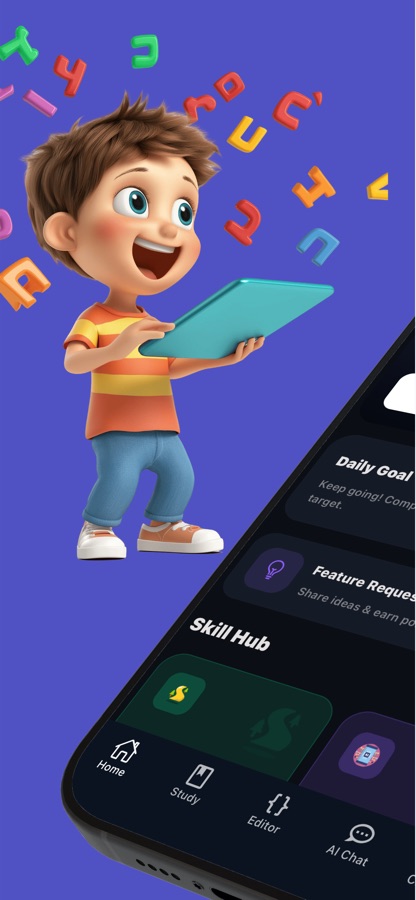
A loop makes sense before the word loop appears.
In the first minute a turtle draws a star. Tap another program and a square, a flower or a rainbow spiral appears; change two numbers and the picture changes. Children meet repetition as something they can see, and the vocabulary arrives later. The first drawing runs on the phone itself, with no internet needed.
What it is
Learn Coding for Kids: Python is a free iOS and Android app that gives young beginners a first programming course in Python. It combines 20 short courses and 80 bite-sized lessons with turtle drawing, 41 block puzzle levels, 60 missions and a built-in code editor, so a child can move from watching a program draw to writing one. The first course, the first block levels and the first missions are free, and a parental gate guards purchases and outside links.
Inside the app
What it looks like
The course
What the Python course covers
The names below are real courses from the Coding for Kids course on this site, in the order a child meets them: a first picture, then the ideas behind it, then a small project.
What Is Coding?
What computers can do and what code is, with no typing at the start. The first course is free.
Think Like a Coder: Algorithms
Thinking in clear, ordered steps, the idea every later lesson leans on.
Your First Python Program
Printing a first message to the screen, the moment a child sees their own words appear.
Remembering Things
Variables as a way to keep a number or a word for later, followed by Counting and Calculating for simple math.
Making Choices
Using if and else to let a program decide, with Fun with Text and True or False Fun for the values it decides about.
Doing Things Again
Loops and counting with range, then Collecting Things in Lists for keeping many items together.
Recipe Functions
Functions as reusable recipes, so a child writes a set of steps once and uses it many times.
Drawing with Turtle
Turtle graphics, then Simple Animations and Patterns with Nested Loops, ending with the Mini Project: Quiz Game.
How it works
What a child does in the app
The app is organised so that a child always has a next small thing to do, and a parent can see what that next thing is at a glance.
Watch a program draw, then change it
Run the first tiny program and a turtle draws a star. Choose a different program for a square, a flower or a rainbow spiral, and change two numbers to see the picture change.
Work through a short course
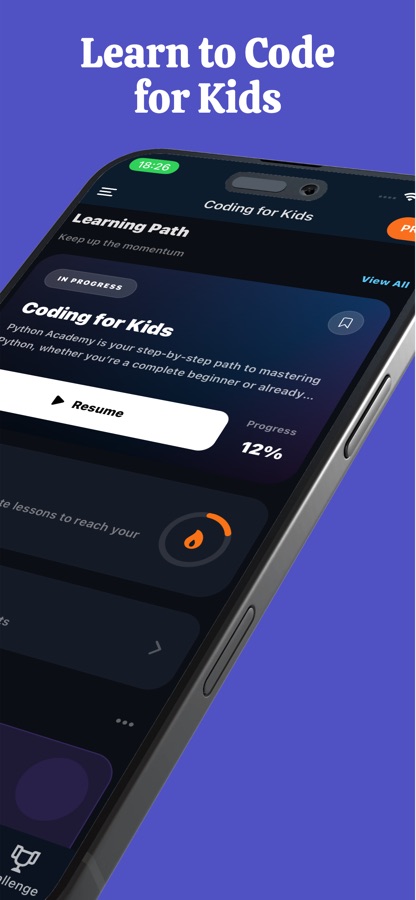
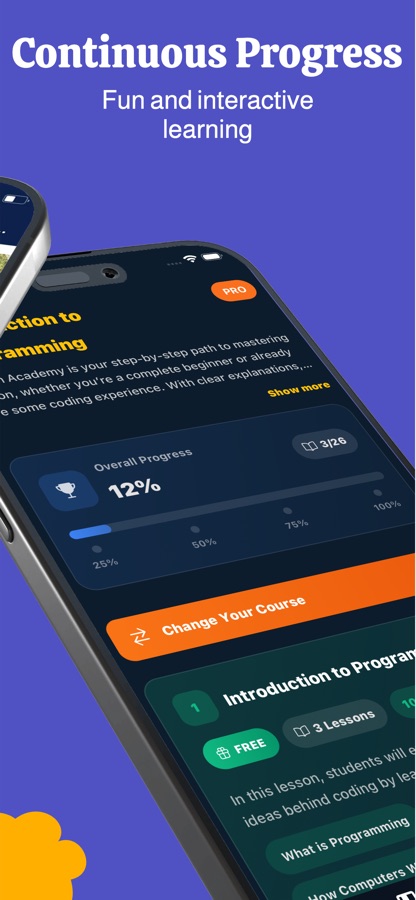
Each of the 20 courses is split into small lessons, from what computers are and what code is, through algorithms, variables and loops, to a mini project: building a quiz game.
Play, practise and keep going
Solve block puzzle levels where a cat, a frog, a robot or a dragon has to reach the goal, try a mission, then use quizzes, flashcards, a cheat sheet and a daily streak to make the new ideas stick.
What's inside
What comes with the app
20
Courses, 80 lessons
Computers and code, algorithms, printing messages, variables and simple math, text and true or false, if and else, loops with range, lists and dictionaries, random numbers, functions, and turtle animations.
41
Block puzzle levels
Levels earn stars and get harder step by step, with blocks such as move, jump, repeat, if blocked and repeat until goal. The first levels are free.
60
Python missions
Small, concrete goals in easy, medium and hard: say hello to the computer, count jellybeans, build a star staircase, check even or odd, find the hidden toy.
Turtle
Drawing with code
Turtle graphics, simple animations and nested-loop patterns turn a few lines of Python into a picture on the screen.
Editor
A real code editor
When a child is ready, the built-in editor writes and runs Python on the phone and shows the output. Programs can be saved and opened again, in My Codes.
Review
Tools that help it stick
Mini quizzes and flashcard review, a cheat sheet, example programs, notes, saved lessons and a daily streak with progress that shows what was learned.
For parents
Is Python a good first language for a child, and why does turtle drawing help?
Python is often recommended as a first text language because its code reads close to English and has little punctuation to trip over. Turtle drawing adds the other ingredient young learners need: a result they can see. A few lines move a pen across the screen, and a mistake shows up as a crooked shape rather than a cryptic message. Most children are happier trying again when the outcome is a picture.
Turtle graphicscode you can see
A turtle is a small pen that obeys commands such as move forward and turn. Repeat the same two commands and a square appears, repeat them with a different angle and the shape becomes a star. It makes the idea of a loop visible.
Algorithmsordered steps
Before any code, a child learns to describe a task as clear steps in the right order, like a recipe. The app returns to the recipe idea later when it introduces functions as reusable recipes.
IndentationPython's one quirk
Python marks which lines belong inside a loop or an if by how far they are indented. It looks tidy once it clicks, and it is the first thing an adult will want to check when a child's program does not run.
Blocks and then texttwo routes to the same ideas
Snapping together blocks like move, jump, repeat and if blocked trains the same thinking as typing Python. A younger or less confident child can start with blocks, and a child who wants real code can go straight to the lessons.
Fit
Who it's for — and who it isn't
A good fit if you
- Are a parent who wants to see real progress in a child's first programming, not a video about programming
- Have a child who enjoys drawing, puzzles or games and would try code if it produced a picture
- Want real Python early on, with block games as a gentler start for a younger or less confident child
- Like clear, short lessons that fit into a busy day
- Want the app in the family's own language, out of 22 interface languages
Not the right tool if you
- Expect the whole path to be free: the first course, the first block levels and the first missions are, and CoddyKit Pro unlocks the rest
- Are looking for a course for teenagers heading into data science or web development
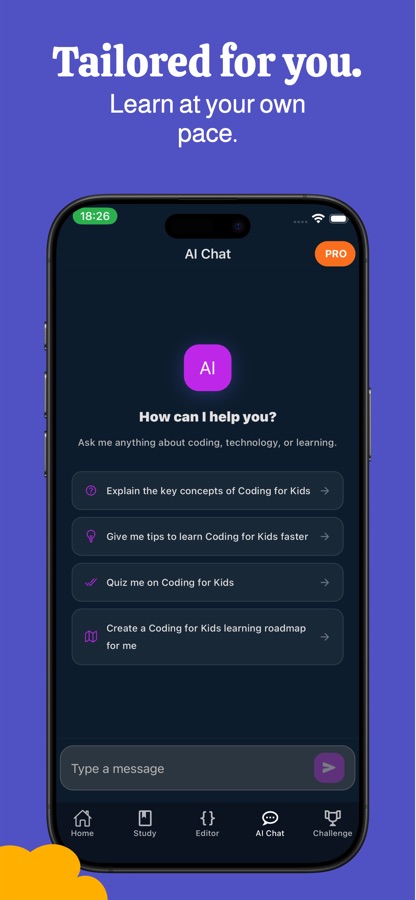
- Want a classroom with a human teacher; the app is self-paced, with an AI Chat tab for questions
Privacy
For parents: purchases and outside links
A parental gate sits in front of purchases and in front of links that leave Learn Coding for Kids: Python. Subscriptions are set up by a parent, and on Android they can be managed or cancelled at any time in Google Play.
Full details are in the CoddyKit privacy policy.
Questions
Frequently asked questions
What is Learn Coding for Kids: Python?
Learn Coding for Kids: Python is a free iOS and Android app that teaches coding for kids with Python. It offers 20 short courses and 80 lessons, turtle drawing, 41 block puzzle levels, 60 missions and a built-in code editor. It is made for children who have never written code.
What age is it for?
The App Store subtitle describes it as fun programming for ages 6 and up, and the app is rated 4+. Every child is different, so the first drawing is a good test: if your child enjoys watching the turtle draw a star and changing the numbers, the early lessons will probably suit them.
Does my child have to type code?
Not at first. The opening drawing needs no typing experience, and the Block Playground uses snap-together blocks. Typing Python comes in gradually through the lessons and the code editor, which runs a child's program on the phone and shows the output.
What will my child actually learn?
Children learn what computers and code are, how to describe a task in ordered steps, how to print messages and use variables, how if and else make choices, how loops and range repeat actions, and how lists, dictionaries, functions and random numbers work. The course finishes with turtle animations, nested-loop patterns and a quiz game of their own.
How do block puzzles fit in?
The Block Playground has 41 levels in which a cat, a frog, a robot or a dragon has to reach the goal. A child snaps together blocks such as move, jump, repeat and if blocked, presses play and watches the program run. It trains the same computational thinking as the lessons, using blocks instead of text.
What is free and what does Pro unlock?
The first course, the first Block Playground levels and the first coding missions are free, so a child can try real coding before a parent decides. CoddyKit Pro unlocks every course and lesson, all 41 puzzle levels, all 60 missions, and the exam and certificate.
Does it work without an internet connection?
The first turtle drawing runs on the phone and needs no internet. The store listing does not promise offline use for the rest of the app, so check a lesson on the device before relying on it for a long journey.
How is it different from the JavaScript kids app?
Learn Coding for Kids: Python teaches Python and opens with a turtle drawing a star. Learn JavaScript for Kids teaches JavaScript and opens with a live program whose stickers a child changes by tapping. The two share the same building blocks of variables, loops and decisions, so the choice is mostly about which language your child is curious about.
Get started
Let your child draw their first star in Python
Free to start on iOS and Android, in 22 languages.
More from CoddyKit
Available on iOS and Android.