

Learn jQuery: Code & Build
Learn jQuery: Code & Build — Learn jQuery on your phone: write a chain, watch a real page react
Learn jQuery: Code & Build is a free-to-start iOS and Android app that teaches the jQuery JavaScript library — DOM manipulation, events, effects and AJAX — to beginners, students and developers who maintain jQuery sites. Every lesson is paired with a live editor and page preview, and jQuery 3.7.1 is built in, so what you write runs on the phone, even offline. An AI Mentor answers questions about a selector, an error or an AJAX call.


- Price
- Free, Pro upgrade
- Platforms
- iOS and Android
- Languages
- 22
- Age rating
- 4+
- Requires
- iOS 15.1 or later
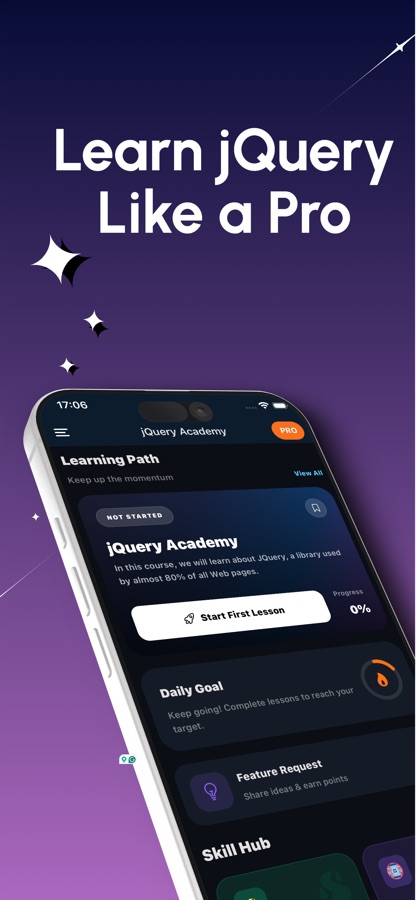
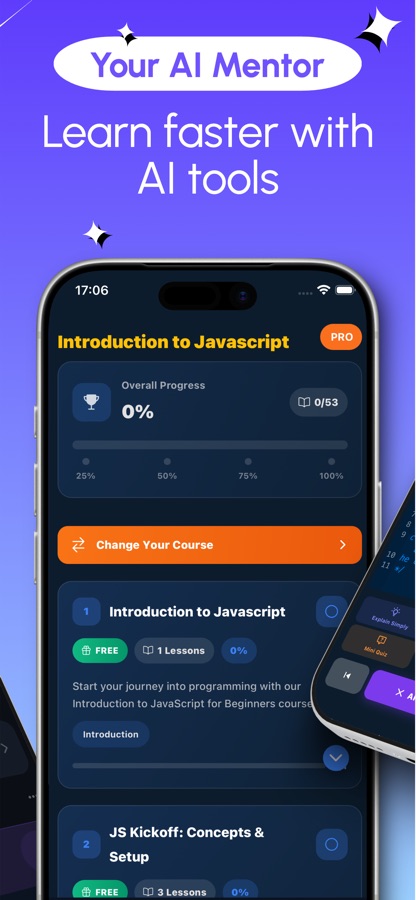
If you know a CSS selector, you already know most of jQuery.
jQuery borrows its selectors from CSS and lets you chain actions onto the result. That makes it a gentle first contact with the DOM, events and asynchronous code, and a practical skill for the many existing websites that still depend on it.
What it is
Learn jQuery: Code & Build is an iOS and Android course app for the jQuery JavaScript library. It has 22 courses with 48 lessons from level A1 to C1, a live JavaScript editor with a page preview that runs on the device with jQuery 3.7.1 built in, 20 debugging missions, 20 guided HTML and CSS projects, 50 interview questions, 50 quiz questions and a 91-entry cheat sheet. An AI Mentor explains selectors, errors and AJAX calls in plain language.
Inside the app
What it looks like
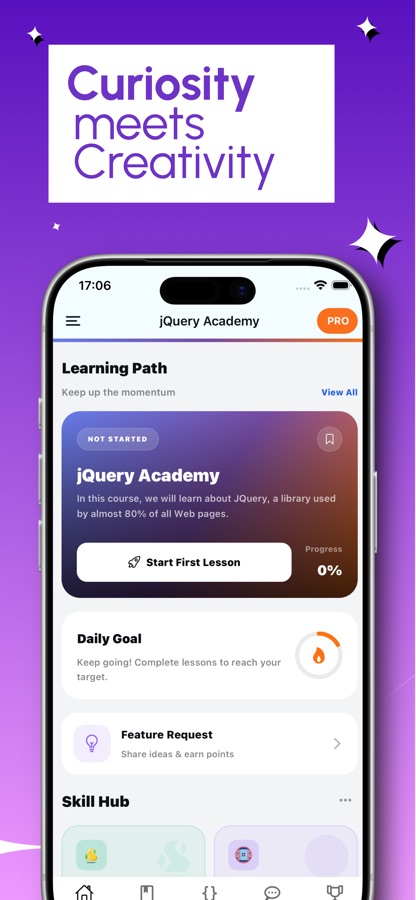
The course
What the jQuery course covers
Drawn from the CoddyKit jQuery course list, from the first $ call to plugins, testing and working next to modern JavaScript.
Welcome to jQuery and first steps
What jQuery is, the real problem it solved and why so many sites still use it, followed by a first chain and the basics for beginners.
Selecting elements and DOM traversal
Selecting elements, then advanced attribute and pseudo-class selectors and moving through the DOM from one element to the next.
DOM manipulation and styling
Creating, inserting, moving and removing elements across two courses, and changing CSS and classes from code.
Events and delegation
Event management, then event delegation for elements added later and custom event management.
Animations and effects
Basic animations, then complex animations and custom effects such as chained sequences and custom easing.
Forms, data and templating
Dynamic content with data attributes and templating, plus advanced form handling and validation.
AJAX, Deferred objects and promises
AJAX operations and remote data handling, then Deferred objects and promises for managing asynchronous code.
Plugins, performance and testing
Custom selectors and filtering, developing robust plugins, performance and best practices, integrating jQuery with modern JavaScript and testing jQuery applications.
How it works
How a lesson works
Each lesson puts a short explanation next to code you run yourself, so the idea is tested before you move on.
Read one short lesson
Open a topic and read a brief explanation of a selector, an event or an effect. Lessons are short enough for a bus ride, and the course moves from the first chain up to plugins and testing.
Write the chain and see the page react
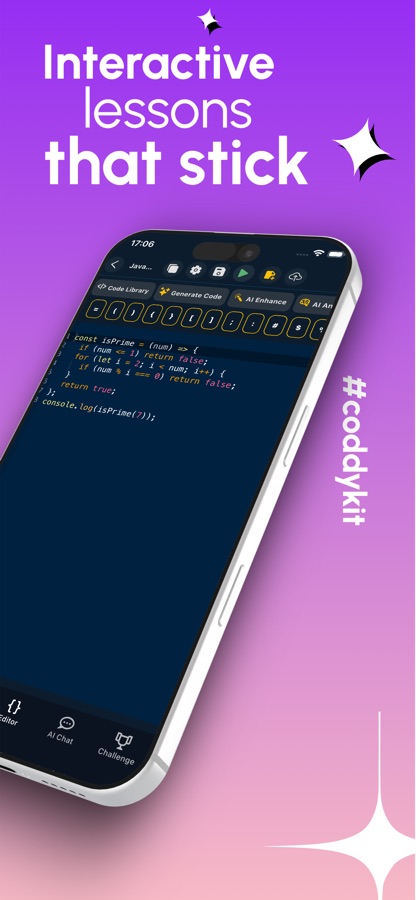
In the live editor you write HTML, CSS and jQuery and run them at once. The editor re-runs your code when you stop typing, with no server and no build step, and the page preview shows the result.
Fix a bug, then ask the mentor
Missions hand you broken code and ask you to find the fault: a click handler where this is the window, a menu that keeps sliding, a save that fires twice. When a concept or an error does not make sense, the AI Mentor explains it again in simpler words.
What's inside
What comes with the app
22
Courses, A1 to C1
22 courses with 48 lessons that start at the $ function and your first chain and continue through selectors, DOM manipulation, events, animations, forms, AJAX, plugins and performance.
3.7.1
jQuery built in
The page preview runs on the device with jQuery 3.7.1 included, so the editor works offline too.
20
Debugging missions
Real-feeling bugs to fix, such as a chain that ends in a string or a delete button that works only on the first rows.
20
Guided page projects
Twenty HTML and CSS projects that build the markup your selectors will later work on.
91
Cheat sheet and quizzes
A 91-entry cheat sheet for selectors, events, effects and AJAX methods, plus 50 quiz questions and 50 interview questions.
AI
AI Mentor
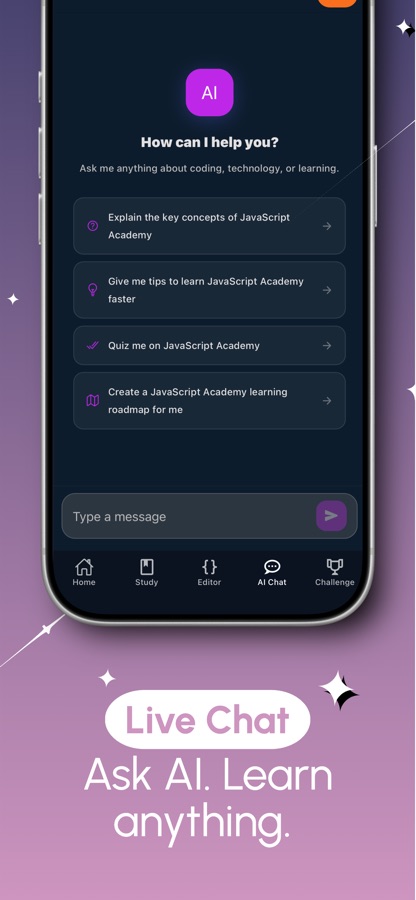
Ask about a selector, an error or an AJAX call and get an answer in plain language. The free plan includes 3 questions a day.
Background
Is jQuery still worth learning, and what is it used for?
jQuery is a JavaScript library that makes it shorter to pick elements on a web page, change them, react to clicks and load data without reloading the page. Newer frameworks have taken over many new projects, but a large share of existing websites still run jQuery, so reading, fixing and extending that code remains a practical web development skill. It is also a gentle way to meet the DOM, events and asynchronous JavaScript before moving to larger tools.
The $ function and chainingone line, several actions
Calling $ with a selector returns a jQuery object, and almost every method returns that object again. That is what allows a chain such as selecting a list, adding a class and fading it in as one readable line instead of four separate statements.
SelectorsCSS knowledge transfers
Class, id, attribute and pseudo-class selectors work much as they do in a stylesheet. Traversal methods then walk from one element to its parents, children or siblings, which is how you reach the right row when a page has hundreds of similar ones.
Event delegationthe fix for elements added later
A handler attached to a button only exists for buttons present when the code ran. Attaching it to a parent and filtering by selector makes it work for rows added afterwards, which is a classic cause of a delete button that works only on old rows.
What this refers toa common bug
Inside a jQuery handler, this is the element that received the event, but an arrow function or a misplaced callback can change that. Debugging a handler where this has become the window is a typical first real bug.
AJAX and promisesdata without a reload
$.ajax() sends a request and lets the page update when the answer comes back. Deferred objects and promises organize several of those requests, so that one step waits for another instead of nesting callbacks.
Fit
Who it's for — and who it isn't
A good fit if you
- Know a little HTML and CSS and want to make pages react to clicks and forms
- Maintain a site built on jQuery and need to read and fix its code
- Are preparing for a front end interview where legacy jQuery still appears
- Want to write code on a phone and see a page preview straight away
- Learn best in short sessions and like a mentor you can question
Not the right tool if you
- Want to learn a modern framework such as React; this app teaches jQuery and the DOM
- Need every course free: the first course, first project and two missions are free, and Pro unlocks the rest
- Expect the free version without ads, since Pro removes them
Questions
Frequently asked questions
What is the best way to learn jQuery on a phone?
The most effective way is to write code and see the page change, not only to read about selectors. Learn jQuery: Code & Build gives each short lesson a live editor with a page preview, jQuery 3.7.1 is built in so it runs on the device, and an AI Mentor explains anything unclear. It is free to start on iOS and Android.
Is jQuery the same as JavaScript?
No. JavaScript is the programming language; jQuery is a library written in JavaScript that shortens common tasks such as selecting elements, reacting to clicks and sending AJAX requests. Learn jQuery: Code & Build teaches jQuery inside a JavaScript editor, so you practice both together and see how a chain maps to plain DOM code.
Is jQuery still worth learning?
For new projects many teams choose other tools, but a large share of existing websites still run jQuery, so reading and fixing that code is a practical skill. It is also an easy way into the DOM, events and asynchronous JavaScript. Learn jQuery: Code & Build includes interview questions for front end jobs where legacy jQuery still shows up.
Is Learn jQuery: Code & Build on iPhone and Android?
Yes. Learn jQuery: Code & Build is available on the App Store for iPhone (iOS 15.1 or later) and on Google Play for Android. The interface comes in 22 languages, among them English, Spanish, German, French, Portuguese, Japanese, Korean, Arabic, Hindi and Turkish, while the code you write stays jQuery and JavaScript in every language.
Can I run jQuery code offline in the app?
Yes for the editor. jQuery 3.7.1 is built into Learn jQuery: Code & Build, so the page preview runs on the device, even offline. Features that rely on the AI Mentor need an internet connection.
What topics does the jQuery course cover?
The 22 courses run from the $ function and selectors through DOM manipulation, styling, events and delegation, animations, forms, AJAX, Deferred objects and promises. They continue with custom selectors, writing plugins, performance, integrating jQuery with modern JavaScript and testing.
What are the debugging missions?
They are 20 exercises that hand you broken jQuery code and ask you to find the bug, the way it happens at work. Examples include a click handler where this is the window, a chain that ends in a string, a delete button that only works on old rows, a menu that keeps sliding after you leave, and a save that fires twice.
Do I need to know JavaScript or HTML first?
A little HTML and CSS helps, because jQuery selectors work on markup and borrow from CSS. Learn jQuery: Code & Build also has 20 guided HTML and CSS page projects, so you can build the markup your selectors will use. The course starts from the first chain.
Is Learn jQuery: Code & Build free?
You can start free: the first course, the first guided project, two missions, the editor, quizzes, interview questions, the cheat sheet and 3 AI Mentor questions a day. The free version shows ads. Pro unlocks every course, project and mission, the certificate exam and unlimited AI Mentor, and removes ads. It is offered as a weekly, monthly or yearly subscription, or as a one-time lifetime purchase. A certificate exam at the end of the course is part of Pro.
Is the app affiliated with jQuery?
No. jQuery is a trademark of the OpenJS Foundation, and Learn jQuery: Code & Build is an independent learning app that is not affiliated with or endorsed by the OpenJS Foundation.
Get started
Write your first jQuery chain today
Free to start on iOS and Android, in 22 languages.
More from CoddyKit
Available on iOS and Android.