

Learn JavaScript: Code & Build
Learn JavaScript: Code & Build — A JavaScript course with a real console in your pocket
Learn JavaScript: Code & Build is a free iOS and Android JavaScript course of 59 short courses and 200 lessons, from your first variable to the event loop. JavaScript runs on the phone itself, so the built-in JS editor and console answer instantly, and daily practice — predict the output, bug hunts, a kata of the week — keeps the code in your fingers.


- Price
- Free, Pro upgrade
- Platforms
- iOS and Android
- Languages
- 22
- Age rating
- 4+
- Version
- 82.6.1
- Requires
- iOS 15.1 or later
- App Store
- 5.0 ★ (1)
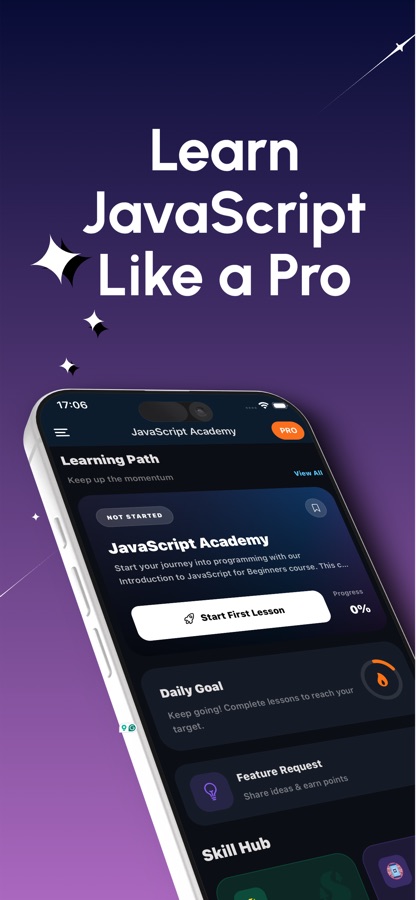
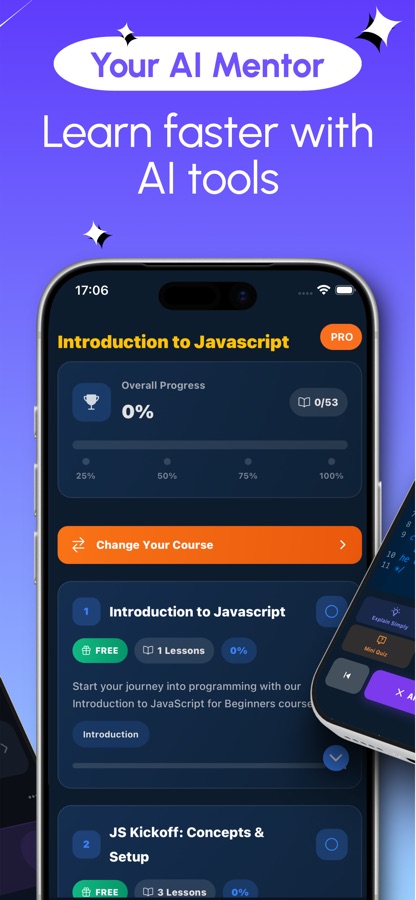
The engine runs on the phone, so the answer comes back at once.
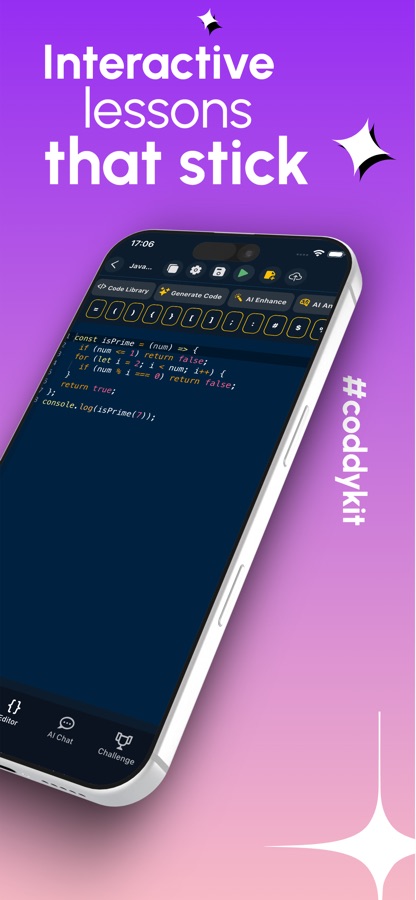
JS Lab executes JavaScript on the device. Type a line into the console and see the result immediately, or let the app run a snippet to show the real output of a predict-the-output card instead of an explanation of what it probably does.
What it is
Learn JavaScript: Code & Build is a free iOS and Android app that teaches JavaScript step by step: 59 courses and 200 lessons levelled from A1 to C1, covering values and scope, functions and this, the DOM, the Fetch API, promises and async/await, closures, classes, generators and the event loop. It pairs the lessons with a JS editor, a JavaScript console and daily practice that run on the phone, plus an AI Mentor for the moments a concept or an error message does not make sense.
Inside the app
What it looks like
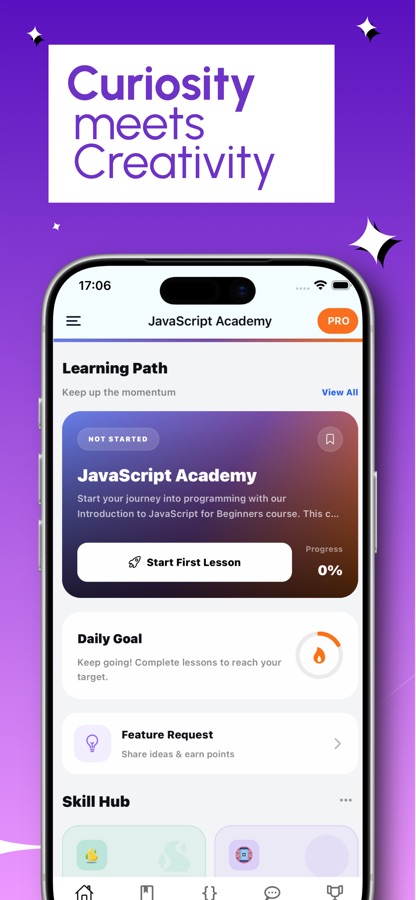
The course
What the JavaScript course covers
59 courses and 200 lessons from the app's own course list, running from a first variable through the browser and async code to advanced language features.
Welcome to JavaScript
A JS kickoff on concepts and setup, then values and types, variables and scope, control flow, and a first look at arrays and objects.
Everyday JavaScript
Template literals, optional chaining and nullish coalescing, destructuring, rest and spread, higher-order array methods, JSON and error handling.
The DOM and Events
DOM selection and traversal, manipulating elements, handling events, event delegation and propagation, and forms and input.
Talking to the Network and Storage
The Fetch API, web storage with localStorage and sessionStorage, FormData and file handling, and IndexedDB client storage.
Asynchronous JavaScript
Callbacks, promises and microtasks, async/await in practice, timers and scheduling, and a deep dive into the event loop.
Functions, Closures and Classes
Functions and this, closures and the module pattern, currying and composition, classes and inheritance, and advanced this binding.
Advanced Language Features
Iterators and generators, Maps and Sets, Proxy and Reflect, symbols, regular expressions and immutability.
Modules, Workers and Performance
ES modules versus CommonJS, Node versus browser differences, Web Workers, service workers, performance and memory, and testing.
How it works
How a JavaScript session goes
A session combines a short lesson with something to run, then closes with a quick check, so the explanation and the practice happen in the same sitting.
Read a short lesson
Work through a lesson of a few minutes: a plain explanation with questions and a small code task. The first course is free, and the lessons keep working on a weak connection.
Run the code in JS Lab
Type into the console, predict the output of a daily card and watch the engine show the real answer, or fix a broken program against a table of test cases.
Check it and go deeper
Finish with a quiz or a coding mission, step through the event loop when async code confuses you, and ask the AI Mentor when something refuses to make sense.
What's inside
What the app includes
59
Courses, A1 to C1
200 lessons from values and types through DOM events, fetch, promises and async/await to closures, Proxy and Reflect, regex and performance.
On-device
JS editor and console
Write and run JavaScript in the built-in editor, try one-liners in the console, and save programs to open later. AI Tools in the editor review a program and suggest a fix you can apply.
Daily
JS Lab practice
Predict the output, bug hunts against test cases, a free kata of the week, an event loop stepper, a DOM arena, five timed interview questions and a recall deck built from your own mistakes.
60
Coding missions
Short exercises in three levels, from Hello World and template literals to FizzBuzz, closures, Merge Sort, Quicksort and BFS or DFS on a graph.
20
Guided projects
Build programs such as Order Totals, Word Frequency Counter, Async Data Pipeline and Mini Event Bus one step at a time, with each step checked when you run it.
AI
AI Mentor
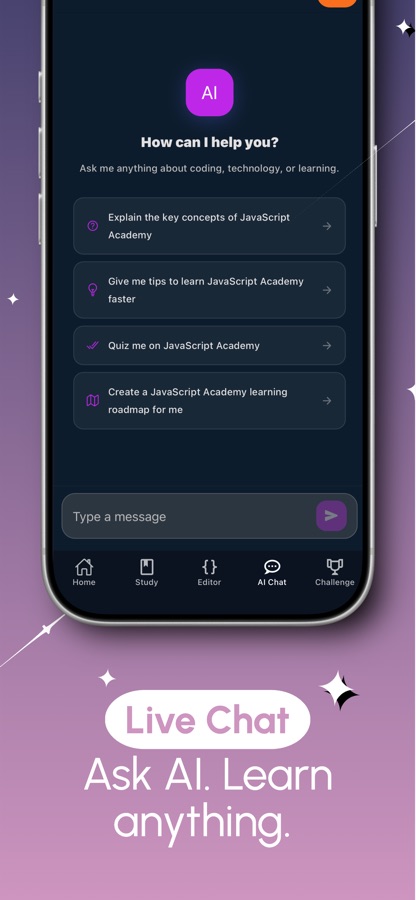
Ask in plain language when a concept or an error stops you. Free users get a few questions every day; Pro removes the daily limit.
Background
Why is JavaScript hard to learn from reading alone, and what do you need to practise?
JavaScript behaves in ways that are easy to read and hard to predict: a variable can hold a function, this changes with how a function is called, and code does not always run in the order it is written. Reading explanations helps, but the surprises only stick once you have run the code and seen the output disagree with your guess. That is why learning JavaScript works best with a console close at hand and a steady habit of predicting what a snippet prints before running it.
Scope and closureswhere variables live
A function remembers the variables around the place it was written, even after that place has finished running. This one idea explains private state, the module pattern and several classic interview questions.
The value of thisthe usual stumbling block
Unlike most languages, what this refers to depends on how a function is called, not where it is defined. Arrow functions, call, apply and bind each change the answer, and mixing them up is a common source of bugs.
The event loopwhy async code surprises people
JavaScript runs one thing at a time, then returns to a queue of waiting work. A promise callback runs before a timer set to zero milliseconds, which is why output order sometimes looks wrong until you picture the call stack, microtasks and tasks.
Browser and Nodeone language, two homes
The core language is the same in both, but the browser adds the DOM, events and fetch, while Node adds files and processes. Knowing which features belong to which saves a lot of confusing error messages.
Fit
Who it's for — and who it isn't
A good fit if you
- Have never programmed and want JavaScript explained from the first variable
- Learn better when you can run a line of code and see what it prints
- Want daily practice you can finish in a few minutes rather than a long study session
- Are preparing for a JavaScript interview and want questions with answers plus timed practice
- Want to understand async code and the event loop, not just copy patterns
Not the right tool if you
- Need to build a full multi-file web project — a laptop and a real editor are still the right place for that
- Expect everything free: the first course, one project and two missions are free, and Pro unlocks the rest
- Dislike ads in a free app — the free version shows them and Pro removes them
- Already write JavaScript daily and want a reference rather than a course
Questions
Frequently asked questions
Is there a good JavaScript course I can follow on my phone?
Learn JavaScript: Code & Build is a JavaScript course built for the phone: 59 short courses and 200 lessons, a built-in JS editor and console that run code on the device, and daily practice cards. Lessons mix a brief explanation with questions and small code tasks, so each sitting ends with something you have actually run.
Can I run JavaScript code on my phone with this app?
Yes. JS Lab runs JavaScript on the phone itself, so the console returns results straight away and the editor runs full programs. You can save programs and open them again later, and the editor's AI Tools can review a program and suggest a fix to apply.
What is the quickest way to learn JavaScript coding as a complete beginner?
Short, regular practice with code you run yourself. Learn JavaScript: Code & Build starts from values and variables, adds a daily goal and streaks to keep sessions regular, and gives you the console for trying things. Predict-the-output cards each day build the habit of reasoning about code before running it.
What is JS Lab?
JS Lab is the daily practice area in Learn JavaScript: Code & Build. It holds a console, predict-the-output cards, bug hunts checked against test cases, a weekly kata, an event loop stepper, a DOM arena, five timed interview questions and a recall deck built from your own mistakes.
Does the app explain async/await and the event loop?
Yes. There are courses on callbacks, promises and microtasks, async/await in practice and a deep dive into the event loop. Alongside them, an event loop tool lets you step through the call stack, microtasks and tasks one at a time to see why output appears in the order it does.
Does Learn JavaScript: Code & Build help with JavaScript interviews?
It has 50 JavaScript interview questions with answers and an Interview mode in JS Lab with five timed questions. Closures, this, promises and the event loop — the topics interviews lean on — each have a dedicated course behind them.
Is Learn JavaScript: Code & Build free?
It is free to download. The first course, the first guided project, two coding missions, JS Lab daily practice and a daily AI Mentor allowance are free, and the free version shows ads. Pro unlocks every course, project and mission, unlimited AI Mentor and the certificate exam, and removes ads.
Is there a certificate?
Yes. Passing the final exam in Learn JavaScript: Code & Build earns a certificate of completion. It records the work you did; it is not an accredited qualification, so it is best shown next to projects you can talk through.
Does it teach the browser as well as the language?
Yes. Beyond the language itself, the courses cover DOM selection and manipulation, events and event delegation, forms, the Fetch API, localStorage, IndexedDB, Canvas, WebSockets and Web Workers. A separate course compares Node and the browser so you know which features belong where.
What platforms and languages does it support?
Learn JavaScript: Code & Build runs on iPhone and iPad through the App Store and on Android through Google Play, in 22 languages. It is rated 4+ on the App Store.
Get started
Write your first line of JavaScript today
Free to start on iOS and Android, in 22 languages.
More from CoddyKit
Available on iOS and Android.