
Promise.all / any / race / allSettled — choose the right tool
Practice Promise combinators: all, any, race, allSettled. Learn success/failure behavior and when to use each one.
Promise.all / any / race / allSettled — choose the right tool is a free JavaScript Academy lesson on CoddyKit. This is lesson 3 of 3. Any 3 lessons of this learning path are free to read in full — after that, CoddyKit PRO unlocks every lesson, plus hands-on practice with a built-in code editor and a 24/7 AI tutor. It is part of the JavaScript Academy learning path, and your progress syncs across the web and the CoddyKit app. The JavaScript Academy course includes 3 lessons in total.
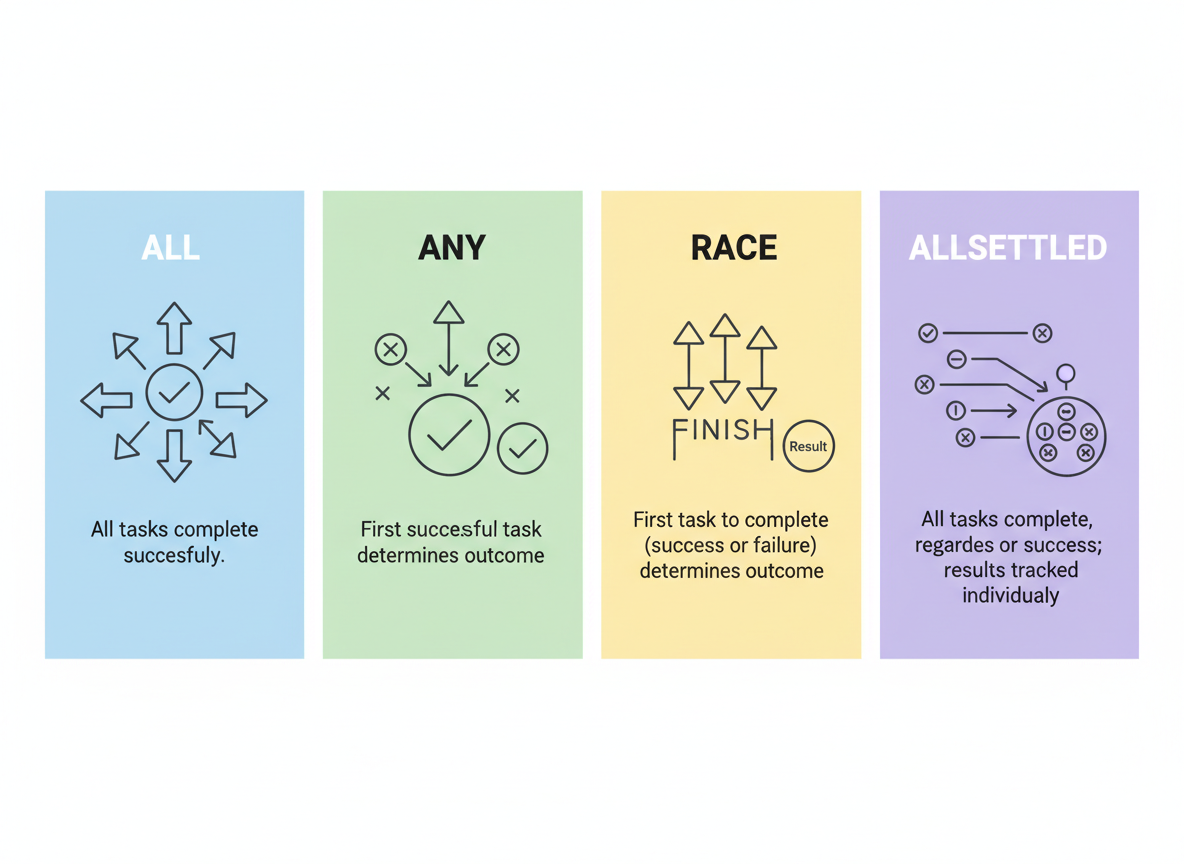
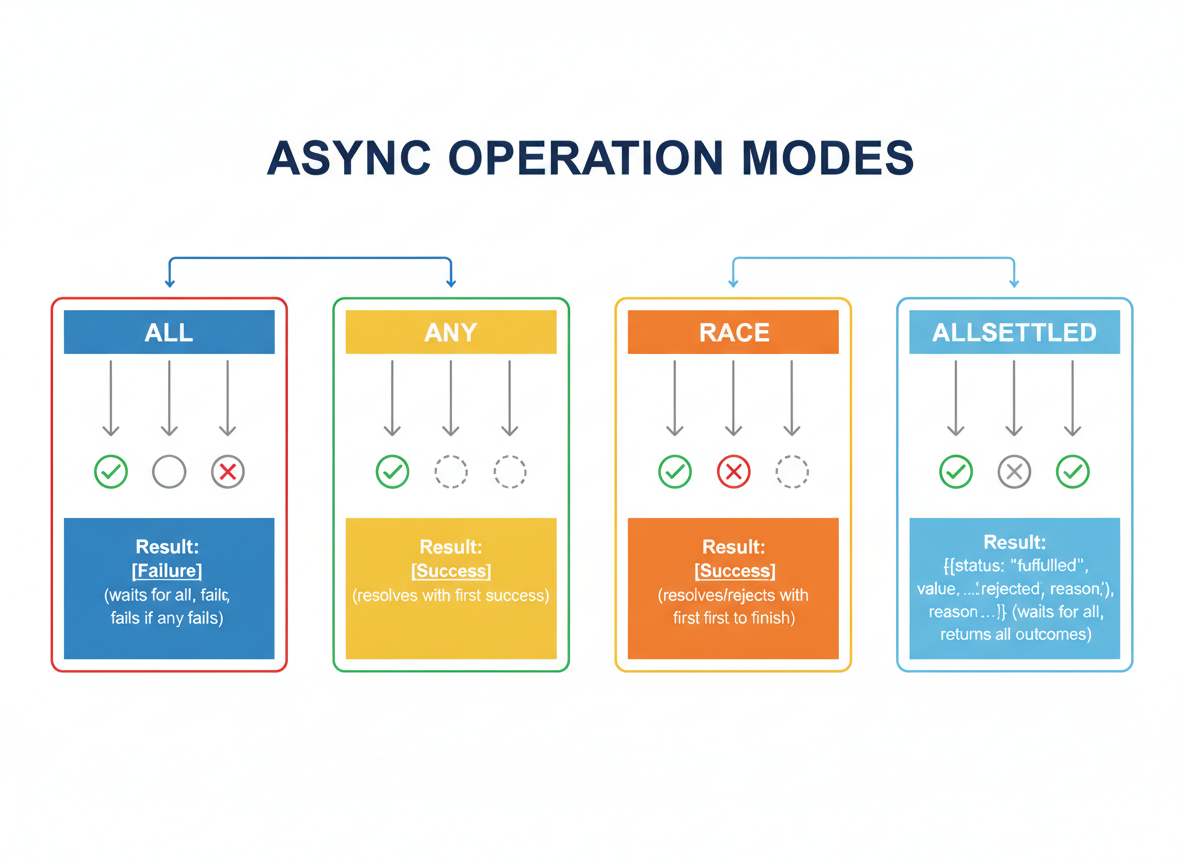
Combinators overview
Goal: Learn four helpers and their behavior.
- all: wait for all; fail fast
- any: first success
- race: first settled (success/error)
- allSettled: results for all
Promise.all basics
Promise.all resolves with an array of results; a single rejection rejects the whole thing.
// Small helpers for examples
function delay(ms, value, shouldFail = false) {
  return new Promise(function (resolve, reject) {
    setTimeout(function () {
      if (shouldFail) reject(new Error(String(value)));
      else resolve(value);
    }, ms);
  });
}

// Promise.all waits for all; rejects fast on first error
Promise.all([
  delay(10, "A"),
  delay(5, "B")
]).then(function (vals) {
  console.log("all:", vals);
});

Promise.any basics
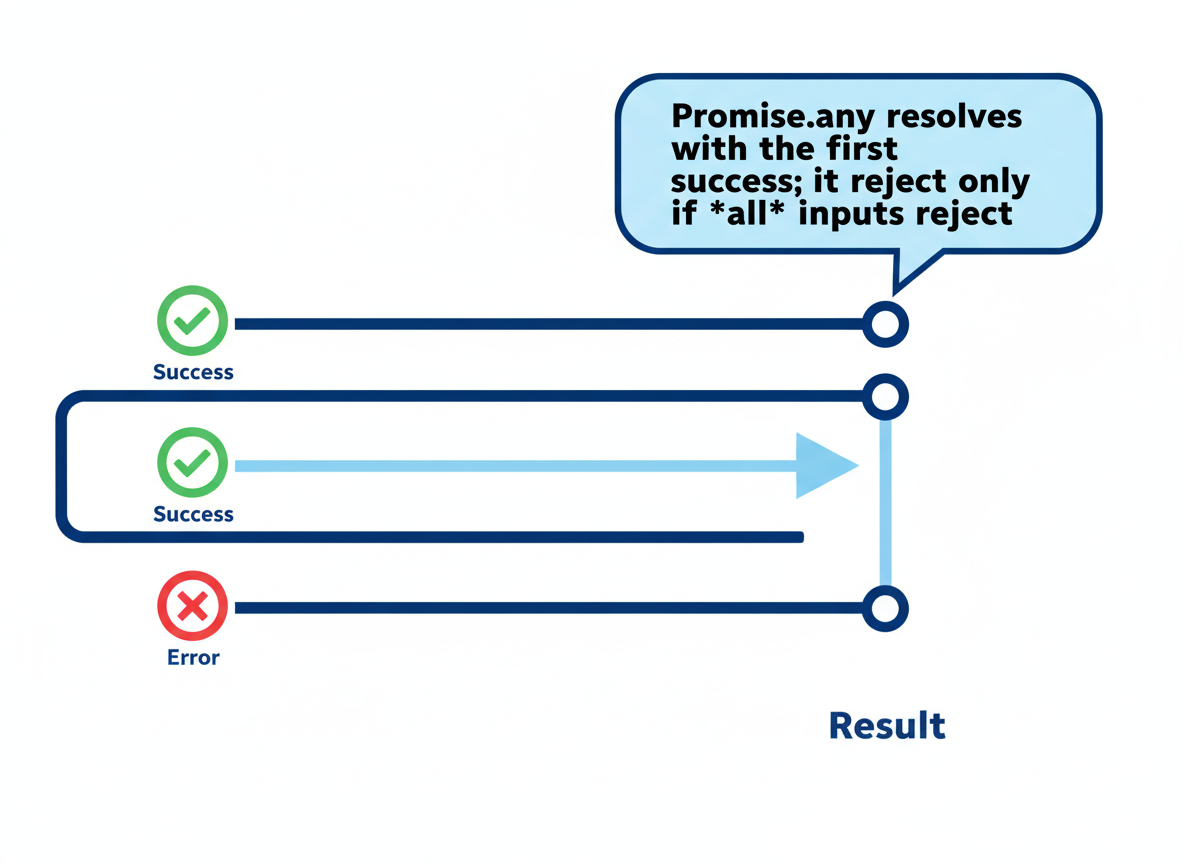
Promise.any resolves with the first success; it rejects only if all inputs reject.
// Promise.any gives the first fulfilled value
Promise.any([
  delay(8, "ok-1"),
  delay(3, "ok-2"),
  delay(6, "ok-3")
]).then(function (v) {
  console.log("any:", v);
}).catch(function (e) {
  console.log("any failed:", e.message);
});
Promise.race basics
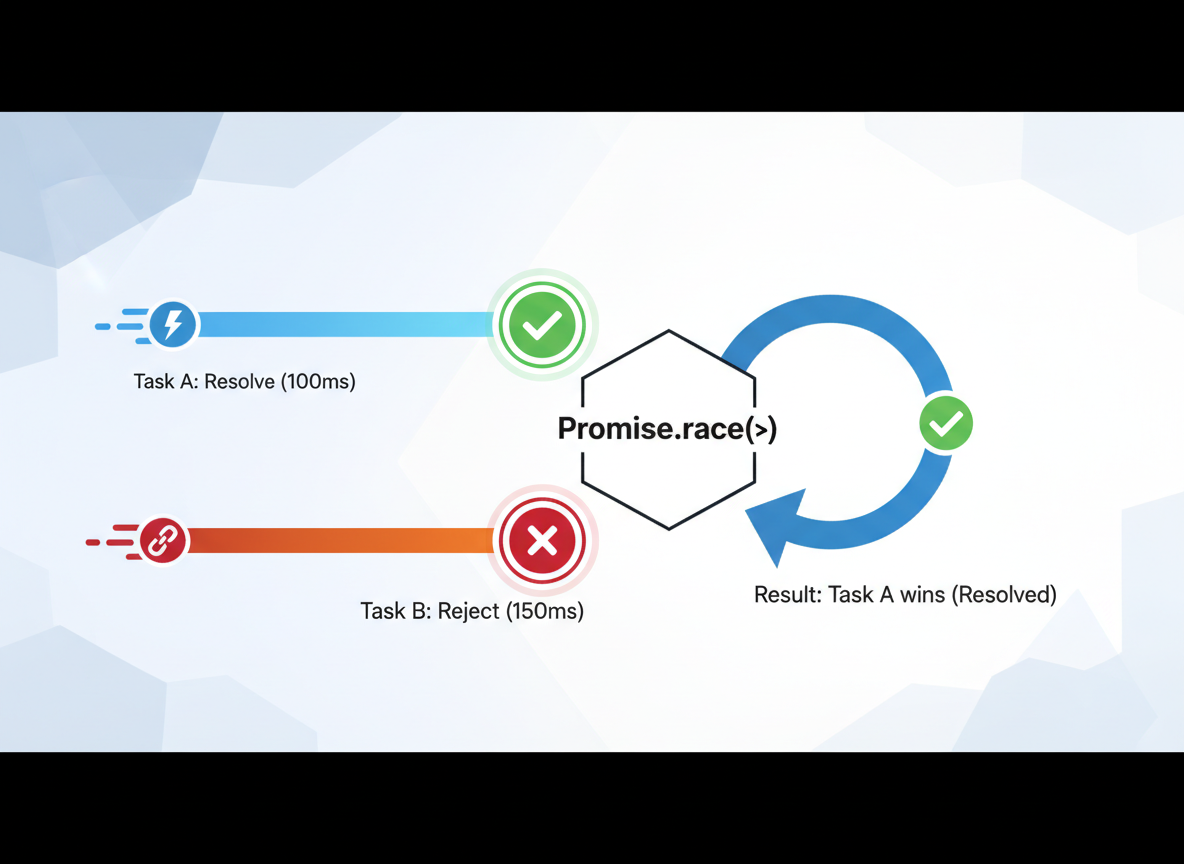
Promise.race picks whichever settles first: could be a resolve or a reject.
// Promise.race settles with the first to finish (success or error)
Promise.race([
  delay(5, "win"),
  delay(7, "boom", true)
]).then(function (v) {
  console.log("race resolved:", v);
}).catch(function (e) {
  console.log("race rejected:", e.message);
});
Promise.allSettled basics
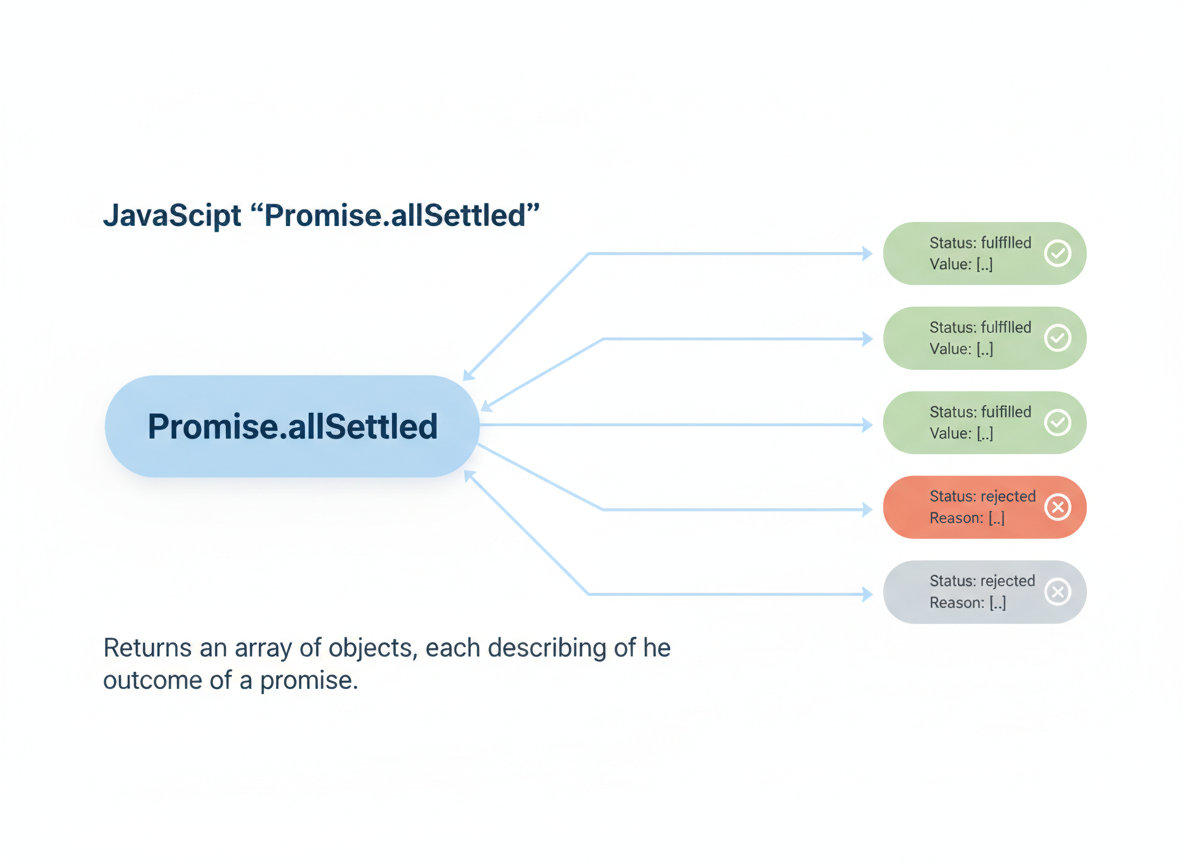
Promise.allSettled always resolves with an array of status objects for every input.
// Promise.allSettled waits for all and reports each outcome
Promise.allSettled([
  delay(4, "A"),
  delay(6, "X", true)
]).then(function (results) {
  console.log("allSettled:", results.map(function (r) { return r.status; }));
});
Which one to use?
Choosing:
- all: need all results; fail fast on any error.
- any: accept first success (fallback sources).
- race: pick first to finish (timeout patterns).
- allSettled: collect every outcome to inspect.
Combinator choice quiz
Quick check: First fulfilled result.

Recap
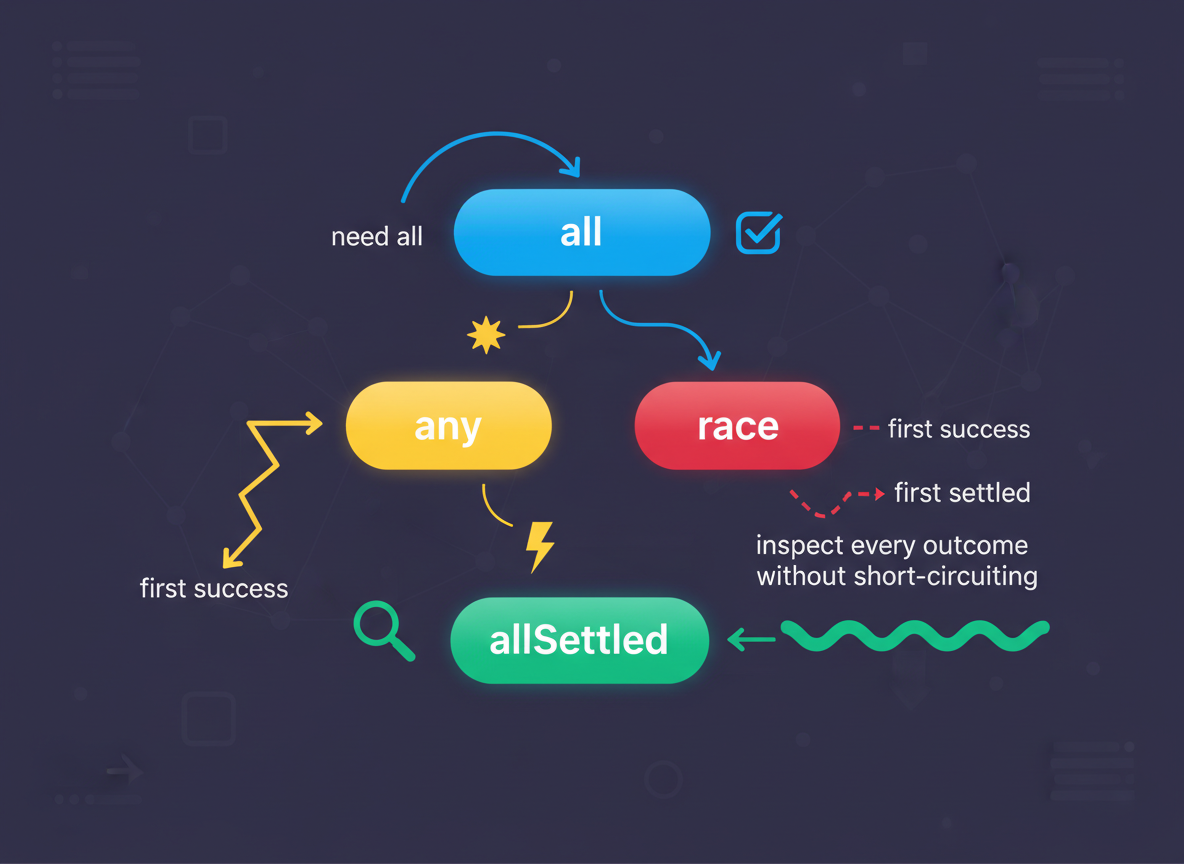
Recap: Use all for “need all”, any for “first success”, race for “first settled”, and allSettled to inspect every outcome without short-circuiting.

Learn JavaScript with an AI tutor — free
Write and run real code in your browser, get instant help from a 24/7 AI tutor, and pick up where you left off on the web or in the app.
- Courses
- 59
- Lessons
- 200
Frequently Asked Questions
Is the “Promise.all / any / race / allSettled — choose the right tool” lesson free?
Yes — any 3 lessons of the JavaScript Academy learning path, including “Promise.all / any / race / allSettled — choose the right tool”, are free to read in full here on the web. After that, CoddyKit PRO unlocks every lesson, plus interactive practice with a built-in code editor and a 24/7 AI tutor. The JavaScript Academy course includes 3 lessons in total.
What will I learn in “Promise.all / any / race / allSettled — choose the right tool”?
Practice Promise combinators: all, any, race, allSettled. Learn success/failure behavior and when to use each one. You practise JavaScript Academy with hands-on code you run directly in the browser, and a 24/7 AI tutor answers your questions as you work through the lesson.
Do I need any experience to start JavaScript Academy?
No prior experience is required. JavaScript Academy on CoddyKit is structured for beginners through advanced learners, so you can start here or from the beginning and move at your own pace. This is lesson 3 of 3.
How long does the “Promise.all / any / race / allSettled — choose the right tool” lesson take?
Most CoddyKit lessons take about 5–10 minutes. Each one is bite-sized and interactive, so you make steady progress and pick up exactly where you left off across the web and the app.
Can I write and run code in this JavaScript Academy lesson?
Yes. Every JavaScript Academy lesson includes a built-in code editor, so you write and run real code right in your browser and get instant AI feedback — no local setup required.
All lessons in this course
- Event Loop & Task vs Microtask Basics
- Promises — States, Chaining, Error Handling
- Promise.all / any / race / allSettled — choose the right tool