

English Grammar & Practice
English Grammar & Practice — Learn English grammar one rule at a time, with questions after every lesson
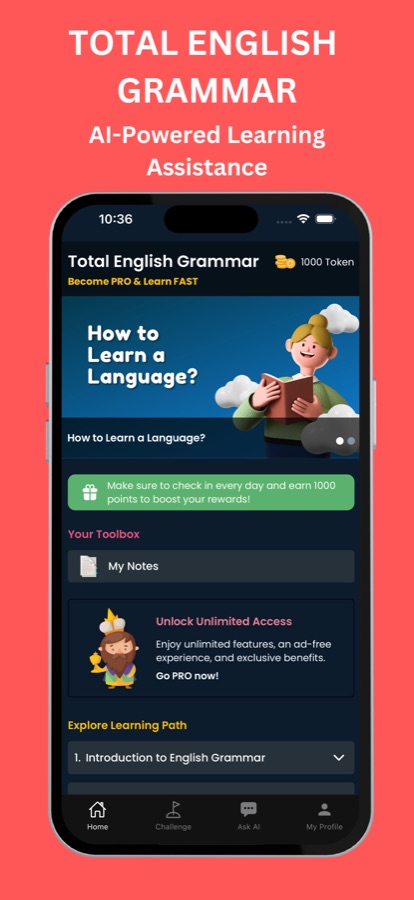
English Grammar & Practice (Total English Grammar on the App Store) is an app to learn English grammar in a structured course: 26 courses and 88 short lessons graded A1 to B2, each explaining one rule with examples and followed by grammar practice questions. An AI Mentor explains why a sentence is wrong in simple words.


- Price
- Free, Pro upgrade
- Platforms
- iOS and Android
- Languages
- 22
- Age rating
- 4+
- Requires
- iOS 15.1 or later
Most grammar mistakes are the same few, repeated.
The app's own learning path begins with a sentence that looks fine and is not, such as She don't like coffee, and asks you to find the mistake. Fixing the error you actually make is a better starting point than memorising a full list of rules.
What it is
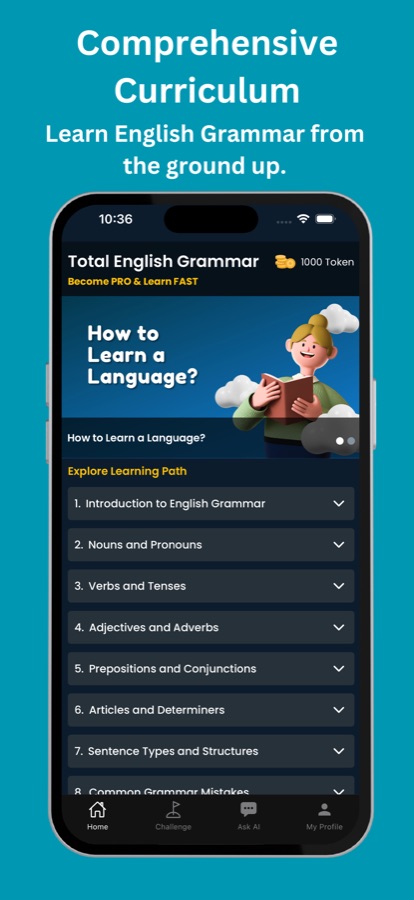
English Grammar & Practice is a grammar course for iOS and Android that teaches English grammar rule by rule, with 26 courses and 88 lessons arranged from A1 to B2. Every lesson explains one rule with examples and then lets you practise it, covering parts of speech, verb tenses, modal verbs, conditionals, the passive voice, reported speech, relative clauses, gerunds and infinitives, phrasal verbs and common mistakes. An AI Mentor answers questions about any rule.
Inside the app
What it looks like
Background
Which English grammar rules matter most, and in what order should you learn them?
Start with the rules that appear in nearly every sentence: nouns and pronouns, subject-verb agreement, the present, past and future forms of the verb and the articles a, an and the. Once those are automatic, move to the structures that let you say more complicated things, such as the perfect tenses, modal verbs, conditionals and the passive voice. Phrasal verbs and idioms are best left until the base grammar holds, since they build on it. Practising each rule right after you read it matters more than reading many rules in a row.
Subject-verb agreementthe mistake almost everyone makes first
In the present simple, the third person takes a different verb form: she likes, he does not like. Learners often drop that ending because their first language has no equivalent, and it is easy to miss when you reread your own writing.
Tenses and the perfecttalking about time
English marks time with a set of verb forms that overlap in meaning. The present perfect, for example, links the past to now, while the simple past points to a finished moment. The difference is a frequent reason a sentence sounds slightly wrong.
Modals and conditionalspossibility, advice and what-if
Can, must and should express ability, obligation and advice, and if-clauses describe real and imagined situations. Both groups carry a lot of meaning in few words, which makes them useful in everyday conversation and in emails.
Passive voice and reported speechshifting who the sentence is about
The passive moves attention from the person doing something to the thing affected, and reported speech retells what someone said. They are common in news, reports and formal writing, and they need tenses and pronouns to change in step.
How it works
How a grammar lesson works
One rule, a few examples, then questions that show whether it stuck.
Tell the app why you are learning
The first screen asks whether you need English for emails and reports, a job interview, travel and daily life or general improvement, then starts you on a matching course.
Read the rule and its examples
Each short lesson explains one rule in plain words with examples, so a lesson fits into a single sitting, and you can save notes and mark lessons to return to.
Practise, then ask when you are unsure
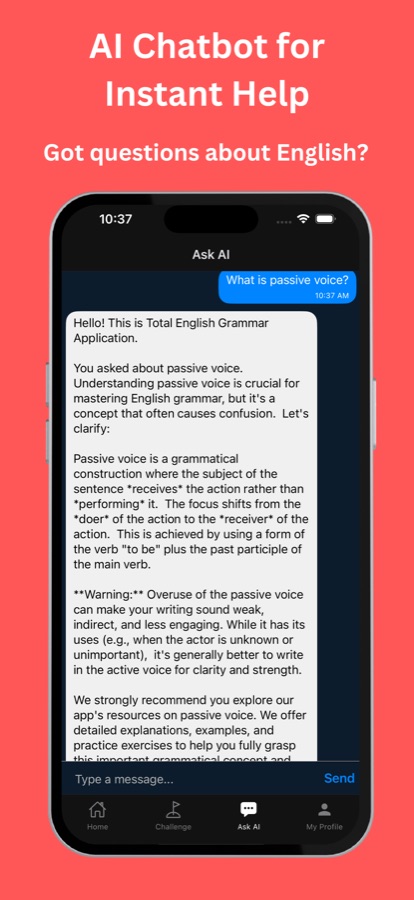
Questions such as choose the correct form and spot the mistake check the rule straight away. If an answer puzzles you, ask the AI Mentor why a sentence is wrong, or ask it to create a lesson on a topic you choose.
What's inside
What is in the course
26
Courses, 88 lessons
Graded A1 to B2, from an introduction and nouns and pronouns to perfect tenses, modal verbs, conditionals, the passive, reported speech and phrasal verbs and idioms.
A1-B2
Levels that tell you where you are
A1 courses start with the basics, B1 covers topics such as modal verbs and writing skills, and B2 reaches relative clauses, gerunds and infinitives.
Quiz
Practice questions
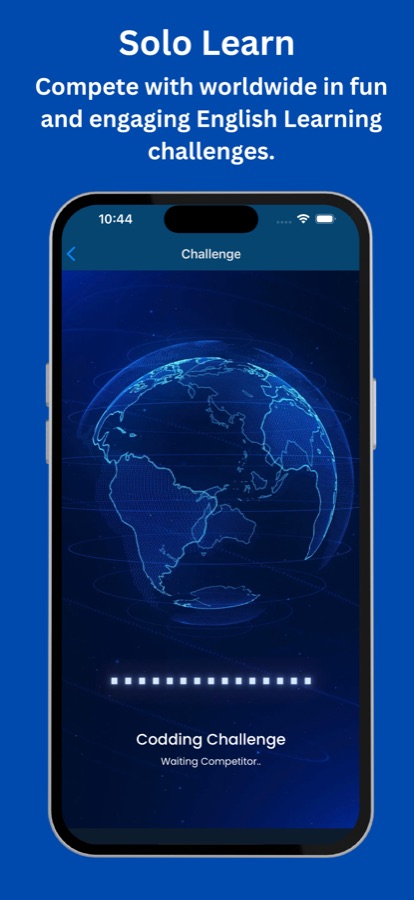
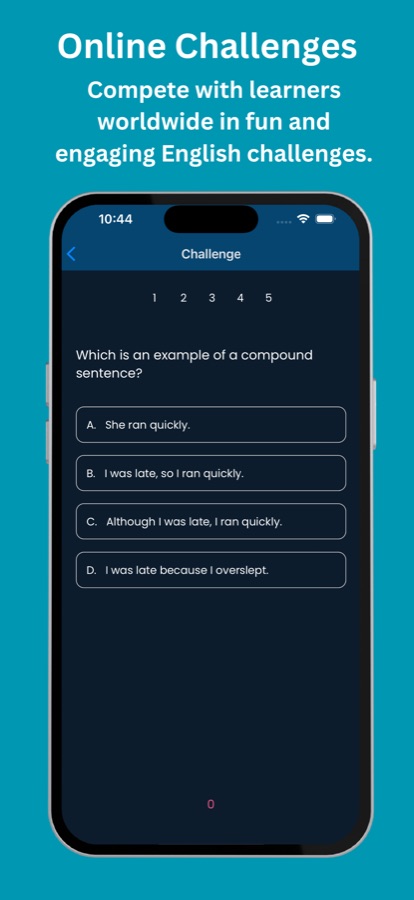
Choose the correct form or find the mistake after each rule, and take on online challenges against other learners.
AI
AI Mentor and lesson maker
Ask why a sentence is wrong and get a simple explanation, or ask the AI to build a new lesson on a topic you want to practise.
Streaks
Habit tools
Daily streaks and XP, a leaderboard to compare progress, and reminders at the time you pick.
Cert
Certificate of completion
Pro members can take the final exam and download a certificate with their name. It comes from this app and is not an official language qualification.
Fit
Who it's for — and who it isn't
A good fit if you
- Are learning English as a second language and want rules explained clearly with examples
- Write emails or reports in English and want fewer small mistakes
- Need extra practice alongside a class or textbook
- Keep mixing up tenses and want to understand the difference between them
- Prefer short lessons you can finish in one sitting
Not the right tool if you
- Need an official English qualification; the certificate is from the app, not an exam board
- Want speaking or listening practice as the main focus
- Expect every course to be free; the first course is, and Pro unlocks all 26
- Are above B2 and looking for advanced stylistic guidance
Questions
Frequently asked questions
What is English Grammar & Practice?
English Grammar & Practice, called Total English Grammar on the App Store, is a grammar course for iPhone and Android. It has 26 courses and 88 lessons from A1 to B2, practice questions in the lessons, an AI Mentor, streaks and a certificate exam for Pro members. It is free to start.
How do I learn English grammar step by step?
Work from the basics upward, one rule at a time, and test each rule before moving on. The app does this by ordering its courses from A1 to B2 and ending each lesson with questions. Daily short sessions, with the reminders you choose, keep the rules fresh.
Which levels does the course cover?
A1 to B2. A1 starts with an introduction and nouns and pronouns, A2 covers verbs, tenses, articles and sentence types, B1 adds the perfect tenses, modal verbs, conditionals, the passive, common mistakes and writing, and B2 covers reported speech, relative clauses, gerunds and infinitives, and phrasal verbs and idioms.
What kinds of practice questions are there?
Lessons use short grammar quiz questions, such as choose the correct form and spot the mistake. The exercises build on each other from course to course. You can also take part in online challenges that ask multiple-choice questions, for example which sentence is a compound sentence.
How does the AI Mentor explain grammar?
Ask the AI Mentor why a sentence is wrong and it explains in simple words, or ask it for a new lesson on a topic you want to practise. Free users get a small number of AI Mentor questions each day, and Pro gives you more along with AI-generated lessons.
Does it teach irregular verbs and phrasal verbs?
Yes to both. A step in the learning path covers the past tense and the irregular verbs, while the B2 level has a course on phrasal verbs and idioms. Verb tenses, modal verbs and the passive are covered too.
Is the certificate an official qualification?
No. Pro members who pass the final exam receive a certificate with their name that they can download and share, but it is issued by the app. It is not an official language qualification, so treat it as a record of the work you did.
What is free and what is in Pro?
The first course, Introduction to English Grammar, is free, together with a daily AI Mentor allowance, streaks, notes and the leaderboard, and the free version shows ads. Pro unlocks all 26 courses and 88 lessons, the certificate exam and more AI questions, and removes ads.
Which devices does it run on?
It runs on iPhone with iOS 15.1 or later and on Android through Google Play. The age rating is 4+, and the app's interface can be switched among 22 languages.
Get started
Fix your first grammar mistake today
Free to start on iOS and Android, in 22 languages.
More from CoddyKit
Available on iOS and Android.