

Stories & Novels: Saga
Stories & Novels: Saga — A web novel reader for romance, werewolf, billionaire and fantasy stories
Stories & Novels: Saga is a free iOS web novel reader for readers of romance, werewolf, billionaire, fantasy and mystery stories. Every book starts free, you unlock the chapters you love with coins, and free daily coins reward you for coming back. No sign-up is needed: open the app and start reading.

- Price
- Free, with optional in-app purchases
- Platforms
- iOS
- Languages
- 3
- Age rating
- 12+
- Version
- 1.6
- Requires
- iOS 16.4 or later
Open a book, read the first chapter, decide later.
The first chapters of a story are free to read before you spend anything. When a story grabs you, coins unlock the next chapters, and the coins you earn each day for returning mean you can keep reading without paying.
What it is
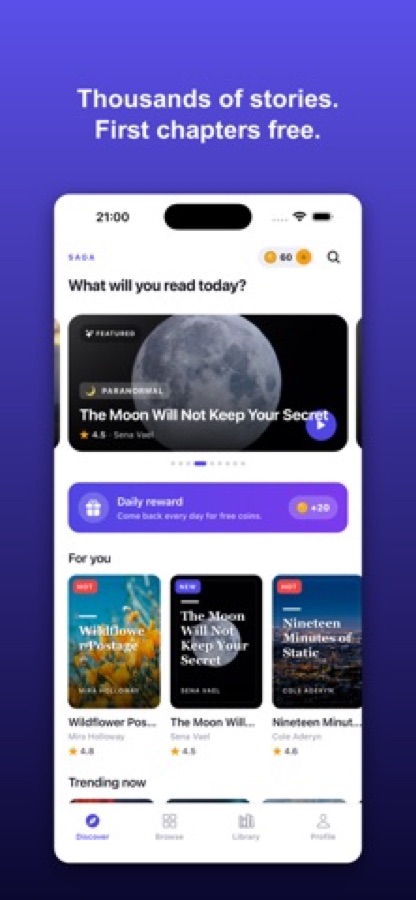
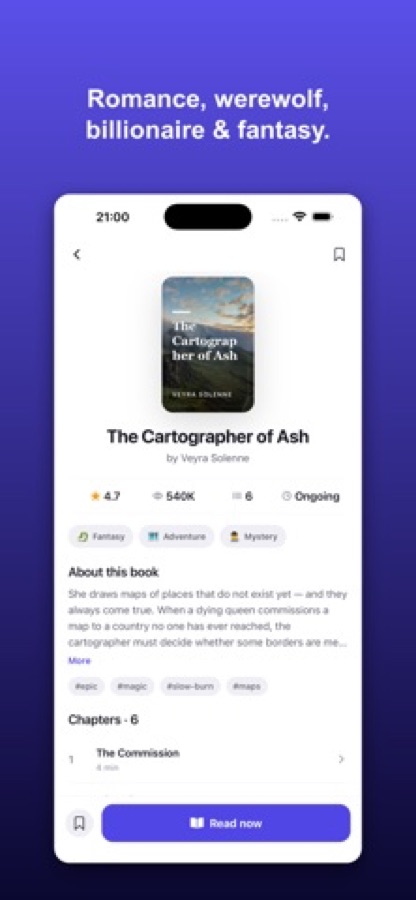
Stories & Novels: Saga is a free iOS app for reading web novels and serialized stories in genres such as romance, werewolf, billionaire, fantasy, mystery and thriller. Every book starts free, with later chapters unlocked using coins that you can earn free every day or buy, and there are personalised For You picks, trending, new and top-ranked lists, search by title, author and trope, three reading themes, adjustable type, and a library that remembers where you stopped. It is available in English, Turkish and Spanish and needs no sign-up.
Inside the app
What it looks like
Background
What are web novels, and how does chapter-by-chapter reading work?
A web novel is a story published online in short instalments, often a chapter at a time, instead of as a finished book. That format suits phone reading: a chapter takes a few minutes, a new one can arrive for the books you follow, and a story can run for dozens of chapters. Readers usually find them through genre and trope, such as romance, werewolf or billionaire stories, slow-burn plots or enemies-to-lovers, rather than through an author's name.
Serialized chaptersshort reads, one after another
Stories are released in chapters that take only minutes to read. Many readers keep a few books going at once, which is why a library with a continue-reading shortcut matters.
Genres and tropeshow readers pick what next
Genre tells you the setting, such as fantasy, mystery or romance, and tropes tell you the shape of the story, such as slow-burn or found-family. Searching by trope is often quicker than browsing a category.
Free chapters and coinsread first, unlock later
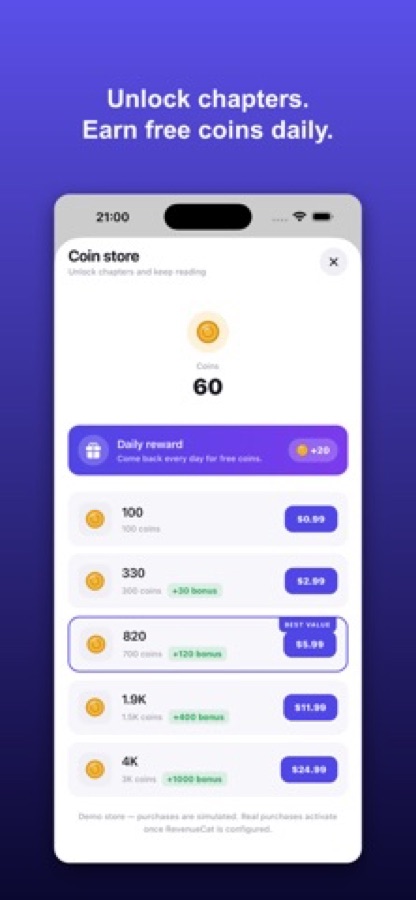
Chapter-based reading apps commonly let you read the opening free and use an in-app currency for later chapters. In Saga, coins unlock chapters, and you earn free coins each day you return.
Reading comfortbuilt for long evenings
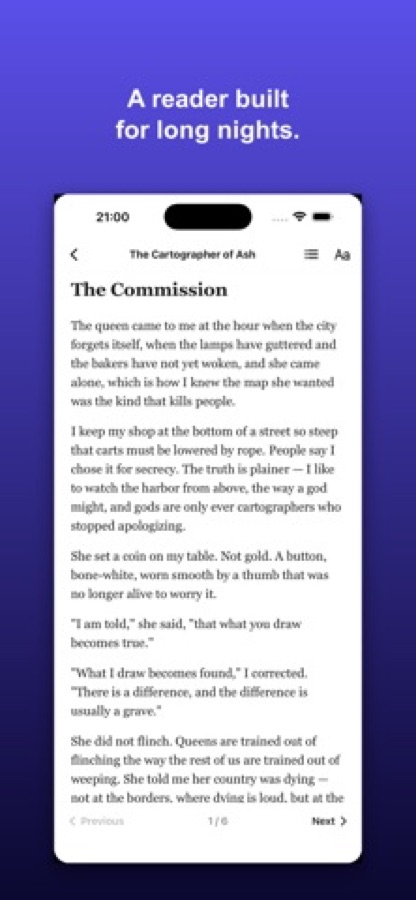
Long sessions are easier with the right page: a dark theme at night, a sepia page for a warmer look, and type size, spacing and serif or sans-serif style adjusted to your eyes.
Ratings and reviewssocial proof from other readers
Reader reviews and ratings on each book help you judge a story before you spend coins on it.
How it works
How reading works in the app
You can be reading in a few seconds, with no account.
Find a story
Browse For You picks, trending, new releases and top-ranked lists on Discover, or search titles, authors and tropes. Each book page shows its genres, tags, rating and chapters.
Read free, unlock what you love
Open a book and start reading immediately. When you want the next chapters, unlock them with coins, either one at a time or several together, or turn on auto-unlock so the story keeps going.
Come back for daily coins
Collect your daily reward for free coins, keep a daily reading streak, and use the Library to continue exactly where you left off. New-chapter badges mark the books you are following.
What's inside
What is in the app
1000s
Web novels and stories
Thousands of stories across romance, werewolf, billionaire, fantasy, mystery, thriller and more, in one simple reader.
Free
Every book starts free
Start reading instantly and unlock later chapters with coins. Free daily coins are waiting each time you come back.
For you
Picks, lists and search
Personalised For You picks, trending, new and top-ranked lists, and instant search across titles, authors and tropes.
3
Reading themes
Light, sepia and dark themes, with adjustable font size, spacing and serif or sans-serif type.
Library
Pick up where you left off
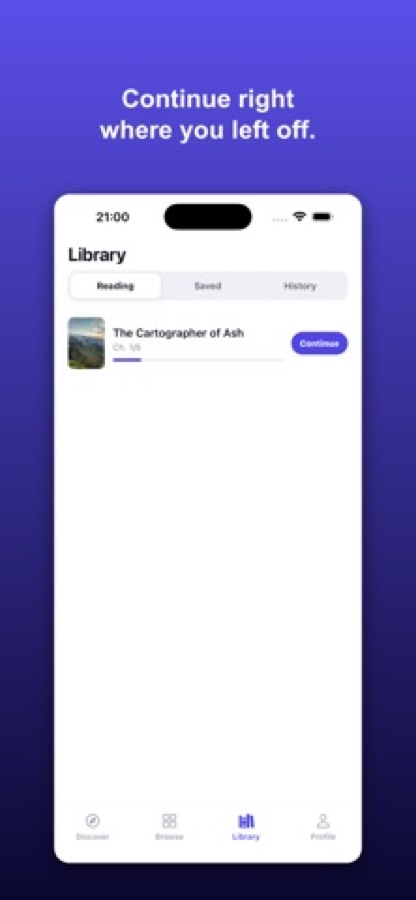
Continue-reading shortcuts on the home screen, a Library with Reading, Saved and History tabs, and new-chapter badges.
VIP
Optional VIP
VIP is optional and adds 50 coins every day and a VIP badge on your profile.
Fit
Who it's for — and who it isn't
A good fit if you
- Like serialized romance, werewolf, billionaire, fantasy or mystery stories in short chapters
- Want to read the opening of a story before spending anything
- Read in the evening and want dark and sepia themes with adjustable text
- Keep several stories going and want one place that remembers each chapter
- Prefer to start reading without creating an account
Not the right tool if you
- Use an Android phone, because the app is on iOS for now
- Want every chapter free, since later chapters are unlocked with coins
- Are looking for a library of classic or public-domain books, since the app is built around web novels and serialized stories
Questions
Frequently asked questions
What is a good app for reading web novels on a phone?
Look for one that lets you start a story immediately, keeps your place across a library, and has comfortable reading settings. Stories & Novels: Saga offers thousands of web novels in romance, werewolf, billionaire, fantasy and mystery, lets you start reading with no sign-up, and has light, sepia and dark themes with adjustable type. It is free on iOS.
What is a web novel?
A web novel is a story published online in instalments, usually a chapter at a time, rather than as a finished book. The chapters are short, new ones can be added over time, and readers often choose by genre and trope. Stories & Novels: Saga is built around that format.
Is Stories & Novels: Saga free to read?
Every book starts free. Later chapters are unlocked with coins, and you earn free coins every day just for coming back. You can also buy coins, and an optional VIP adds 50 coins a day and a VIP badge. The app is free to download and has optional in-app purchases.
How do coins work?
Coins unlock chapters after the free opening. You collect a daily reward of free coins when you return, and you can buy coin packs in the coin store. The store also offers unlocking the next several chapters together, and an auto-unlock setting so a story keeps going without interruption.
Do I need an account to start reading?
No. Stories & Novels: Saga needs no sign-up. Open the app and start reading, and your Library keeps your place.
Which genres can I read?
Romance, werewolf, billionaire, fantasy, mystery and thriller are named in the store listing, along with more. You can browse by genre on Discover, get personalised For You picks, or search for a title, an author or a trope.
Can I change how the text looks?
Yes. The reader has light, sepia and dark themes, adjustable font size and spacing, and a choice between serif and sans-serif type, so a long evening session is easier on the eyes.
How do I find where I stopped reading?
The home screen has continue-reading shortcuts, and the Library has Reading, Saved and History tabs. Each reading book shows its chapter and a Continue button, and new-chapter badges mark books with fresh updates.
What languages and devices does it support?
Stories & Novels: Saga is available in English, Turkish and Spanish on iOS. It needs iOS 16.4 or later and carries a 12+ age rating on the App Store.
Is there an Android version?
Not at the moment. Stories & Novels: Saga is available on the App Store for iOS.
Get started
Open a book and read the first chapter free
Free on iOS, with no sign-up, in English, Turkish and Spanish.
More from CoddyKit
Available on iOS.