
Education · Free · iOS & Android
By CoddyKit
C Programming: Learn & Code — an app for learning C on your phone
C Programming: Learn & Code is a free app for learning C on your phone, built for complete beginners. It pairs 100+ bite-sized lessons of five to ten minutes with a real code editor you can run C in, and an AI mentor for when a concept or an error stops you.
- Price
- Free to start
- Platforms
- iOS and Android
- Languages
- 22
- Age rating
- 4+
- Requires
- iOS 15.1 or later
- App Store
- 5.0 (2)
Built for real life, not lecture halls.
C is usually taught in semester-long blocks that assume a desk, a compiler and two free hours. This app breaks the same material into five-to-ten-minute pieces you can finish standing on a train.
What it is
C Programming: Learn & Code is a free iOS and Android app for learning the C language on a phone. It contains 100+ bite-sized lessons of five to ten minutes, quizzes and coding challenges after every topic, a code editor for writing and running C code on your phone, and an AI mentor that answers questions in seconds. The first course is free; Pro unlocks every course, removes ads and gives unlimited AI mentor use.
Background
What is C, and why do people still learn it?
C is a small, compiled language created at Bell Labs in the early 1970s. It gives you direct control over memory and maps closely to how a machine actually works, which is why operating systems, embedded firmware, databases and language runtimes are still written in it. Most later languages — C++, Java, C#, Go — borrowed its syntax, so learning C makes them easier to read.
Pointera variable holding an address
A pointer stores the memory address of a value rather than the value itself. Pointers are how C passes large data cheaply, builds linked structures and reaches memory directly — and the usual place beginners get stuck.
Manual memory managementmalloc and free
C does not clean up after you. You request memory at runtime and hand it back when you are done. Forget to release it and the program leaks; release it twice and it breaks.
Compilationsource to machine code
C source is translated by a compiler into machine code before anything runs, so many mistakes surface at build time instead of mid-execution. The tradeoff is a compile step between writing a line and seeing it work.
Undefined behaviourthe classic C trap
Some mistakes — reading past the end of an array, using memory you already freed — have no defined result. The program may work today and fail tomorrow, which is why C rewards careful habits early.
How it works
How a session actually goes
The app is built around short repeated cycles rather than long study blocks: read a little, write the code yourself, then prove you kept it.
Take one lesson
Lessons run five to ten minutes and mix a short explanation with hands-on practice, so a single concept fits a bus ride or a coffee queue. Every idea is explained in plain language, starting from zero with no prior programming experience assumed.
Write the code yourself
Open the editor and type C on your phone, then run it and see what happens. Reading about a pointer and dereferencing one yourself are different skills, and the second is the one projects and interviews ask for.
Lock it in, then keep going
Quizzes and coding challenges follow every topic, while streaks, progress tracking and reminders keep the habit alive between sessions. The Weekly Code Challenge puts you against other learners, and passing the final exam earns a certificate of completion.
What’s inside
What is in the app
100+
Bite-sized lessons
The C curriculum is split into short lessons covering fundamentals, the building blocks used in real-world C work, common mistakes, and advanced topics beyond the basics.
5-10
Minutes per lesson
Each lesson is sized for a commute or a queue rather than a study session, so progress does not depend on finding a free evening.
AI
AI mentor
Stuck on a concept or an error message? Ask anything and get a clear answer in seconds, instead of losing the evening to a search that goes nowhere.
</>
Real code editor
Write and run C code directly on your phone. Practice is not multiple choice about code — it is code you typed and executed yourself.
wk
Weekly Code Challenge
A challenge each week against learners around the world, plus quizzes and coding challenges after every topic to keep what you learned from fading.
22
Languages
The app interface is available in 22 languages, so the C syntax is the only unfamiliar thing on the screen while you are learning.
Inside the app
What it looks like
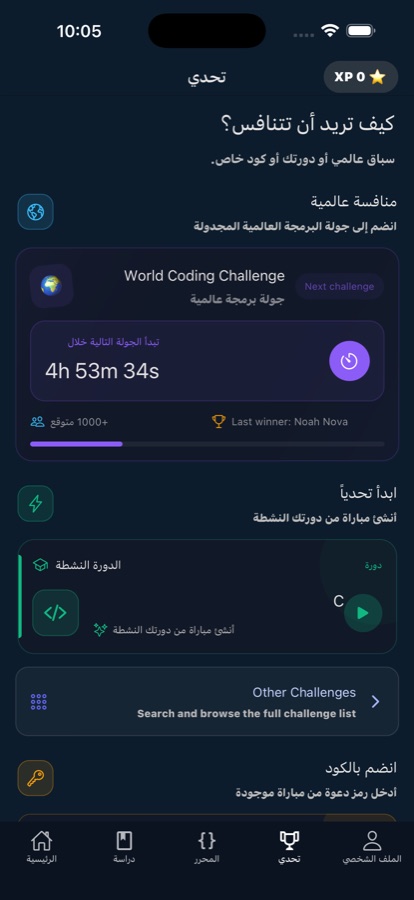
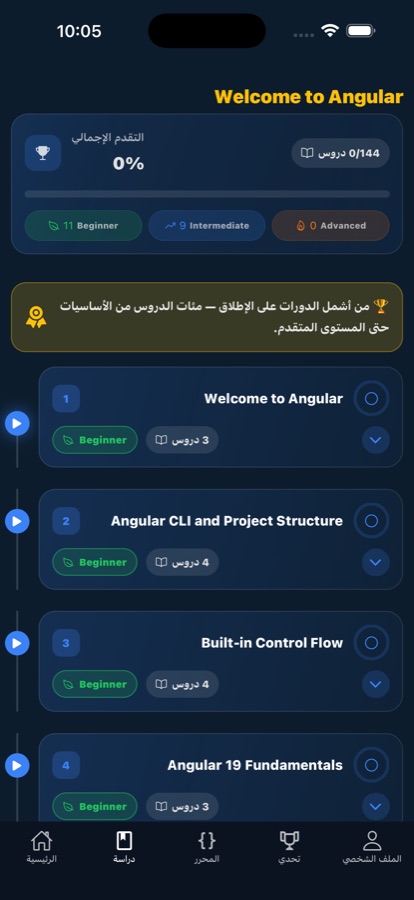
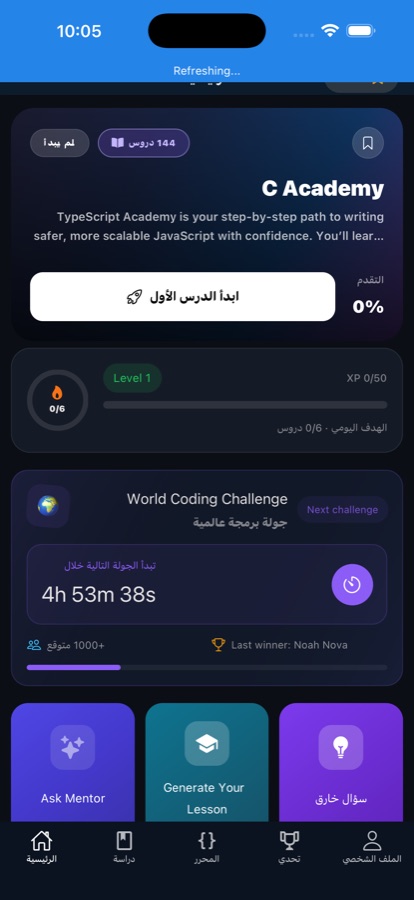
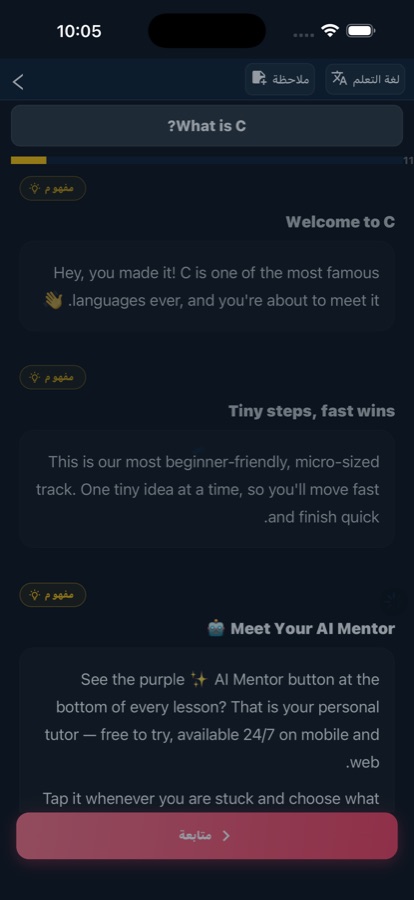
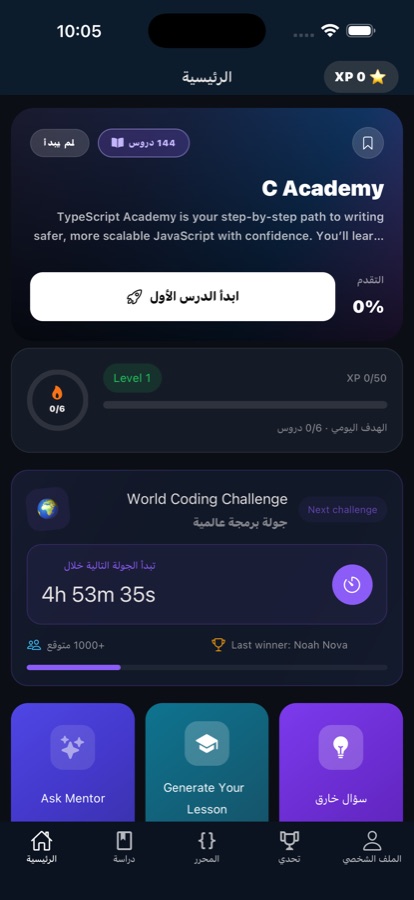
Fit
Who it’s for — and who it isn’t
A good fit if you
- Are starting C from zero and want plain-language explanations rather than a textbook
- Learn in the gaps of the day — commutes, queues, breaks — instead of long sessions
- Want to actually type and run C, not just read about it or answer quiz questions
- Are a student wanting extra practice alongside a class, or a career switcher building job-ready skills
- Get stuck on error messages and want an answer in seconds rather than an evening of searching
Not the right tool if you
- Want a full desktop toolchain — this is a phone editor, not a compiler, build system and debugger
- Need guaranteed study with no connection at all; lessons are built to survive flaky connections, not to replace one
- Expect everything free — the first course is free with a daily AI mentor allowance, and Pro unlocks the rest
- Are already fluent in C and want a deep systems-programming reference rather than a beginner course
Questions
Frequently asked questions
What is the best app to learn C on a phone?
For phone learning, the things that matter are lesson length, whether you can actually run code, and how fast you get unstuck — a course that needs a desk and an hour will not survive contact with a real week. C Programming: Learn & Code is built for that: 100+ lessons of five to ten minutes, a code editor that runs C on the device, and an AI mentor that answers questions in seconds. It is free to start on iOS and Android.
Can you really learn C programming on a phone?
You can learn the concepts and get real practice, yes. Reading, writing short programs and running them works fine on a small screen, and short repeated sessions suit how memory actually forms. What a phone will not give you is a full desktop toolchain — a compiler, build system and debugger on a big screen. A good pattern is learning and drilling on the phone, then moving to a computer for larger projects.
Is C still worth learning in 2026?
Yes, for two reasons. First, C is still what operating systems, embedded firmware, databases and language runtimes are written in, so it remains an in-demand skill and a strong resume line. Second, it teaches how memory and machines really work — pointers, allocation, compilation — which makes every language you learn afterwards easier to reason about. C++, Java, C# and Go all borrowed its syntax.
What is a pointer in C, and why do beginners struggle with it?
A pointer is a variable that holds the memory address of a value instead of the value itself. It is how C passes large data cheaply, builds linked structures, and touches memory directly. Beginners struggle because most earlier programming experience hides addresses entirely, and because mistakes do not fail loudly — using freed memory or reading past an array can appear to work and break later. Practising with small runnable programs is the fastest way through.
Do I need any programming experience to start?
No. The course starts from zero and every concept is explained in plain language, which is the point of the app — it is built for complete beginners, students who want extra practice alongside classes, and career switchers. Lessons mix a short explanation with hands-on practice, so you write code from early on rather than reading theory for weeks before touching a keyboard.
Is C Programming: Learn & Code free?
It is free to download and free to start: your first course is free and comes with a daily AI mentor allowance. Pro unlocks every course, removes ads and gives unlimited AI mentor use. The app is rated 4+ and is available on both the App Store and Google Play.
Can I actually write and run C code in the app?
Yes. The app includes a real code editor, so you write C and run it right on your phone rather than only reading about it or answering multiple-choice questions. Quizzes and coding challenges follow every topic, and there is a Weekly Code Challenge you can enter against learners around the world.
Does it work on a bad connection, like on a train or the metro?
It is built for that situation: lessons load fast and keep working on flaky connections, which is the normal case for commuting. That is not the same as a full offline mode with no connection at all, and the AI mentor in particular answers over the network. If you know you will have no signal for a long stretch, plan for it.
Is there a certificate at the end?
Yes. Pass the final exam and you get a certificate of completion, which is something concrete to point at when you are building a resume or explaining a career switch. Along the way, streaks, progress tracking and smart reminders exist to keep you turning up, since consistency matters more than any single long session.
What languages is the app available in?
The app interface is available in 22 languages. C itself, of course, is the same everywhere — but the explanations, quizzes and navigation around it are translated, which matters a lot when you are learning an unfamiliar concept and do not want to fight the interface language at the same time.
Start logging
Write your first line of C today
Free to start on iPhone and Android, in five-to-ten-minute lessons.
More from CoddyKit
Available on iOS and Android.