

Solve It - AI Homework Helper
Solve It - AI Homework Helper — Step-by-step solutions that teach you the method
Solve It - AI Homework Helper is a free iOS and Android app for students stuck on a problem. Snap a photo, upload a PDF or type the question and get a clear step-by-step solution in maths, physics and chemistry. A Socratic tutor mode asks guiding questions instead of handing over the answer, so the method sticks.


- Price
- Free, Premium upgrade
- Platforms
- iOS and Android
- Languages
- 7
- Age rating
- 4+
- Version
- 2.0
- Requires
- iOS 15.1 or later

An answer is not the same as understanding.
Copying a result gets tonight's worksheet done and leaves tomorrow's quiz exactly as hard. The app is built around the gap between the two: it can show a worked solution, but its tutor mode keeps asking until you reach the answer yourself.
What it is
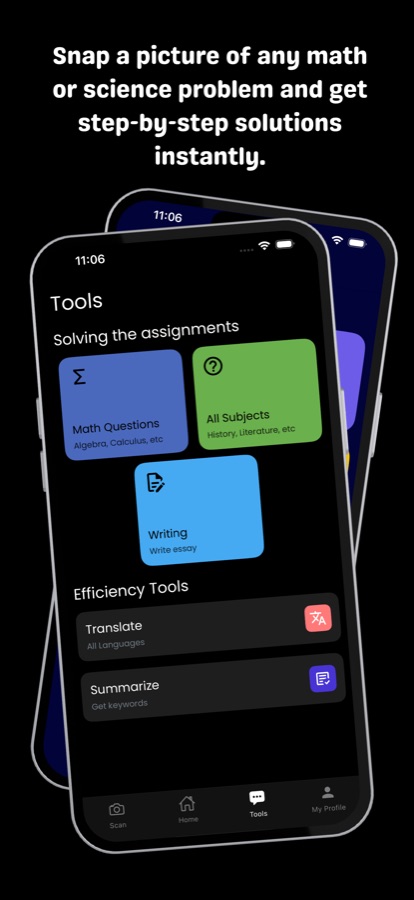
Solve It - AI Homework Helper is a free iOS and Android app that gives step-by-step solutions to maths, physics and chemistry problems you photograph, upload as a PDF or type. It covers arithmetic through calculus, statistics and probability, word problems, physics and chemistry. Besides the worked solution it has a Socratic tutor mode that guides you with hints and questions, a practice mode that sets a fresh similar problem, and a history of every solution and tutor session. The Play listing adds essay, summary and translation tools.
AI can make mistakes, so check results against your textbook or teacher, and follow your school's rules on using AI for assignments..
Inside the app
What it looks like
Background
How can you use an AI homework helper and still learn the material?
An AI helper teaches best when it is used to explain a method, not to produce a finished answer. The useful habit is to try the problem first, ask for help at the exact step where you got stuck, and then solve a similar one on your own. Used that way a helper acts like a patient tutor available at any hour; used to copy results, it leaves the same gap in understanding that was there before.
Worked solutionsee the reasoning
A worked solution lays out each step and why it follows from the last. Reading one is most valuable after you have attempted the problem, because you can compare your own reasoning with the written steps and spot the line where it went wrong.
Socratic tutoringquestions before answers
A Socratic tutor responds with hints and questions rather than the result, so you do the thinking at each step. It is slower than being told, which is the point: the idea ends up in your head rather than only on the screen.
Practice with a similar problemthe check that it stuck
After you follow one solution, a fresh problem of the same type shows whether you can apply the method without a prompt. Getting it right on your own is a much better sign of understanding than recognising the original steps.
Checking the AIa second pair of eyes
AI tools can produce a confident but wrong step, particularly in long multi-part problems. Treat the output as something to verify against your class notes or textbook, and ask a teacher when the two disagree.
How it works
How you use it
There are three ways in, and the same history keeps what you have done.
Get the problem in
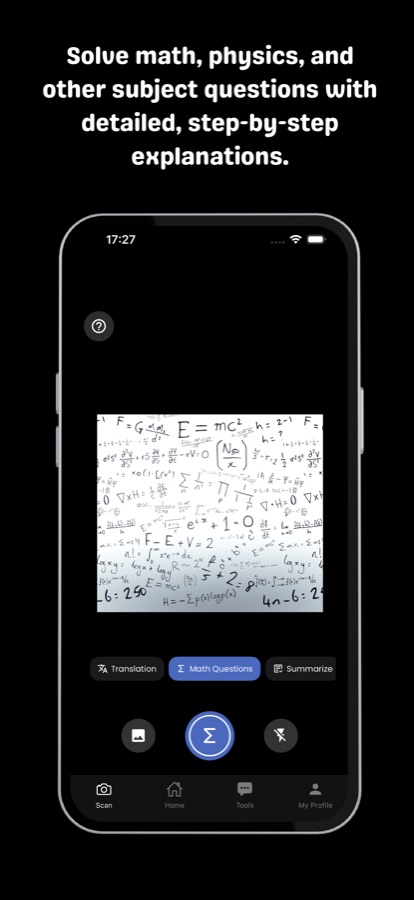
Photograph a question, upload a PDF worksheet or type it out. The app can crop to the exact problem so a busy page does not confuse the result.
Choose to be shown or to be taught
Ask for a step-by-step solution with the reasoning laid out, or switch to tutor mode and let it guide you with hints and questions until you reach the answer yourself. Follow-up questions are available on any solution.
Practise and come back later
Try a fresh problem of the same type in practice mode and check your own answer. Every solution and tutor session is kept in your history, so you can revisit it before a test.
What's inside
What is in the app
Scan
Photo, PDF or typed question
Capture a printed or handwritten problem, upload a worksheet as a PDF, or just type it, and get the solution laid out in clear steps without a wall of text.
Tutor
Socratic tutor mode
Learn at your own pace with hints and questions that lead you to the answer instead of telling you it up front.
Practice
A fresh similar problem
Practice mode gives you a new problem of the same type so you can check your own answer after studying a solution.
11
Subject areas
Arithmetic, pre-algebra, algebra, geometry, trigonometry, precalculus, calculus, statistics and probability, word problems, physics and chemistry, from middle school to college.
Log
History of solutions and sessions
Every solution and tutor session is saved, ready to reread when you revise.
Tools
Writing, summary and translation
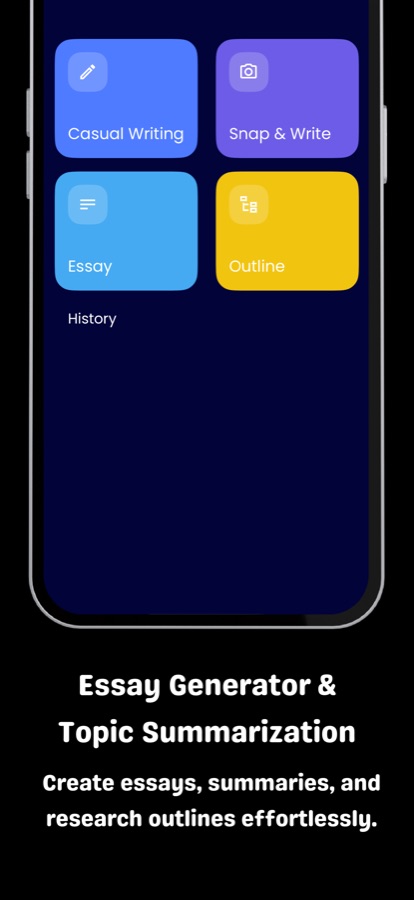
The Google Play listing also describes essay and outline generation, topic summaries, general-knowledge chat and translation into several languages.
Fit
Who it's for — and who it isn't
A good fit if you
- Are a middle school, high school or college student who gets stuck partway through a maths or science problem
- Want to see why each step follows rather than only the final number
- Learn better when someone asks guiding questions instead of giving the answer
- Want to check your own work and then try a similar problem
- Are a parent who wants your child to have a patient explainer that encourages understanding
Not the right tool if you
- Want finished answers to submit unseen — the app is built to explain, and schools set their own AI rules
- Need a replacement for a teacher or a tutor who knows your coursework
- Expect every answer to be perfect — AI can be wrong, so results should be checked
- Want unlimited use for free — the free version has a daily allowance, and Premium removes the limit
Privacy
What happens to your questions
The photo, PDF or text you submit is processed by an AI service so it can write a solution. Avoid including personal details such as a name or address in a photo of a worksheet.
Full details are in the CoddyKit privacy policy.
Questions
Frequently asked questions
What is the best AI homework helper for maths and science?
The best one explains the method rather than only printing a result. Solve It - AI Homework Helper gives step-by-step solutions to maths, physics and chemistry problems and has a Socratic tutor mode that guides you with hints and questions. It is free to start on iOS and Android, with a Premium upgrade for unlimited use.
How do I scan a problem with Solve It?
Open the scan screen and photograph the question, or upload a PDF worksheet, or type it in yourself. You can crop to the exact problem so the app works on the right part of a busy page, then receive a step-by-step solution and ask follow-up questions on it.
What is Socratic tutor mode?
Socratic tutor mode teaches by asking. Instead of showing the answer, Solve It responds with hints and questions and lets you work toward the solution at your own pace. It takes longer than a worked solution, but you end up understanding how to reach the answer rather than just seeing it.
Which subjects does Solve It cover?
The app lists arithmetic, pre-algebra, algebra, geometry, trigonometry, precalculus, calculus, statistics and probability, word problems, physics and chemistry, from middle school to college level. The Google Play listing also describes essay, summary and translation tools.
Will it just give me the answer to copy?
It can show a worked solution, but it is designed around understanding. Tutor mode and practice mode exist so you reason through the problem and then try a similar one yourself. Whether and how an AI helper may be used for assignments is set by your school, so follow your teacher's rules.
Can the answers be wrong?
Yes. Like any AI tool, Solve It can occasionally make an error, especially on long multi-part problems. Check the steps against your notes or textbook, and ask a teacher if a result looks off. Reading the steps rather than only the final line makes mistakes easier to catch.
Does the app save my solutions?
Yes. Solve It keeps a history of every solution and tutor session, so you can reread a worked problem before an exam instead of asking it again. It is a convenient way to build a set of revision examples from your own homework.
Is Solve It - AI Homework Helper free?
It is free to download and use every day within a daily allowance, and the free version shows ads. Premium is a monthly or yearly subscription that gives unlimited questions, unlimited tutoring and no ads. Prices are shown in the app and may vary by region.
Which languages and platforms does it support?
Solve It runs on iOS and Android and is available in English, Spanish, Turkish, French, Japanese, Russian and Korean. It is rated 4+ on the App Store.
Is Solve It the same app as Solve It: AI Homework Helper?
Yes. Solve It - AI Homework Helper is the Google Play name, and the App Store lists the same app as Solve It: AI Homework Helper, with a colon instead of the hyphen. Both are the same free homework helper for maths and science on iPhone and Android.
Get started
Understand the problem, not just the answer
Free to start on iOS and Android, with a Premium upgrade for unlimited use.
More from CoddyKit
Available on iOS and Android.