
Python for Kids: Coding Games
Python for Kids: Coding Games — Block puzzles that turn into real Python
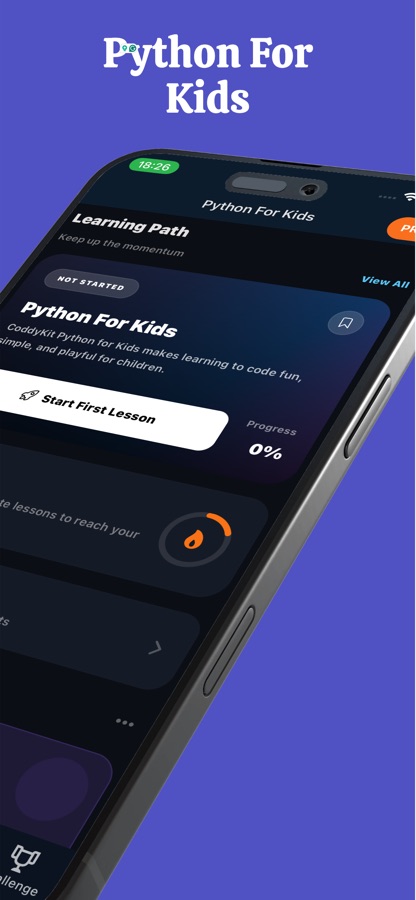
Python for Kids: Coding Games is a free iOS and Android app for parents whose child is ready to code, taking them from block puzzles to typed Python. Kids snap blocks together, press Run and watch a character move while the matching Python program appears beside the blocks. Then they draw with the turtle, fix buggy programs and work through 20 short courses — with a Parent Corner kept behind a parental gate.


- Price
- Free, Pro upgrade
- Platforms
- iOS and Android
- Languages
- 22
- Age rating
- 4+
- Version
- 82.6.0
- Requires
- iOS 15.1 or later
- App Store
- 3.5 ★ (11)
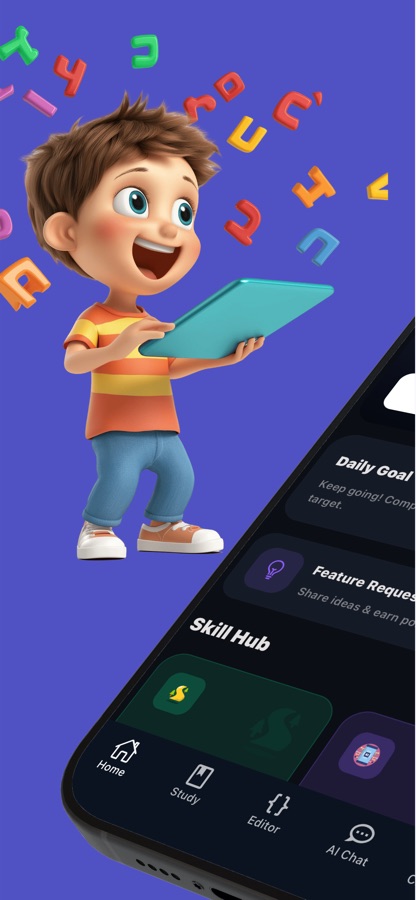
Every block program is also a Python program.
Many coding games for children stop at blocks. Here the blocks are a bridge: the Python code sits next to the puzzle with the running line lit up, so moving from dragging blocks to typing code feels like the next level of the same game rather than a new subject.
What it is
Python for Kids: Coding Games is a free iOS and Android app that teaches children Python, starting with 41 block coding puzzles that show the real Python behind every block. It adds a turtle drawing studio with 14 drawings, a Bug Hunt, a daily quest, 20 short courses with 84 lessons and 60 missions. The Parent Corner, purchases and outside links sit behind a parental gate, and Parent Corner data stays on the device.
Inside the app
What it looks like
The course
What the Python for Kids course covers
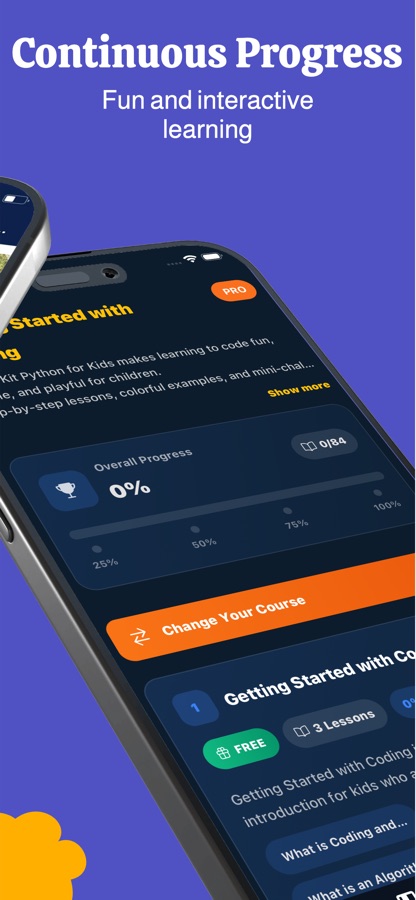
Short courses from the app's own course list, running from what coding is to writing real programs with Python.
Getting Started with Coding
What coding is and what an algorithm is, explained in short lessons with colourful examples. This first course is free.
Introduction to Python and Python Basics
The first print statement, variables, input and simple maths, building up to small programs a child can run.
Conditional Statements
if and else: teaching a program to choose between two paths based on what is true.
Functions and Lists
Reusing a block of code with a function, and storing a list of things such as a list of fruits.
Object-Oriented Programming and Files
A first look at classes, and reading and writing files, for children who want to go beyond the basics.
Working with Libraries
Using ready-made code, with later courses that touch PyGame and data.
Introduction to Artificial Intelligence
What artificial intelligence is and where it appears, with applications and a first step into preparing for AI with Python.
Data and Visualisation
Data manipulation and simple charts for older learners who are ready for the next step.
How it works
How a child's session goes
Sessions are short and playful, with a daily quest that keeps a gentle streak and goals and hints that can be read aloud for early readers.
Solve a block puzzle
Move, repeat and turn blocks to reach the goal, and watch the Python version of the same program light up line by line as it runs. Up to three stars reward solving a level with as few blocks as possible.
Draw with the turtle
Change a number or a word in a short drawing program by tapping, press Run and watch the turtle draw the new picture — a star, a flower, a spiral or a snowflake — with no keyboard needed.
Fix a bug, then write code
Run a program that is almost right, spot what goes wrong and fix it. Short lessons, quizzes and 60 missions then lead to writing and saving their own programs in the editor.
What's inside
What is inside the app
41
Block coding puzzles
Move, repeat, turn and fix a program to reach the goal, with the real Python shown beside every puzzle. Kids can also design and save their own level once they have solved it.
14
Turtle drawings
A star, a flower, a spiral, a snowflake, a city and more, all made with short programs you can edit by tapping words and numbers.
84
Lessons in 20 courses
From What is coding? through print, variables, loops, functions and lists to a first look at classes, with examples, quizzes and practice in each lesson.
60
Missions
Small programs to build, such as saying your name, counting to 10 or drawing a star, at easy, medium and hard levels.
Bug Hunt
Spot what is wrong
Run a program that is nearly right, find the mistake and fix it, with a daily quest alongside.
Parents
Parent Corner
A weekly report of time spent and the ideas practised. The Parent Corner, purchases and links that leave the app sit behind a parental gate, and its data is stored on the device only.
For parents
At what age can a child start coding in Python, and how does it begin?
There is no single age. Children who can follow a sequence of steps are ready for block coding, where instructions are pieces you snap together, and typed Python usually makes sense once a child reads comfortably and has met loops and conditions in blocks. Python is a common first typed language because its code reads close to plain English, so a short program such as a loop that repeats a drawing step is easy for a child to read back and change.
Sequences and algorithmsthe first idea
A program is a list of steps in the right order. Moving a character to a goal square with the fewest blocks teaches a child to plan the order before pressing Run.
Loopsdo it five times
A loop repeats an action instead of repeating the instruction. Drawing a star or a spiral with the turtle shows why a short loop beats ten copied lines.
Conditionsif this, then that
A condition lets a program choose. It is the first time a child sees code behave differently depending on what is true.
Debuggingthe real skill
A program that is almost right is more valuable to a learner than a finished one, because finding what went wrong is most of what programmers do. Reading, running and fixing a nearly correct program builds patience as well as logic.
Fit
Who it's for — and who it isn't
A good fit if you
- Are a parent looking for a first coding app that leads to real Python rather than stopping at blocks
- Have a child who has tried block coding and is ready for the next step
- Want a child to learn by playing, drawing and fixing, in short sessions
- Like a weekly view of time spent and ideas practised, kept on the device
- Prefer purchases and outside links to sit behind a parental gate
Not the right tool if you
- Want a child to be fully independent on a laptop with a text editor straight away
- Expect everything free: the first course, 12 puzzles, 7 drawings and the first missions are free, and Pro unlocks the rest
- Are looking for a classroom management tool with teacher accounts
- Have a child who cannot yet read — goals and hints can be read aloud, but lessons still assume basic reading
Questions
Frequently asked questions
Is Python for Kids: Coding Games suitable for a beginner child?
Yes. Python for Kids: Coding Games is made for children who have never coded and for those who have tried blocks and want the next step. It begins with block puzzles, shows the Python behind each one, and builds up to typed code, so the path from playing to programming is gradual.
How do block puzzles lead to real Python?
Each of the 41 block puzzles displays the matching Python program next to the blocks, with the running line lit up as the character moves. A child sees that the blocks they dragged and the code they will later type are the same thing, which makes the step to typing much smaller.
What will my child learn?
Sequences and algorithms, loops, conditions, debugging, functions and storing lists of things, using Python from the first lesson. The 20 short courses with 84 lessons move from What is coding? to print, variables, input, if and else, loops and range(), then functions, lists, dictionaries, files and a first look at classes.
Is the app safe for children, and what do parents control?
Python for Kids: Coding Games keeps the Parent Corner, purchases and links that leave the app behind a parental gate. The Parent Corner shows a weekly report of time spent and the ideas practised, and that data is stored on the device only. Please read the privacy policy linked from the store listing before letting a child use any app.
Does my child need a keyboard?
Not to begin. Block puzzles are played by snapping blocks together, and in the Turtle Drawing Studio a child edits the code by tapping words and numbers. Typing becomes useful later, in lessons, missions and the editor where they write and save their own programs.
What is Bug Hunt?
Bug Hunt gives a child a program that is almost right. They run it, notice what goes wrong and fix it. It trains the reading-and-checking habit that programmers rely on, and a daily quest keeps a gentle streak going without pressure.
Is Python for Kids: Coding Games free?
It is free to download. The first course, 12 block puzzles, 7 turtle drawings and the first missions are free, and the app stays usable without a subscription. Pro unlocks every course, puzzle, drawing and mission, plus the final exam and a certificate of completion with the child's name on it.
Why teach Python rather than only blocks?
Blocks are an excellent first step, but they are not what programmers write. Python is widely used, and its code reads close to plain English, so a child can move from blocks to a text language without starting over. In this app the two are shown side by side, so the connection is visible.
Can older children use it too?
Yes. Beyond the block puzzles, the courses reach functions, lists, dictionaries, files and classes, and later courses introduce libraries, PyGame, data and artificial intelligence, so a child who has outgrown puzzles can keep going. The 60 missions are split into easy, medium and hard.
What platforms and languages does it support?
Python for Kids: Coding Games runs on iPhone and iPad through the App Store and on Android through Google Play, and the app interface is available in 22 languages. It is rated 4+ on the App Store.
Get started
Start with the first puzzle today
Free to start on iOS and Android, in 22 languages.
More from CoddyKit
Available on iOS and Android.