
Learn JavaScript for Kids
Learn JavaScript for Kids — Coding for kids that starts by changing a real program
Learn JavaScript for Kids is a free iOS and Android app for coding for kids who have never written a line of code. The first screen is a real JavaScript program: your child taps a glowing number, the stickers fly faster, and the program runs again on the phone. From there it moves into 20 short courses, 41 block puzzles and 60 missions, with a parental gate in front of purchases.


- Price
- Free, Pro upgrade
- Platforms
- iOS and Android
- Languages
- 22
- Age rating
- 4+
- Requires
- iOS 15.1 or later
- App Store
- 5.0 ★ (4)
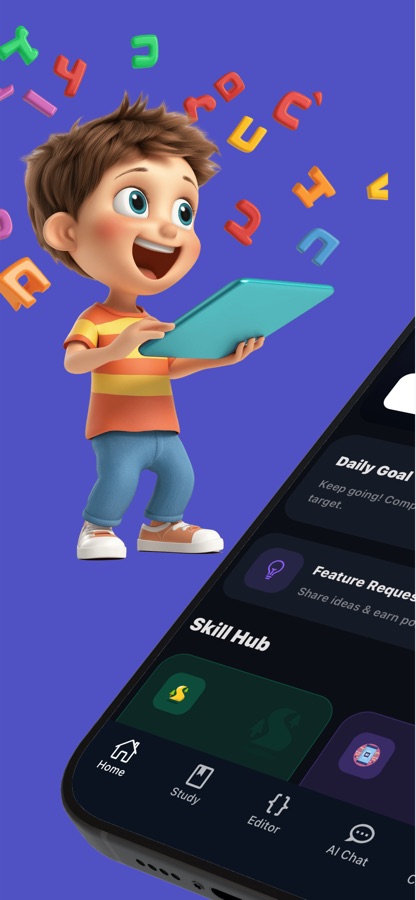
Change one number and see what happens.
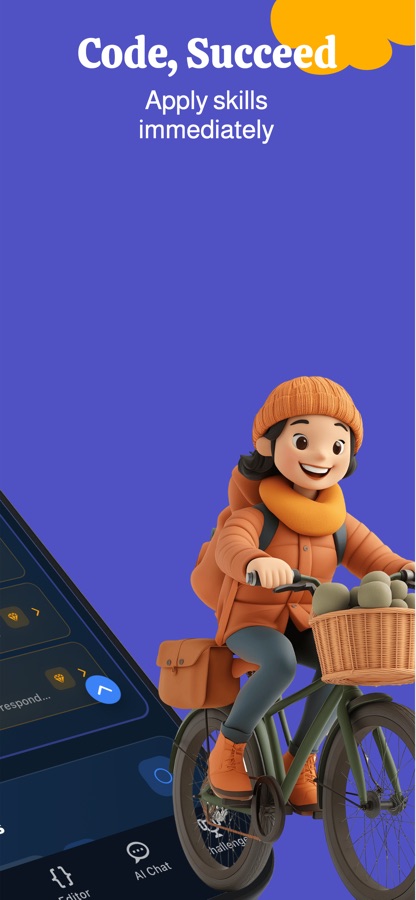
The quickest way for a child to understand code is to touch a program that already works. In Learn JavaScript for Kids the opening screen is exactly that: tap a glowing value, change how many stickers there are or how fast they fly, and the program runs again at once. Nothing has to be typed, so nothing can break.
What it is
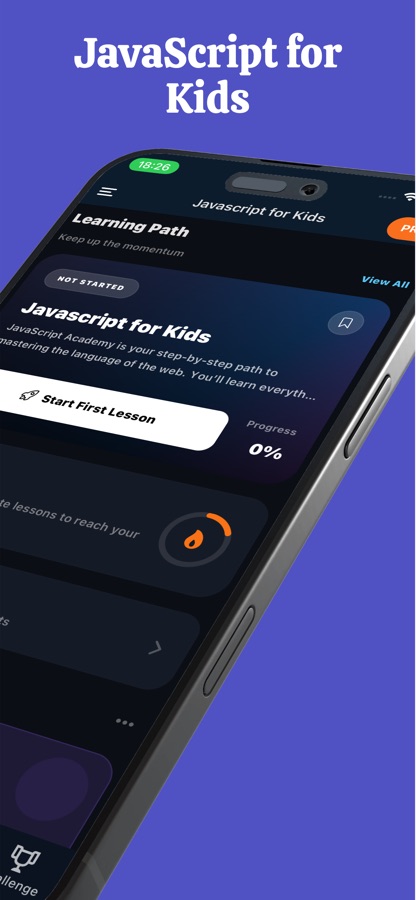
Learn JavaScript for Kids is a free iOS and Android app that teaches coding for kids through real JavaScript, with no account needed to begin. It opens with a live program a child can change by tapping, then continues with 20 short courses and 80 lessons, 41 block puzzles, 60 missions in easy, medium and hard, and a code editor that runs JavaScript on the phone. The first course, What Is Coding?, is free, and a parental gate sits in front of purchases and links that leave the app.
Inside the app
What it looks like
The course
What the JavaScript course covers
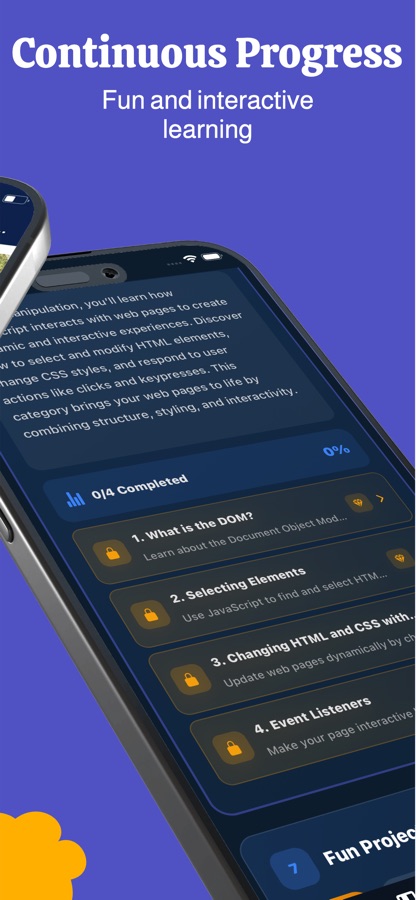
The course names below come from the Javascript for Kids course on this site. It starts with no code at all and builds toward small games.
What Is Coding?
The free first course: what code is and what computers do with it, before any typing is expected.
Think Like a Coder: Algorithms
Breaking a problem into clear, ordered steps, which is the idea underneath every program a child will write later.
Coder Superpowers: Loops, Choices & Bugs
Repeating an action, choosing between two paths, and finding what went wrong when a program does not behave.
Magic Boxes Called Variables
Storing a number or a word under a name, followed by Math Wizard and Word Play for working with each kind of value.
Yes or No Decisions
Making a program choose with if and else, and then practising the same idea in True or False Games.
Counting Loops and Patterns
Loops that count and draw patterns, with Loop-de-Loop and Nested Loop Art stretching the same idea further.
Treasure Chests: Objects
Grouping related values together, then collecting many of them in Treasure Lists.
Your Own Spells (Functions)
Packaging steps into a function a child names and reuses, ready for projects such as Build a Calculator, Mini Game: Number Guessing and Rock, Paper, Scissors.
How it works
How a first session works
A session can be five minutes long. Each one mixes something to tap or build with a short piece of real JavaScript, so a child ends it having made something rather than having watched something.
Play with a live program
Open the app and tap the glowing values in a real JavaScript program to change the number of stickers, their speed and which sticker is used. The program runs again on the phone, so a child sees what code does before reading any.
Follow a short course or a block puzzle
Start the free course What Is Coding?, or open the Block Playground and drag blocks to guide a character to the goal. Lessons are written in simple words and finish in a few minutes, so a child can stop and come back tomorrow.
Practise with a mission and keep the streak
Pick a mission when a new challenge is wanted, write and run JavaScript in the code editor, and save favourite programs in My Codes. A daily streak, mini quizzes and flashcards bring earlier ideas back.
What's inside
What comes with the app
20
Short courses, 80 lessons
From the idea of what code is to small games, covering algorithms, variables, math, words, yes-or-no decisions, loops and patterns, objects, lists, functions and random surprises.
41
Block puzzles
The Block Playground turns logic into a game: drag Move, Jump, Repeat and If Blocked blocks to reach the goal, and try to solve each puzzle with as few blocks as possible. Several puzzles are free.
60
Missions in three levels
Easy, medium and hard missions, so there is always a next challenge at the right level. Two missions are free, and the rest come with Pro.
Editor
Code editor that runs JavaScript
Write and run JavaScript right on the phone and see the output. Save programs in My Codes and jot notes while learning.
Mini games
Projects a child can show off
A calculator, a number guessing game and rock, paper, scissors are among the small projects, each built from ideas the earlier lessons introduced.
AI Chat
Questions answered in plain words
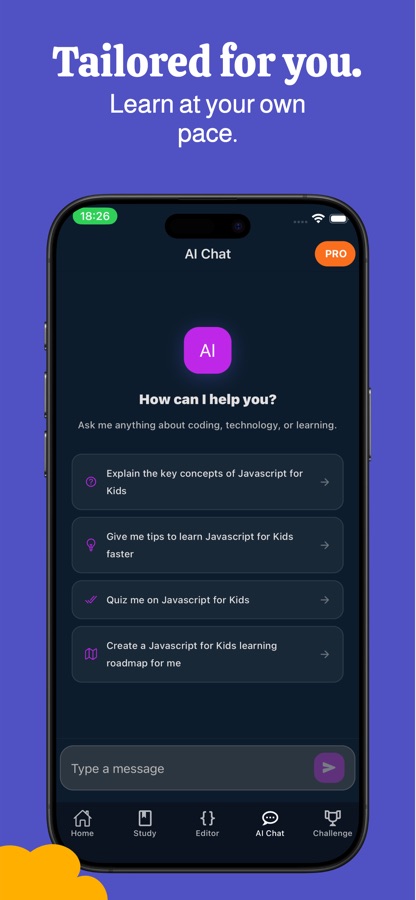
An AI Chat tab sits beside Home, Study, Editor and Challenge, with ready-made prompts such as quizzing a child on what they just covered or building a learning roadmap.
For parents
Why start kids coding with JavaScript, and what does a first lesson look like?
JavaScript is the language that makes things on a screen move, react and play sounds, which is why it suits children who like games and drawing. Every web browser already runs it, so what a child learns is the same language used on real websites. A good first lesson is small and visual: a child changes a value, sees the result straight away, and only later learns the word for what they just did. There is no single right age to begin, so it helps to look at how the first ten minutes feel rather than at the number on the box.
Seeing code runthe first minute
A beginner learns fastest when a program is already running in front of them. Changing a number and watching the stickers speed up teaches cause and effect, which is the whole idea behind a variable, before any vocabulary is introduced.
Block puzzles first, text secondthinking like a program
Dragging blocks such as Move, Jump or Repeat teaches sequence and repetition without spelling, brackets or error messages. A child who has solved a block puzzle with the fewest blocks has already practised the same habit that makes typed code short and tidy.
Variables, decisions and loopsthe three early ideas
Nearly every first program is built from the same three ideas: a value stored under a name, a yes-or-no decision made with if and else, and a loop that repeats an action. Short lessons that introduce one idea at a time, and then reuse it in a small game, are how those three become familiar.
Bugs are normalthe mindset to protect
Code almost never works the first time, even for professionals. A beginner app should make finding and fixing a bug feel like part of the puzzle instead of a failure, which is why the app treats bug hunting as one of the things children practise.
Fit
Who it's for — and who it isn't
A good fit if you
- Are a parent of a young beginner who has never written code and wants screen time that builds something
- Want a child to start with tapping and block puzzles before typing real JavaScript
- Prefer lessons that finish in a few minutes and can be picked up again the next day
- Like a parental gate in front of purchases and links that leave the app
- Want one app in 22 languages so the family can follow lessons in its own language
Not the right tool if you
- Expect every course, puzzle and mission to be free: the first course, several puzzles and two missions are, and Pro unlocks the rest
- Want a full web-development curriculum for a teenager; this is a first step into JavaScript, not a bootcamp
- Need a child to work in front of a keyboard on a laptop; lessons and the editor are built for a phone
Privacy
For parents: purchases, links and accounts
Learn JavaScript for Kids does not need an account to begin. A parental gate sits in front of purchases and in front of links that leave the app, so a Pro subscription is set up by a parent rather than by the child tapping through.
Full details are in the CoddyKit privacy policy.
Questions
Frequently asked questions
What is Learn JavaScript for Kids?
Learn JavaScript for Kids is a free iOS and Android app for coding for kids built around real JavaScript. It starts with a live program a child changes by tapping, then moves into 20 short courses, 41 block puzzles, 60 missions and a code editor. It is made for young beginners who have never written code, and for parents who want screen time that teaches something.
Is it really coding, or just a game?
Both, deliberately. The block puzzles are games that train how a program thinks, and the courses, missions and editor use real JavaScript that runs on the phone. A child moves from changing a number in a working program to writing short programs of their own, such as a calculator or a number guessing game.
What does my child learn?
The app covers how to break a problem into clear steps, how variables store numbers and words, how loops repeat actions and draw patterns, how if and else make decisions, how functions and lists keep code tidy, and how to find and fix a bug. Each lesson takes one idea and practises it in a small example before the next one begins.
Does my child need to be able to type or read well?
Not at the start. The opening program is changed by tapping glowing values, and the block puzzles use drag and drop, so a child can begin before typing code. Lessons use simple words and short steps written for children rather than for developers, and typing real JavaScript comes in gradually.
How is a coding game for kids different from a lesson?
In Learn JavaScript for Kids the Block Playground is the game side: a character has to reach a goal, and a child tries to use as few blocks as possible. The lessons and missions are the text side, where a child writes and runs JavaScript. Doing both lets a younger or less confident learner start with blocks and move to code when ready.
What is free and what needs Pro?
The first course, What Is Coding?, several block puzzles and two missions are free. A Pro subscription, set up by a parent behind the parental gate, unlocks every course, all 41 puzzles, all 60 missions and the final exam with a certificate of completion.
Is it safe for a child to use?
Learn JavaScript for Kids is rated 4+ and needs no account to begin. A parental gate guards purchases and links that leave the app. As with any app, a parent can decide how long and when a child uses it, and sitting beside them for the first lesson is an easy way to judge the pace.
Which languages and devices does it support?
The app interface is available in 22 languages and runs on iOS through the App Store and on Android through Google Play. It needs iOS 15.1 or later on Apple devices.
Is there a certificate at the end?
Yes. After finishing the lessons a child can take the final exam and earn a certificate of completion, which is part of Pro. It is a way to celebrate finishing the course rather than an accredited qualification.
How is it different from the Python kids app?
Learn JavaScript for Kids teaches JavaScript, the language of web pages, and opens with a program a child changes by tapping. The Learn Coding for Kids: Python app teaches Python and opens with a turtle drawing. Pick the language that matches what your child wants to build, since the underlying ideas of variables, loops and decisions carry across both.
Get started
Let your child change their first program today
Free to start on iOS and Android, in 22 languages.
More from CoddyKit
Available on iOS and Android.