Education · Free · iOS & Android
By CoddyKit
Learn C++: Code & Practice — an app to learn C++ on your phone
Learn C++: Code & Practice is a free iOS and Android app for people starting C++ from zero. It breaks the language into 100+ bite-sized lessons of five to ten minutes, adds a real code editor that runs C++ on your phone, and an AI Mentor that turns compiler errors into plain English.
- Price
- Free, Pro optional
- Platforms
- iOS and Android
- Languages
- 22
- Age rating
- 4+
- App Store
- 4.8 (6)
Pointers are only scary until lesson twelve.
C++ has a reputation for being unlearnable, but most of that comes from being shown all of it at once. In five-to-ten-minute pieces, the frightening parts arrive one at a time.
What it is
Learn C++: Code & Practice is a free education app for iOS and Android that teaches C++ from scratch on a phone. It splits the language into more than 100 lessons of five to ten minutes covering fundamentals, pointers and memory, object-oriented programming and the STL, plus data structures and algorithms practice for coding interviews. A built-in editor compiles and runs C++ on the device, and an AI Mentor explains errors in plain English.
Background
What is C++ used for, and why does it have a reputation for being hard?
C++ is a compiled language built for speed and direct control of memory. It runs game engines such as Unreal, embedded systems, robotics, high-frequency trading and operating system kernels — places where a slow language is not an option. It feels hard because it hands you responsibilities other languages hide: you decide where data lives, how long it lives, and who owns it.
Pointerthe usual wall
A variable holding the address of another value rather than the value itself. Almost every C++ beginner stalls here, and almost every one gets past it — the idea is small, the notation is what confuses.
The STLthe standard toolkit
The Standard Template Library: vectors, maps, sets, iterators and ready-made algorithms. Learning it is the step where C++ stops feeling like manual labour and starts feeling like a modern language.
OOP in C++structure
Classes, inheritance and polymorphism let you group data with the code that acts on it. C++ supports this style without forcing it, which is why the same language suits both a kernel and a game.
DSAinterview currency
Data structures and algorithms — arrays, lists, trees, graphs, sorting, searching. C++ is the classic language for this material, which is why it dominates competitive programming and technical interviews.
How it works
How a session works
The app is shaped around short sittings rather than long study blocks: read a small piece, write the code, then check that it actually stuck.
Take one lesson
Open a topic and take a single lesson at a time. Each runs five to ten minutes and pairs short plain-language theory with something to do, so a session fits a commute, a coffee queue, or the gap before a lecture.
Compile it on the phone
The built-in editor lets you write, compile and run real C++ without a laptop. The concept you just read gets typed out and executed while it is still fresh, which is the only way pointers and memory ever become concrete.
Check it stuck, and ask when it did not
Quizzes and coding challenges follow every topic, and a weekly Code Challenge puts you against learners worldwide. When a template error or a concept refuses to make sense, the AI Mentor answers in seconds instead of costing you an evening.
What’s inside
What comes with the app
100+
Bite-sized lessons
More than a hundred lessons covering fundamentals, functions and scope, pointers and memory, object-oriented programming, and the STL — hard topics broken into small steps.
5–10
Minutes per lesson
Every lesson is sized for a real day rather than a study session, which is what makes daily progress on a phone possible at all.
AI
AI Mentor
Stuck on pointers or a wall of template errors? Ask anything and get a clear answer in seconds, in plain English rather than compiler dialect.
</>
Real code editor
Write, compile and run C++ directly on your phone. Practice after each topic happens in the editor, not as a multiple-choice guess about code.
DSA
Interview practice
DSA lessons follow interview shape: learn the data structure, see the pattern, then solve problems in rising difficulty with the AI Mentor as a whiteboard partner.
Cert
Certificate of completion
Pass the final exam and get a certificate of completion, alongside the quizzes, coding challenges and weekly Code Challenge that run through the course.
Inside the app
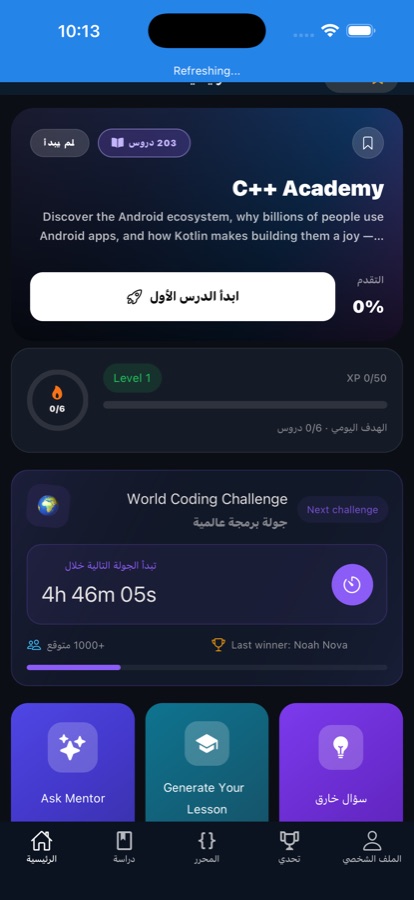
What it looks like
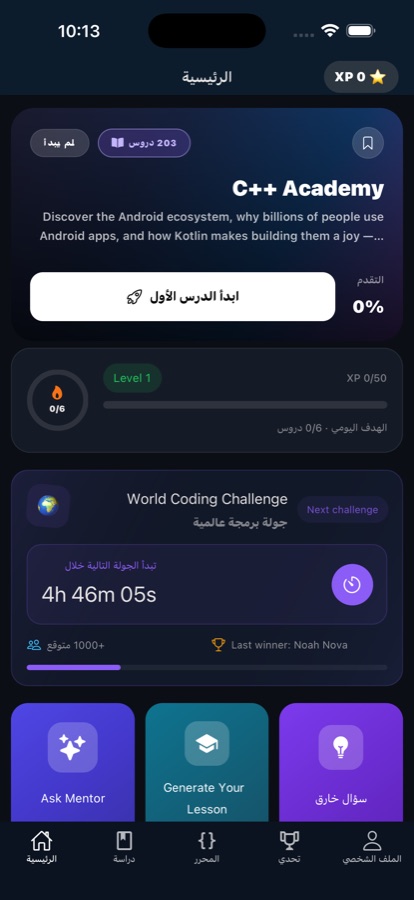
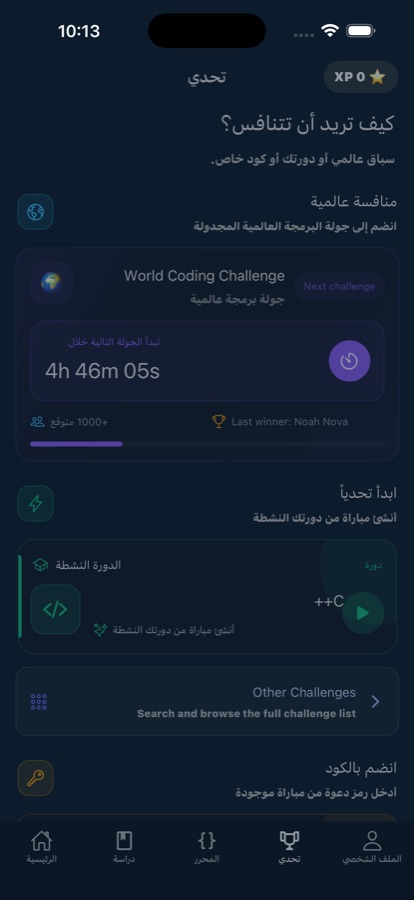
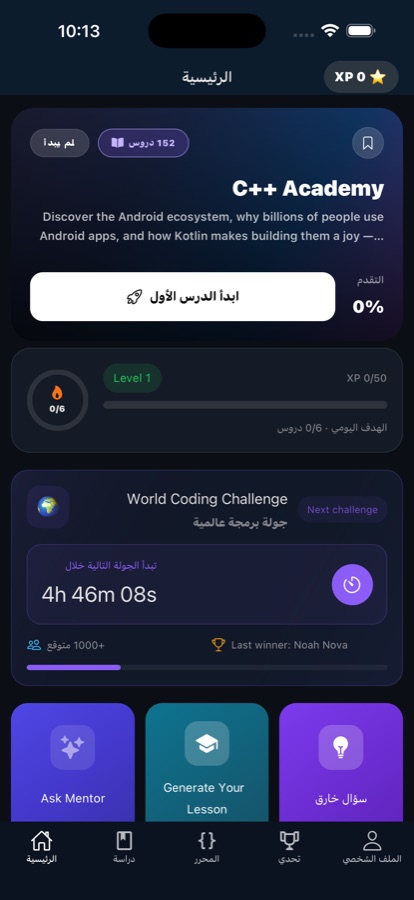
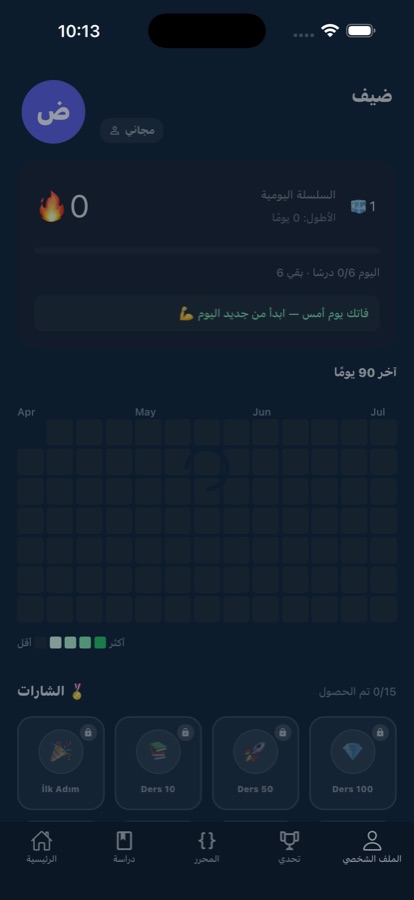
Fit
Who it’s for — and who it isn’t
A good fit if you
- Are starting C++ from zero and want memory and pointers explained in plain language
- Learn on a phone, in short sessions, rather than at a desk for an hour
- Are a CS student who needs C++ for coursework and DSA for interviews
- Are heading toward game development and Unreal Engine, or coming from a higher-level language
- Get stuck on compiler errors often and want an AI Mentor rather than forum archaeology
Not the right tool if you
- Want a fully offline app — lessons are built to survive flaky connections, but the AI Mentor needs one
- Expect everything free: the first course is free with a daily AI Mentor allowance, and Pro unlocks the rest
- Need a full desktop toolchain — build systems, linking against large libraries and multi-file projects belong on a computer
- Want an accredited qualification — the certificate is a completion certificate, not a degree
Questions
Frequently asked questions
What is the best app to learn C++ on your phone?
On a phone, three things decide whether you finish: how long a lesson is, whether you can actually compile code, and how fast you get unstuck. Desktop-style modules do not survive a commute. Learn C++: Code & Practice is built to those constraints — over 100 lessons of five to ten minutes, an editor that compiles and runs C++ on the device, and an AI Mentor that explains compiler errors in seconds. Free to start on iOS and Android, in 22 languages.
Can you really learn C++ on a phone, or do you need a laptop and a compiler?
You can genuinely learn the language on a phone. Syntax, control flow, pointers, classes and the STL are all ideas you can read, type and test in small pieces, and short daily sessions beat a laptop you open twice a month. Learn C++: Code & Practice includes an editor that compiles and runs code on the device, so you are not just reading. A computer still matters once you reach build systems, external libraries and multi-file projects.
Is C++ still worth learning in 2026?
Yes, for specific reasons rather than general ones. C++ remains the performance language: game engines like Unreal, embedded systems, robotics, finance and operating system kernels are written in it, and that code is not being rewritten. It is also the classic language for data structures and algorithms, which is what technical interviews test. And learning it teaches you memory rather than only syntax, which makes every higher-level language easier to reason about afterwards.
What is the difference between C and C++?
C++ began as C with classes and grew from there. C is small and procedural: functions, structs, manual memory, and very little else. C++ keeps almost all of that and adds object-oriented programming — classes, inheritance, polymorphism — plus the Standard Template Library of ready-made containers and algorithms. In practice C++ lets you work at a higher level while keeping the low-level control when you need it, which is why it suits both game engines and kernels.
Why are pointers so hard, and do beginners really need them?
A pointer is just a variable that holds the address of another value instead of the value itself. The idea is small; the notation and the diagrams are what make it feel impossible. You do need them in C++, because they are how the language expresses ownership, references and dynamic memory, and half of what looks like advanced C++ is really pointer behaviour. In Learn C++: Code & Practice, pointers, references and memory get their own lessons rather than a single paragraph.
How long does it take to learn C++?
Consistency matters far more than total hours. Working through short daily lessons, most beginners get through fundamentals, functions and basic pointers in a few weeks, with object-oriented programming and the STL following after. Being genuinely useful with C++ — comfortable with memory, templates and the standard library — takes months of regular practice, not a weekend. That is the reason the app is built around five-to-ten-minute lessons, streaks and reminders rather than long study blocks.
Is C++ a good language for coding interviews?
It is one of the standard choices. Data structures and algorithms in C++ is the classic interview stack, and the STL gives you vectors, maps, sets and sorting without writing them yourself, which keeps you focused on the pattern. Learn C++: Code & Practice structures its DSA lessons the same way an interview does: learn the data structure, see the pattern, then solve problems in rising difficulty, with the AI Mentor available as a whiteboard partner.
Is Learn C++: Code & Practice free?
The app is free to download on the App Store and Google Play. The first course is free, with a daily allowance of AI Mentor questions, so you can work through real lessons and decide afterwards. Pro is the paid upgrade: it unlocks every course, removes ads and makes the AI Mentor unlimited. Nothing forces an upgrade in order to finish the free course.
Does it work offline, on the underground or on a plane?
It is built for patchy conditions rather than for having no connection at all. Lessons load fast and keep working on flaky connections, which covers most commuting. The AI Mentor is the part that genuinely needs a connection, since it answers your questions live. If a guaranteed fully offline app is what you are after, that is worth knowing before you install.
What platforms does it support, and is there a certificate at the end?
Learn C++: Code & Practice runs on iOS through the App Store and on Android through Google Play, and the app is available in 22 languages. It is rated 4+, so nothing in the material is age-restricted. Pass the final exam and the app issues a certificate of completion — evidence of the work you did, useful alongside the exercises you can talk through, rather than an accredited qualification.
Start logging
Learn C++ in the gaps in your day
Free to start on iOS and Android, in 22 languages.
More from CoddyKit
Available on iOS and Android.