
Music Theory Lab: Ear Training
Music Theory Lab: Ear Training — Music theory you can hear, on a keyboard and a fretboard
Music Theory Lab: Ear Training is a free Android app for guitarists, pianists and anyone who plays by ear and wants to know why a chord sounds the way it does. 50 illustrated lessons explain the music theory, short daily ear training drills show which intervals and chords you still miss, and a free Lab lets you build any chord on a touch keyboard and fretboard at once.

- Price
- Free, Pro upgrade
- Platforms
- Android
- Languages
- 10
- Account
- Not needed, works offline
Knowing why a chord sounds that way starts with hearing it.
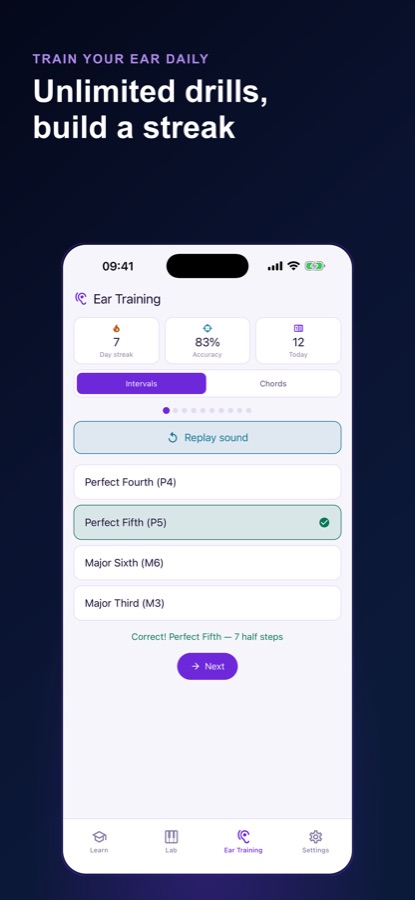
Many players learn chord shapes by finger position and never connect them to sound. Here a drill is already playing when you open the app: you pick one of four answers, hear the right sound replayed at once, and the app notes which two sounds you keep confusing.
What it is
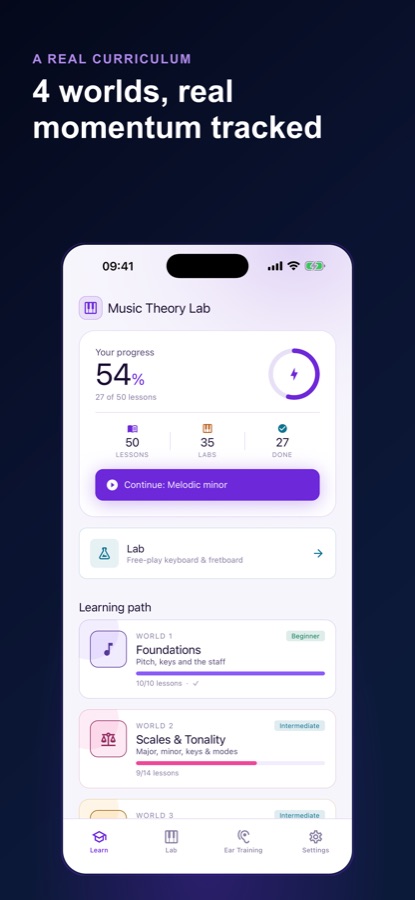
Music Theory Lab: Ear Training is a free Android app that teaches music theory and ear training together. It has 50 lessons in four worlds (Foundations, Scales & Tonality, Intervals & Ear Training, and Chords & Harmony), short daily interval and chord drills that adapt to what you miss, and a Lab with a touch keyboard and fretboard that names the chord or interval you build. It works offline with no account, and Pro unlocks every lesson, unlimited drills and AI Explain.
Inside the app
What it looks like
Background
What is music theory for a player who learns by ear, and how does ear training fit in?
Music theory is the vocabulary for what musicians already hear: how far apart two notes are, how notes stack into chords, and how keys relate. A player who learns by ear often knows what sounds right without knowing its name, and theory supplies the names. Ear training closes the loop in the other direction, teaching you to recognise an interval or a chord by sound, so that a name on the page and a sound in your head belong together.
Intervalsthe distance between two notes
An interval is measured in half steps: a perfect fifth is seven half steps, a major third is four. Hearing intervals is the foundation of recognising melodies and the notes inside a chord.
Chords and harmonynotes played together
A chord is three or more notes sounded together, and its quality, such as major or minor, depends on the intervals stacked inside it. The Lab shows the same chord as a shape on a fretboard and as notes on a keyboard.
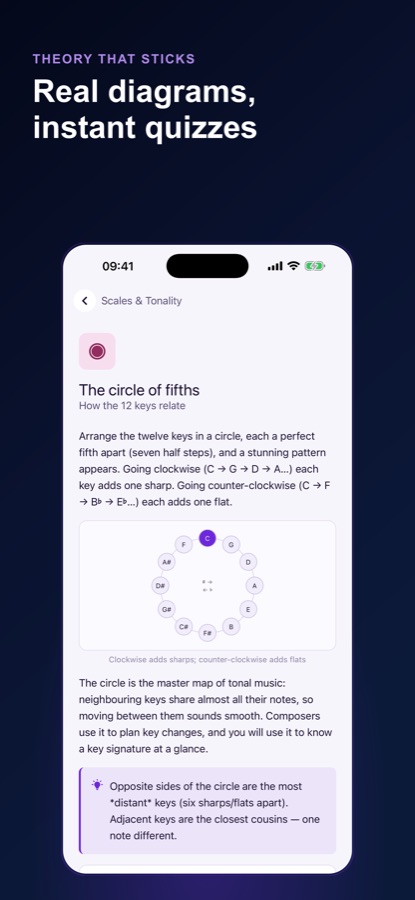
Scales and the circle of fifthshow keys relate
Moving a perfect fifth at a time around the circle adds one sharp each step clockwise and one flat each step the other way. Neighbouring keys share nearly all their notes, which is why moving between them sounds smooth.
Octaves and pitchthe physics under the notes
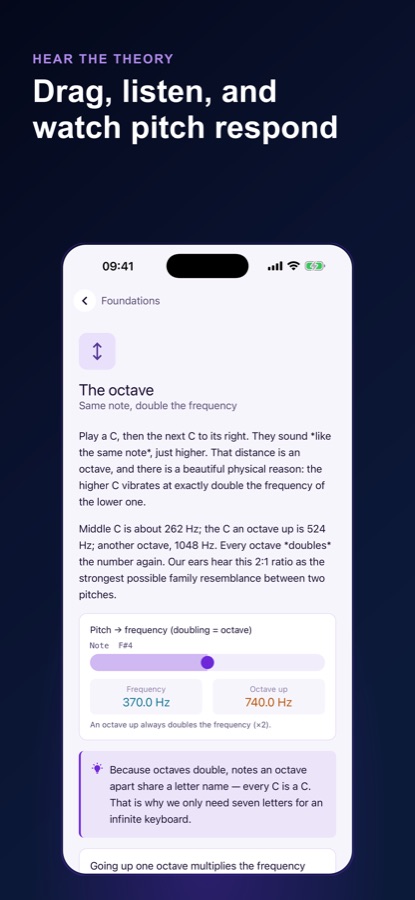
An octave doubles the frequency of a note: middle C is about 262 Hz and the C above it about 524 Hz. That 2:1 ratio is why two notes an octave apart share a letter name.
How it works
A typical practice session
There is no setup: the app opens on a drill, and every lesson links to the Lab so you can hear what you just read.
Answer a short drill
Open the app and a drill is already sounding. Choose one of four answers, hear the correct sound replayed straight away, and move on. Intervals and chords have separate drills, with harmonic and melodic playback.
Read the summary
At the end of a session the app shows today's accuracy, your day streak, one interval or chord you already hear clearly and one blind spot, including what you keep calling it instead.
Learn the theory, then build it
Open a lesson from the Learn tab, read the explanation and the diagram, take the short quiz, then jump into the Lab, loaded with the notes just taught, to build and hear them yourself.
What's inside
What comes with the app
50
Lessons in 4 worlds
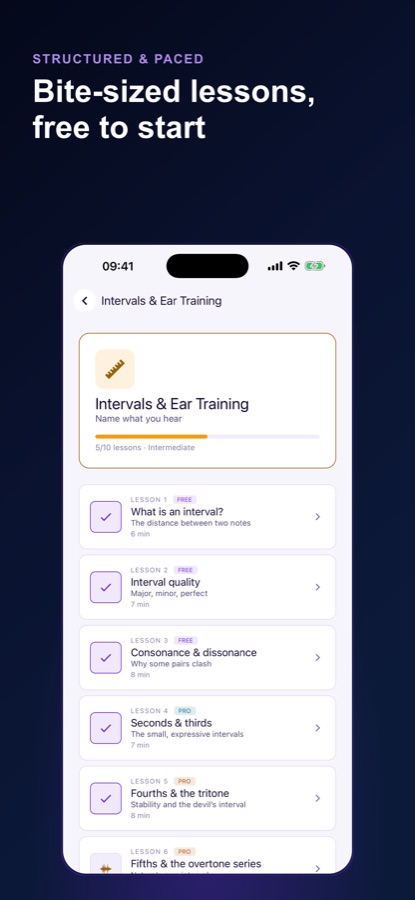
Foundations, Scales & Tonality, Intervals & Ear Training, and Chords & Harmony. Pages mix explanations, diagrams, tips and short quizzes with a real explanation for every answer.
Ear
Adaptive ear training
Interval and chord drills generated from a music-theory engine instead of a fixed quiz bank, with drill selection that brings back what you are shaky on.
The Lab
Keyboard and fretboard together
A touch keyboard and a touch fretboard share one selection, so you see the shape on guitar and the notes on piano at once. The Lab names any chord or interval you build and is free for everyone.
Sound
Waveform and arpeggio
A waveform view of whatever you have built, and a one-tap arpeggiate to hear the notes one at a time.
AI
AI Explain, in Pro
Ask why your selection sounds the way it does and get a plain-language, note-by-note breakdown.
Streak
Streak and reminders
A day streak that survives closing the app, and optional practice reminders at a time you pick plus one streak-at-risk alert, both off by default.
Fit
Who it's for — and who it isn't
A good fit if you
- Play guitar or piano mostly by ear and want to learn why chords sound the way they do
- Want short daily drills that show exactly which intervals and chords you cannot yet recognise
- Like to see the same chord as a fretboard shape and as piano notes
- Want lessons you can read in a few minutes and then try straight away in the Lab
- Prefer an app that works offline and does not need a login
Not the right tool if you
- Want to learn a first instrument from scratch; the app teaches theory and listening, not playing technique
- Expect everything free: one daily practice session, 12 lessons and the whole Lab are free, and Pro unlocks the rest
- Use an iPhone or iPad: the app is on Android through Google Play
Privacy
What stays on your device
Music Theory Lab starts you as a guest, with no login wall, and your lessons, the theory engine and your ear-training profile live on your device. The profile leaves the phone only if you are a Pro subscriber syncing it across devices. Practice reminders are local notifications that are off by default, and the free version shows ads.
Full details are in the CoddyKit privacy policy.
Questions
Frequently asked questions
What is Music Theory Lab: Ear Training?
Music Theory Lab: Ear Training is a free Android app that combines music theory lessons, ear training drills and an instrument Lab. It is made for guitarists, pianists and players who learn by ear and want to know why a chord sounds the way it does. It works offline and needs no account.
What does the ear training teach?
The drills teach you to recognise intervals and chords by sound. You hear a sound, choose one of four answers, and hear the correct one replayed. The app builds a profile of what you can and cannot recognise yet, and brings back the intervals and chords you are shaky on.
What can I do in the Lab?
The Lab has a touch keyboard and a touch fretboard that share one selection, so you can build a chord and see the guitar shape and the piano notes together. It names the chord or interval you build, shows a waveform of it, and can arpeggiate it. The Lab is free, with no drill limit or lesson gate.
Can I learn music theory without reading sheet music?
Yes. Music Theory Lab: Ear Training explains theory through sound, diagrams and an instrument Lab, so you can learn intervals, chords and keys without reading notation. The Foundations world does cover pitch, keys and the staff, so notation is introduced gently when you want it.
What is free and what does Pro add?
Free: one full daily practice session, the day streak and accuracy tiles, the end-of-session summary, 12 full lessons (the first three of every world) and the entire Lab. Pro, a monthly or annual subscription, adds unlimited ear-training drills, all 50 lessons, AI Explain, cross-device sync of your profile and progress, and no ads.
Does it work offline?
Yes. Music Theory Lab keeps your lessons, the theory engine and your ear-training profile on the device, so you can practise without a connection. A guest profile starts from the first launch with no login.
Is Music Theory Lab: Ear Training on iPhone or Android?
Music Theory Lab: Ear Training is available on Android through Google Play; there is no iPhone version at the moment. The interface comes in 10 languages and offers light, dark and system themes.
Get started
Hear why your chords sound the way they do
Free to start on Android, in 10 languages.
More from CoddyKit
Available on Android.