

Learn Vue: Code & Build
Learn Vue: Code & Build — Learn Vue.js by building components on your phone
Learn Vue: Code & Build is a free-to-start iOS and Android app that teaches Vue.js to beginners who know a little HTML and JavaScript, and to developers moving from the Options API to the Composition API. It has 42 courses and 156 lessons, from your first template to Pinia, Vue Router and Nuxt 3, and single-file components compile on your device — so the 20 guided projects, the missions and the Vue Lab run without a server.


- Price
- Free, Pro upgrade
- Platforms
- iOS and Android
- Languages
- 22
- Age rating
- 4+
- Version
- 82.6.0
- Requires
- iOS 15.1 or later
- App Store
- 3.0 ★ (2)
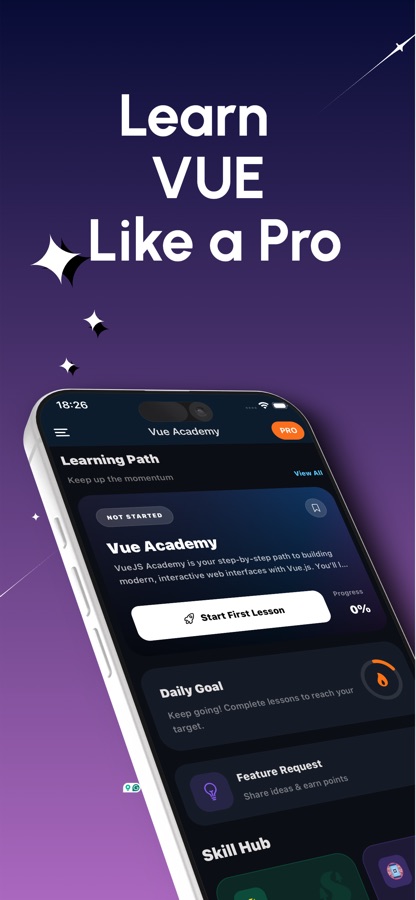
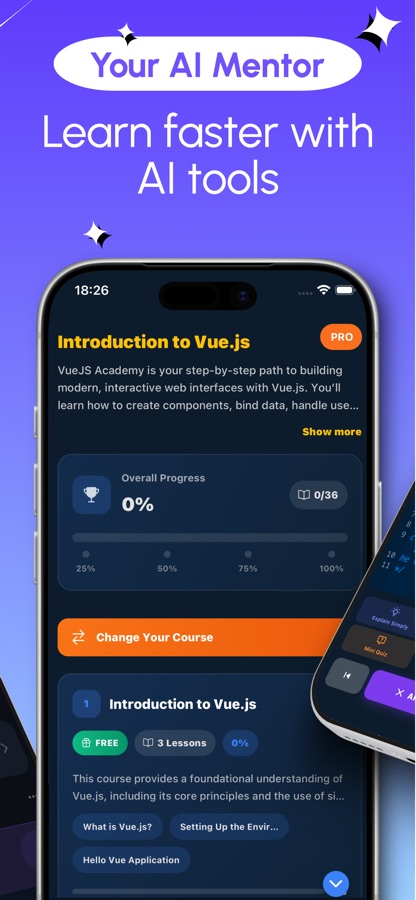
A component is easier to understand once you have broken one.
The Vue Lab hands you a broken component every day and asks you to find the bug, lets you tweak a component's props with live controls, and shows how state changes as you click. Single-file components compile on the phone, so the preview breaks and mends in front of you, with an error card that says what went wrong.
What it is
Learn Vue: Code & Build is a free iOS and Android app that teaches Vue.js through 42 courses and 156 lessons, from template syntax and data binding through the Composition API, Pinia, Vue Router and TypeScript to Nuxt 3, testing with Vitest and full-stack apps. Single-file components compile on the device, so guided projects, coding missions and a hands-on Vue Lab run on the phone with no server, and an AI mentor in Pro explains code and errors.
Inside the app
What it looks like
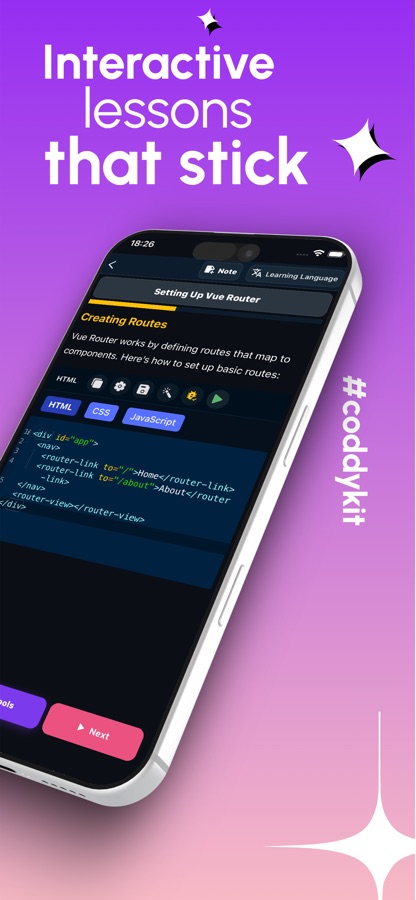
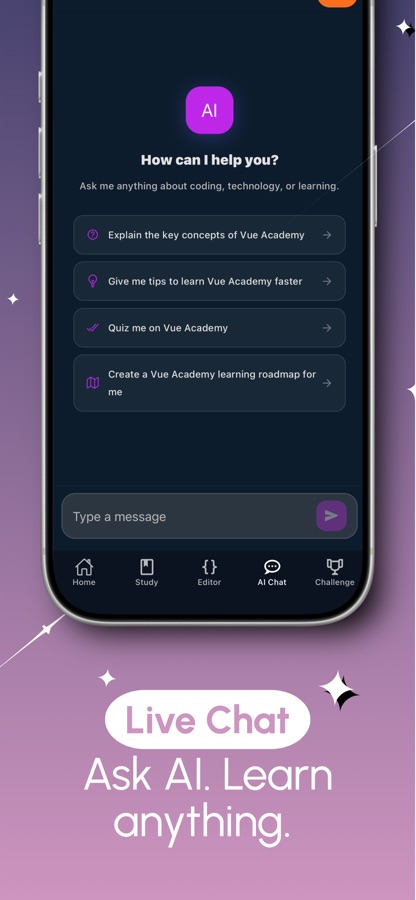
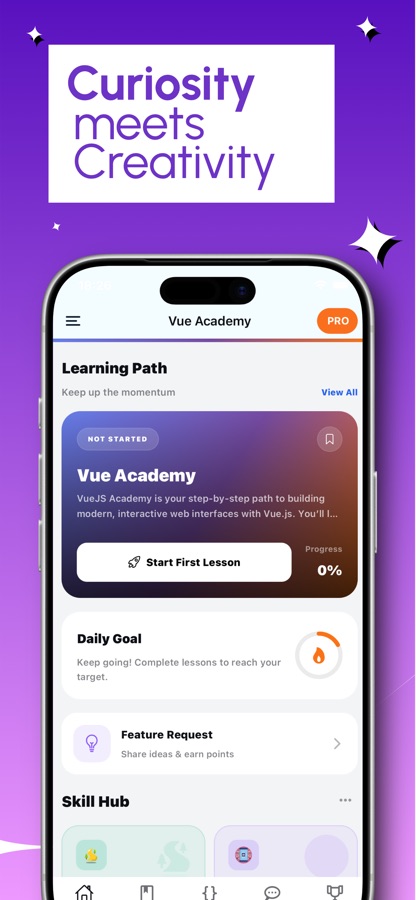
The course
What the Vue course covers
42 courses and 156 lessons from the app's own course list, from first template to server rendering and production patterns.
Getting Started with Vue.js
Introduction to Vue.js, the Vue CLI and project structure, template syntax and data binding.
Reactivity and the Composition API
Vue 3 Composition API basics, the script setup syntax, reactivity and computed properties, and Vue directives.
Components and Forms
Component basics and communication, slots, provide and inject, forms and validation, and the component lifecycle.
Reuse and Polish
Vue 3 composables, transitions and animations, error handling, and render functions and JSX.
State and Routing
Pinia state management, Vuex, routing with Vue Router and advanced router patterns, and handling APIs and asynchronous data.
TypeScript, i18n and Tooling
TypeScript with Vue 3, internationalization, Storybook integration, and deploying and maintaining Vue apps.
Nuxt 3, Testing and Real-Time
Server-side rendering with Nuxt 3, component testing with Vitest, GraphQL with Apollo, and real-time apps with WebSockets.
Production Patterns
Performance, security best practices, plugin development, publishing a component library, progressive web apps and micro-frontends.
How it works
How learning Vue goes in the app
Each course is levelled, and every lesson after the free first course opens with a free preview, so you can see what a topic looks like before deciding to go further.
Start with Introduction to Vue.js
The first course is free and begins with what Vue is, setting up the environment and a Hello Vue application. Courses are tagged from A1 to C1, so it is clear where to start and what comes next.
Build and run components on the phone
Edit a single-file component and preview it at once. Guided projects grow an app one step at a time, and App Studio lets you build multi-screen apps with a router and a store from ready-made blueprints.
Practise in the Vue Lab
Hunt the daily bug, match a target design in Style Lab, race the clock in speed-build duels or rewrite an Options API component in the Composition style.
What's inside
What comes with the app
42
Courses, 156 lessons
From template syntax and directives through lifecycle, slots, provide and inject and composables to Nuxt 3, GraphQL, PWAs and micro-frontends.
20
Guided projects
Grow an app one step at a time, with single-file components that compile right on your device and an error card when a preview breaks.
28
Coding missions
Exercises from easy to hard, plus App Studio blueprints for multi-screen apps with a router and a store.
Lab
Vue Lab
A reactivity inspector, a daily bug hunt, 12 Style Lab levels, speed-build duels, an Options to Composition API dojo and a My Components library you can share as an image card.
Interview
Vue interview questions
Questions for front-end developer interviews, with quizzes, flashcard review sessions and a cheat sheet you can open at any time.
AI
AI mentor (Pro)
Ask about a concept or an error, have your code explained, or generate a custom lesson on any topic you want to study.
Background
What is Vue.js, and what should a beginner learn first?
Vue is a JavaScript framework for building interactive web interfaces out of components: small, reusable pieces that each own a bit of template, logic and style. Its appeal for beginners is a gentle on-ramp, since you can start with plain HTML and a little JavaScript and add structure as you go. A sensible order is templates and data binding, then reactivity and components, then the Composition API, and only afterwards routing, state management and server rendering.
Reactivitythe idea at the centre
You change a piece of data and the screen that depends on it updates by itself. Understanding which values are reactive, and what computed properties and watchers add, removes most of the early confusion in Vue.
Options API and Composition APItwo ways to write a component
The older Options API groups code by type, such as data and methods. The Composition API with script setup groups it by feature and makes reusable composables easy. Many tutorials and codebases still use both, so reading either is a useful skill.
Pinia, Vuex and the routerwhat a real app adds
Once an app has several screens it needs routing to move between them and a shared store for data that more than one component uses. Pinia is the current store for Vue, and Vuex is the earlier one that many existing projects still have.
Nuxt and server renderingwhen search and speed matter
Nuxt builds on Vue to render pages on the server, which helps the first load and search visibility. It is usually a second-stage topic, after components, routing and state feel comfortable.
Fit
Who it's for — and who it isn't
A good fit if you
- Know a little HTML and JavaScript and want a first framework
- Are moving from the Options API to the Composition API, or from Vuex to Pinia
- Are preparing for a Vue.js developer interview or a first front-end job
- Learn better by fixing a broken component than by reading about one
- Want short sessions you can fit into a commute
Not the right tool if you
- Have never seen HTML or JavaScript — start with a JavaScript course first
- Want to ship a production app from your phone — a laptop is still where that happens
- Expect everything free: the first course and previews are free, Pro unlocks the full curriculum
- Want official Vue.js material — this is an independent learning app
Questions
Frequently asked questions
What is the best way to learn Vue.js on a phone?
Learn by running components rather than only reading about them. Learn Vue: Code & Build compiles single-file components on the device, so its 20 guided projects, 28 missions and Vue Lab all run on the phone. Short lessons across 42 courses take you from template syntax to Nuxt 3, with a free first course to start.
Does the app teach the Composition API and Pinia?
Yes. Learn Vue: Code & Build has courses on Vue 3 Composition API basics, the script setup syntax, composables and Pinia state management, as well as the older Vuex for existing projects. An Options to Composition API dojo in the Vue Lab lets you rewrite classic components in the modern style.
What is the difference between the Options API and the Composition API in Vue?
The Options API groups a component's code by type, such as data, methods and computed, while the Composition API with script setup groups it by feature and makes reusable composables easy. Learn Vue: Code & Build teaches the Composition API with script setup and includes an Options to Composition API dojo in the Vue Lab for rewriting classic components in the modern style.
Do I need to know JavaScript before I learn Vue?
A little HTML and JavaScript helps a lot. Learn Vue: Code & Build is aimed at beginners who know the basics and want their first framework, so it explains Vue concepts from the start but does not teach JavaScript itself. If variables and functions are new to you, a JavaScript course should come first.
What is the Vue Lab?
The Vue Lab is the practice area in Learn Vue: Code & Build. It has a reactivity inspector, a daily bug hunt with a broken component, Style Lab levels where you match a target design with CSS, speed-build duels, an Options to Composition API dojo and a My Components library of what you have built.
Does it cover Nuxt 3 and server-side rendering?
Yes. The advanced courses in Learn Vue: Code & Build cover server-side rendering with Nuxt 3, SSR streaming with Suspense, and full-stack Vue with Fastify and authentication, alongside component testing with Vitest and real-time apps with WebSockets.
Does it help with Vue.js interviews?
Yes. Learn Vue: Code & Build includes Vue interview questions for front-end developer roles, together with quizzes, flashcard review sessions and a cheat sheet. The courses behind them cover reactivity, lifecycle, composables and state management, which are common interview topics.
Is Learn Vue: Code & Build free?
It is free to download. The first course, a preview of every lesson, the first guided project, the first mission, the daily bug hunt, three Style Lab levels, quizzes, interview questions and the cheat sheet are free, and the free version shows ads. Pro unlocks the full curriculum and lab, the AI mentor and the certificate exam, and removes ads.
Is the app made by the Vue.js team?
No. Learn Vue: Code & Build is an independent learning app and is not affiliated with or endorsed by the Vue.js project. It teaches Vue.js as an open-source framework in its own courses and exercises.
Is there a certificate?
Yes. Passing the final exam, which is part of Pro, gives you a certificate of completion. It shows the work you have done and is not an accredited qualification, so it works best next to components and projects you can explain.
What platforms and languages does it support?
Learn Vue: Code & Build runs on iPhone through the App Store (iOS 15.1 or later) and on Android through Google Play. The interface is available in 22 languages, and the app is rated 4+ on the App Store.
Get started
Build your first Vue component today
Free to start on iOS and Android, in 22 languages.
More from CoddyKit
Available on iOS and Android.