

Learn Frontend Web Development
Learn Frontend Web Development — Frontend development from HTML to React, with a live preview
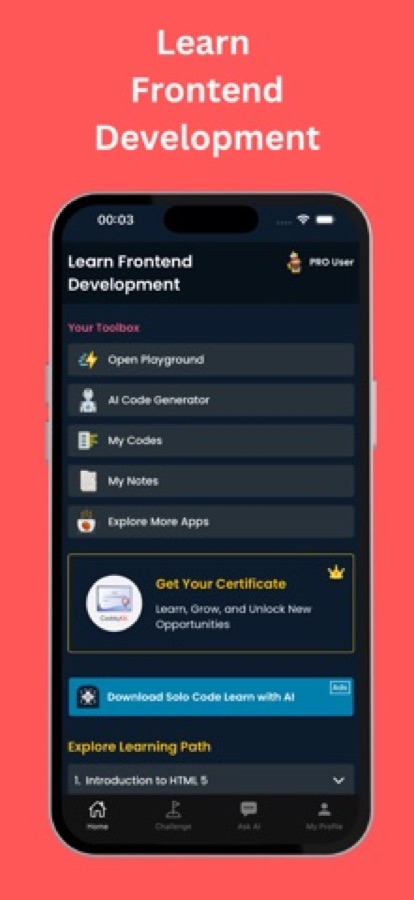
Learn Frontend Web Development is a free iOS and Android app for beginners, designers and career switchers who want to become web developers. HTML, CSS and JavaScript sit side by side in a live editor and the page underneath updates as you type. 41 courses and 163 short lessons carry you from the first tag through responsive layout and TypeScript to React and Vue, with 20 guided projects, debugging missions and an AI mentor for the bug you cannot find.


- Price
- Free, Pro upgrade
- Platforms
- iOS and Android
- Languages
- 22
- Age rating
- 4+
- Requires
- iOS 15.1 or later
Change one line and watch the page change.
The editor shows HTML, CSS and JavaScript panes next to each other with a live preview below, so the markup, the styling and the behaviour are learned as one page rather than as three separate subjects.
What it is
Learn Frontend Web Development is a free iOS and Android app that teaches frontend development, the part of a website people see and touch, using a live HTML, CSS and JavaScript editor on the phone. It offers 41 courses and 163 lessons graded from beginner to senior level, covering the web basics, responsive layout, JavaScript and the DOM, TypeScript, React, Vue, testing, accessibility and performance, and adds guided projects, debugging missions, interview questions and an AI mentor.
Inside the app
What it looks like
The course
What the frontend course covers
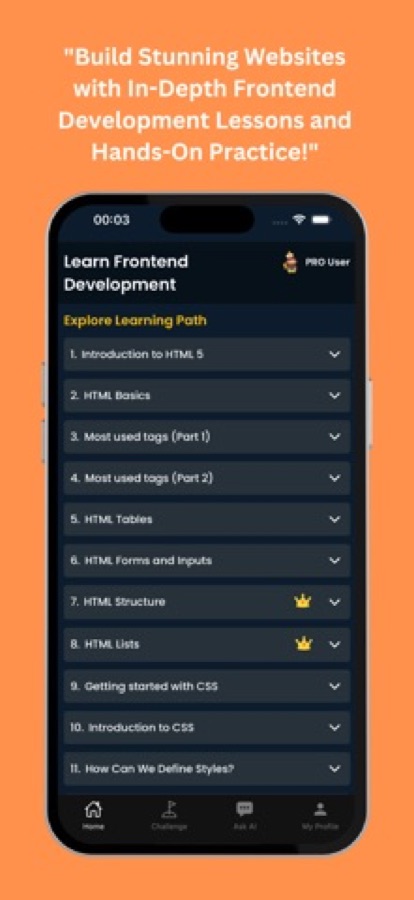
41 courses and 163 lessons, taken from the app's own course list: from a first HTML tag to frontend architecture and senior-level engineering.
The Web and the Three Basics
Welcome to Frontend Development, How the Web Works, HTML Fundamentals, CSS Fundamentals and JavaScript Essentials.
Layout and Responsive Design
Responsive Design Foundations, HTML Forms and Semantic Markup, CSS Layout Mastery, and CSS Variables, Transitions and Animations.
JavaScript in the Browser
The DOM and Browser APIs, Arrays, Objects and ES6+, Async Programming, and JavaScript Modules and Build Tools.
Workflow and Tooling
Developer Tools and Workflow, Git and Collaboration Workflow, and Modern Frontend Tooling.
TypeScript
TypeScript Introduction, Types and Interfaces Deep Dive, and Advanced TypeScript for Frontend.
React and Vue
React Fundamentals, useEffect and Data Fetching, Advanced Hooks and Patterns, then Vue 3 Fundamentals, the Composition API and Vue Advanced Patterns.
Data, Rendering and Real-Time
State Management, API Integration and REST, Server-Side Rendering with Next.js and Nuxt 3, Progressive Web Apps, and WebSockets and Real-time Frontend.
Quality and Architecture
Accessibility, Frontend Testing, Web Performance Optimization, Frontend Security, CSS Architecture, Design Systems, Frontend CI/CD and Senior Frontend Engineering.
How it works
How you learn with it
The order of the app follows the order of the craft: build a page first, then make it behave, then learn the tools that scale it.
Begin with the free first course
Welcome to Frontend Development opens the path, and the live editor is free from the start. Each lesson is a few minutes of explanation followed by something to change and run.
Edit a pane and read the preview
Change the HTML, the CSS or the JavaScript and the preview below follows. New projects can start from an HTML, React, Vue, Angular, Node or TypeScript template.
Build projects and fix real bugs
Twenty guided projects build a recipe page, a contact form, a card grid, a navbar and a data table step by step, while 15 debugging missions hand you broken pages to repair.
What's inside
What comes with the app
41
Courses, beginner to senior
163 lessons graded from A1 to C2, from how the web works and HTML fundamentals to TypeScript, React, Vue 3, state management, server-side rendering with Next.js and Nuxt 3, and progressive web apps.
Live
Editor with instant preview
HTML, CSS and JavaScript panes with a preview under them, so a change shows immediately. Start new projects from several framework templates.
15
Debugging missions
Missions built from real frontend problems: a layout that breaks at 375 pixels, an image that slows the page, a form nobody can reach with the keyboard, a memory leak in a component and a test that passes locally but fails in CI.
20
Guided projects
Small builds explained one step at a time, such as a recipe page, a contact form, a card grid, a navbar and a data table.
AI
AI mentor and playground
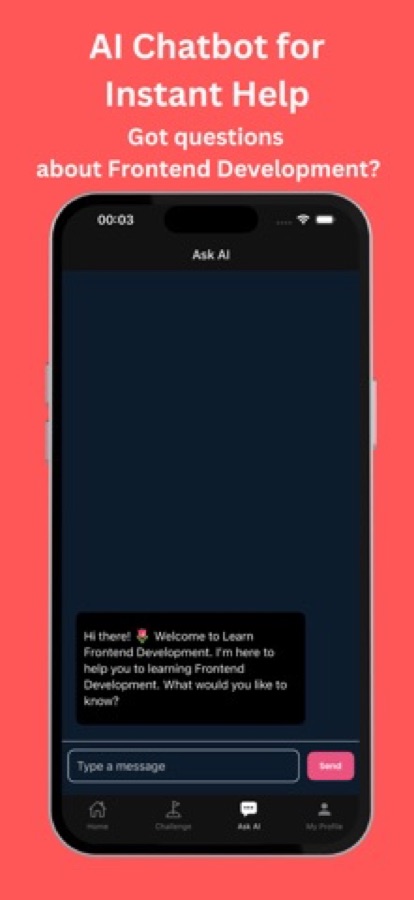
Ask about an error, a lesson or your own code, or describe a page in the AI playground and watch the code get written. Free users get three AI questions a day.
50
Interview questions with answers
Fifty frontend and web developer interview questions with answers, plus an 83-entry cheat sheet of syntax and patterns and a library of short examples you can open and edit.
Background
What does a frontend developer actually learn, and in what order?
A frontend developer builds what runs in the browser: the structure of a page, how it looks on every screen size and how it responds when someone clicks, types or scrolls. The sensible order is structure first (HTML), then presentation (CSS), then behaviour (JavaScript), and only after that the tools that organise larger projects: TypeScript, a framework such as React or Vue, testing and a build step. Skipping ahead to a framework before the three basics is the most common reason beginners get stuck, because a framework mostly hides plain JavaScript and the DOM behind its own syntax.
Semantic HTMLmeaning before looks
Choosing a heading, list, form label or button for what the content is, rather than how it should look, gives screen readers, search engines and keyboards something to work with. It is also the cheapest accessibility win on any page.
Responsive layoutone page, every screen
Flexbox, grid and media queries let a single layout rearrange itself from a narrow phone to a wide monitor. Testing at a small width such as 375 pixels early catches the layout bugs that are painful to fix later.
The DOMthe page as a live object
The browser turns the HTML into a tree of objects that JavaScript can read and change. Every framework is ultimately a convenient way of updating that tree, so understanding it makes React and Vue much easier to reason about.
Core Web Vitals and performancespeed people can feel
A page that loads a large unoptimised image late, or shifts while loading, feels slow even when the code is correct. Performance is a skill that only shows up once real pages and real images are involved.
Fit
Who it's for — and who it isn't
A good fit if you
- Want to become a web developer and are starting from zero
- Are a designer who wants to build the pages you design
- Know some HTML and CSS and want JavaScript, TypeScript, React or Vue on top
- Are preparing for a first frontend interview and want questions with answers
- Prefer seeing a page change as you type over reading long explanations
Not the right tool if you
- Need to build and deploy a large multi-file site, which still calls for a laptop and a full editor
- Expect everything free: the first course, the first project, two debugging missions and the editor are free, and Pro unlocks the rest
- Want a backend or database course, because this path is about what runs in the browser
- Already work as a senior frontend engineer and want a reference rather than lessons
Questions
Frequently asked questions
What is frontend development?
Frontend development is building the part of a website or web app that runs in the browser: its structure with HTML, its appearance with CSS and its behaviour with JavaScript, plus the frameworks and tools built on top of them. Learn Frontend Web Development teaches that stack in that order, with a live preview so each change is visible straight away.
Can I learn frontend development on my phone?
The concepts and the first pages can be learned well on a phone, because HTML, CSS and JavaScript are small enough to edit in short sessions and the preview shows the result immediately. The app puts the three panes and a live preview on the screen. A laptop becomes more comfortable once you maintain a larger project with many files, but it is not needed to start.
Who is it for, and where should a complete beginner start?
It suits complete beginners, designers who want to build what they design, developers who know some HTML and CSS, and career switchers preparing for a first frontend job. Start with how the web works and plain HTML, then CSS, then JavaScript. Learn Frontend Web Development follows that order, beginning with the free course Welcome to Frontend Development.
Does the app teach React and Vue?
Yes. After HTML, CSS, JavaScript and TypeScript, the app has React courses on fundamentals, useEffect and data fetching, advanced hooks and patterns, and Vue 3 courses on fundamentals, the Composition API and advanced patterns. It also covers state management and server-side rendering with Next.js and Nuxt 3.
Do I need to learn TypeScript?
It is not required to build a first page, but most professional React and Vue codebases use it, so it is worth learning after the JavaScript basics. The app introduces TypeScript with a first-types course, a deeper course on types and interfaces and an advanced course for frontend patterns.
How do the debugging missions work?
Each of the 15 debugging missions gives you a broken page or component that mirrors a real frontend problem, such as a layout that breaks at 375 pixels, a form that cannot be used with the keyboard, a memory leak in a component or a test that fails only in CI, and you fix it. Two missions are free.
Can it help me prepare for a frontend developer interview?
It can help with the knowledge side. Learn Frontend Web Development has 50 interview questions with answers, an 83-entry cheat sheet of syntax and patterns, and courses on testing, performance, accessibility and architecture, which are the topics interviews tend to move to after the basics. It does not replace building a portfolio of your own projects.
How long does it take to learn frontend development?
A beginner who practises a little each day can usually build simple responsive pages within a few weeks, while confident JavaScript and a framework take months. The app splits the path into lessons of a few minutes each, with streaks and reminders, so progress comes from regular short sessions rather than one long block.
Is Learn Frontend Web Development free?
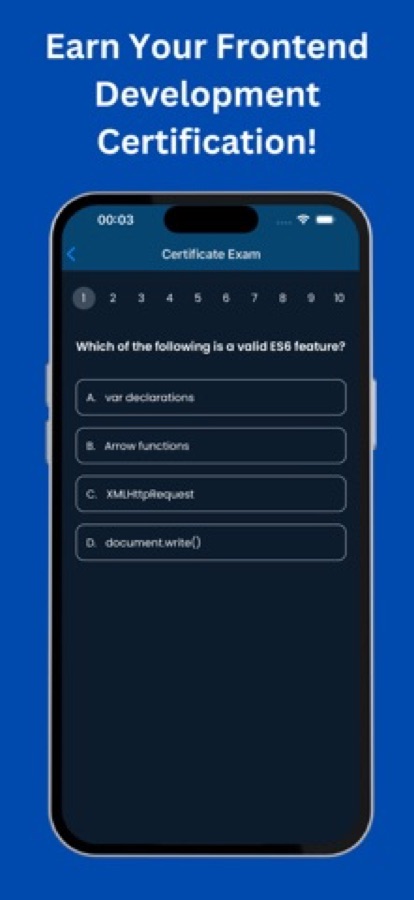
It is free to download on the App Store and Google Play. The first course, the first guided project, two debugging missions and the code editor are free, with three AI mentor questions a day, and the free version shows ads. Pro unlocks every course, all projects and missions, the certificate exam and unlimited AI, and removes ads.
Which platforms and languages does it support, and is the App Store app the same?
Learn Frontend Web Development runs on iOS through the App Store and on Android through Google Play, in 22 languages, with a 4+ age rating. The App Store listing is titled Learn Frontend Development and the Google Play listing Learn Frontend Web Development, but it is the same app. Passing the final exam gives a certificate of completion.
Get started
Build your first web page today
Free to start on iOS and Android, in 22 languages.
More from CoddyKit
Available on iOS.