

Learn Swift: Build iOS Apps
Learn Swift: Build iOS Apps — Swift coding from your first let to SwiftUI and concurrency
Learn Swift: Build iOS Apps is a free iOS and Android Swift programming course for beginners and aspiring iOS developers that lets you do your Swift coding on a phone: edit and run code in the built-in editor, preview SwiftUI views live in the playground, and work through 122 courses that lead from variables to protocols, generics, SwiftUI and async/await.


- Price
- Free, Pro upgrade
- Platforms
- iOS and Android
- Languages
- 22
- Age rating
- 4+
- Requires
- iOS 15.1 or later
- App Store
- 4.5 ★ (12)
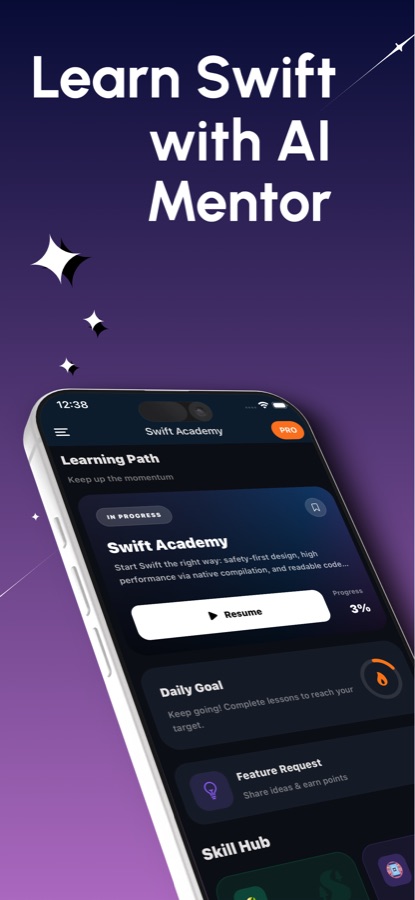
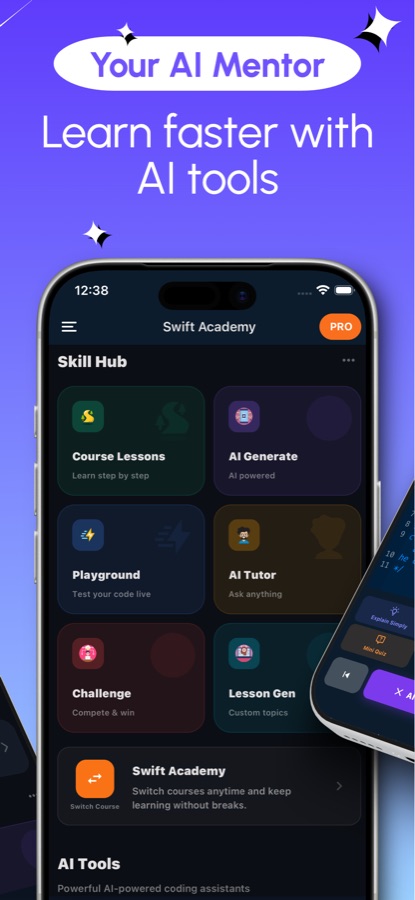
Plain Swift runs in the cloud, SwiftUI views draw on your phone.
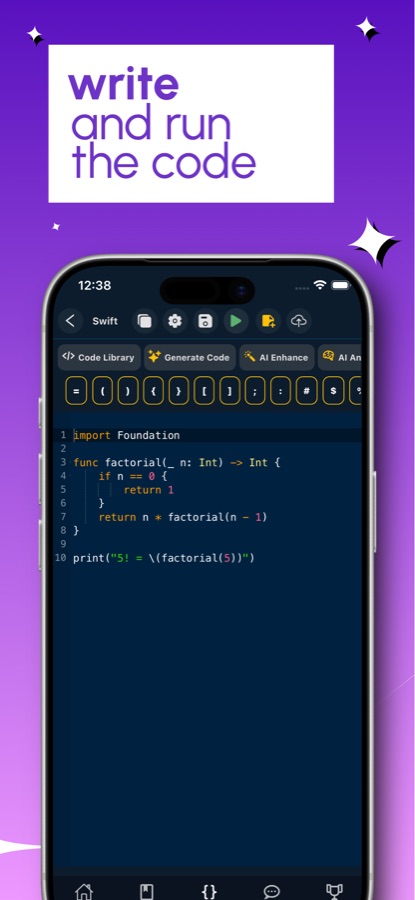
The editor sends command-line Swift to a compiler on a server, so running a program needs an internet connection, and a compiler error can be tapped to jump to the line and read a plain explanation. Screens are different: the SwiftUI Playground renders stacks, text, buttons, images, lists and @State on the device itself and reports any syntax it does not support, with the line number.
What it is
Learn Swift: Build iOS Apps is a Swift programming course for iOS and Android with 122 courses and 409 short lessons, graded from beginner (A1) to advanced (C2). Lessons start with let and var and continue through optionals, protocols, generics, SwiftUI, Core Data and SwiftData, and structured concurrency, and each one is paired with a code editor, a cloud Swift compiler and a SwiftUI Playground for live previews, so a learner can practise without opening Xcode.
Inside the app
What it looks like
The course
What the Swift course covers
122 courses and 409 lessons drawn from the app's course list, in the order the path teaches them.
Swift Basics: Variables, Constants and Types
An introduction to Swift, setup, variables and constants, types, boolean logic and the ternary operator, followed by the first functions and conditionals.
Optionals, Control Flow and Collections
Optional binding and chaining, nil coalescing, switch and pattern matching, loops and ranges, and arrays, dictionaries and sets.
Structs, Classes, Enums and Protocols
Struct design, class inheritance and polymorphism, enums as state machines, protocol conformance and composition, and value types against reference types.
Closures, Generics and Functional Swift
Closures and capture, higher-order functions, property wrappers, generic constraints with where clauses, and functional programming in Swift.
SwiftUI: Views, Layout, Data Flow and Animation
Views, modifiers and state, stacks and grids, bindings and the environment, animations and custom modifiers, and the custom layout protocol.
Concurrency: async/await, Combine, Actors
async/await basics, structured concurrency, task groups and actors, Sendable and strict concurrency, plus the Combine framework.
Data and iOS Frameworks
Codable, Core Data and SwiftData, networking with URLSession, Core Location and MapKit, push notifications, Keychain services, widgets and app extensions.
Architecture, Testing and Shipping
MVVM and coordinators, dependency injection, clean architecture and TCA, XCTest, profiling with Instruments, Swift Package Manager, and distribution and CI.
How it works
How a Swift session works
Short lessons, an editor in the same app, and an explanation on hand when the compiler disagrees with you.
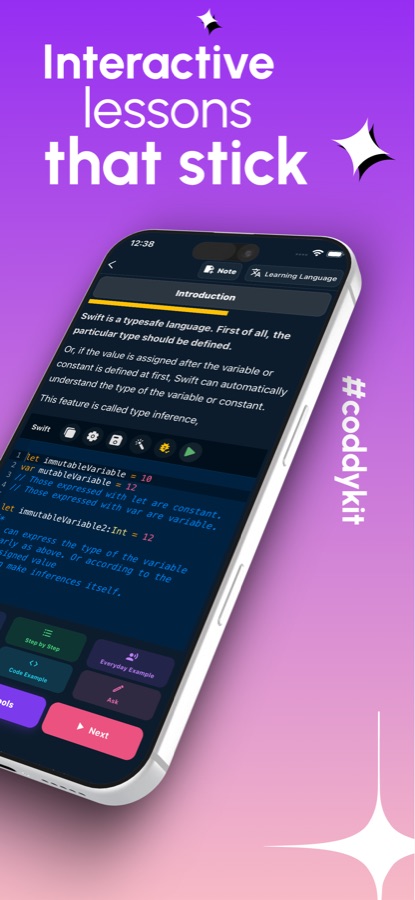
Read a lesson, then edit the example
Each lesson explains one idea in a few minutes and gives you code to change. Your edits can be saved and found again from the lesson.
Run it, or preview it
Run command-line Swift on the cloud compiler, which needs a connection. For a screen, open the SwiftUI Playground and see the view drawn on the phone. If something fails, tap the error to jump to its line and read a plain-language fix.
Lock it in with recall and missions
Questions you miss turn into flashcards in Swift Recall and come back on a spaced schedule. Coding missions, guided projects and a daily interview question add practice beyond the lessons.
What's inside
What the app gives you
122
Courses, A1 to C2
409 lessons covering basics, optionals, collections, structs, classes, enums, protocols, closures, generics, error handling, Codable and the Swift Package Manager.
Preview
SwiftUI Playground
Write a view and see it rendered on the phone. Stacks, text, buttons, images, lists and @State are supported, and anything unsupported is reported with the line number.
Cloud
Swift compiler and editor
A code editor with a library of examples, running on a Swift compiler in the cloud. Compiler errors are tappable and come with a short explanation of how to fix them.
60
Coding missions
Sixty missions from easy to hard, along with 20 guided projects and 6 multi-step build-along projects.
77
Cheat sheet and recall
A 77-entry cheat sheet for looking up syntax, and Swift Recall, where the questions you got wrong become flashcards on a spaced schedule.
50
iOS interview prep
Fifty Swift interview questions for developer job prep, a daily interview question, and 50 quiz questions that explain every answer.
Background
What do you need to know to code in Swift, and where does a phone fit?
Swift is Apple's language for apps on iPhone, iPad, Mac, Apple Watch and Apple Vision Pro, and it is also used on servers. It is designed to be readable and to catch mistakes early, which is why many people choose it as a first language. A phone cannot replace Xcode for building and shipping an app, but it works for the part that decides whether you can read other people's Swift: understanding the language itself, and trying small programs and SwiftUI views before you meet them in a real project.
Optionalsthe idea that defines Swift
A value in Swift can be missing, and the type system makes you say so: an optional holds either a value or nothing, and you unwrap it with optional binding, guard, optional chaining or a default from nil coalescing. It feels fussy for a week and then prevents a whole family of crashes.
Value types and reference typesstructs against classes
Structs and enums are copied when you pass them around, while classes are shared by reference. Choosing between them affects how your data behaves when two parts of an app touch it, and Swift's standard library leans towards value types.
SwiftUIdeclare the screen, let the framework draw it
SwiftUI describes an interface as a tree of small views whose appearance follows from state. Modifiers adjust each view, and a property wrapper such as @State tells the framework when to redraw. It replaces much of the older UIKit way of building screens.
Structured concurrencyasync work without callback pyramids
async and await let code wait for a network call without blocking the interface, and task groups and actors organise work that happens at the same time. Sendable checks help the compiler prove that shared data is handled safely.
Fit
Who it's for — and who it isn't
A good fit if you
- Are new to programming and picked Swift because you want to make an iPhone app one day
- Write web or Android code and want to learn how Swift handles optionals, protocols and SwiftUI
- Are preparing for an iOS developer interview and want Swift questions to rehearse
- Want to try a SwiftUI idea on your phone before opening a project on a Mac
- Prefer short lessons that you can fit between other things
Not the right tool if you
- Need to build, sign and ship an app; that still takes Xcode on a Mac
- Want to run code offline; the Swift compiler is in the cloud and needs a connection
- Expect everything free: the first course and a few features are free, and Pro unlocks the rest
- Want an official Apple course; this is an independent learning app, not affiliated with Apple
Questions
Frequently asked questions
What is Learn Swift: Build iOS Apps?
Learn Swift: Build iOS Apps is a Swift programming course for iPhone and Android with 122 courses and 409 short lessons. It combines lessons with a code editor, a cloud Swift compiler, a SwiftUI Playground for live previews, an AI Mentor, coding missions and interview preparation. It is free to start and comes in 22 languages.
Can you learn Swift without a Mac?
You can learn the language without one. The app runs Swift code on a cloud compiler and previews SwiftUI views on the phone, so you can study syntax, optionals, protocols and layout with only a phone. To build and publish a real iOS app you will eventually need Xcode on a Mac.
Does the code run offline?
No. Command-line Swift runs on a compiler in the cloud, so running a program needs an internet connection, as the store listing states. Only the SwiftUI Playground previews are drawn on the device itself.
What is the SwiftUI Playground?
It is a preview area inside Learn Swift: Build iOS Apps where you write a SwiftUI view and see it drawn on your phone. Stacks, text, buttons, images, lists and @State are supported. When a piece of syntax is not supported, the playground reports it with a line number so you know why.
Is Swift a good first programming language?
It is a reasonable one if your goal is Apple platforms. The syntax is readable, and the language is safe by design, with optionals forcing you to handle missing values. The cost is that a few ideas, such as optionals, closures and value types, arrive early. The course introduces them one lesson at a time.
Does the app help with iOS developer interviews?
Yes. There are 50 Swift interview questions for iOS developer preparation, a daily interview question, and 50 quiz questions that explain every answer. Swift Recall also brings back the questions you missed using spaced repetition.
How does the AI Mentor help with Swift?
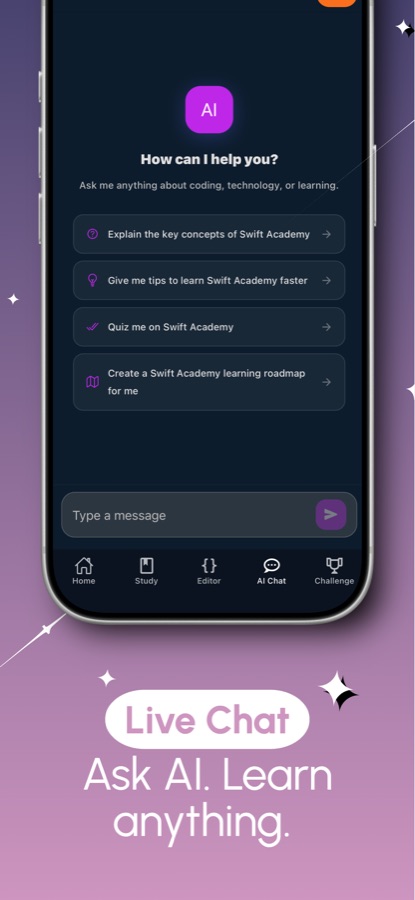
The AI Mentor answers questions about a concept or a compiler error, for example why an optional cannot be used directly. Free users get one question a day, and Pro removes the limit.
What is free and what is Pro?
The first course, the first guided project, two missions, the playground basics, daily Recall practice and one AI Mentor question a day are free, and the free version shows ads. Pro unlocks every course, project and mission, the full playground and the certificate exam, gives unlimited AI Mentor and removes ads.
Is it affiliated with Apple?
No. Learn Swift: Build iOS Apps is an independent learning tool. Apple, iOS, Swift, SwiftUI, Xcode and UIKit are trademarks of Apple Inc., and the app is not endorsed by Apple.
Get started
Write your first line of Swift today
Free to start on iOS and Android, in 22 languages.
More from CoddyKit
Available on iOS and Android.