

Learn HTML: Build Web Pages
Learn HTML: Build Web Pages — An HTML course with a live preview editor in your pocket
Learn HTML: Build Web Pages is an HTML course for iPhone and Android that puts an HTML editor with a live preview one tap away from every lesson. Type a tag, see the page render, then climb from a first heading to forms, tables, semantic HTML5, accessibility and web components across 40 short courses.


- Price
- Free, Pro upgrade
- Platforms
- iOS and Android
- Languages
- 22
- Age rating
- 4+
- Requires
- iOS 15.1 or later
- App Store
- 3.0 ★ (1)
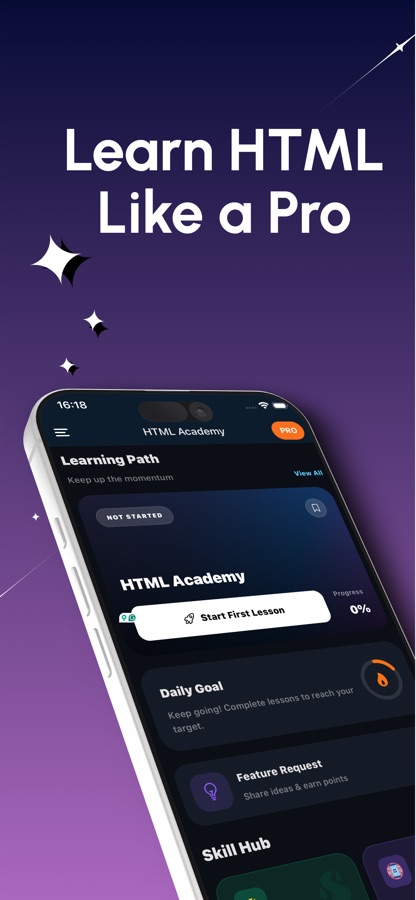
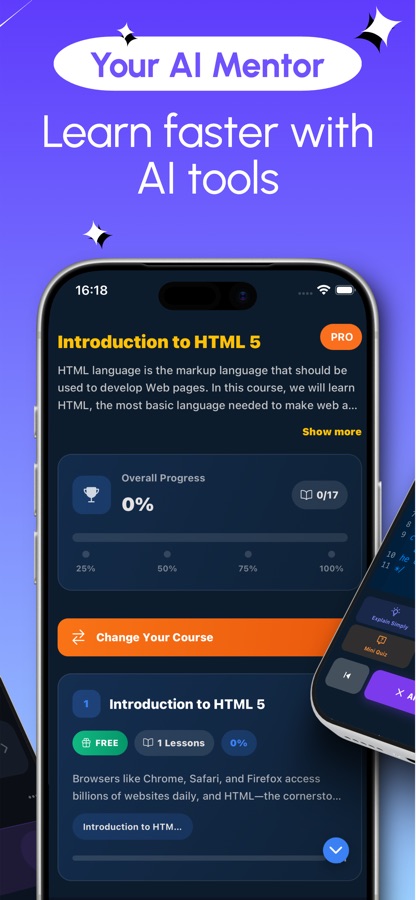
A tag means more once you have watched it draw something.
HTML is a markup language, so the quickest way to understand a new element is to type it and look at the result. Each lesson in this app ends with the editor already open, with the preview beside your markup, and you add CSS or JavaScript files only when you are ready for them.
What it is
Learn HTML: Build Web Pages is a free-to-start iOS and Android HTML course that teaches web page markup through 40 courses and 159 short lessons, ordered from beginner (A1) to advanced (C1). It pairs every topic with a built-in HTML code editor and instant preview, 20 guided projects such as a contact form and an accessible price table, 20 debugging missions and an AI mentor, so a complete beginner can go from an empty document to semantic, accessible, well-structured pages.
Inside the app
What it looks like
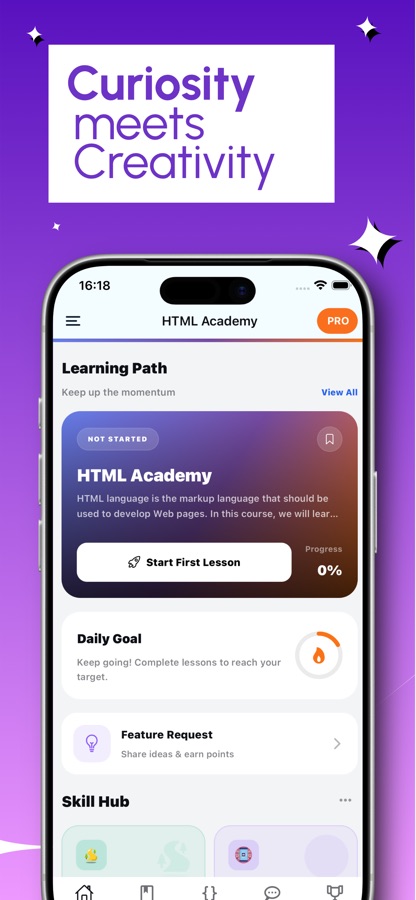
The course
What the HTML course covers
40 courses and 159 lessons from the app's own course list, in the order the path teaches them.
Document Structure, Text, Links, Images and Lists
The skeleton of every page: the document structure, headings and paragraphs, links and navigation, images and figures, and ordered and unordered lists.
Tables, Attributes and Global Attributes
Laying out data in tables, then the attributes that tune an element, including the global ones that work on every tag.
Forms: Basics, Advanced Controls and Validation
Basic inputs first, then the richer controls, then the validation attributes that let the browser check a field before it is sent.
Semantic HTML5, Head and Metadata, Audio and Video
Semantic elements, the head of the document and its metadata, and the audio and video elements.
Accessibility, ARIA Roles and Advanced ARIA Patterns
Accessibility basics, ARIA roles and attributes, and the advanced patterns used for custom widgets.
Data Attributes, Templates, Canvas, SVG and iframes
Custom data attributes, HTML templates, the canvas element, SVG inside HTML and embedded content in iframes.
Web Storage, Drag and Drop, SEO and Email Templates
Web storage and the drag and drop API, SEO and social meta tags, and the particular rules of HTML email templates.
Web Components, Performance and HTML at Scale
Custom elements, the shadow DOM, import maps and progressive enhancement, plus performance, security, PWAs and testing, ending with HTML at scale.
How it works
How you learn a tag, from reading to rendering
A lesson is short, and the editor sits next to it, so reading a concept and trying it out take place in the same sitting.
Read one short lesson
Pick up the learning path where you stopped. Each lesson covers a single idea, such as an unordered list or an image with alt text, and takes a few minutes.
Type it into the editor and watch the preview
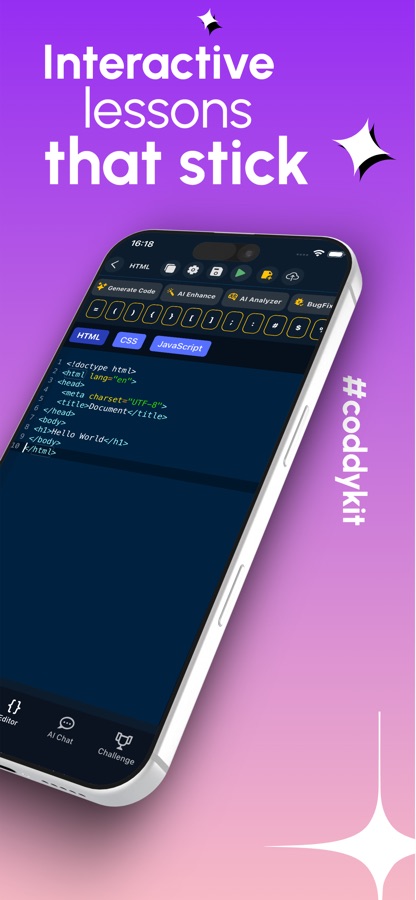
Open the editor and write the markup. The preview redraws your page, and the CSS and JavaScript tabs are there when you want to style the page or make it respond.
Check it, fix it, build with it
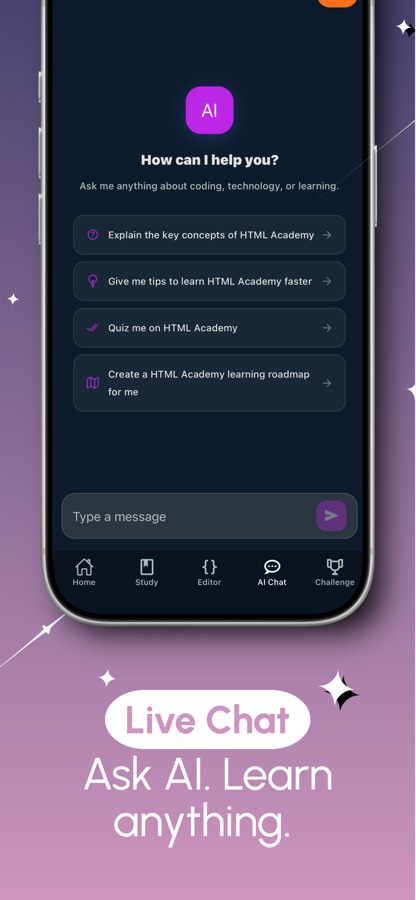
A quiz and a coding challenge close each topic. When a tag or an error is unclear, the AI mentor explains it, a debugging mission hands you a broken page to repair, and a guided project builds something you can show.
What's inside
What is inside Learn HTML
40
Courses from A1 to C1
159 lessons run from document structure, text, links, images and lists through tables, forms and semantic HTML5 to accessibility, web components, security and the History and Navigation API.
Live
HTML editor with preview
Write markup and see the rendered page update. You can add CSS and JavaScript files to the same project, so a plain document turns into a small working website.
20
Guided projects
Step-by-step builds including a recipe box page, a contact form, a photo gallery, a navigation bar and an accessible price table.
20
Debugging missions
Real faults to track down: a signup form that sends nothing, a label nobody can tap, a page that loads zoomed out on a phone.
80
Tag cheat sheet
A lookup list of 80 HTML tags, elements and attributes for the moment you know what you want but not what it is called.
50
Interview questions
Fifty web developer interview questions with clear answers, plus a code library of short examples you can open and edit, and a space to save your own code and notes.
Background
What is HTML, and can you learn it by typing on a phone?
HTML (HyperText Markup Language) is the language that describes the structure of a web page: which text is a heading, which is a paragraph, where a link points and what a form asks for. It is not a programming language, so there are no loops or variables to fight with, which is why it is the usual first step into web development. Because the result is visible the moment you write it, HTML suits short phone sessions well: a tag is small enough to type with a thumb, and a preview shows straight away whether it worked.
Elements, tags and attributesthe three words every lesson uses
An element is a piece of content with a meaning, written between an opening and a closing tag, for example a paragraph or a list item. Attributes sit inside the opening tag and adjust it, such as the address a link points to or the text that describes an image. Nearly every beginner mistake is a missing closing tag or a misplaced attribute.
Semantic HTMLheadings, navigation, main and footer
Semantic elements say what a block of the page is rather than how it looks. A navigation bar, an article and a footer each have their own element, which helps screen readers, search engines and anyone who later has to edit the page. It is the habit that separates a tidy page from a pile of generic containers.
HTML, CSS and JavaScriptwho does what
HTML holds the structure and the content, CSS controls how that content looks, and JavaScript adds behaviour such as reacting to a click. Learning HTML first gives the other two something to attach to. The editor in the app offers separate HTML, CSS and JavaScript tabs, so you can keep the three jobs apart from the start.
Forms and accessibilitywhere simple pages get serious
Forms are how a page asks the visitor for anything, and they are also where most accessibility problems begin: a label nobody can tap, a field a screen reader cannot name. Labels, validation attributes and ARIA roles are small pieces of markup that decide whether a page works for everyone.
Fit
Who it's for — and who it isn't
A good fit if you
- Are writing your first web page and want every tag explained before you use it
- Learn best when you can see the result of each line straight away
- Run a blog, a shop page or a portfolio and want to edit the markup behind it
- Plan to move on to CSS, JavaScript or front-end work and want solid foundations first
- Are preparing for a web developer interview and want questions to rehearse
Not the right tool if you
- Need a full desktop workflow with files, folders and a local server
- Expect every course to be free; the first course, the first guided project and two missions are, Pro unlocks the rest
- Already write production HTML daily and want a reference rather than a course
- Want to learn a design tool; this is about markup and the code behind pages
Questions
Frequently asked questions
What is Learn HTML: Build Web Pages?
Learn HTML: Build Web Pages is an app for iPhone and Android that teaches HTML from the first tag through advanced topics. It combines 40 short courses with a built-in HTML editor and live preview, 20 guided projects, 20 debugging missions and an AI mentor. It is free to start and is available in 22 languages.
Can I really write and preview HTML on a phone?
Yes. The editor in Learn HTML: Build Web Pages has HTML, CSS and JavaScript tabs, and the preview shows the page your markup produces. A phone is comfortable for the focused practice that HTML needs, since tags are short. A bigger screen only becomes useful when you are juggling many files at once.
Do I need any coding experience before starting?
No. The path starts with how an HTML document is put together and explains each term in plain language before using it. HTML has no loops or variables to learn first, so Learn HTML: Build Web Pages treats a complete beginner as the normal case rather than the exception.
What is the difference between HTML and CSS?
HTML defines what is on the page and what each part means, such as a heading, a link or a form field. CSS defines how it looks, including colours, spacing and layout. The app teaches HTML first and lets you add CSS files in the editor, so you can see the two working together without mixing their jobs.
How long does it take to learn HTML basics?
Most people can write a simple, correct page after a handful of short sessions, because the core elements are few: headings, paragraphs, links, images, lists and basic forms. Deeper material such as accessibility, semantic structure and web components takes longer. Lessons here are written to be finished in minutes, so a daily habit is realistic.
What kinds of projects can I build in the app?
The 20 guided projects include a recipe box page, a contact form, a photo gallery, a navigation bar and an accessible price table. Each one is built one step at a time. They are small on purpose, so you finish them and keep the code in your saved snippets.
Does Learn HTML cover accessibility and forms?
Yes, and in some depth. Forms have three courses, covering basics, advanced controls and validation attributes. Accessibility has its own courses on the basics, ARIA roles and advanced ARIA patterns. The debugging missions also include faults such as a label nobody can tap, which makes these topics practical rather than abstract.
Is the app free, and what does Pro add?
You can download it free and begin straight away: the first course, the first guided project, two missions and the live editor are included, along with a daily AI mentor allowance. Pro unlocks every course, all projects and missions, the certificate exam and unlimited AI mentor questions, and it removes ads.
Get started
Type your first tag and watch it render
Free to start on iOS and Android, in 22 languages.
More from CoddyKit
Available on iOS and Android.