

Code Editor Pro: Compiler IDE
Code Editor Pro: Compiler IDE — A code editor and compiler for your phone
Code Editor Pro is a code editor, compiler and mobile IDE for iPhone and Android, in one app. Pick one of 23 languages, write a program, tap Run and read the output a cloud compiler sends back, then ask the built-in AI assistant to explain, fix, rewrite or port what you wrote. It is a one-time purchase with no ads.


- Price
- Pay once, no ads
- Platforms
- iOS and Android
- Languages
- 22
- Age rating
- 4+
- Requires
- iOS 15.1 or later
A phone is a fine place to test an idea.
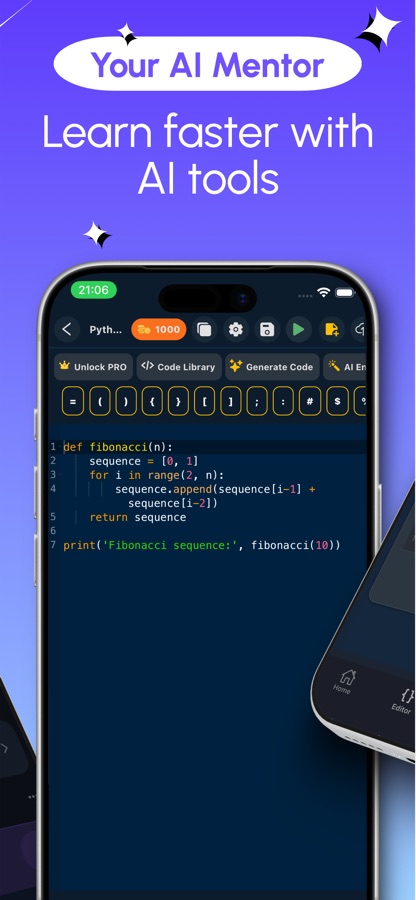
Most small programs are not projects at all: a query you want to try, a loop you are unsure about, a snippet from a friend. Code Editor Pro is built for that moment, with the language already chosen, a keyboard bar for brackets and quotes, and the result on the same screen as the code.
What it is
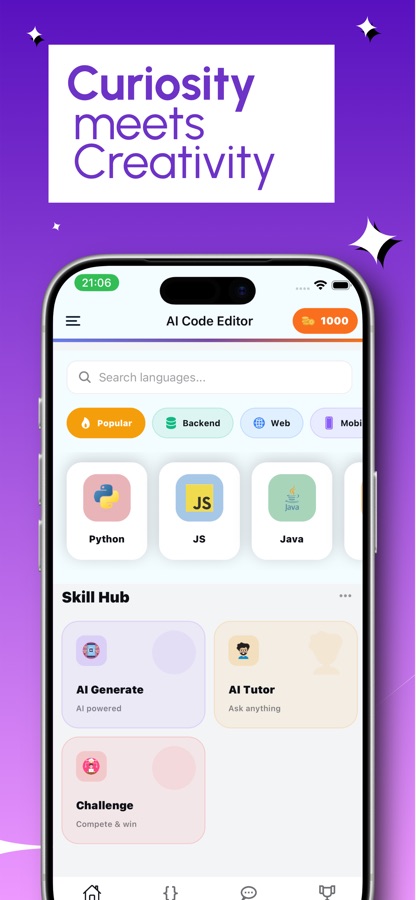
Code Editor Pro: Compiler IDE is an iOS and Android code editor that compiles and runs programs from your phone. You choose a language from a list of 23 that includes Python, Java, C++, C#, JavaScript, Go, Kotlin and SQL, write or generate code, and run it on a cloud compiler, so running needs an internet connection. An AI assistant can explain, optimize, format, test or translate a selection and shows every change as a diff first. It is a one-time purchase, with no subscription and no ads.
Inside the app
What it looks like
Background
What does a code editor, a compiler and an IDE each do?
The three words describe different jobs that desktop tools usually bundle together. A code editor is where text becomes code: highlighting, line numbers, indentation and quick insertion of symbols. A compiler or interpreter is the program that turns that text into something a computer executes and reports errors. An IDE, short for integrated development environment, joins the two with extras such as a debugger, a file tree and project templates. A mobile IDE has to deliver the same loop of write, run and read the result on a much smaller screen.
Editor versus compilertwo separate jobs
A text editor can save any file, but it cannot tell you whether the file works. The compiler or interpreter does that, and its error messages are the feedback that teaches. An app that only edits is a notepad; one that also runs the code is a workbench.
Compiled and interpreted languageswhy Java and Python feel different
Languages such as C++, Java, Go and Kotlin are compiled into a program before they run, while Python, Ruby, PHP and JavaScript are usually read and executed line by line. Because an online compiler hides that difference behind one Run button, switching from a Python script to a Java class takes a language change rather than a new toolchain.
Running code in the cloudwhat that means in practice
Code Editor Pro sends your program to a cloud compiler and shows the output that comes back. The benefit is that a phone needs no installed toolchain for 23 languages. The cost is that you need a connection to run anything, although writing and editing needs none.
Typing code on a touch screenthe real obstacle
Brackets, braces, quotes and operators sit on hidden layers of a phone keyboard, and a single misplaced one is a syntax error. A bar of the symbols you use most, placed above the keyboard, removes most of that friction.
Reading an AI-suggested changediff before apply
A diff lists the lines an edit removes and adds. Reviewing one before accepting it is how you keep an assistant's rewrite from silently changing something you did not ask about, and it is also a quick way to see how an experienced programmer would restructure a piece of code.
How it works
How a run works
The loop is short on purpose. You choose a language, write, run and read, and the assistant joins in only when you want it to.
Pick a language and write
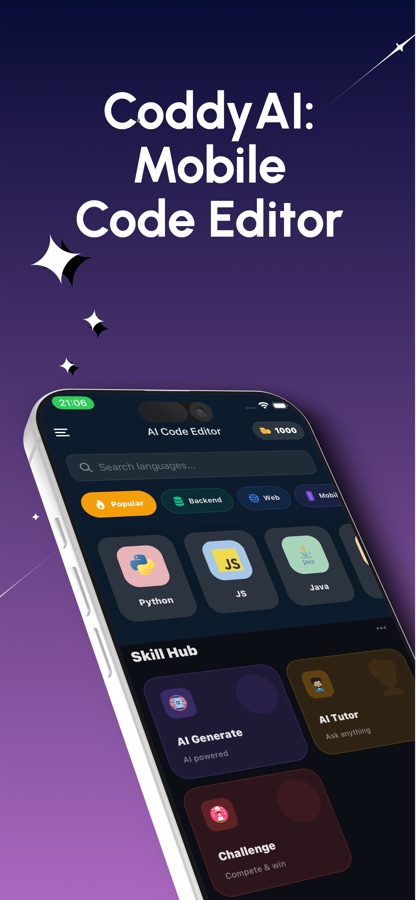
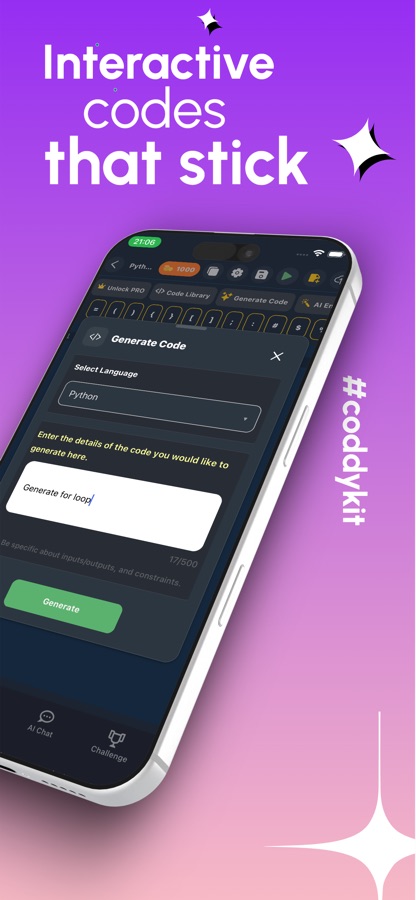
Search the language list or filter by category, then type in an editor with syntax highlighting and line numbers. The symbol bar above the keyboard holds brackets, quotes and operators, and an AI code generator can write a first draft from a plain-English description.
Run it and read the output
Tap Run and the program goes to the cloud compiler. Output and errors appear on the same screen as the code, and when a script asks for input, an input panel opens by itself so the program can carry on.
Ask the assistant, then review the diff
Select part of the program and ask the AI to explain it, optimize it, format it, write a unit test or port it to another language. The change comes back as a diff, and you apply it only if you agree.
What's inside
What is inside the editor
23
Languages you can run
Java, C, C++, C#, Python, JavaScript, TypeScript, Go, Kotlin, Swift, PHP, Ruby, Scala, Haskell, Lua, R, SQL (SQLite) and more, switchable at any time. HTML, CSS and JavaScript get a live preview.
AI
AI coding assistant
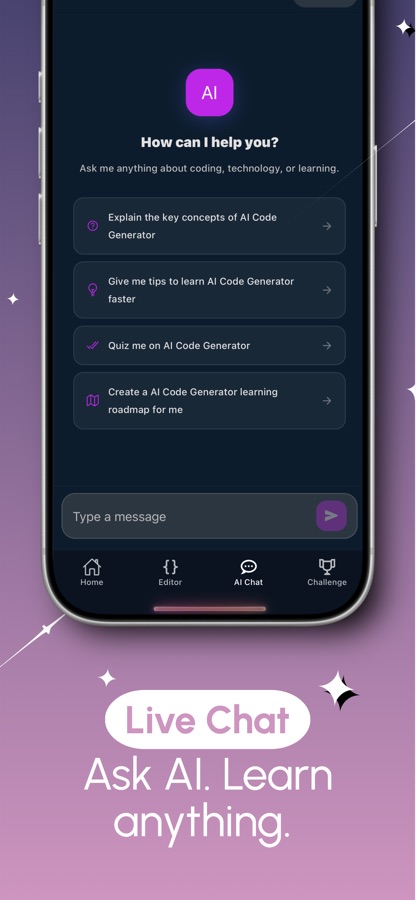
Explain, optimize, rewrite, format, add a unit test or port a selection to another language, or describe what you need and let the code generator draft it. Several AI models are available, from fast to more powerful.
Diff
Changes you approve
Every assistant edit arrives as a diff before it touches your file, so nothing is overwritten by surprise.
60
Coding missions
Easy, medium and hard challenges that start at Hello World and reach binary search and bubble sort.
20
Guided projects
Step-by-step builds such as a calculator, a password generator, a SQL library database, a React to-do app and a CSS navbar.
Files
Projects and history
Multi-file projects with a file tree and starter templates, code history to return to an earlier version, plus saved snippets and notes you can share as a link or an image card.
Fit
Who it's for — and who it isn't
A good fit if you
- Want to test a snippet in Java, C++, Python or SQL without opening a laptop
- Are a student who needs a quick code runner for homework and small experiments
- Prefer paying once to subscribing, and do not want ads in a coding tool
- Want an assistant that shows a diff and lets you decide what to keep
- Switch between several languages and do not want a toolchain for each
Not the right tool if you
- Need to run programs offline, since the compiler is in the cloud and a connection is required
- Plan a large multi-file application that really calls for a laptop and a full desktop IDE
- Want a structured beginner curriculum with lessons; the app is a workbench with practice missions, not a course
Privacy
What happens when you tap Run
Running a program sends your code to a cloud compiler, which returns the output, so a connection is needed for that step only. Writing and editing do not need one. Details are in the CoddyKit privacy policy.
Full details are in the CoddyKit privacy policy.
Questions
Frequently asked questions
What is the best code editor for running programs on a phone?
The useful test is whether the app can both edit and execute, in the languages you need. Code Editor Pro: Compiler IDE runs 23 languages, including Java, C++, Python, C#, Go, Kotlin and SQL, on a cloud compiler and shows the output on the same screen as the code. It also gives you a symbol bar for brackets and quotes, which matters more on a touch screen than on a laptop.
Does Code Editor Pro work offline?
Not for running code. Programs execute on a cloud compiler, so Run needs an internet connection. Writing and editing a program can happen without one, and you can run it once you are back online.
Which programming languages does Code Editor Pro support?
It runs Java, C, C++, C#, Python, JavaScript, TypeScript, Go, Kotlin, Swift, PHP, Ruby, Objective-C, Scala, Haskell, Lua, Pascal, R, Elixir, Erlang, Groovy, Clojure and SQL (SQLite). HTML, CSS and JavaScript have a live preview, and you can edit Dart, JSON, XML, YAML and Markdown files. The language names belong to their owners; the app is independent.
Can I use Code Editor Pro as a Python IDE?
Yes. Python 3 scripts run as soon as you open the app, and a program that calls input() opens an input panel by itself. You get syntax highlighting, line numbers, code history, settings for font size, tab size and word wrap, and an assistant that can explain or fix an error. It does not replace a desktop Python environment for large projects.
How does the AI assistant change my code?
You select part of a program and ask for an action: explain it, optimize it, rewrite it, format it, write a unit test or port it to another language. Code Editor Pro then shows the result as a diff, listing what would be removed and added. Nothing is applied until you accept it, so a rewrite never overwrites your file by surprise.
Is there a subscription or are there ads?
The store listing describes Code Editor Pro as a one-time purchase with no subscription and no ads, and says every AI tool in the app is included. Check the price shown in your own store before buying, since regional prices differ.
Can I build a project with several files?
Yes. Code Editor Pro has multi-file projects with a file tree and starter templates, and a code history that lets you return to an earlier version of a file. For a small tool or a class exercise that is enough. A large codebase with its own build system is still easier on a laptop.
Get started
Run your first program in under a minute
A code editor and compiler for iOS and Android, paid once, with no ads.
More from CoddyKit
Available on iOS and Android.