
AI Lab: Neural Networks & IoT
AI Lab: Neural Networks & IoT — Watch a network learn, then run it on a simulated Raspberry Pi
AI Lab is a free iOS and Android app that teaches neural networks by letting you watch one learn in 3-D — every neuron, weight and gradient step computed by its own small training engine, not a wrapper around TensorFlow. Once a model works, you shrink it to int8 and wire it into a simulated Raspberry Pi Pico with real Python.


- Price
- Free, Pro upgrade
- Platforms
- iOS and Android
- Languages
- 10
- Age rating
- 4+
- Version
- 1.2.0
- Requires
- iOS 15.1 or later
Every giant AI model is millions of these same little units wired together.
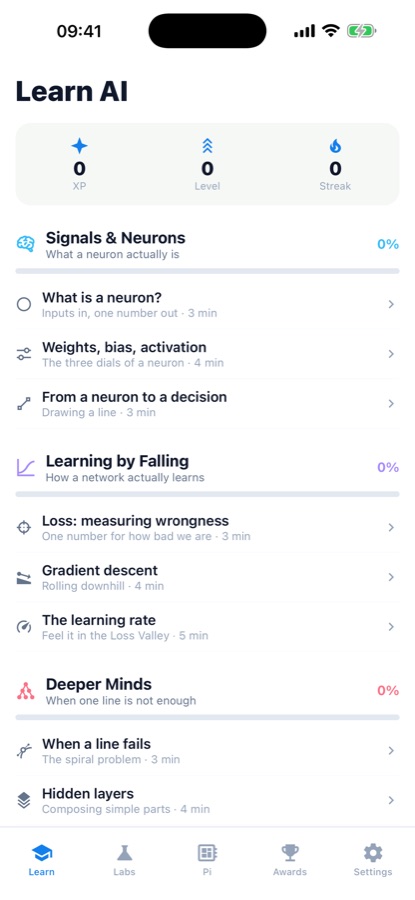
AI Lab's first lesson is a single neuron: a few numbers in, a weight on each one, a bias, an activation function, one number out. Understand that one unit and the rest of the app — the 3-D training labs, the quantized model, the simulated chip — is the same idea scaled up and then shrunk back down.
What it is
AI Lab is a free iOS and Android app that teaches neural networks and embedded machine learning (TinyML) hands-on. Lessons build up from a single neuron to multi-layer networks, four 3-D labs let you watch gradient descent, quantization and int8 inference run on a real small training engine, and a Raspberry Pi Workbench lets you wire virtual components and write real Python with gpiozero on a simulated Pi Pico.
Inside the app
What it looks like
Background
What is a neural network actually doing while it trains?
A neural network is a chain of simple units called neurons, each one multiplying its inputs by weights, adding a bias, and passing the result through an activation function. Training means repeatedly measuring how wrong the network's output is and nudging every weight slightly to make that wrongness, called the loss, a little smaller. Do that thousands of times and the network's decision boundary — the line or curve it draws between categories — gradually moves into place. Getting a trained network to run on small hardware is a second, separate problem: quantization and embedded inference.
Weights, bias and activationthe three dials of one neuron
A weight decides how much one input matters; the bias shifts the neuron's output regardless of the inputs; the activation squashes the result into a bounded range so it reads like a decision rather than an unbounded number. Stack enough of these with no activation and you still only get one straight line — the activation is what lets a network bend.
Loss and gradient descenthow learning happens
Loss is a single number that is high when the network's guesses are bad and low when they are good. Gradient descent computes which direction lowers that number fastest and nudges every weight a small step that way, repeated until the loss stops falling. The learning rate sets how big that step is — too small and training crawls, too large and it can overshoot and diverge.
Quantizationshrinking a trained model
A freshly trained network stores its weights as 32-bit floating-point numbers, which is too large and too slow for a microcontroller. Quantization rounds those weights down to much smaller numbers, typically 8-bit integers (int8), cutting the model's size by roughly four times at the cost of some accuracy — the core trade-off behind TinyML, running machine learning on small, low-power hardware instead of a server.
GPIO and gpiozerothe hardware side
GPIO (general-purpose input/output) pins are how a Raspberry Pi talks to physical components: an LED, a button, a buzzer. gpiozero is a Python library that turns wiring diagrams into a few lines of code — `LED(17).on()` rather than low-level register writes — which is why it is the usual starting point for Pi electronics before a real board is involved.
How it works
How the app is used
The three tabs build on each other: read how something works, then go watch it happen, then build the physical side of it.
Work through a world of short lessons
Signals & Neurons, Learning by Falling and Deeper Minds each run three to five short lessons — a neuron, then weights and bias, then loss and gradient descent, then why a single straight line eventually fails — with a quiz closing every lesson and XP, levels and a streak tracking progress.
Watch and tune a real model in the Labs
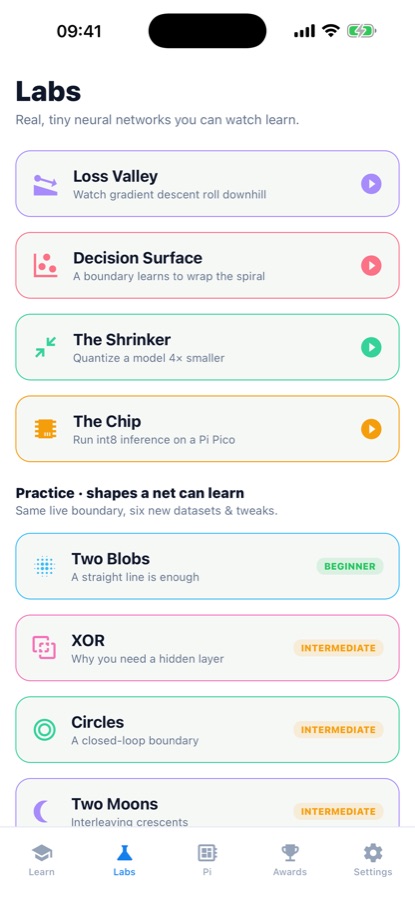
Loss Valley renders gradient descent as a 3-D landscape you tilt with the learning rate; Decision Surface wraps a boundary around a spiral using six practice datasets from beginner to advanced; The Shrinker quantizes a trained network down to a quarter of its size; The Chip runs real int8 inference so the accuracy-versus-size-versus-speed trade-off is something you watch happen, not read about.
Wire and code the Raspberry Pi Workbench
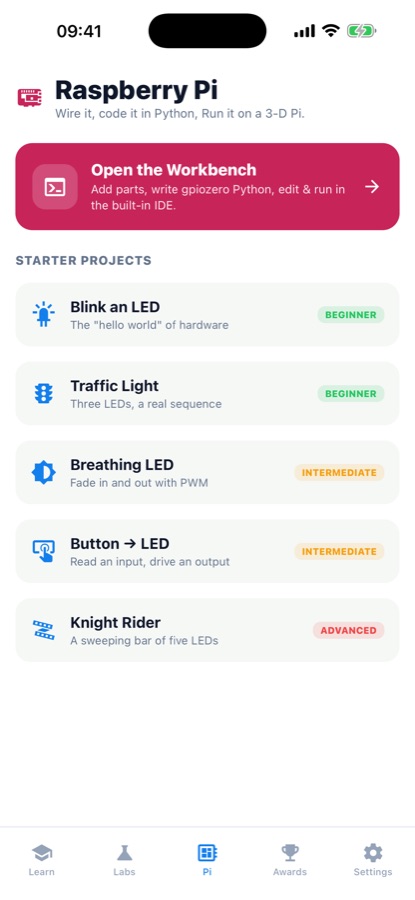
Open the Workbench, add virtual components to a simulated 3-D Pi Pico, and write real Python with gpiozero in the built-in editor. Five starter projects run beginner to advanced: blink an LED, sequence a three-light traffic light, fade one with PWM, read a button, then sweep a five-LED Knight Rider bar.
What's inside
What the app actually covers
4
3-D training labs
Loss Valley, Decision Surface, The Shrinker and The Chip each run the app's own small training engine live, so gradient descent, a learned boundary, quantization and int8 inference are things you watch and tilt, not static diagrams.
5
Pi electronics projects
Blink an LED, sequence a traffic light, fade with PWM, read a button, and sweep a five-LED Knight Rider bar, each wired and coded in Python with gpiozero on a simulated 3-D Raspberry Pi Pico.
int8
Real quantized inference
The Shrinker quantizes a trained network down roughly four times smaller, and The Chip then runs genuine int8 inference on the result, so the size-versus-accuracy trade-off every embedded engineer faces is something you measure yourself.
3
Free worlds of lessons
Signals & Neurons, Learning by Falling and Deeper Minds — neurons through gradient descent to multi-layer networks — are free, along with every lab and the whole Pi Workbench.
6
Practice datasets
Two Blobs, XOR, Circles, Two Moons and two further sets let you re-run the Decision Surface lab's boundary-learning problem on different shapes, from a straight line being enough to needing a hidden layer.
9
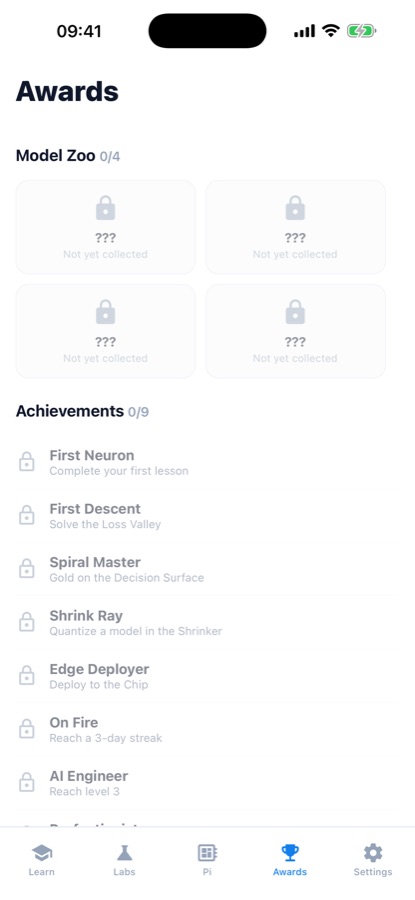
Achievements and a Model Zoo
Nine achievements, from completing a first lesson to going gold on every lab, plus a four-card Model Zoo of collectible models unlocked by finishing the Loss Valley, Decision Surface, Shrinker and Chip labs.
Fit
Who it's for — and who it isn't
A good fit if you
- Want to see what a neuron, a loss number and gradient descent actually do, not just read the terms
- Are curious about TinyML — running a shrunk, quantized model on small hardware — and want to feel the size-versus-accuracy trade-off yourself
- Want to practice Raspberry Pi wiring and Python with gpiozero before risking a real board
- Learn better from a 3-D landscape you tilt and a boundary you watch move than from a slide deck
- Want a from-scratch explanation rather than a course built around calling someone else's AI library
Not the right tool if you
- Need a production machine-learning framework like TensorFlow or PyTorch — the training engine here is built small and explainable for learning, not for real workloads
- Want to flash code onto physical hardware directly from the app; the Pi here is a 3-D simulation, and Python you write carries over if you later use a real Pi
- Want everything at no cost: the three starting worlds, every lab and the Workbench are free, and Pro unlocks the rest of the curriculum
- Already have a strong grounding in neural networks and are looking for an advanced or research-level reference rather than first-principles lessons
Questions
Frequently asked questions
What is the best way to actually understand how a neural network learns?
Reading about weights and gradient descent only goes so far; seeing a model's loss actually fall closes the gap. AI Lab teaches neurons, weights, bias and activation first, then its Loss Valley lab renders gradient descent as a 3-D landscape you tilt with the learning rate, and Decision Surface shows a learned boundary wrap itself around a spiral in real time. Free on iOS and Android.
What is gradient descent and why does the learning rate matter?
Gradient descent is how a network reduces its own error: at each step it computes which direction lowers the loss fastest and nudges every weight a little that way, like a ball rolling downhill toward a valley. The learning rate sets how big each step is. Too small and training crawls; too large and the ball can overshoot the valley and bounce or diverge instead of settling. AI Lab's Loss Valley lab lets you drag that dial and watch the difference happen on a real training run.
What does quantizing a neural network to int8 actually do?
A freshly trained network stores its weights as 32-bit floating-point numbers, which is more precision and more memory than small hardware can spare. Quantization rounds those weights to much smaller numbers, commonly 8-bit integers, shrinking the model to roughly a quarter of its size in exchange for some accuracy. AI Lab's Shrinker lab performs this on a real trained model so the size-versus-accuracy trade-off is a result you see, not a paragraph you read.
What is TinyML?
TinyML is machine learning run on small, low-power hardware — a microcontroller or single-board computer — instead of a server or a phone, which means the model has to be shrunk first. AI Lab's Shrinker and Chip labs cover exactly that pipeline: quantize a trained network, then run genuine int8 inference on the result, before the app's Raspberry Pi Workbench moves on to the physical wiring side of embedded projects.
Can I learn Raspberry Pi programming without owning a Raspberry Pi?
Yes. AI Lab's Raspberry Pi Workbench is a detailed 3-D simulation of a Pi Pico: you add virtual components, wire them, and write real Python with the gpiozero library in a built-in editor, with no board to buy or risk. Five starter projects run from a first blinking LED through a button-driven LED and a five-LED Knight Rider sweep. The Python you write carries over directly if you build with a real Raspberry Pi afterward.
What is gpiozero and why does the app use it?
gpiozero is a Python library that wraps a Raspberry Pi's GPIO pins in simple objects and methods — turning an LED on is a single line rather than a low-level register write — which is why it is the usual starting point for Pi electronics. AI Lab's Workbench uses the same library in its simulation, so wiring an LED, a button or a buzzer in the app reads the same as it would on real hardware.
Is AI Lab free?
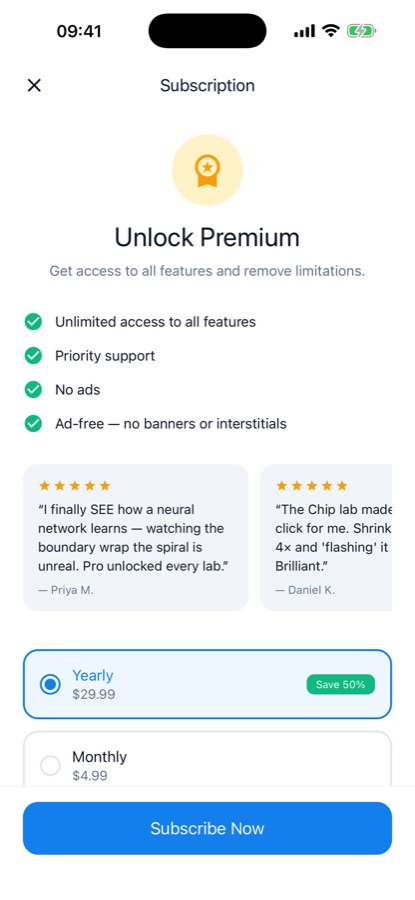
Yes. AI Lab is free to download on the App Store and Google Play, and its first three worlds of lessons — from a single neuron through gradient descent to multi-layer networks — plus every 3-D lab and the full Raspberry Pi Workbench are free to use. AI Lab Pro unlocks the rest of the lesson curriculum and removes ads. The app is rated 4+ and the current version is 1.2.0.
Do I need a math or programming background to start?
No. AI Lab starts from what a neuron is — a few numbers multiplied by weights, summed with a bias, and passed through an activation — before any code appears, and builds up one idea at a time with a quiz closing each short lesson. The Raspberry Pi Workbench introduces Python through gpiozero gradually, project by project, rather than assuming prior programming experience.
Is the neural network engine in AI Lab the same as TensorFlow or PyTorch?
No, and the app is explicit about that. AI Lab's training engine is a small, deterministic implementation built from scratch specifically so it trains instantly and stays fully explainable for learning and visualization — it is not a production machine-learning framework. The ideas it teaches — neurons, weights, loss, gradient descent, quantization — are the same ones used by TensorFlow or PyTorch at a much larger scale.
What platforms and languages does AI Lab support?
AI Lab runs on iOS through the App Store and Android through Google Play, with the app's interface available in 10 languages. It is rated 4+, so none of the material is age-restricted.
Get started
Watch a neural network learn, then put it on a chip
Free on iOS and Android — neurons through gradient descent to a wired Raspberry Pi Pico.
More from CoddyKit
Available on iOS and Android.