
Education · Free · iOS & Android
By CoddyKit
CoddyKit: Learn Coding with AI — an app to learn programming on your phone
CoddyKit is a free iOS and Android app for learning to code on a phone. It covers Python, JavaScript, Java, SQL, HTML, CSS and 125+ programming topics as bite-sized lessons of five to ten minutes, with a real code editor and an AI Mentor for when you get stuck.
- Price
- Free, Pro optional
- Platforms
- iOS and Android
- App languages
- 22
- Age rating
- 4+
- App Store
- 4.5 (25)
Finish a lesson on a coffee break.
Most people who give up on programming did not find it too hard — they ran out of evenings. A lesson sized for five minutes survives a normal week, and the next one stays easy to start.
What it is
CoddyKit: Learn Coding with AI is a free education app for iOS and Android that teaches programming from zero. One install covers 125+ topics — Python, JavaScript, Java, C#, C++, SQL, HTML, CSS, Kotlin, Swift, Go, TypeScript, PHP, Ruby, plus career tracks like AI, cyber security and DevOps — as bite-sized lessons of five to ten minutes. It includes a real code editor, quizzes and coding challenges, and an AI Mentor that answers questions in seconds.
Background
Which programming language should you learn first?
There is no universal best first language, but there is usually a good match for a goal. Python reads close to English and dominates automation, data work and AI. JavaScript is the one language every browser runs, so it owns the web front end. SQL is not general-purpose at all — it asks databases questions, and almost every job touches it. Pick by what you want to build.
Pythonthe usual first choice
Designed to be readable, so a beginner spends less time fighting punctuation and more time on the idea. It runs automation scripts, data analysis and most machine-learning work, which is why it appears in job ads far outside software teams.
JavaScriptthe browser's language
Every web browser runs it with nothing to install. Paired with HTML for structure and CSS for appearance, it is the part that makes a page respond to a click rather than sit still.
SQLnot a programming language
A query language for asking a database questions: which rows, in what order, grouped how. It is small enough to learn in weeks and shows up in analyst, backend and reporting roles alike.
Compiled and interpretedwhy Java feels different
Java, C# and C++ are translated ahead of time, which catches a whole class of mistakes before the program even starts. Python and JavaScript run line by line, so you see the result of a change immediately.
How it works
How learning works in the app
The app is built around short sittings rather than long study blocks: pick a direction, do one lesson, check that it stuck.
Pick a track
Choose Python for automation, JavaScript for the web, SQL for data, or just explore. All 125+ topics live in the same install, so switching tracks when your goals change means opening a different course, not downloading a new app.
Learn in five-minute steps
Each lesson runs five to ten minutes: a little plain-language theory, then real code you write yourself in the built-in editor and run on the phone. Feedback is instant, so a session fits a commute or a coffee queue.
Ask when stuck, then take the exam
Quizzes and coding challenges close every topic, and the AI Mentor answers concept or error questions in seconds — no question is too basic. Pass the final exam for a certificate of completion, then start the next track.
What’s inside
What comes with the app
125+
Topics in one app
Python, JavaScript, Java, C#, C++, SQL, HTML, CSS, Kotlin, Swift, Go, TypeScript, PHP, Ruby and career tracks including AI, cyber security, DevOps and digital marketing.
5–10
Minutes per lesson
Thousands of bite-sized lessons, each sized for a real day rather than a lecture hall. That is what makes daily progress on a phone possible at all.
AI
AI Mentor
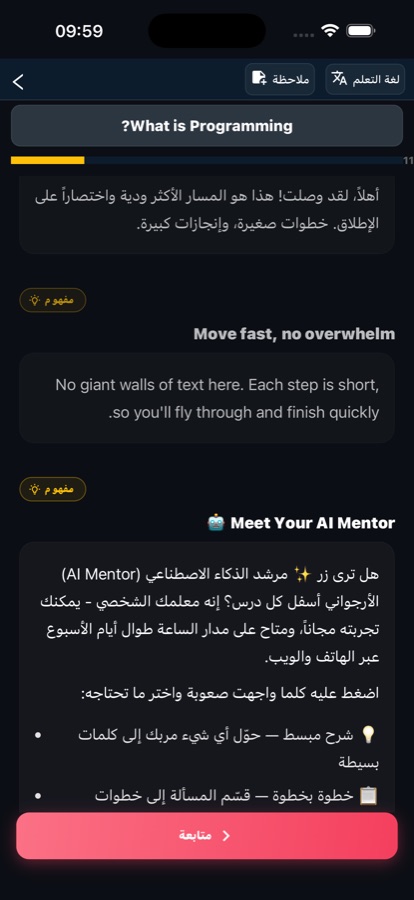
Stuck on a concept or a weird error message? Ask anything and get a clear answer in seconds, instead of losing an evening to search results.
</>
Real code editor
Write and run real code directly on your phone. Practice after each topic happens in the editor rather than as a multiple-choice guess about code.
1/wk
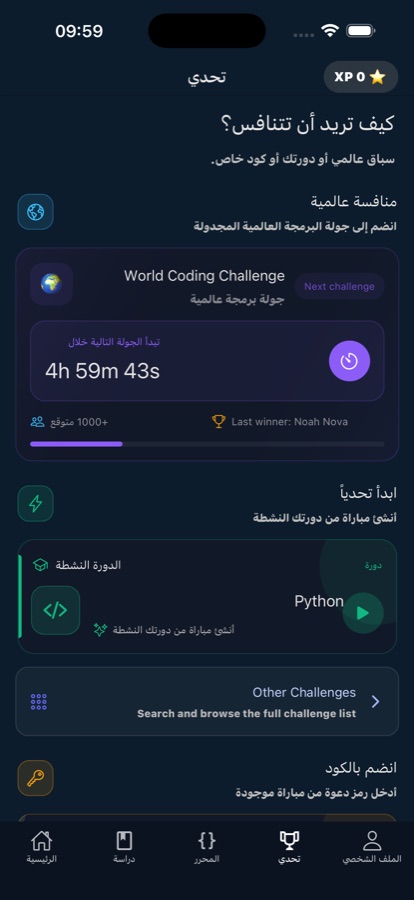
Weekly Code Challenge
A fresh challenge every week, competing with learners around the world — a reason to come back that is not only a streak counter.
Cert
Certificate of completion
Pass the final exam of a course and earn a certificate of completion, on top of the quizzes and coding challenges that follow every topic.
Inside the app
What it looks like
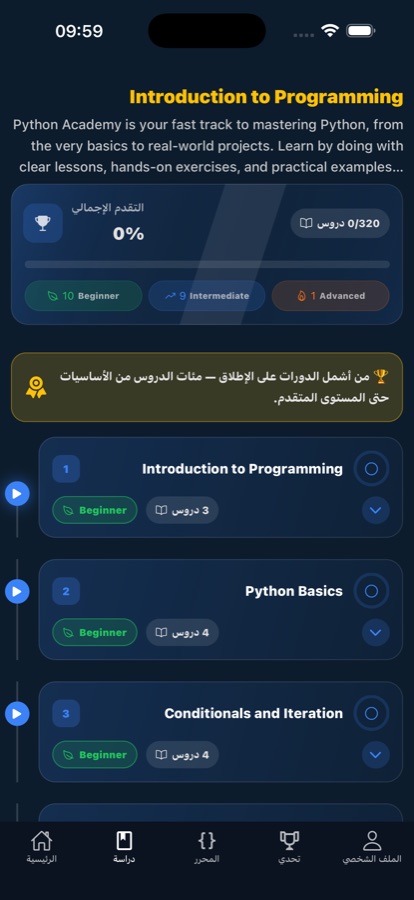
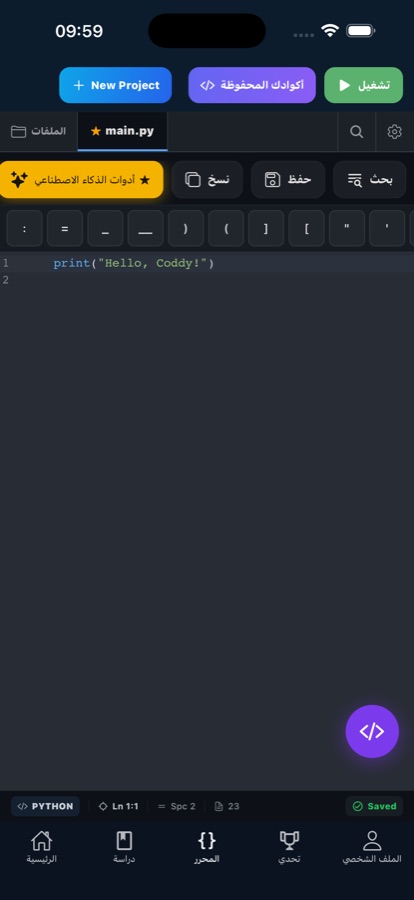
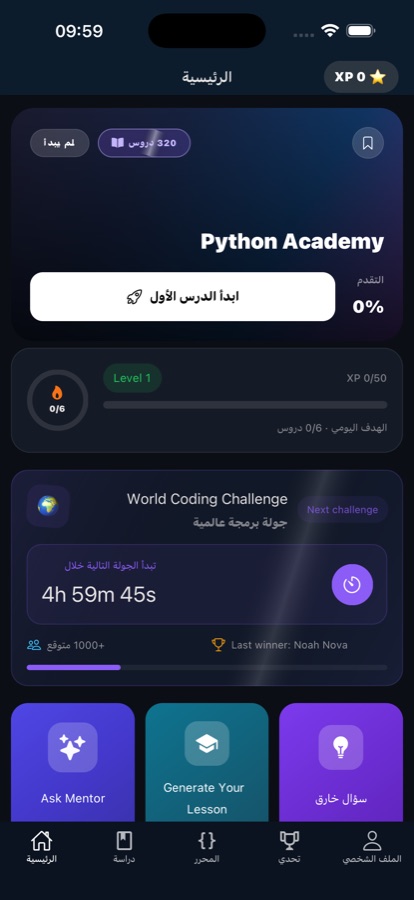
Fit
Who it’s for — and who it isn’t
A good fit if you
- Are starting from zero and want programming explained without jargon
- Learn on a phone in short sessions rather than at a desk for an hour
- Want to type and run real code, not only read about it
- Are a student wanting practice alongside classes, or a career switcher building job-ready skills
- Already code and want a second or fifth language without installing another app
Not the right tool if you
- Want a fully offline app — lessons keep working on flaky connections, but the AI Mentor needs a live one
- Expect everything free: the first course is free with a daily AI Mentor allowance, and Pro unlocks the rest
- Prefer long project-based tutorials over five-minute lessons
- Need an accredited qualification — the certificate is a completion certificate, not a degree
Questions
Frequently asked questions
What's the best app to learn coding on a phone?
On a phone the things that decide it are lesson length, whether you can actually run code, and how quickly you get unstuck — desktop-style hour-long modules do not get finished on a commute. CoddyKit is built around those constraints: lessons of five to ten minutes across 125+ topics, a real code editor that runs code on the device, and an AI Mentor that answers concept and error questions in seconds. Free to start on iOS and Android, in 22 languages.
Can you actually learn to code on a phone, or do you need a laptop?
You can genuinely learn the fundamentals on a phone. Syntax, logic, data structures and small exercises all work on a touchscreen, and ten minutes a day beats a laptop you open twice a month. CoddyKit includes a real code editor so you write and run code on the device rather than only reading about it. A laptop still helps once you build larger projects with many files, but that comes well after the basics.
Which programming language should a complete beginner learn first?
Choose by what you want to build. Python is the common starting point because it reads close to English and covers automation, data and machine learning. JavaScript makes sense if you want web pages that react, since every browser runs it alongside HTML and CSS. SQL is worth learning early regardless — it is small, and almost every job eventually needs someone to query a database. CoddyKit carries all of these as separate tracks in one app.
How long does it take to learn to code?
Consistency matters far more than total hours. With short daily lessons most beginners can read simple programs and write their own small ones within a few weeks, while becoming comfortable enough for job-shaped work usually takes months of regular practice. The failure mode is almost never difficulty; it is the gap between sessions growing until you stop. CoddyKit is shaped for that: five-to-ten-minute lessons, quizzes after every topic, streaks and reminders.
Do you need to be good at maths to learn programming?
For most programming, no. Web development, automation scripts, app building and database work need careful logic and patience with detail far more than they need mathematics beyond arithmetic. Maths becomes genuinely important in specific corners — graphics, cryptography, machine learning research. If school maths put you off, that is not a reason to avoid code. CoddyKit assumes no experience at all and starts from your first line.
Which languages and topics does CoddyKit cover?
CoddyKit holds 125+ topics in a single install. That includes Python 3 fundamentals, data structures and automation; JavaScript, HTML and CSS for web development; Java, C#, C++, Kotlin, Swift, Go, TypeScript, PHP and Ruby; SQL and databases; and career tracks covering AI and machine learning, cyber security, DevOps and digital marketing. You can switch tracks whenever your goals change without downloading anything new.
Is CoddyKit free?
The app is free to download on the App Store and Google Play. Your first course is free, with a daily allowance of AI Mentor questions, so you can work through real lessons and decide afterwards. CoddyKit Pro is the paid upgrade: it unlocks every course in every track, removes ads and makes the AI Mentor unlimited. Nothing forces an upgrade in order to finish the free course.
Does CoddyKit work offline, on the underground or on a plane?
It is built for patchy conditions rather than for having no connection at all. Lessons load fast and keep working on flaky connections, which covers most commuting. The AI Mentor is the part that genuinely needs a connection, since it answers your questions live. If a guaranteed fully offline app is what you are after, that is worth knowing before you install.
Do you get a certificate, and is it worth anything?
Yes — pass a course's final exam and the app issues a certificate of completion. Treat it as evidence of work done rather than a formal credential: it is not an accredited qualification. In practice what carries weight in an interview is being able to talk through the exercises, quizzes and coding challenges you completed, and the certificate is a reasonable prompt for that conversation.
Start logging
Learn to code in the gaps in your day
Free to start on iOS and Android, in 22 languages.
More from CoddyKit
Available on iOS and Android.