
AI English Tutor Speak English
AI English Tutor Speak English — An AI you actually talk to, not just read
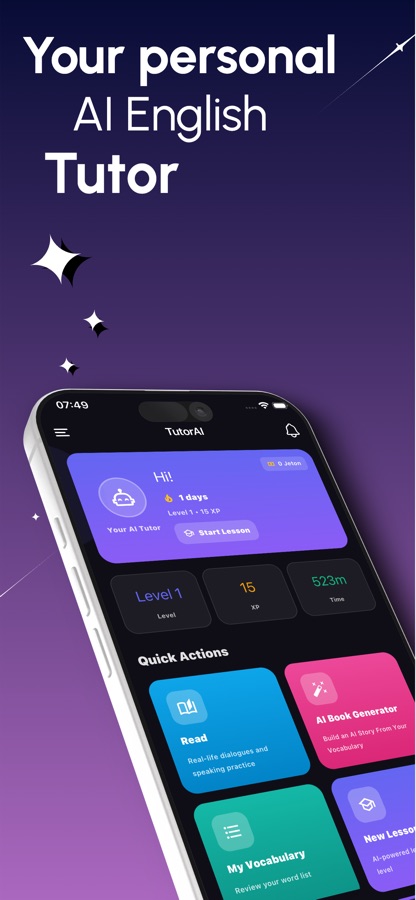
AI English Tutor Speak English is an iOS and Android app built around speaking out loud, not just tapping multiple-choice answers. You take AI voice calls and read pronunciation drills into the microphone, and get scored and corrected while you're talking, alongside a leveled lesson path, AI-generated stories and word games.


- Price
- Free, Pro upgrade
- Platforms
- iOS and Android
- Languages
- 22
- Age rating
- 4+
- Version
- 17.4.0
- Requires
- iOS 15.1 or later
Knowing the grammar isn't the same as using it out loud.
Plenty of learners can conjugate a verb on paper and still freeze mid-sentence in a real conversation. That gap only closes by speaking and getting told, specifically, what to fix — which is the one thing a workbook can't do.
What it is
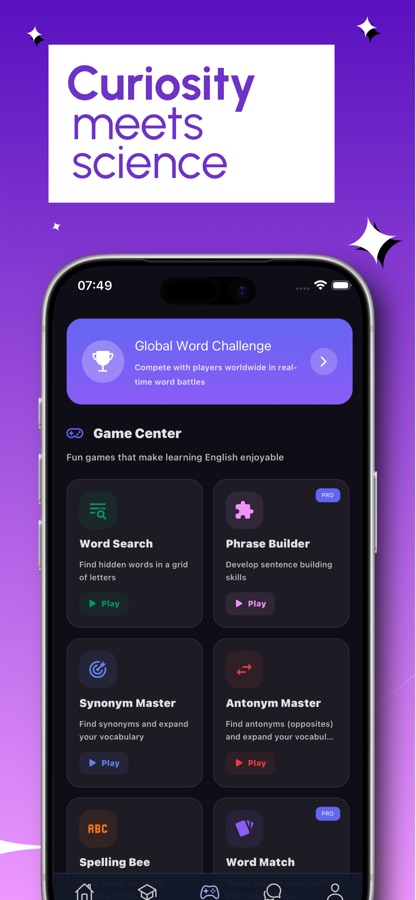
AI English Tutor Speak English is an iOS and Android app for practicing spoken English with an AI tutor. You place AI voice calls for live back-and-forth conversation, run pronunciation drills where the app generates a short text at your level and scores your reading of it word by word, and work through a CEFR-leveled lesson path from A1 to C2. The app also generates short reading stories built from your own saved vocabulary and offers word games (Word Search, Synonym Master, Antonym Master, Spelling Bee, Phrase Builder) as a secondary way to reinforce words you've learned.
Inside the app
What it looks like
Background
Why does speaking practice matter more than more grammar study?
Most adult English learners spend years on grammar rules and vocabulary lists and still struggle to produce a sentence out loud under time pressure. That's a known split in language learning between recognition (understanding English when you read or hear it) and production (generating it yourself, live, with no pause button). Closing that gap takes repeated speaking attempts with feedback on what actually went wrong — not more passive review.
CEFR levelsA1 to C2
The Common European Framework splits language ability into six bands, from A1 (basic phrases) to C2 (near-native fluency). A B1 speaker can hold a conversation about familiar topics but still trips on unfamiliar vocabulary or faster speech — knowing your band points you at material that's actually useful rather than too easy or too frustrating.
Pronunciation scoringword by word
Reading a sentence aloud and comparing it against a reference pronunciation, sound by sound, surfaces specific problems — a dropped final consonant, a vowel that's consistently off — that a learner rarely notices in their own speech without that kind of feedback.
Live conversation vs. scripted drillsthe harder skill
Reading a dialogue is recognition. Holding a live back-and-forth, where you don't know what's coming next and have to respond in real time, is production — the skill most classroom English study barely touches, because it needs a conversation partner who's available on demand.
Vocabulary you actually usenot just a list
Words saved from reading and looked up once are easy to forget. Seeing the same word reappear in a new story, a new lesson sentence or a new game round is what moves it from a flashcard into something you reach for mid-conversation.
How it works
How a practice session works
The app opens on a home screen with your level, XP and a daily streak, and routes you toward whichever practice you pick — a live call, a reading drill, the next lesson or a story.
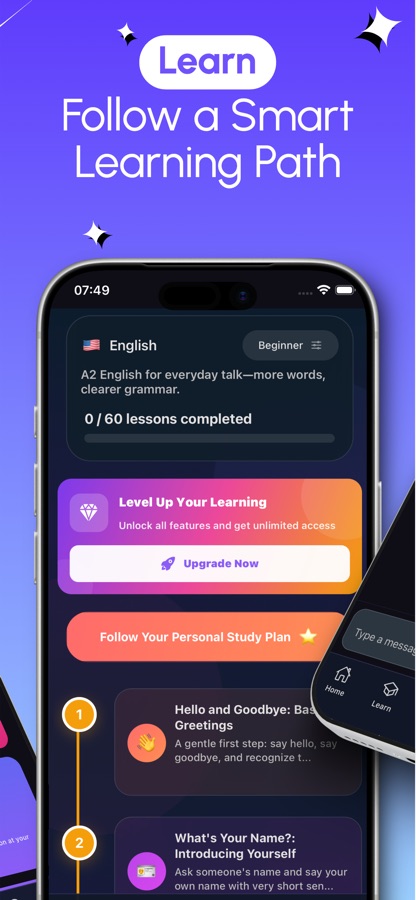
Pick your level and start the lesson path
Set a CEFR level from A1 to C2 and the app lays out a study plan of short lessons — greetings, introductions, everyday situations — each marked complete as you finish it, so the path shows real progress instead of a vague "keep practicing" message.
Call the AI tutor or run a pronunciation drill
Start an AI voice call for a live spoken conversation, or open Pronunciation Practice, type a topic, and the app generates a short text at your level for you to read aloud. Your reading is transcribed live and scored, with the parts you pronounced well separated from the parts to work on.
Read AI stories built from your own words
Generate a short story using words already saved in your vocabulary list. Tap any word on the page for its definition and to add it to your list, and play the narration aloud at an adjustable speed if you'd rather listen than read.
Reinforce with word games
Word Search, Synonym Master, Antonym Master, Spelling Bee and Phrase Builder turn the same vocabulary into quick rounds with lives, streak bonuses and a high score to beat, including a timed Global Word Challenge against other players.
What's inside
What's actually in the app
Live
AI voice calls
A phone-call-style conversation with an AI tutor — not a scripted dialogue you read along to, but back-and-forth spoken exchange you have to respond to in real time.
A1–C2
Leveled lesson path
A study plan built around the CEFR scale, from basic greetings at A1 up through advanced expression at C2, with lessons marked off as you complete them.
36
App languages
The app's own interface is available in 36 languages, so the instructions and navigation can stay in a learner's native language while the practice itself is in English.
Scored
Pronunciation Practice
Type a topic, get a short generated text at your level, read it aloud, and see a live transcription with a score that splits out well-pronounced parts from the sounds to keep working on.
AI
Story generator
Generates a short reading story using words already saved in your vocabulary, with tap-to-translate on any word, a show-original toggle, and audio narration at adjustable speed.
5
Word games
Word Search, Synonym Master, Antonym Master, Spelling Bee and Phrase Builder recycle your vocabulary into quick rounds, plus a timed Global Word Challenge against other players.
Fit
Who it's for — and who it isn't
A good fit if you
- Already know some grammar and vocabulary but freeze up when you have to actually speak
- Want to be corrected on specific sounds instead of guessing what you're getting wrong
- Prefer a leveled path that tells you what to study next over an open-ended app
- Like turning vocabulary review into quick word-game rounds rather than flashcard drilling
- Want practice available on your own schedule instead of booking a tutor's time
Not the right tool if you
- Want a live human conversation partner — every call and chat here is with an AI, not a person
- Are starting from zero and want a slower, textbook-style introduction to the alphabet and basic sounds
- Want every feature free with no upgrade screen — AI calls, unlimited stories and some games sit behind Pro
- Need a specific exam-prep format (IELTS, TOEFL) rather than general conversation and pronunciation practice
Questions
Frequently asked questions
What's a good app for practicing spoken English, not just grammar?
Look for one that makes you produce speech live and tells you specifically what went wrong, rather than one that only tests recognition with multiple-choice questions. AI English Tutor Speak English does this with AI voice calls for live conversation and a Pronunciation Practice mode that scores a recording of your own voice reading a generated text, splitting the feedback into what you said well and what to work on. It also includes a CEFR-leveled lesson path, AI-generated stories and word games, free on iOS and Android with a Pro upgrade.
How does the AI voice call work?
You start a call from the app and have a live, spoken back-and-forth with an AI tutor, closer to a phone conversation than a scripted dialogue you read along to. Because you don't know what the AI will say next, you have to understand it and respond in real time, which is the part of speaking a language that passive study and pre-written dialogues don't actually train.
What does the pronunciation score actually measure?
You pick or type a topic, the app generates a short text at your level, and you read it aloud while the app transcribes your speech live. The result separates the parts you pronounced well from specific sounds or words to keep working on, rather than a single pass-or-fail number. That kind of word-level detail is what's hard to get without a tutor listening closely to your own speech.
What do the CEFR levels in the app mean?
CEFR (the Common European Framework of Reference) splits English ability into six bands from A1, basic phrases and greetings, up to C2, near-native fluency. AI English Tutor Speak English uses this scale to set your lesson path and to generate pronunciation texts and stories at a difficulty that matches you, rather than material that's either too easy to be useful or too advanced to follow.
How do the AI-generated stories work?
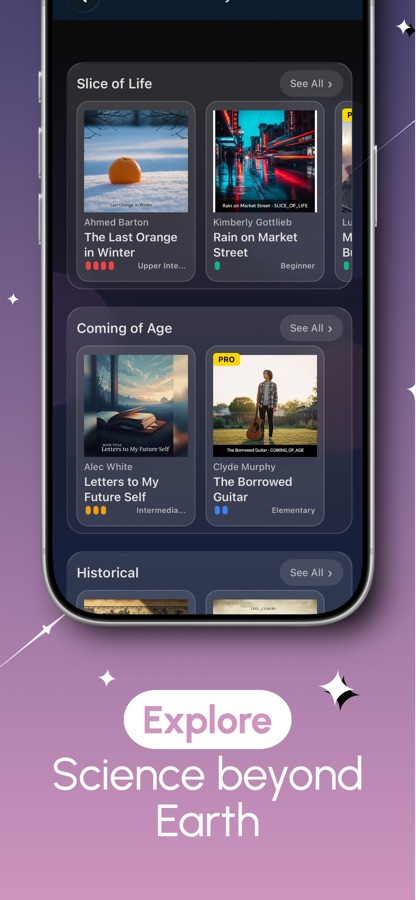
The story generator builds a short piece of reading using words already saved in your vocabulary list, so the vocabulary you've been learning actually shows back up in context instead of staying stuck in a flashcard list. You can tap any word on the page for its definition and add it to your list, switch on audio narration at an adjustable speed, and browse a library of generated stories grouped by genre with a difficulty tag.
What word games does AI English Tutor include?
The game center includes Word Search, Synonym Master, Antonym Master, Spelling Bee and Phrase Builder, each built around the vocabulary you're already learning, with lives, streaks and a high score to beat. There's also a timed Global Word Challenge that matches you against other players in real time, for the same vocabulary practice with a bit more pressure than a solo round.
Is AI English Tutor Speak English free?
Yes, it's free to download on the App Store and Google Play, and you can start the lesson path, try pronunciation drills and play word games without paying. A Pro upgrade unlocks unlimited AI voice calls, unlimited AI-generated stories and the rest of the game library. The app is rated 4+ and the current version is 17.4.0.
Do I need to already know English grammar before using the app?
No — the lesson path starts at A1 with basic greetings and short everyday phrases, built for someone with little or no prior English. If you already know grammar and vocabulary but have never had much chance to actually speak, you can set a higher starting level and go straight to AI voice calls and pronunciation practice instead of repeating lessons you don't need.
What languages is the app's interface available in?
The app itself — menus, instructions and lesson text around the English content — is available in 36 languages, so a learner can navigate in their own language while the speaking and reading practice stays in English. This matters more than it sounds: confusing navigation is one of the easiest ways to make a language app harder to use than the language lesson itself.
Can I practice English conversation without talking to another person?
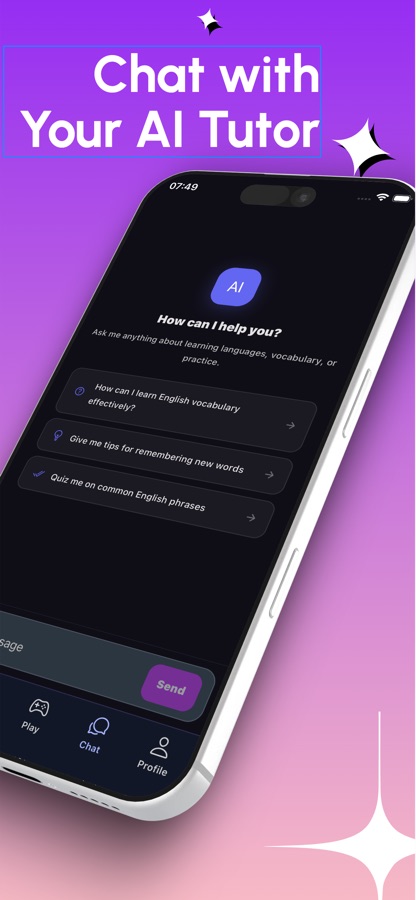
Yes, that's the core of the app. AI voice calls and the AI chat tutor give you a conversation partner that's available any time, without scheduling a tutor or finding a language exchange partner. It won't replace talking to a real person entirely, but it removes the biggest practical barrier to getting regular speaking practice, which is simply having someone to talk to.
Get started
Stop rehearsing English in your head and start saying it out loud
Free on iOS and Android, with AI voice calls, pronunciation scoring and a leveled lesson path from A1 to C2.
More from CoddyKit
Available on iOS and Android.