

AI Code Generator & CodeEditor
AI Code Generator & CodeEditor — Describe a program in plain English, get code that runs
AI Code Generator & CodeEditor turns a plain-English sentence into a working program. Describe what you want — "a Python function that checks if a word is a palindrome", "a bubble sort in C++" — pick a language, and the AI writes it. Tap run and the built-in compiler executes it on the spot, so you can generate, run and edit without installing anything.


- Price
- Free, Pro upgrade
- Platforms
- iOS and Android
- Languages
- 22
- Age rating
- 4+
- Version
- 82.5.0
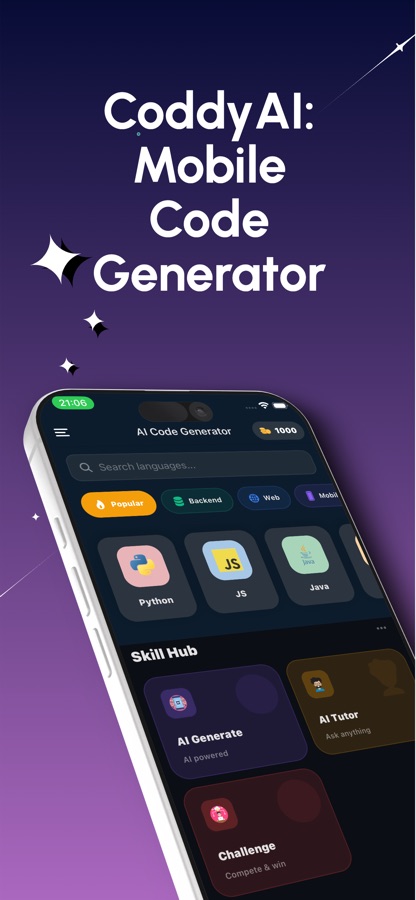
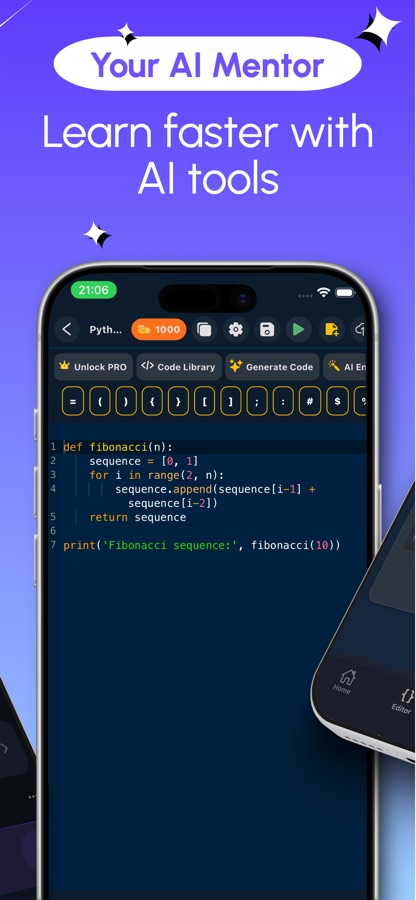
You describe it. The AI writes it. You run it.
Most code tools make you choose between generating and running — a chat that writes a snippet you still have to paste somewhere, or an editor with no way to produce the first draft. This app keeps the prompt, the editor and the compiler in the same screen, so a sentence becomes code becomes output without leaving the app.
What it is
AI Code Generator & CodeEditor is a free iOS and Android app that writes code from a plain-English description and runs it in a built-in compiler. Type what you want — a function, a class, a SQL query, a small web page — choose a language or let the prompt decide, and the AI generates it. The editor covers 30 languages including Python, JavaScript, Java, C++, C#, Go, Kotlin and Swift, HTML/CSS/JavaScript render as a live preview, and most other languages run through an in-app compiler with real output. Free users get one generation a day plus one more for watching an ad; Pro removes the limit and adds AI code review, a mentor chat and a certificate exam.
Inside the app
What it looks like
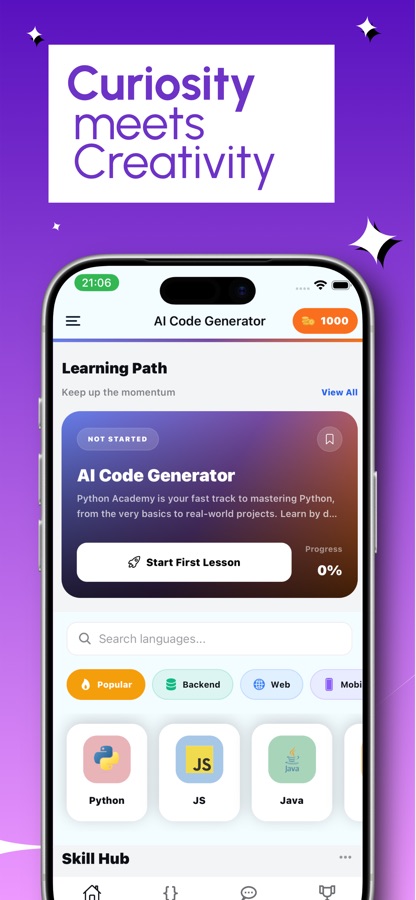
Background
What does an AI code generator actually do?
An AI code generator takes a natural-language description of a task and produces source code that attempts to do it, using a language model trained on large amounts of existing code. It is not a search engine returning a matching snippet — it writes new code token by token for your specific description, in whichever language you choose. The result is a draft: usually runnable, sometimes needing a tweak, and worth reading before you trust it, the same as any code written by someone else.
Prompt to programthe basic loop
You write one sentence describing the behaviour you want — not a full spec, just what the function, page or query should do. The model returns a complete piece of code in the language you picked, ready to run or to drop into an existing file.
Generate versus runtwo separate steps
Generating code and running it are different jobs. A generator can be right about logic and still fail on your machine over a missing library or a version mismatch. Running the generated code immediately, in the same environment it was written for, is what actually proves it works.
Why read what the AI wroteit is a draft
Generated code can compile and still do the wrong thing for an edge case the prompt did not mention — an empty string, a negative number, an unusual date. Treat the output as a starting point: run it, check it against the case you actually meant, and adjust the prompt or the code if it doesn't match.
Compiler versus interpreter, in one appthe practical difference
Some languages need a compile step before they run (C, C++, Java); others, like Python or JavaScript, execute directly. A mobile code runner hides this difference behind a single "Run" button, but it's still happening — compiled languages can report a build error before execution even starts, interpreted ones fail mid-run instead.
How it works
How the app is used
The loop is prompt, generate, run — then, if you want to keep going, edit and save. Nothing needs installing first.
Describe what you want
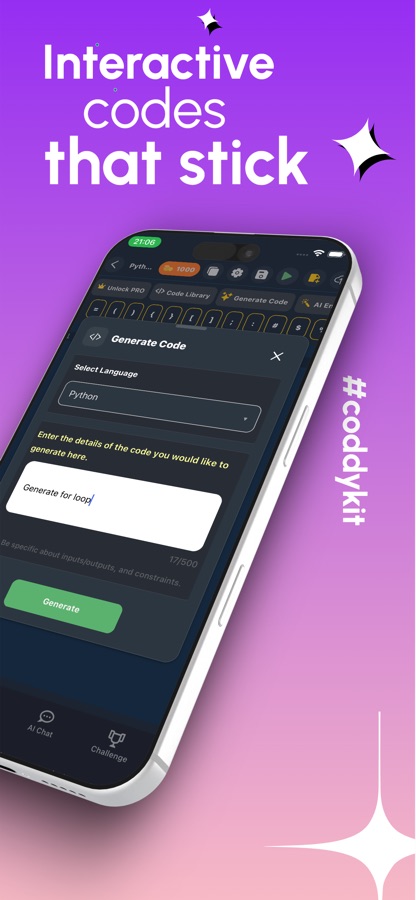
Open Generate Code, pick a language from the list or let the description decide, and type the detail of what the code should do — "a for loop that prints even numbers", "a REST API endpoint in JavaScript", "an SQL query for the top 5 customers by revenue". The more specific the inputs, outputs and constraints, the closer the first draft lands.
Run it immediately
Generated code opens straight in the editor with syntax highlighting. Tap run: HTML, CSS and JavaScript render as a live preview you can interact with, and other supported languages execute through the in-app compiler with real output shown underneath.
Edit, save and ask the AI chat
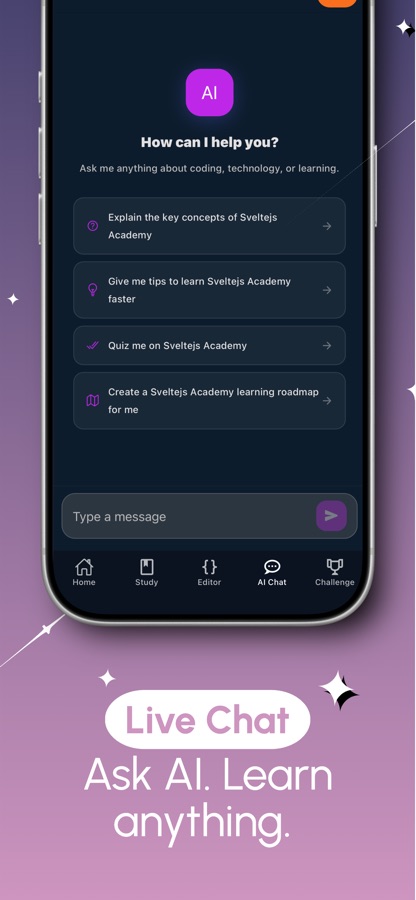
Change the code by hand, regenerate a section, or save it to your project library to come back to later. If something doesn't run the way you expected, the AI chat answers questions about the error, the syntax or the language itself in the same screen.
What's inside
What the app does
30
Languages in the editor
Python, JavaScript, TypeScript, Java, C, C++, C#, Go, Kotlin, Swift, PHP, Ruby, Dart, SQL, HTML, CSS and more, each with syntax highlighting built for that language.
1 tap
Generate from a prompt
Describe a function, a class, a query or a small page in one sentence and pick the language; the AI writes a full piece of code rather than a partial snippet.
Run
Built-in compiler
No setup or environment to install — tap Run and see real output for languages like Python, Java, C++, C#, Go, Kotlin and Ruby, or a live preview for HTML, CSS and JavaScript.
AI
Code review (Pro)
Open any file and ask the AI to explain it line by line, debug it, suggest a cleaner rewrite, or give a quick or detailed review of what it's doing.
Chat
AI mentor chat (Pro)
Ask coding questions directly in the app — why a line fails, how a construct works in a given language — instead of leaving to search for an answer.
Save
Project library
Keep what you generate, grow a single file into a multi-file project, and reopen past generations and saved snippets from your own library.
Fit
Who it's for — and who it isn't
A good fit if you
- Want to turn a plain-English description into a runnable function, class or query
- Need a quick script or boilerplate in a language you don't write every day
- Are practising for interviews or coursework and want to generate, then read and run the result
- Want a code editor and compiler for 20+ languages without installing anything
- Like to ask an AI chat why a piece of code fails instead of searching for the answer
Not the right tool if you
- Need a production IDE with debugging, package managers and version control integration
- Expect generated code to be correct and complete without reading it — treat it as a first draft
- Want unlimited generations for free — the free tier is one a day, plus one for watching an ad
- Need to build and ship a real mobile or web app end to end; this is for scripts, snippets and small projects
Questions
Frequently asked questions
What's a good app for generating code from a description?
The useful test is whether it both writes the code and lets you run it in the same place, because a generated snippet you can't execute still leaves you to set up an environment yourself. AI Code Generator & CodeEditor does both: describe what you want in plain English, pick a language, and the app generates and runs it through a built-in compiler, with a live preview for HTML, CSS and JavaScript. Free on iOS and Android, with one free generation a day.
How does AI code generation actually work?
A language model trained on large amounts of existing code reads your description and produces new code that attempts to match it, written specifically for your prompt rather than pulled from a fixed library of answers. In this app you type the description, choose the target language — or let the description imply one — and the model returns a complete function, class, query or small page rather than a partial fragment.
Which programming languages can I generate and run?
The editor covers 30 languages including Python, JavaScript, TypeScript, Java, C, C++, C#, Go, Kotlin, Swift, PHP, Ruby, Dart and SQL, plus HTML, CSS and Markdown. Generation and the built-in compiler cover the most commonly used of these — Python, Java, C++, C, C#, Go, Kotlin, PHP and Ruby among them — while HTML, CSS and JavaScript render instantly as a live preview instead of a text output.
Should I trust code an AI generated without checking it?
No — treat it as a first draft. Generated code can run without errors and still miss an edge case the prompt didn't spell out, like an empty input or a boundary value. The practical habit is to run it right away, check the output against the case you actually meant, and either adjust the prompt or edit the code directly if something is off. Running the code is also how you catch an environment-specific failure a static read-through would miss.
Is AI Code Generator & CodeEditor free?
The app is free to download on the App Store and Google Play. Free users get one AI generation a day, plus one more for watching a short ad, and can use the code editor and compiler without a subscription. Pro removes the daily generation limit, unlocks every model, adds AI code review and the mentor chat, and includes a certificate exam. The current version is 82.5.0, rated 4+.
Can I edit the code after it's generated?
Yes. Generated code opens directly in the full code editor with syntax highlighting for the language you picked, so you can change it by hand, rerun it, or regenerate a specific part. Saved code goes into a personal library, and a single generated file can be grown into a multi-file project rather than staying a one-off snippet.
What does the AI code review do?
Opening a file and asking for a review — part of the Pro upgrade — gives you a plain-language explanation of what the code does line by line, a debug pass that points at likely issues, a cleaner rewrite of the same logic, or a quick or detailed check depending on what you ask for. It works like having someone read the code over your shoulder rather than running it for you.
Does the app run code offline, like a local compiler?
No. Generation and execution both need a connection: the prompt is sent to generate the code, and runnable languages execute through an in-app compiler rather than on the device itself. HTML, CSS and JavaScript are the exception that renders as a live, interactive preview inside the app.
Who is this app actually for?
Students who want to see a program written and then run and change it, developers who need a function in a language they don't use daily, people practising for coding interviews, and anyone experimenting with an idea who would rather describe it than type every line by hand. It's built for generating, running and editing small pieces of code — not for managing a large production codebase.
Can I ask it coding questions instead of generating code?
Yes. The AI chat answers direct questions about a language, a syntax error or how to approach a problem, separately from the code-generation flow — useful when you want an explanation rather than a finished piece of code. The deeper AI mentor chat, with context on the file you're working in, is part of the Pro upgrade.
Get started
Describe it. Generate it. Run it.
Free on iOS and Android, with a built-in editor and compiler for 20+ languages.
More from CoddyKit
Available on iOS and Android.