
Health & Fitness · Free · iOS & Android
By CoddyKit
SleepyAI: a baby sleep tracker and AI sleep coach
SleepyAI is a free baby sleep tracker and AI sleep coach for babies from newborn to 24 months. Log naps and night sleep in one tap, get an age-based daily plan built from your baby's own history, and ask a coach that has actually read those logs. It is a tracking tool, not medical care.
- Price
- Free
- Account
- Not required
- Languages
- 10
- Age rating
- 4+
Your baby's data, not a generic chart.
Most sleep schedules are printed tables that assume every baby of a given age is the same one. SleepyAI builds the day from your baby's age in months and the naps you actually logged.
What it is
SleepyAI is a free baby sleep tracking and coaching app for iOS and Android, covering babies from newborn to 24 months. You log naps, night sleep and wake times with one tap; the app totals sleep hours, tracks wake windows, builds an age-based daily plan from your baby's own recent history, and lets you ask an AI coach questions grounded in those logs. It does not diagnose or treat anything.
It is a tracking and coaching tool, not a medical device and not a baby monitor. It does not watch your baby or detect breathing — see Safety and limits.
Background
What is a wake window, and why do parents track them?
A wake window is the stretch of time a baby can comfortably stay awake between sleeps before becoming overtired. The comfortable length grows as a baby gets older, which is why a schedule that worked one month stops working the next. Tracking wake windows is really a way of timing the next nap from what just happened rather than from the clock.
Wake windowawake stretch
The time between one sleep ending and the next beginning. SleepyAI tracks it in real time and calculates age-appropriate ranges for babies from newborn through toddler, updating them as your baby grows.
Overtiredpast the window
The state a baby reaches when the awake stretch runs longer than they can handle, which often makes falling asleep harder rather than easier. SleepyAI flags overtired risk when a wake window runs long.
Sleep regressiona pattern shift
A period when a baby who had been sleeping predictably starts waking more or napping badly. The four-month one is the most talked about. A log makes the shift visible early rather than three weeks in.
Nap transition3 to 2 to 1
The point where a baby drops a nap — three to two, then two to one. Transitions are messy because the old schedule is too much sleep and the new one is not yet enough.
How it works
How it works in a normal day
The loop is small on purpose, because it has to survive being done at three in the morning with one hand: log the sleep, follow the plan the log produced, then ask about whatever is not working.
Log the nap or the night
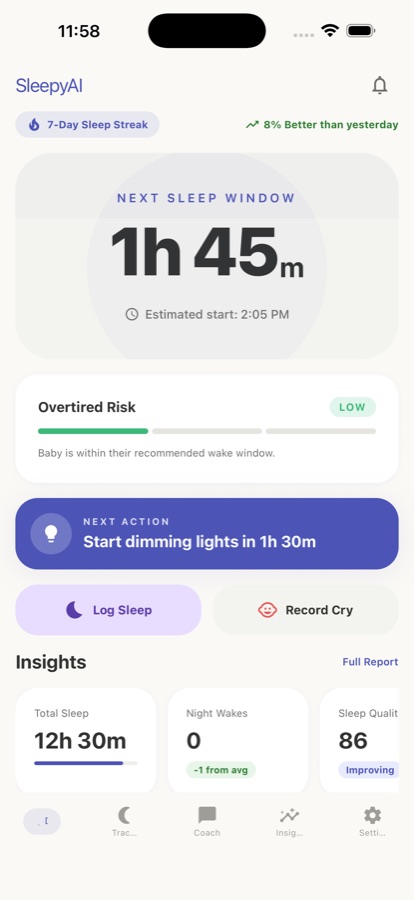
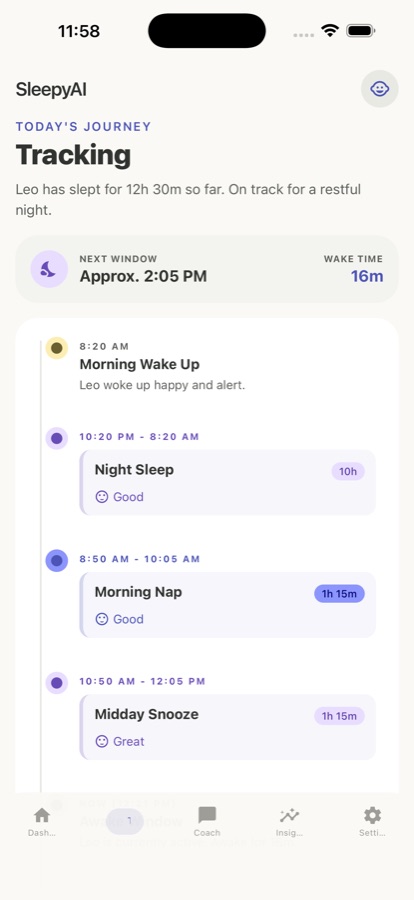
Tap once when your baby goes down and once when they wake. SleepyAI totals the hours, counts overnight wakings, and tracks the wake window that just started, so the record exists without you doing arithmetic while holding a baby.
Follow the day's plan
The app builds a daily schedule from your baby's age in months and their recent sleep, with age-based wake windows and wind-down suggestions before each nap. If a wake window runs long, it flags the overtired risk before the nap goes wrong.
Ask the coach, watch the trend
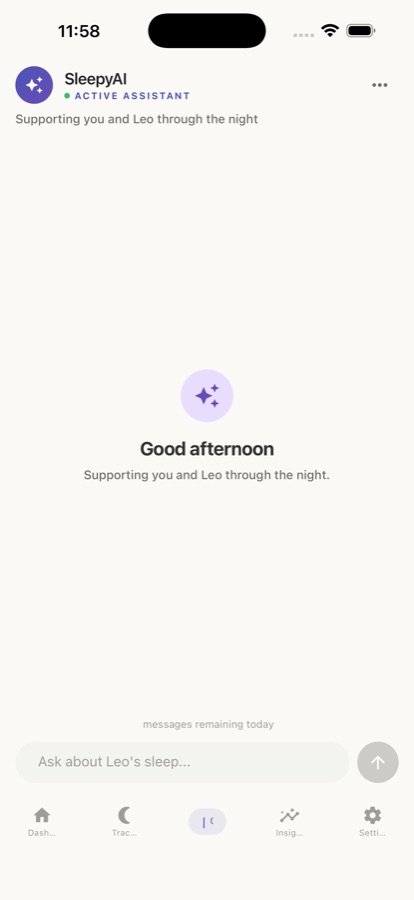
Put the actual question to the AI coach — early wakings, short naps, a nap transition, bedtime resistance — and it answers using your baby's age and logged data. The daily sleep score and weekly charts show whether things are moving.
What’s inside
What is in the app
1
One-tap sleep log
Naps, night sleep and wake times logged in seconds, with sleep quality notes and overnight waking counts, plus daily, weekly and monthly summaries.
0-24
Age-based daily plan
A schedule built from your baby's age in months and recent sleep, with wake windows from newborn through toddler that update as your baby grows.
AI
AI sleep coach
Ask about early wakings, short naps, nap transitions or bedtime resistance. The coach factors in your baby's age and your own logs before answering.
wk
Insights and trends
A daily sleep score combining quality and quantity, weekly trend charts, a consistency score, and early flags when a stretch is heading toward overtired.
Pro
Cry analyzer
A Pro feature that helps you think through cry patterns — hunger, tiredness, discomfort — in the uncertain moments. It is guidance, not a verdict.
10
Ten languages
Tracking, daily plans, insights and the AI coach all read naturally in your family's own language, across ten supported languages.
Inside the app
What it looks like
Fit
Who it’s for — and who it isn’t
A good fit if you
- You have a baby between newborn and 24 months and the days have no shape yet
- You want naps timed from wake windows rather than from a fixed printed chart
- You are in a regression or a nap transition and want to see the pattern, not guess at it
- You want to ask sleep questions and get an answer that references your own logs
- You want something you can start using tonight without creating an account
Not the right tool if you
- You want a baby monitor — SleepyAI does not watch, listen to, or detect anything about your baby on its own
- You want a medical opinion; it does not diagnose or treat, and it is not a substitute for your pediatrician
- You want the app to make your baby sleep — it organises information, it does not settle a baby
- You want unlimited logging, coaching and full history for free; the free tier is capped and Pro is a subscription
Safety and limits
SleepyAI is not medical care, and it is not a monitor
SleepyAI is a tracking and coaching tool. It does not diagnose or treat anything, it is not a medical device, and nothing in the app — the daily plan, the sleep score, the AI coach, the cry analyzer — is medical advice. It cannot detect a problem with your baby, and you should never wait for the app to flag something.
Talk to your pediatrician, doctor, or health visitor about safe sleep practices and about any concern with your baby's sleep, feeding, or breathing. Those conversations belong with a clinician who can examine your baby, not with an app. If something worries you now, contact your doctor or your local emergency service rather than logging it.
Wake windows and schedule ranges in SleepyAI are informed by widely used, publicly available infant sleep resources. They are general guidance about typical patterns, not instructions for your individual baby, and your clinician's advice takes precedence over anything the app suggests.
Privacy
What leaves your device
SleepyAI works from the first screen with no forced account, so you can start tracking without handing over a sign-up. Coach conversations are encrypted in transit. The AI coach needs your baby's age and logged sleep data in order to answer about your baby rather than a generic one.
Full details are in the CoddyKit privacy policy.
Questions
Frequently asked questions
What is the best app for tracking baby sleep?
The one you will still use at 3 a.m. That means logging a nap has to take a single tap, the schedule has to come from your baby's actual sleep rather than a printed chart, and the app has to be honest that it is not medical advice. SleepyAI is built that way: one-tap logging of naps, night sleep and wake times, age-based wake windows for 0-24 months that update as your baby grows, and an AI coach that reads your own logs before answering. It is free on iOS and Android.
What is a wake window and why does it matter more than a clock schedule?
A wake window is how long a baby can comfortably stay awake between sleeps. It matters because babies do not run on fixed clock times — the same baby needs a different rhythm at two months than at ten. Timing the next nap from when the last one ended usually works better than aiming at a fixed hour. SleepyAI tracks the current wake window in real time, calculates age-appropriate ranges from newborn through toddler, and flags overtired risk when a window runs long.
What is the 4-month sleep regression?
It is the period when a baby who had been sleeping fairly predictably suddenly starts waking more often, napping shorter, or fighting bedtime, usually around the fourth month as their sleep pattern matures. It is a change in how sleep is organised, not a sign something is wrong, but it is genuinely exhausting. A log helps because you can see the shift as it starts rather than three weeks later. If you are worried about your baby's sleep, feeding or breathing at any age, speak to your pediatrician.
When do babies drop from 3 naps to 2, or 2 to 1?
There is no single date — it depends on the individual baby, and the transition is usually messy in both directions for a while, because the old schedule has become too much sleep and the new one is not yet enough. Watching your own baby's pattern is more useful than a calendar. SleepyAI's plan recalculates from your baby's age and recent sleep as things shift, and you can ask the AI coach about a 3-to-2 or 2-to-1 transition specifically.
Does SleepyAI monitor my baby or detect breathing?
No, and this matters. SleepyAI is not a baby monitor. It does not watch, listen to, or sense anything about your baby — it only knows what you type into it. It cannot detect breathing, movement, or any medical problem, and it will never alert you to one. If you want monitoring, that is separate hardware, and if you have any concern about your baby's breathing or health, contact your pediatrician or emergency services immediately.
Is SleepyAI free, and what does Pro add?
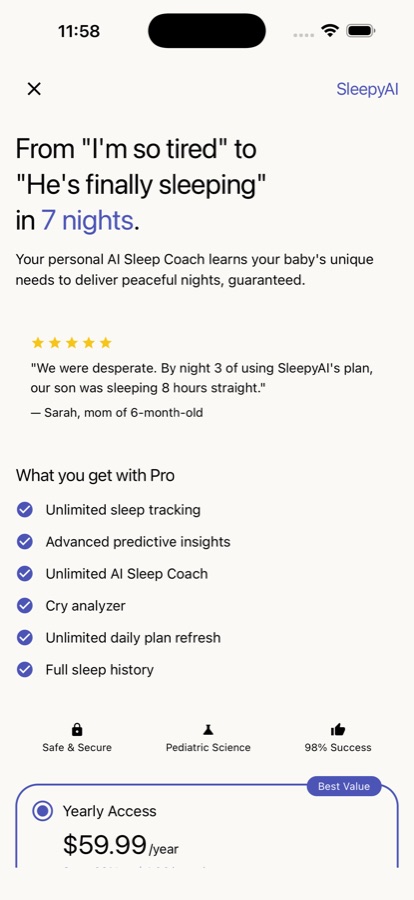
The app is free to download and free to use with daily caps: sleep logs, AI coach messages and a daily plan refresh are limited per day, with a sleep score and recent history included. Pro removes the caps — unlimited sleep tracking, unlimited AI coach conversations, unlimited daily plan refreshes, full predictive insights and trend analysis, the cry analyzer, complete sleep history, and an ad-free experience. Pro is a monthly or yearly subscription with a free trial, cancellable any time from your device's subscription settings.
Do I need to create an account to use it?
No. SleepyAI works from the very first screen, so you can start logging tonight without a forced sign-up. That is deliberate: the moment you most need to record a nap is rarely the moment you want to invent a password. The app is free on the App Store and Google Play, rated 4+, and available in 10 languages so the tracking, plans, insights and coach all read naturally in your family's own language.
How does the AI sleep coach actually differ from searching online?
A search gives you advice written for an average baby. The SleepyAI coach factors in your baby's age in months and the sleep you have actually logged before it answers, so a question about short naps gets a reply about your baby's pattern rather than a generic script. It covers early wakings, nap transitions, bedtime resistance and sleep training questions. It is coaching, not medical advice, and it does not replace your pediatrician.
What is the cry analyzer?
It is a Pro feature that helps you think through your baby's cry patterns — distinguishing hunger from tiredness, discomfort, or another need — in the moments when you are not sure what is being asked of you. Treat it as a second opinion to consider, not a verdict. It does not diagnose anything, and it cannot tell you whether your baby is unwell. Any cry that worries you, or that comes with other symptoms, is a call to your doctor.
Can SleepyAI replace advice from my pediatrician?
No. SleepyAI is a coaching and tracking tool, not a medical device — it does not diagnose or treat, and it is not a replacement for your pediatrician. Its wake windows and schedule ranges are informed by widely used, publicly available infant sleep resources, which is general guidance about typical patterns rather than instructions for your individual baby. Always talk to your baby's doctor or health visitor about safe sleep practices and about any concern with sleep, feeding, or breathing.
Start logging
Give the day a shape
Free on iOS and Android. No account needed to start tonight.
More from CoddyKit
Not a medical device. Does not diagnose or treat any condition.