
AI Chibi Avatar Maker: Chibify
AI Chibi Avatar Maker: Chibify — A photo turned into a chibi character in 14 styles
Chibify is a free AI chibi avatar maker for iPhone and Android. Upload a clear photo, pick one of 14 chibi and anime styles, and the app redraws your face as a big-eyed chibi character while keeping it recognisably you — then cuts the result into a sticker, a profile picture or a wallpaper.


- Price
- Free, with optional in-app purchases
- Platforms
- iOS and Android
- Age rating
- 4+
- Version
- 1.6.0
- Requires
- iOS 15.1 or later
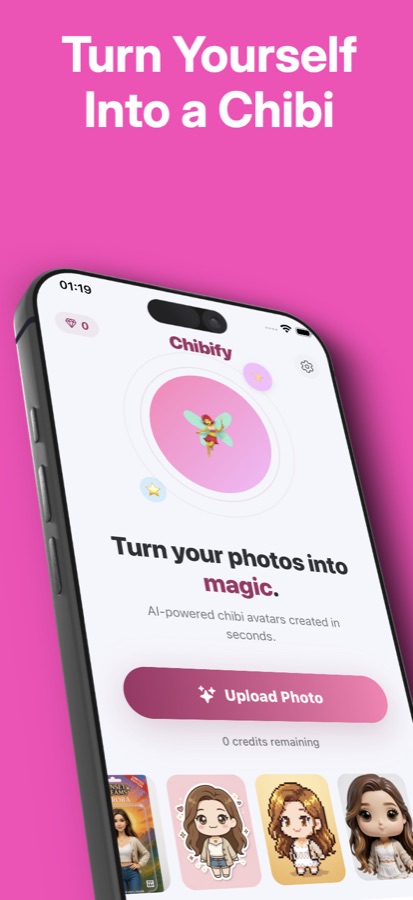
One photo, eight styles, one run.
Most avatar generators make you pick a single look and commit. Chibify's Studio Drop runs one uploaded photo through eight different styles in a single pass, and each version appears on screen as soon as it finishes, so comparing a Classic chibi against a Pixel Art or Comic Book take of the same face takes one upload instead of eight.
What it is
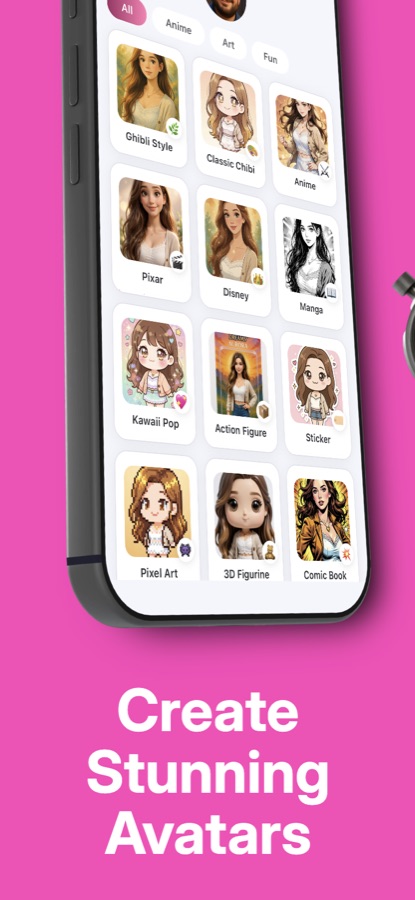
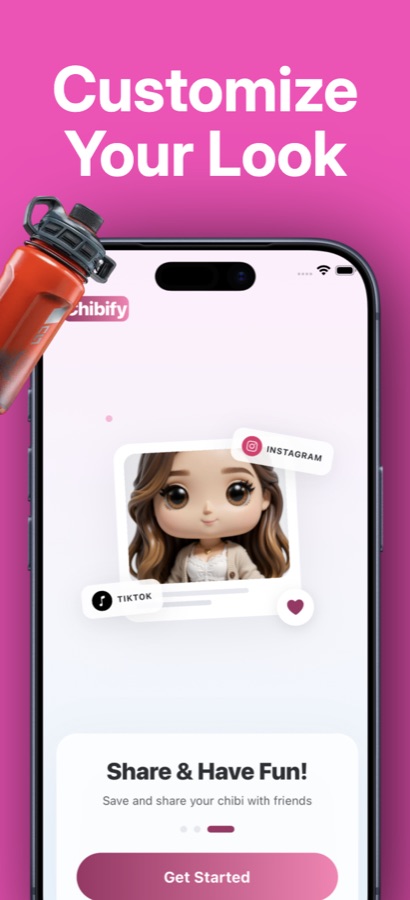
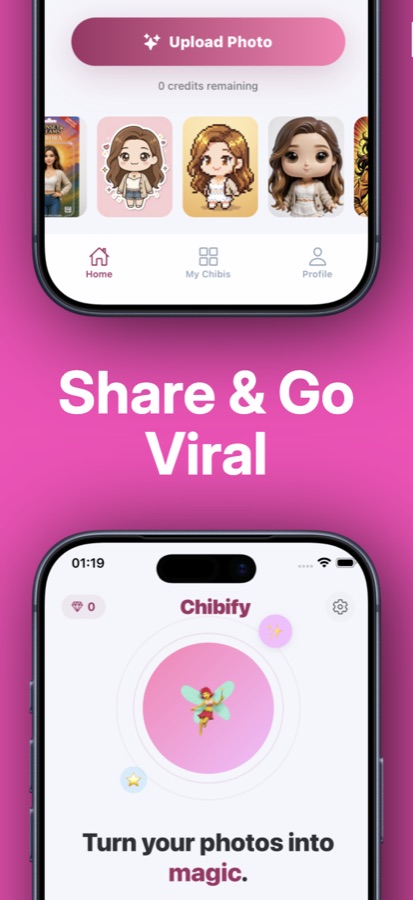
AI Chibi Avatar Maker: Chibify is a free iOS and Android app that turns an uploaded photo into a chibi-style character using AI image generation. A user takes a selfie or picks a photo from their gallery, chooses from 14 styles such as Classic chibi, Anime, black-and-white Manga, Kawaii Pop, Pixel Art, 3D Figurine, Watercolor, Action Figure and Caricature, and the app generates a big-eyed, small-bodied version of that face while keeping it recognisable. Results can be remixed into a new hair, outfit, mood or background, combined with a second photo for a couple, family, friend or pet scene, or cut into a sticker, round profile picture, square post or phone wallpaper.
Inside the app
What it looks like
Background
What makes a chibi avatar different from a cartoon filter?
"Chibi" is a Japanese art convention that shrinks a character's body and exaggerates the head and eyes — the opposite proportions of a realistic portrait. An AI chibi generator like Chibify does not overlay a cartoon mask on a photo; it re-draws the face in that proportion from scratch, using the uploaded photo as a reference so the hair, skin tone and general look stay recognisable. That is also why the app asks for a clear, front-facing photo: a blurry or angled source gives the model less to match against, and the result drifts further from the original face.
Classic chibi proportionsbig head, tiny body
The Classic style in Chibify follows the traditional chibi ratio: an oversized head with large anime-style eyes sitting on a small, simplified body. Other styles in the app, such as 3D Figurine or Action Figure, keep the chibi head but render the material and lighting differently.
Style versus remixtwo different actions
Picking a style generates a fresh chibi from the source photo. Remixing takes an avatar that already exists and changes up to three things at once — hair colour or length, outfit, mood or background — without starting the whole generation over from the original photo.
Multi-subject scenestwo photos in, one scene out
Chibi Us takes two separate photos and places both people (or a person and a pet) into one chibi scene, as a couple, family, friends or a pet portrait, rather than generating each face separately and combining the images afterward.
Credits instead of a subscriptionper the Google Play listing
Chibify's Play Store listing describes a one-time credit system rather than a recurring plan: credit packs are bought once, do not expire, and a specific action — a standard image, a remix, a Chibi Us scene, an animated loop or a Studio Drop — costs a fixed number of credits shown in the app before you buy.
How it works
How a chibi avatar is made
The flow is the same for every style: one photo in, a generated chibi out, then an optional remix or kit cut.
Upload a clear photo
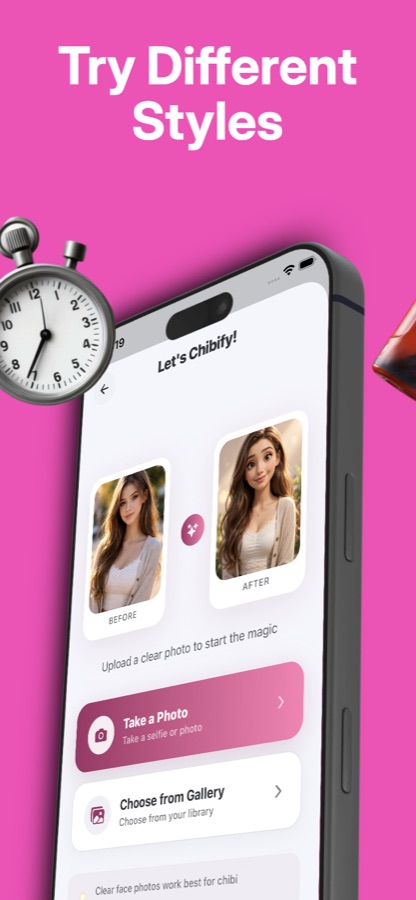
Take a selfie or choose an existing photo from the gallery. A clear, front-facing face photo gives the AI the most to work with and keeps the generated chibi recognisable as the same person.
Pick a style and generate
Choose from 14 styles — Classic, Anime, black-and-white Manga, Kawaii Pop, Pixel Art, 3D Figurine, Watercolor, Sticker, Action Figure, Comic Book, Caricature and more — and generate. Studio Drop runs the same photo through eight styles at once instead of one.
Remix, cut or share the result
Change the hair, outfit, mood or background on a finished avatar without starting over, cut it into a sticker, round profile picture, square post or wallpaper, or turn it into a short animated loop before saving or sharing it.
What's inside
What is actually in Chibify
14
Chibi styles
Classic, Anime, black-and-white Manga, Kawaii Pop, Pixel Art, 3D Figurine, Watercolor, Sticker, Action Figure, Comic Book, Caricature and more, each built to keep the source face and hair recognisable.
4
Chibi Us scenes
Add two photos and get Couple, Family, Friends or Me & my pet — both subjects placed into the same chibi scene instead of two separate avatars.
8
Studio Drop
Upload one photo and get eight different styles from a single run. Each version appears as soon as it finishes, and any image that fails is refunded automatically.
3
Remix changes
Adjust an existing avatar's hair, outfit, mood or background — up to three changes at once — plus seasonal props like glasses, a crown or a Halloween look, without regenerating from scratch.
Kit
Sticker and avatar kit
Every creation can be cut into a background-removed sticker, a round profile picture, a 1024×1024 square post or a phone-sized wallpaper, with a before-and-after share card.
Wall
Chibi Wall
Publish a favourite creation to a public feed of other users' chibis. Your name is never shown, you can take a post down at any time, and any post or author can be reported or blocked.
Fit
Who it's for — and who it isn't
A good fit if you
- Want a cute chibi or anime version of a selfie for a profile picture, sticker or chat avatar
- Want to compare several styles on the same face instead of committing to one look
- Want a couple, family, friends or pet portrait made in a single shared chibi scene
- Want to turn a finished avatar into a sticker, wallpaper or square post without a separate editor
- Prefer buying a credit pack once over signing up for a recurring plan
Not the right tool if you
- Want unlimited free generations — each image, remix or scene spends a purchased credit
- Need the photo processed on-device — photos are sent to a third-party AI image service to generate the avatar
- Want a realistic photo retouch rather than a stylised chibi or anime transformation
- Want their results to stay off the internet entirely — finished avatars are stored online so they appear in My Chibis, even if never published to the Wall
Privacy
What happens to the photo I upload?
Chibify sends the photo a user chooses to a third-party AI image service to generate the chibi result, and the app asks for consent before that first upload. Finished avatars are stored online so they appear in My Chibis later, but nothing is posted to the public Chibi Wall unless the user publishes it themselves, and no account sign-up is required to start generating.
Full details are in the CoddyKit privacy policy.
Questions
Frequently asked questions
What is Chibify (AI Chibi Avatar Maker)?
Chibify is a free iOS and Android app that turns a photo into a chibi-style avatar using AI image generation. A user uploads a selfie or gallery photo, picks one of 14 styles, and the app produces a big-eyed, small-bodied character that keeps the original face recognisable. Results can be remixed, combined with a second photo for a couple or pet scene, or cut into a sticker, profile picture or wallpaper.
What chibi styles does Chibify offer?
Chibify lists 14 styles including Classic chibi (big head, tiny body, anime eyes), Anime, black-and-white Manga, Kawaii Pop, Pixel Art, 3D Figurine, Watercolor, Sticker, Action Figure in a toy box, Comic Book and Caricature. Each style is designed to keep a user's face and hair recognisable rather than replacing the likeness entirely, so the same photo produces a visibly different result in each style while still looking like the same person.
What is Studio Drop in Chibify?
Studio Drop uploads a single photo once and generates eight different styles from that one photo in a single run, instead of a user picking and waiting for each style separately. Each version appears on screen as soon as it is finished rather than all at once at the end, and if any one of the eight images fails to generate, Chibify automatically refunds the credit it would have cost.
What is Chibi Us, and can I make a couple or pet avatar in Chibify?
Chibi Us is Chibify's two-photo mode: add a photo of each subject and choose Couple, Family, Friends or Me & my pet, and both appear together in one chibi scene. It is built for a couple portrait, a best-friends picture, or a drawn version of a user with their dog or cat, rather than generating two separate avatars that have to be placed together afterward.
Can I remix an existing Chibify avatar instead of starting over?
Yes. Remix takes an avatar a user already generated and changes up to three things at once — hair colour or length, outfit, mood, background, or a seasonal prop such as glasses, a crown or a Halloween theme — without regenerating the whole character from the original photo. It is the way Chibify suggests trying a different look on a result a user already likes.
How does Chibify's credit system work?
Per Chibify's Google Play listing, the app is free to download and creating images uses credits rather than a subscription: a standard HD image or a remix costs one credit, a Chibi Us scene costs two, an animated loop costs three, and a Studio Drop costs eight. Credit packs are bought once, the listing states they do not expire, and inviting a friend or keeping a daily creation streak adds free credits on top of a purchased pack.
What is Style of the Day in Chibify?
Style of the Day highlights one featured style each day inside Chibify. Creating an avatar on 3, 7 or 30 days in a row earns free bonus credits, and a user can turn on an optional daily reminder if they want a nudge to keep the streak going rather than tracking it themselves.
Can I turn a Chibify avatar into a sticker, profile picture or wallpaper?
Yes. Every creation in Chibify can be cut for a specific use: a sticker with the background removed for chats, a round avatar sized for a profile picture, a 1024×1024 square for a social post, or a phone-sized wallpaper. A before-and-after share card is also generated automatically, showing the original photo next to the finished avatar.
What is the Chibi Wall, and is it anonymous?
The Chibi Wall is a public feed inside Chibify where users can choose to publish a favourite creation for others to see. Posting is optional — nothing a user makes appears there unless they publish it — and the app does not show the poster's name on a Wall post. A user can take their own post down at any time, and any post or its author can be reported or blocked.
Are my photos private when I use Chibify?
A photo a user uploads is sent to a third-party AI image service to generate the chibi result, and Chibify asks for consent before that first upload. Finished avatars are stored online so they appear later in My Chibis, but nothing goes on the public Chibi Wall unless the user publishes it themselves, and no account sign-up is required to start.
Get started
Turn a photo into a chibi in a few taps
Free to download on iOS and Android, with 14 styles and a one-time credit pack instead of a subscription.
More from CoddyKit
Available on iOS and Android.