
AI Chat for Kids: SafeChat
AI Chat for Kids: SafeChat — A chat for your child, with the controls kept for you
SafeChat AI is a free AI chat app built for children ages 6-13, answering homework questions, fun facts and stories in replies written for the child's own age band. Every setting that matters — which topics it can cover, how long your child can use it, and what you get to see afterward — sits behind a 4-digit parent PIN, not a child-facing menu.


- Price
- Free, Pro upgrade
- Platforms
- iOS and Android
- Age rating
- 4+
- Version
- 2.2.0
- Requires
- iOS 16.4 or later
A kids' chat app is defined by what it refuses to do.
An AI that answers a child's question well is the easy part. The harder part is the parts a parent never sees working: a reply written for a six-year-old instead of a twelve-year-old, a topic quietly off the table because a parent switched it off, and a settings screen a child cannot reach even if they find it.
What it is
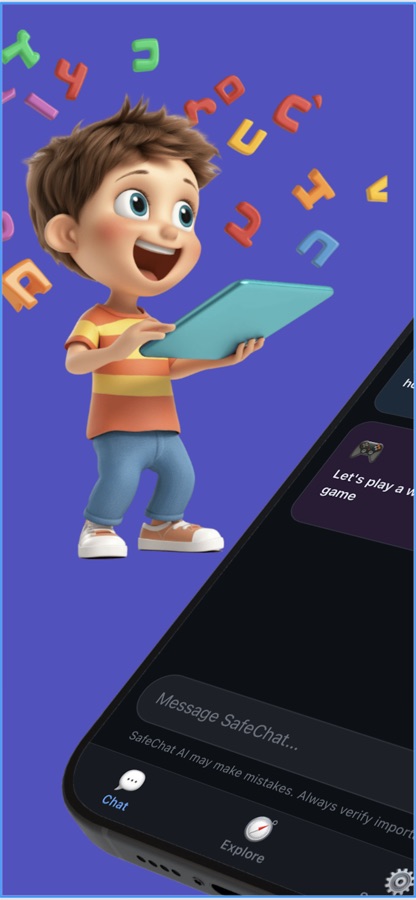
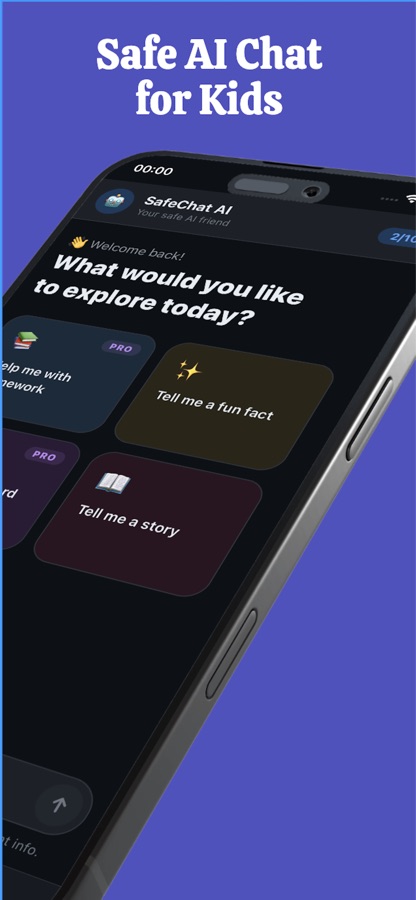
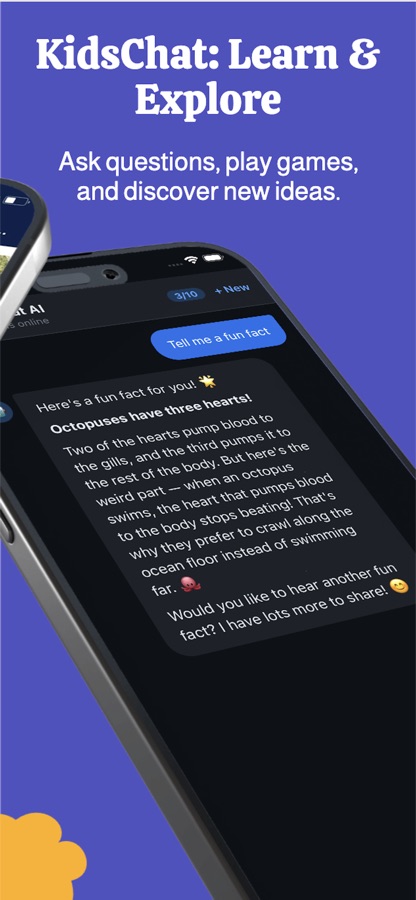
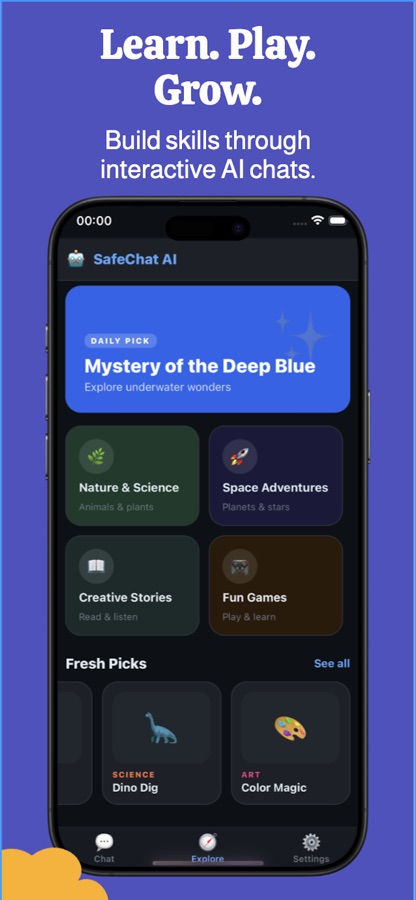
AI Chat for Kids: SafeChat (Android listing: AI Friend for Kids: SafeChat) is a free iOS and Android AI chat app for children ages 6-13. A child picks a character and asks questions, hears fun facts, or asks for a story, and the app's replies are shaped by one of four age bands — 6-7, 8-9, 10-11 and 12-13 — each with its own reply style and moderation threshold. A parent sets up a 4-digit PIN to reach a separate area that controls which of seven topic categories the chat can cover, a daily time limit, and chat history, and the free plan includes 10 AI messages a day before a Pro upgrade is needed.
Inside the app
What it looks like
Background
What should a parent check before installing an AI chat app for a child?
An AI chat app for kids is really two products folded into one screen: the chat a child uses, and the controls a parent never sees unless they go looking. The chat side is easy to judge by trying it. The control side is the part worth checking first, because it is what decides whether the app can be left alone with a child or needs watching every time.
Age-banded repliesnot one setting for every child
SafeChat AI sorts children into four age bands — 6-7, 8-9, 10-11 and 12-13 — set once by a parent and changeable only through the PIN-gated parent area afterward. Each band gets its own reply length and tone and its own moderation threshold on the backend, so a six-year-old and a twelve-year-old asking the same question do not get the same answer.
A parent-only settings layerPIN-gated, not a toggle a child can find
A 4-digit PIN, set by the parent on first use, guards the area that changes the age band, the allowed topics, the daily time limit and the stored chat history. Repeated wrong attempts lock the PIN screen out for a cooldown period rather than allowing unlimited guesses.
Topic permissionsseven categories, parent-chosen
Parents can allow or block each of seven subject areas — education, games, stories, science, history, art and social media — and a blocked topic is filtered out of what the child's chat and question suggestions can surface, rather than left to the AI's judgment alone.
A visible activity trailfor the parent, not the child
Because chat history, a learning summary of topics explored, and an optional parent email digest all sit behind the same PIN, a parent gets a record of what their child actually asked and talked about — the thing most chat apps for adults deliberately do not offer.
How it works
How the app is used
The setup is a parent's job, done once; after that a child opens the app, picks a character, and starts asking. Nothing a child can reach changes the controls underneath.
A parent sets the boundaries
During onboarding a parent sets the child's age band, which decides the reply style and moderation threshold used for every answer. A 4-digit PIN is created at the same time, and the parent area behind it lets you allow or block each of seven topic categories, set a daily time limit, and change the age band later if your child grows into the next one.
The child chats
A child picks a character — a question-answering companion like Sparky, or a specialist like Quizzy for quizzes or Luna for stories — and asks questions, requests a story, or taps a starter question from an age-matched library covering science, nature, space, art and more. A visible counter shows how many of the day's free messages remain.
The parent checks back in
Chat history, a learning summary of the topics a child explored, and badges for activity are all available from the PIN-gated parent area, and an email digest can land in a parent's inbox without needing to open the app at all.
What's inside
What the app controls
4
Four age bands
6-7, 8-9, 10-11 and 12-13 each get their own reply length, tone and moderation threshold, set by a parent and changeable only through the PIN-gated area afterward — not a setting a child can flip.
PIN
Parent-only settings
A 4-digit PIN set on first use protects the age band, topic permissions, time limit and chat history. Wrong attempts are rate-limited rather than allowed indefinitely.
7
Topic permissions
Education, games, stories, science, history, art and social media can each be allowed or blocked, so the chat only ever covers what a parent has switched on.
10
Free daily messages
The free plan includes 10 AI messages a day with a visible running counter. Pro removes the daily cap for the whole family profile.
6
Chat companions
Six standing characters — including homework-and-facts companion Sparky, story-focused Luna and quiz-focused Quizzy — plus one seasonal character that rotates through the year, each with its own personality and greeting.
📬
Chat history and reports
A PIN-gated chat history, a learning summary of topics explored with activity badges, and a parent email digest give a parent a record of what their child has actually asked, separate from the child's own view of the app.
Fit
Who it's for — and who it isn't
A good fit if you
- Have a child between 6 and 13 and want a chat app with a parent-only settings layer, not a child-facing privacy toggle
- Want to choose which topics — games, stories, science, history, art, social media, education — the chat can cover
- Want a record of what your child asked, through chat history, a learning summary or an email digest
- Are fine starting on a free 10-messages-a-day plan and deciding later whether Pro's unlimited messages and extra characters are worth it
Not the right tool if you
- Want an app with no AI-generated content at all; this app's core feature is an AI conversation, and no moderation system catches everything
- Want your child's conversations to stay private from you; the parent area is built to show you chat history, not hide it
- Expect every character and unlimited daily messages for free — most of the character roster and the uncapped message count are part of Pro
- Have a child younger than 6; the youngest age band SafeChat AI supports is 6-7
Privacy
What the parent area controls
SafeChat AI's own listing describes safety-focused systems meant to reduce inappropriate responses and discourage a child from sharing sensitive personal information during a chat. The settings that matter to a parent — the child's age band, which of the seven topic categories are allowed, the daily time limit, and access to stored chat history — all sit behind the 4-digit parent PIN rather than being reachable from the child's side of the app.
Full details are in the CoddyKit privacy policy.
Questions
Frequently asked questions
What's a good AI chat app for kids?
Look for three things: replies that change with a child's age rather than one generic tone, a parent-only area that actually controls topics and time rather than just displaying them, and some record a parent can check afterward. AI Chat for Kids: SafeChat does this with four age bands tied to reply style and moderation threshold, a PIN-gated area covering seven topic categories and a daily time limit, and chat history plus a learning summary a parent can review. It is free on iOS and Android, with 10 AI messages a day on the free plan.
Is SafeChat AI safe for my child to chat with?
SafeChat AI uses safety-focused systems intended to reduce inappropriate responses and discourage a child from sharing sensitive personal information, and replies are shaped by one of four age bands rather than a single adult-style tone. No AI moderation system is perfect, which is why the app also gives a parent a PIN-gated view of chat history and a learning summary rather than asking a parent to trust the filter alone.
How does SafeChat AI change its answers for a younger or older child?
A parent sets the child's age band — 6-7, 8-9, 10-11 or 12-13 — during setup, and it can only be changed afterward through the PIN-gated parent area, not from the child's side of the app. Each band carries its own reply length, tone and moderation threshold on the backend, so the same question gets a shorter, simpler answer for a younger child and a more detailed one for an older child.
Can I control which topics my child can talk about?
Yes. The parent area lets you allow or block each of seven topic categories — education, games, stories, science, history, art and social media — and a blocked category is filtered out of what the chat and its suggested starter questions can bring up. This setting is changed behind the 4-digit parent PIN, not from the main chat screen.
What can I see as a parent that my child can't change?
The PIN-gated parent area holds the age band, topic permissions, a daily time limit, and your child's chat history, plus a learning summary of the topics they have explored with activity badges. An optional email digest can also summarize activity without you needing to open the app. None of this is reachable from the child's side of SafeChat AI.
Who are the characters in SafeChat AI?
A child picks from six standing AI characters with their own personalities — among them a general question-answering companion, a stories-focused character and a quiz-focused character — plus one seasonal character that rotates through the year. Some characters are part of the free plan and others unlock with Pro, and switching characters does not change the age-band controls a parent has already set.
Is SafeChat AI free?
Yes. The app is free to download on the App Store and Google Play, and the free plan includes 10 AI messages a day with a visible counter, plus the starter characters, topic controls and parent area. A Pro subscription removes the daily message cap and adds more characters, broader topic access and fuller chat history.
What does the SafeChat AI Pro subscription add?
Pro removes the free plan's 10-messages-a-day limit so a child's profile has no daily message cap, and it unlocks additional AI characters beyond the free starting roster along with broader topic access and more detailed parent-side insights. The core age-banded chat, topic permission controls and PIN-gated parent area work the same on the free plan.
Can I set a daily time limit for my child's chatting?
Yes. The PIN-gated parent area includes a daily time limit setting alongside the topic permissions and age band, so the amount of time your child can spend in the app each day is controlled by the parent rather than left open-ended. This sits next to, not instead of, the free plan's separate 10-messages-a-day limit.
Get started
Set the controls once. Let your child explore inside them.
Free on iOS and Android, with every setting that matters kept behind a parent PIN.
More from CoddyKit
Available on iOS and Android.