
Learn SQL - Database & Queries
Learn SQL - Database & Queries — An SQL course where every query runs on your phone
Learn SQL - Database & Queries is a free iOS and Android SQL course built around a real database on the phone: you type a statement, press run and read the rows that come back. 46 courses and 183 lessons go from your first SELECT to window functions, indexes and PostgreSQL, with an SQL editor, ten practice modes called the Arena and an AI mentor for the join that returns too many rows.


- Price
- Free, Pro upgrade
- Platforms
- iOS and Android
- Languages
- 22
- Age rating
- 4+
- Requires
- iOS 15.1 or later
- App Store
- 5.0 ★ (1)
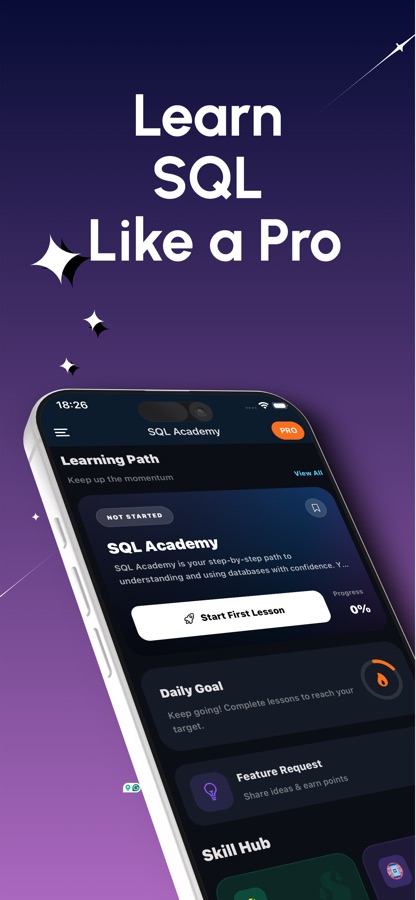
The database lives on the phone, not behind a server.
SQLite runs your statements on the device, and the lessons that need PostgreSQL syntax run in PostgreSQL on the device too. Nothing waits on a network round trip, and the tables you build are still there the next time you open the app.
What it is
Learn SQL - Database & Queries is a free iOS and Android app that teaches SQL by letting you run queries against a real database on your phone. It is organised as an SQL course of 46 courses and 183 lessons, from SELECT, WHERE and ORDER BY through joins, subqueries and window functions to indexes, transactions and PostgreSQL administration, and it adds an SQL editor with ready-made practice tables, a daily query, guided database projects, practice games and an AI mentor.
Inside the app
What it looks like
The course
What the SQL course covers
46 courses and 183 lessons, taken from the app's own course list: from the first SELECT to indexing, replication and sharding.
Tables, SELECT and Sorting
Introduction to SQL & Databases, SQL Foundations: Tables, Rows, Columns, SELECT Mastery, and Sorting Results with ORDER BY, LIMIT & Top-N.
Filtering, Aggregation and Joins
Filtering Patterns, Aggregations and GROUP BY, and Multi-Table Queries: JOIN Basics, the three ideas behind most everyday reporting queries.
Everyday Data Handling
Working with Dates and Times, String Functions and Text Search, Working with NULLs, Conditional Logic with CASE, Numbers and Math, and DISTINCT.
Changing Data and Designing Tables
Practical INSERT / UPDATE / DELETE, Constraints and Data Integrity, and a First Database Design Project.
Subqueries, CTEs and Window Functions
Subqueries and CTEs, Window Functions Deep Dive, Set Operations and Pivot Patterns, Advanced JOIN Patterns, and EXISTS, ANY, ALL & Correlated Subqueries.
PostgreSQL Features
PostgreSQL JSON and JSONB, Views and Materialized Views, Working with Arrays, Recursive Queries with WITH RECURSIVE, and GROUPING SETS, ROLLUP & CUBE.
Performance and Transactions
Query Performance: EXPLAIN and Planning, Index Strategies, Transactions and Concurrency Control, Advanced Indexing and Search, and VACUUM, ANALYZE and Stats.
Operating a Database at Scale
Triggers and Stored Procedures, Row-Level Security, Backup and Restore, Schema Migrations, Partitioning, Replication, Data Warehousing & Star Schemas and Sharding.
How it works
How a practice session goes
A session starts with something to answer, not something to read, so the idea and the typing happen together.
Start from today's query or your lesson
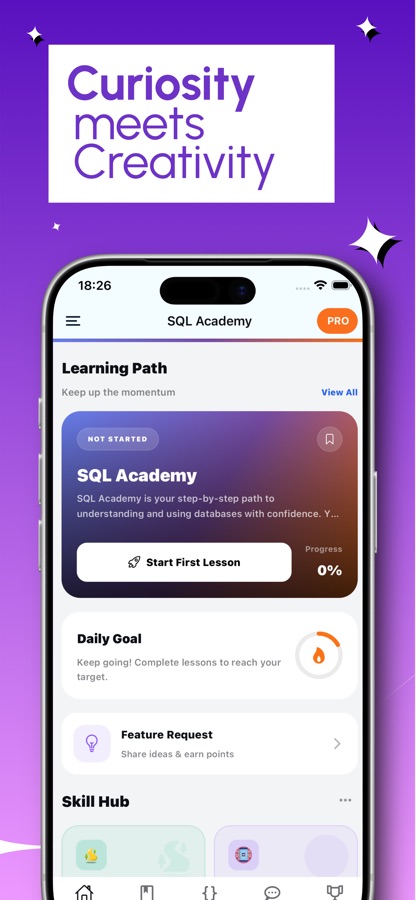
Open the Daily Query, one statement to write each day that is checked against the data on your phone, or pick up the lesson where you stopped.
Run the example, then change it
Short explanations come with examples that have a Run button. Open the editor, edit the statement, run it and read the result table, or look at the plan with EXPLAIN.
Use the Arena when you want a different kind of practice
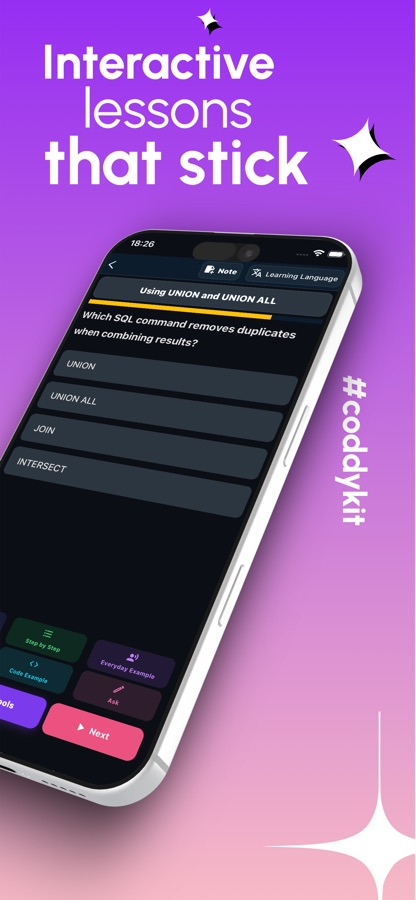
Detective cases, duels, fix-it rounds and a 60-second Rush game turn the same skills into short challenges, and the AI mentor explains a wrong answer when one does not make sense.
What's inside
What comes with the app
46
Courses and 183 lessons
A path from beginner (A1) to advanced database topics (C2): selecting and filtering, aggregation, joins, subqueries, CTEs, window functions, indexes, transactions and PostgreSQL-specific courses. Most lessons teach standard SQL.
On-device
Real database on your phone
SQLite runs your code on the device, and PostgreSQL lessons run PostgreSQL on the device as well. There is no server round trip, and your tables stay between sessions.
Editor
SQL editor and sandbox
Write any statement, browse the schema, reopen earlier statements from the history and read the plan with EXPLAIN. Practice tables such as users, orders, products, employees and sales are ready to use.
Arena
Ten practice modes
Data Detective cases, dataset packs, Duel, Golf (return the same rows with a cheaper plan), Fix It, Drills, Schema Designer, an Interview Simulator and the 60-second Rush game.
20
Guided database projects
Projects are checked by the result your query returns, not by the text you typed, so a different correct answer still passes. There are also 30 missions at easy, medium and hard levels.
AI
AI mentor
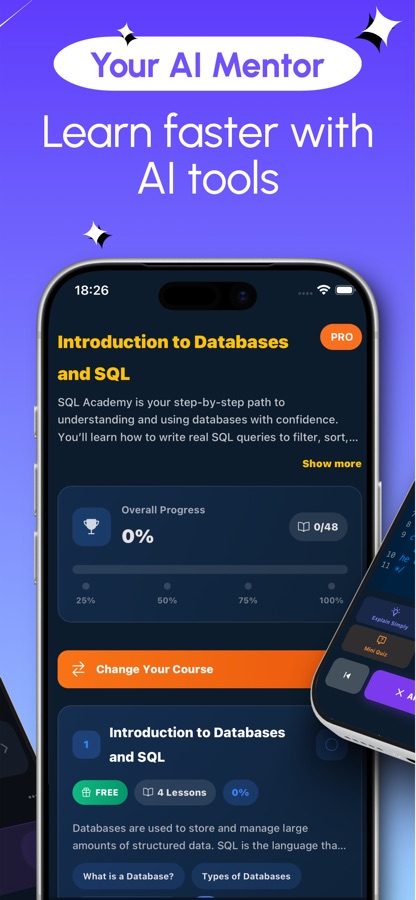
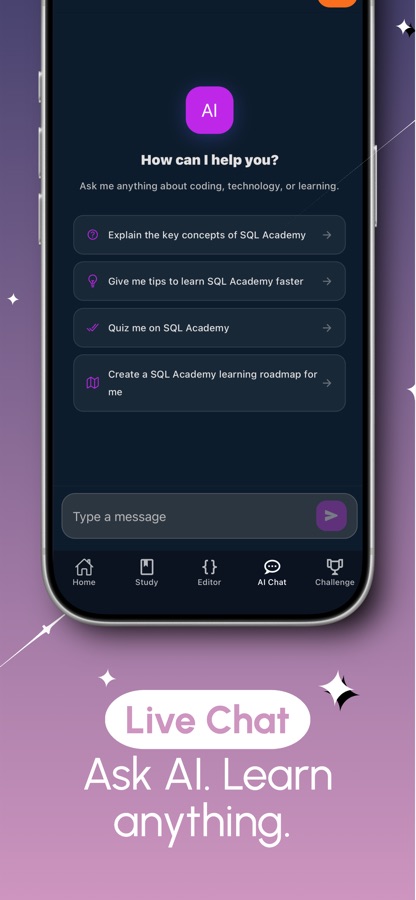
Ask why a join returns too many rows or what a subquery is doing. The mentor explains what went wrong and how to fix it, and free users get a daily allowance of questions.
Background
What is SQL, and how do you practise it without setting up a database server?
SQL (Structured Query Language) is the standard language for asking questions of data stored in tables and for changing that data. Almost every analyst role, backend job and reporting tool touches it, which is why it is one of the more reliable skills to learn early. The usual obstacle for beginners is not the language but the setup: installing a server, loading sample tables and finding a place to type. Running a small database directly on the phone removes that step, so the first query can happen in the first minute and practice fits into any spare ten minutes.
Declarative, not step by stepthe mindset shift
In SQL you describe the result you want, such as the five most recent orders per customer, and the database decides how to get it. Learners coming from other languages often expect to write loops, and the fastest progress comes from learning to say what rows you want instead.
Joinswhere most beginners get stuck
Data is split across tables on purpose, and a join stitches it back together on a shared key. A join with the wrong condition quietly returns far too many rows, which is why seeing the result table next to the statement matters as much as reading about the syntax.
NULLnot zero, not empty
NULL means a value is unknown, and comparing anything with NULL gives neither true nor false. That single rule explains a long list of surprising results in filters and counts, and it deserves its own lesson rather than a footnote.
Dialects: SQLite and PostgreSQLsame core, different extras
The core of SELECT, JOIN and GROUP BY is shared across database systems, while features such as JSONB, arrays and some window and date functions differ. Learning the standard core first and meeting one dialect's extras later keeps the knowledge portable.
Fit
Who it's for — and who it isn't
A good fit if you
- Are starting SQL from zero and want to see query results from the first lesson
- Work with spreadsheets or reports and want to pull your own data instead of waiting for someone else
- Are a developer who wants to add joins, indexes and PostgreSQL to what you already know
- Are preparing for SQL interview questions and want timed practice with a report at the end
- Learn in short gaps in the day and want practice that fits a phone
Not the right tool if you
- Need to connect to your own company database from the app, since the practice database lives on the phone
- Expect every course and mode free: the first course and part of each Arena mode are free, and Pro unlocks the rest
- Want a MySQL- or SQL Server-specific course, because the lessons use standard SQL with SQLite and PostgreSQL features
- Already administer production databases and want a reference manual rather than lessons
Questions
Frequently asked questions
What is the best way to practise SQL on a phone?
Practice works best when the query actually runs, so look for a tool with a real database behind the editor. Learn SQL - Database & Queries runs SQLite on the device, runs PostgreSQL lessons on the device as well, and gives you ready-made practice tables, a daily query and ten Arena modes. You type, press run and read the result table rather than reading about it.
Do I need to install a database or a server to follow the lessons?
No. Learn SQL - Database & Queries includes the database engine inside the app, so there is nothing to install, configure or connect to. Your tables stay between sessions, and the editor lets you browse the schema and reopen earlier statements from the history.
Is this an SQL course for complete beginners?
Yes. The path starts with what a database and a table are, then moves through SELECT, filtering and sorting before joins and aggregation. Courses are graded from A1 to C2, so the same app keeps going into window functions, indexes and database administration once the basics feel comfortable.
Does the app teach MySQL, PostgreSQL or SQLite?
Most lessons teach standard SQL, which carries over to MySQL and other systems with small differences. The practice database is SQLite, and the advanced courses use PostgreSQL features such as JSONB, arrays, materialized views and row-level security. If you need syntax that exists only in another system, check its documentation for that detail.
What is the Arena?
The Arena is a set of practice modes inside Learn SQL - Database & Queries: Data Detective cases, dataset packs (films, football matches, albums, weather), Duel, Golf, Fix It, Drills, a Schema Designer, an Interview Simulator and the 60-second Rush game. Fix It, for example, shows a statement that runs but returns the wrong rows and compares your result row by row.
Can I use it to prepare for an SQL interview?
Yes. Learn SQL - Database & Queries has interview questions and an Interview Simulator that asks five timed questions plus a follow-up and then produces a report. The Golf and Fix It modes also train the two things interviewers like to probe: writing the same result more efficiently and spotting why a query returns the wrong rows.
Can I practise on my own data?
You can import a CSV or JSON file in the Arena and explore it with queries. Exporting results to CSV is part of Pro. The data stays in the database on your phone, so the app never needs a connection to your own systems.
How long does it take to learn SQL?
The core of SELECT, WHERE, GROUP BY and basic joins can be learned in a few weeks of short daily practice, and that is already enough for most reporting questions. Subqueries, window functions and indexing take longer because they depend on that core. Learn SQL - Database & Queries sequences the lessons in that order, with streaks and a daily query to keep the habit going.
Is Learn SQL - Database & Queries free?
It is free to download on the App Store and Google Play. The free version includes the first course, a preview of every other lesson, the editor and sandbox, the Daily Query, one guided project, two missions, part of each Arena mode and a daily AI mentor allowance, and it shows ads. Pro unlocks every course, project and mission, the full Arena, the certificate exam and unlimited AI mentor, and removes ads.
Which platforms and languages does it support?
Learn SQL - Database & Queries runs on iOS through the App Store and on Android through Google Play, and the app is available in 22 languages. It carries a 4+ age rating. It is an independent app and is not affiliated with the PostgreSQL Global Development Group or the SQLite project.
Get started
Run your first SQL query today
Free to start on iOS and Android, in 22 languages.
More from CoddyKit
Available on iOS and Android.