
Education · Free · iOS & Android
By CoddyKit
Learn CSS: Layout & Design — an app to learn CSS on your phone
Learn CSS: Layout & Design is a free iOS and Android app for people who have never written a stylesheet. It breaks CSS into 100+ bite-sized lessons of five to ten minutes, with a real code editor on your phone and an AI Mentor that answers questions in seconds.
- Price
- Free, Pro optional
- Platforms
- iOS and Android
- Languages
- 22
- Age rating
- 4+
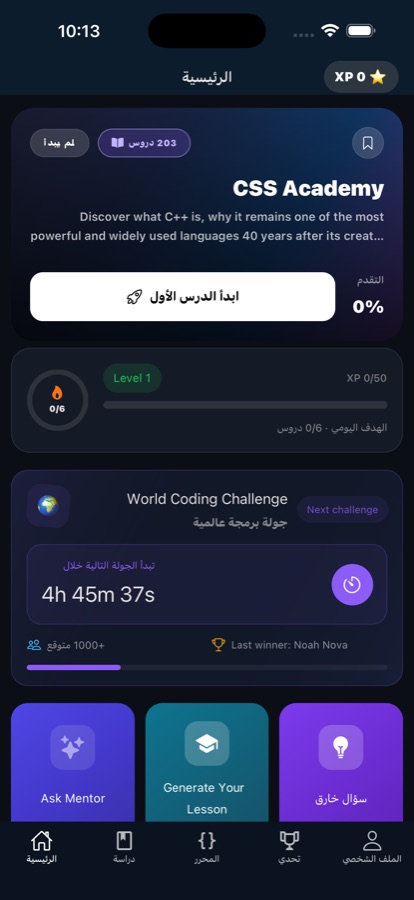
Built for real life, not lecture halls.
A five-to-ten-minute lesson is a size that survives a normal week. It fits a bus ride or the wait for a coffee, which is the only reason most beginners ever reach lesson forty.
What it is
Learn CSS: Layout & Design is a free education app for iOS and Android that teaches CSS from scratch, with no prior experience assumed. It splits the subject into more than 100 lessons of five to ten minutes, each pairing short plain-language theory with hands-on practice, and includes a real code editor that runs CSS on the phone itself. Quizzes and coding challenges follow every topic, and an AI Mentor answers questions as they come up.
Background
What is CSS, and what do you actually have to learn?
CSS is the language that decides how a web page looks. HTML says what the content is — a heading, a list, an image — and CSS says how it should be presented: colour, spacing, type, and where each piece sits on the screen. Most of learning CSS is learning how to select the right elements and how the layout systems decide where things end up.
Selectorhow you target things
The part of a rule that says which elements it applies to — every paragraph, one specific button, only links inside a nav. Getting selectors right is most of writing CSS that behaves predictably.
The box modelwhy spacing surprises you
Every element is a box with content, padding, a border, and a margin around it. Almost every early confusion about why something is too wide or will not line up traces back to this.
Flexboxone-dimensional layout
A layout system for arranging items along a single line — a row of buttons, a navigation bar — and distributing the leftover space between them. It replaced years of float and clearfix workarounds.
Gridtwo-dimensional layout
A layout system that defines rows and columns at once, so you place items into a real grid rather than nudging them. It is what page-level layouts are normally built with today.
How it works
How a session works
The app is shaped around short sittings rather than long study blocks: one lesson, one piece of practice, one check that it stuck.
Take one lesson
Open a topic and take a single lesson at a time. Each runs five to ten minutes and mixes short plain-language theory with something to do, so a session fits a bus ride, a coffee queue, or the gap before a class starts.
Write the CSS on the phone
The built-in editor lets you write and run CSS without a laptop. Practice follows the theory inside the same lesson, so the rule you just read gets typed out and run while the explanation is still fresh.
Check it stuck, and ask when it did not
Quizzes and coding challenges close every topic. When something does not make sense — a concept or an error — the AI Mentor answers in seconds, and streaks, progress tracking and reminders keep the next session from slipping.
What’s inside
What comes with the app
100+
Bite-sized lessons
More than a hundred lessons covering CSS fundamentals step by step, the building blocks used in real work, common mistakes, and advanced topics for afterwards.
5–10
Minutes per lesson
Every lesson is sized for a real day rather than a study session, which is what makes daily progress on a phone possible at all.
AI
AI Mentor
Stuck on a concept or an error? Ask anything and get a clear answer in seconds, instead of losing an evening to a search engine.
</>
Real code editor
Write and run CSS directly on your phone. The practice after each topic happens in the editor, not as a multiple-choice guess about code.
1/wk
Weekly Code Challenge
A challenge each week, competing with learners around the world — a reason to come back that is not just a streak counter.
Cert
Certificate of completion
Pass the final exam and get a certificate of completion, alongside the quizzes and coding challenges that follow every topic.
Inside the app
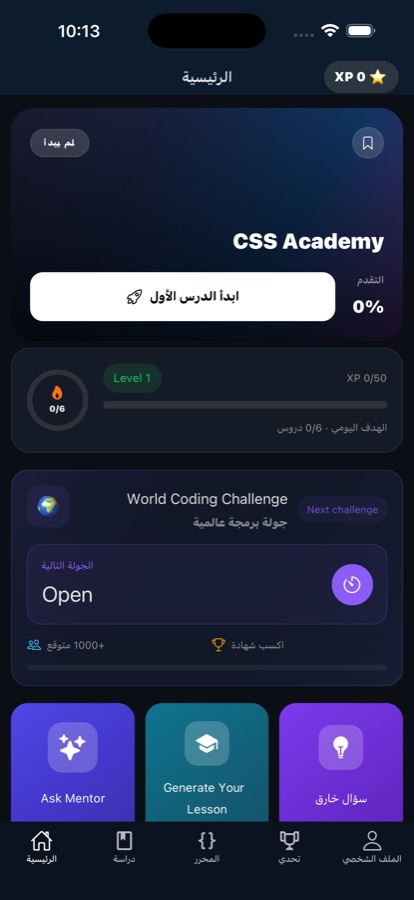
What it looks like
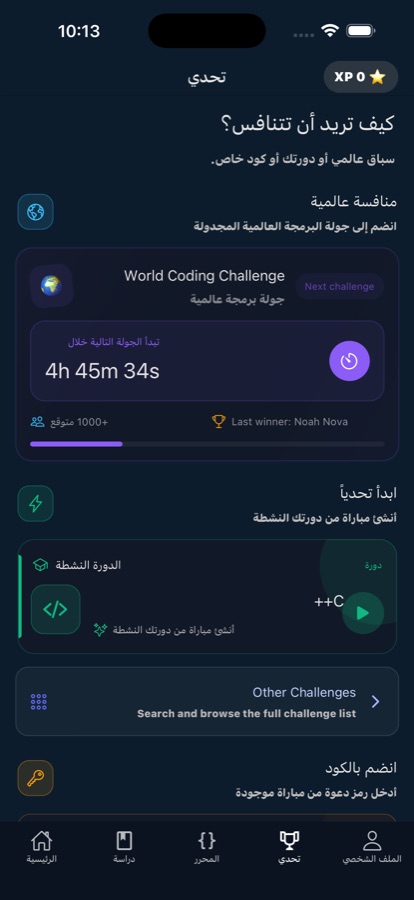
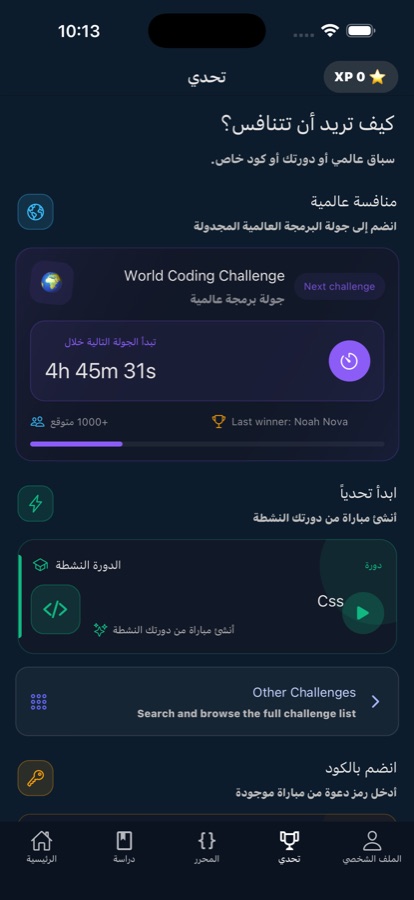
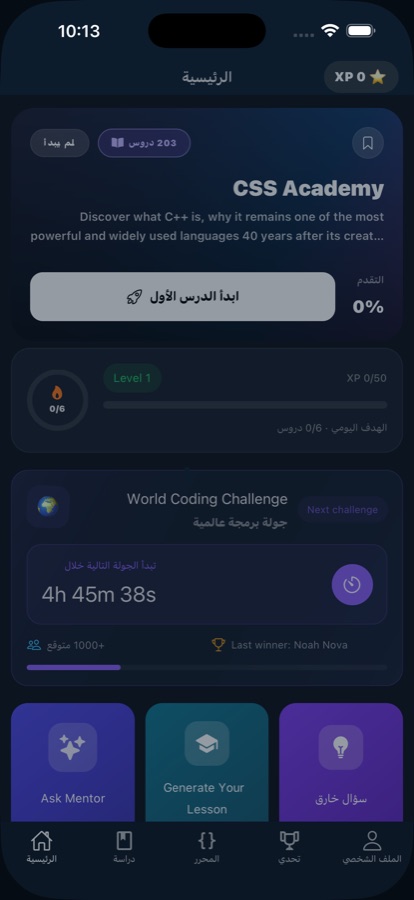
Fit
Who it’s for — and who it isn’t
A good fit if you
- Are starting CSS from zero and want every concept explained in plain language
- Learn on a phone, in short sessions, rather than at a desk for an hour
- Want to type and run real CSS instead of only reading about it
- Are a student wanting extra practice alongside classes, or a career switcher building job-ready skills
- Get stuck often and want an AI Mentor to answer rather than trawling forums
Not the right tool if you
- Need a fully offline app — lessons survive flaky connections, but the AI Mentor still needs one
- Expect everything free: the first course is free with a daily AI Mentor allowance, and Pro unlocks the rest
- Are already comfortable with CSS and want deep reference material rather than a beginner course
- Need an accredited qualification — the certificate is a completion certificate, not a formal credential
Questions
Frequently asked questions
What is the best app to learn CSS on a phone?
On a phone the things that decide it are lesson length, whether you can actually run code, and how fast you get unstuck — desktop-style modules simply do not get finished on a commute. Learn CSS: Layout & Design is built around those constraints: more than 100 lessons of five to ten minutes, a real code editor that runs CSS on the device, and an AI Mentor that answers concept and error questions in seconds. It is free to start on iOS and Android, in 22 languages.
Can you really learn CSS on a phone, or do you need a laptop?
The fundamentals genuinely work on a phone. Selectors, the box model, spacing and the layout systems are ideas you can read and test in small pieces, and short daily sessions beat a laptop you open twice a month. Learn CSS: Layout & Design includes a real code editor so you write and run CSS on the device rather than only reading about it. A laptop is still easier once you are building a whole multi-page site, but that comes later.
Do I need to know HTML before learning CSS?
A little, and you can pick it up as you go. CSS describes how HTML elements are presented, so you need to know that a page is made of elements like headings, paragraphs, lists and images before styling makes sense. That is a short amount of groundwork, not a prerequisite course. Learn CSS: Layout & Design assumes no experience and explains each concept in plain language, starting from zero.
Why does my CSS layout not do what I expect?
Most beginner layout problems come from three places. The box model: padding and borders add to an element's size, so a box ends up wider than the number you typed. Specificity: a more specific rule elsewhere is quietly overriding yours. And using the wrong layout tool — trying to force a two-dimensional page layout out of a system meant for a single row. Learning those three in order removes most of the guesswork.
Is CSS still worth learning in 2026?
Yes. Every website and web app still needs its appearance and layout defined, and frameworks sit on top of CSS rather than replacing it — when something looks wrong, you are back in the underlying rules. It is also one of the fastest skills to see results from, because every change is visible immediately. That quick feedback is what makes it a reasonable first thing to learn on a phone.
How long does it take to learn the basics of CSS?
Consistency matters far more than total hours. Working through short daily lessons, most beginners can style a page confidently — selectors, spacing, type, and putting things where they want them — in a matter of weeks, well before mastering the harder corners. Learn CSS: Layout & Design is built for that shape: lessons of five to ten minutes, quizzes after every topic, and streaks and reminders to stop the gap between sessions from growing.
Is Learn CSS: Layout & Design free?
The app is free to download on the App Store and Google Play. The first course is free, with a daily allowance of AI Mentor questions, so you can work through real lessons before deciding anything. Pro is the paid upgrade: it unlocks every course, removes ads, and makes the AI Mentor unlimited. There is no requirement to upgrade in order to finish the free course.
Does it work offline, on the underground or on a plane?
It is designed for patchy conditions rather than for having no connection at all. Lessons load fast and keep working on flaky connections, which covers most commuting, but this is not a full offline mode. The AI Mentor in particular needs a connection, since it answers your questions live. If a guaranteed offline app is what you are after, that is worth knowing before you install.
What platforms and languages does it support, and is there a certificate?
Learn CSS: Layout & Design runs on iOS through the App Store and on Android through Google Play, and the app is available in 22 languages. It is rated 4+, so there is nothing age-restricted in the material. Pass the final exam and the app issues a certificate of completion — evidence of the work you did, useful on a CV alongside exercises you can talk through, rather than an accredited qualification.
Start logging
Learn CSS in the gaps in your day
Free to start on iOS and Android, in 22 languages.
More from CoddyKit
Available on iOS and Android.