

Learn Lua - Game Scripting
Learn Lua - Game Scripting — Lua programming by coding 20 mini games on your phone
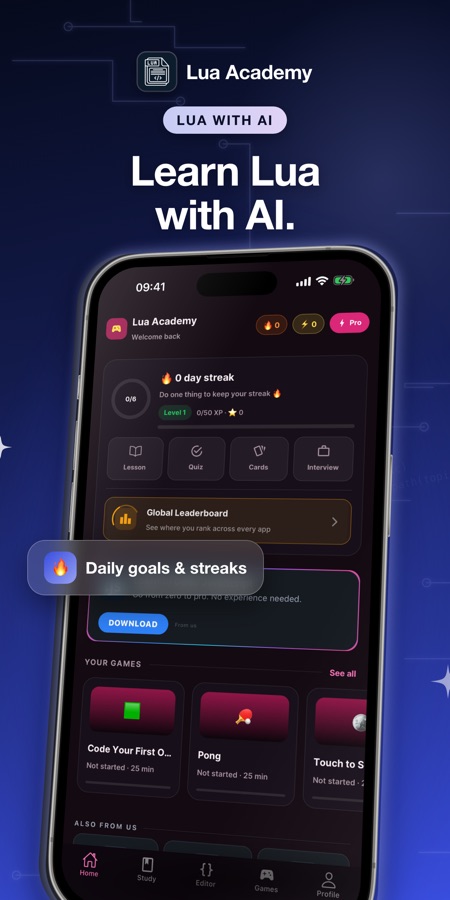
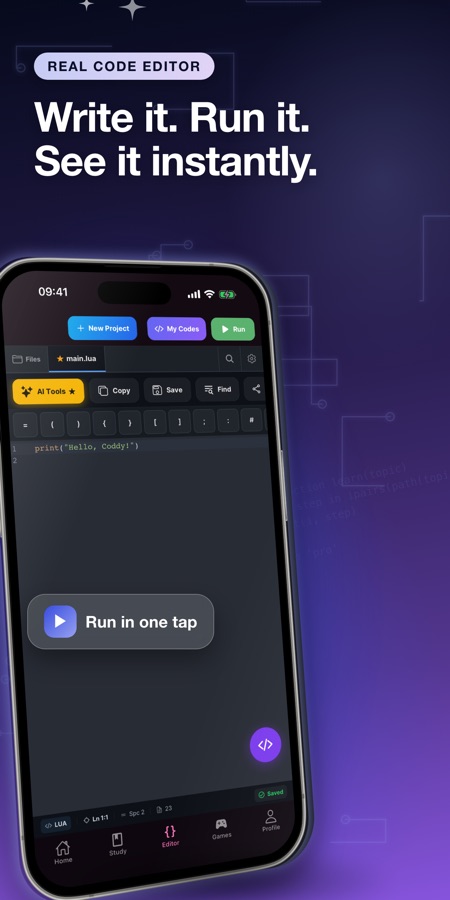
Learn Lua - Game Scripting is a free iOS and Android course in Lua programming, from your first print() to metatables and coroutines. A Lua 5.3 interpreter runs on the phone, so the built-in Lua editor needs no computer, and 20 guided mini games such as Pong, Snake and Tower Defense check that your code really does what it should. 40 courses and 159 short lessons are backed by an AI Mentor.


- Price
- Free, Pro upgrade
- Platforms
- iOS and Android
- Languages
- 22
- Age rating
- 4+
- Requires
- iOS 15.1 or later
- App Store
- 4.3 ★ (13)
A Lua course, not a game engine.
Learn Lua - Game Scripting teaches the language itself and says so plainly. It is not Roblox, it is not a game engine and it is not affiliated with Roblox Corporation. Roblox scripts are written in Luau, a language built on Lua, so the basics you practise here are the same ones a Roblox Studio script starts from.
What it is
Learn Lua - Game Scripting is a free iOS and Android app for learning Lua programming. It has 40 courses and 159 short lessons from beginner (A1) to advanced (C1), a built-in Lua editor that runs a Lua 5.3 interpreter on the phone, 20 guided mini-game projects, 60 coding missions and an AI Mentor. It is a programming course for the Lua language, not a game engine, and it is not affiliated with Roblox.
Inside the app
What it looks like
The course
What the Lua course covers
40 courses and 159 short lessons, with the course names taken from the app's own list, from a first script to embedding Lua in other programs.
Welcome to Lua and Lua Basics
What Lua is and where it runs, then variables, types, operators, numbers and the math library.
Control Flow, Functions and Tables
if, elseif and else, while, repeat-until and for loops, multiple return values and varargs, and tables used as arrays, dictionaries and records.
Strings, Metatables and Error Handling
The string library and pattern matching, metatables and metamethods such as __index and __add, and error handling with pcall and xpcall.
Modules, Coroutines and Object-Oriented Lua
Modules and require, coroutines with resume and yield, and classes and inheritance built on metatables.
Closures, Iterators and Game Logic
Closures and upvalues, custom iterators and generators, and Lua scripting for event systems and game behaviour.
Game Development with LÖVE
Build 2D games with the LÖVE framework and Lua, alongside unit testing with busted.
Lua Beyond Games
Redis scripting, Neovim plugins, LuaSocket networking and Lua inside Nginx with OpenResty.
Advanced Lua
Memory management and weak tables, embedding Lua in C, LuaJIT performance and FFI, sandboxing and building a domain-specific language.
How it works
How a session works
Lessons are short, and each one ends with code you write and run. An internet connection is needed for the lessons themselves.
Take a short lesson
Open a course and read one lesson: a few paragraphs of theory and an example in the lesson's code box, such as how a local variable keeps a value inside one block and out of the rest of the program.
Run your own Lua in the editor
The code editor runs your script instantly on the phone with clear error messages, so a typo shows up straight away. A Lua cheat sheet, quizzes and flashcard reviews cover the facts you need to remember.
Build a game step by step
In a game project you write a few lines for each step and the app checks that the game really does it: the ball moves, the score goes up. If you are stuck, take a hint or reveal the solution.
What's inside
What is in the app
40
Courses, A1 to C1
159 short lessons from variables and control flow to closures, metatables, coroutines, embedding Lua in C and LuaJIT.
20
Guided mini games
Pong, Snake, Flappy, Brick Breaker, Space Shooter, Maze Escape, Tower Defense and more, built one checked step at a time.
Lua 5.3
Interpreter on the phone
Write and run Lua in the built-in editor with no PC and nothing to set up.
60
Coding missions
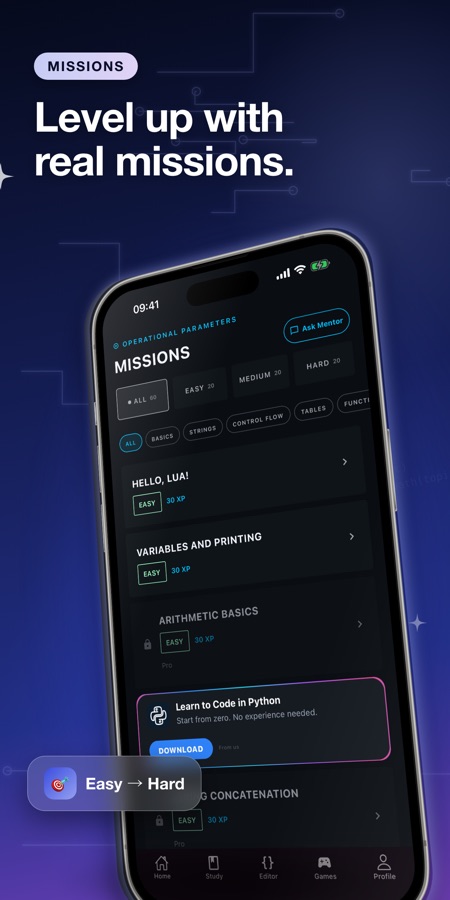
Missions from easy to hard that earn XP, plus three obby-style tracks that practise Roblox-style scripting patterns in a simplified simulator.
AI
AI Mentor
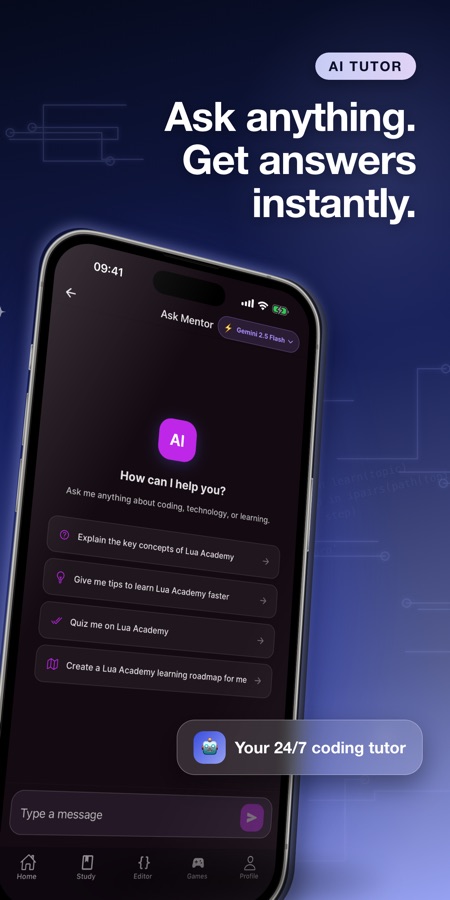
Ask about a lesson or an error message and get a clear explanation. Free accounts get 3 AI questions a day in lessons.
Daily
World Coding Challenge
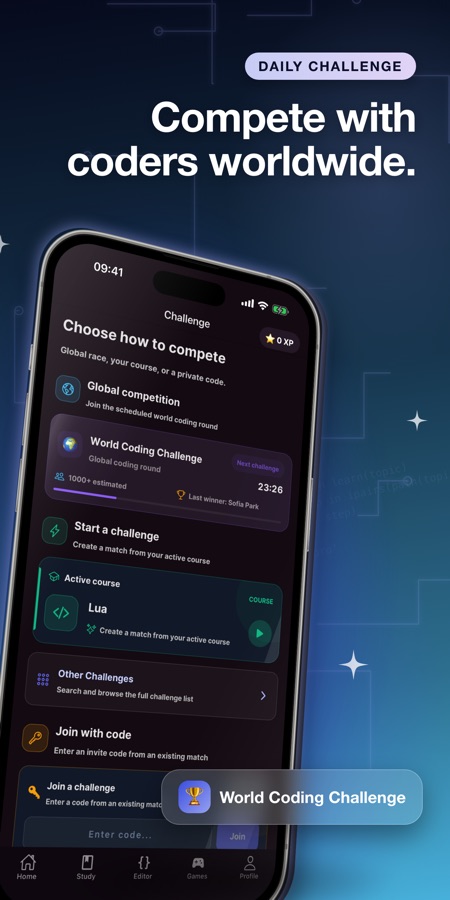
Three global rounds every day, with streaks, XP and progress tracking to keep practice regular.
Background
What is Lua used for, and is it a good first programming language?
Lua is a small, fast scripting language designed to be embedded inside other programs. That is why it turns up as the scripting layer of many games, in the LÖVE (Love2D) 2D game framework, in Neovim plugins, in Redis scripts and in embedded devices. Its syntax is compact and readable and it has only a handful of core ideas, which makes it a friendly first language, though its single data structure and its own way of doing object-oriented code are worth learning on purpose rather than by accident.
Tablesthe one data structure
Lua has no separate array, dictionary or record type. A table plays all three roles, so one idea covers lists, key-value maps and the objects you build later. Getting comfortable with tables is most of what it takes to read real Lua code.
Metatables and metamethodshow Lua does objects
Instead of a built-in class keyword, Lua lets a table carry a second table that decides how it behaves when you index it, add it or print it. Object-oriented programming, inheritance and operator overloading are all built from that one mechanism.
Coroutinespausing a function on purpose
A coroutine is a function that can stop partway, hand control back and later resume where it left off. In a game this is a natural way to script a cutscene or an enemy routine that waits a few frames without freezing everything else.
Lua and Luaurelated but not identical
Luau is a language derived from Lua and used by Roblox, with extra features such as type annotations. Variables, loops, functions and tables behave the same way in both, so Lua fundamentals transfer, while Luau-specific features are learned on top.
Fit
Who it's for — and who it isn't
A good fit if you
- Want to learn Lua programming from the start, with every concept explained before you code it
- Like to learn by finishing a small game rather than reading a reference
- Play Roblox and want to understand the language behind scripts before opening Roblox Studio on a computer
- Need Lua for LÖVE, Neovim, Redis or an embedded tool
- Have short gaps in the day and prefer lessons that fit them
Not the right tool if you
- Expect a game engine or a Roblox Studio replacement: this is a language course
- Need lessons offline, since the lessons require an internet connection
- Want everything free: the first course, 3 game projects and 2 missions are free and the free version shows ads
- Already write Lua daily and want a reference manual
Questions
Frequently asked questions
What is the best way to learn Lua programming on a phone?
Short lessons that you can run immediately work well on a phone. Learn Lua - Game Scripting has 40 courses and 159 lessons, a built-in editor that runs a Lua 5.3 interpreter on the device, and 20 mini games that check your code step by step. It is free to start on iOS and Android.
Do I need a computer to learn Lua with this app?
No. The Lua interpreter runs on the phone, so you can write and run code in the built-in editor without installing anything. A computer becomes useful later, for example when you use the LÖVE framework or write Neovim plugins, which the course explains but which are run on a desktop.
Is Learn Lua - Game Scripting the same as Roblox?
No. It is a Lua programming course and is not made by, endorsed by or affiliated with Roblox Corporation. Roblox scripts use Luau, a language built on Lua, so the variables, loops, functions and tables you learn here carry over. Three obby-style tracks practise Roblox-style patterns in a simplified simulator as preparation.
Is Lua easy to learn as a first language?
Lua is one of the smaller languages, with compact syntax and one main data structure, the table, so there is less to memorise at the start. The harder parts come later, with metatables and coroutines. Learn Lua - Game Scripting orders its 40 courses from A1 to C1 so these ideas arrive after the basics.
What mini games can I build?
There are 20 guided game projects, including Pong, Snake, Flappy, Brick Breaker, Space Shooter, Maze Escape and Tower Defense. Each step asks you to write a few lines and then checks that the game does it, such as the ball moving or the score going up. A hint or the full solution is available when you are stuck.
What is Lua used for besides games?
Lua is embedded in many programs as a scripting layer. Beyond game logic and LÖVE games, it is used for Neovim plugins, Redis scripts, embedded tools and web servers through OpenResty. The advanced courses in Learn Lua - Game Scripting touch each of these.
How does the AI Mentor help?
When a lesson or an error message does not make sense, you can ask the AI Mentor and receive a clear explanation. Free accounts get 3 AI questions a day inside lessons, and Pro removes the limit and adds the AI lesson generator and AI code review.
Is Learn Lua - Game Scripting free?
The app is free to download on the App Store and Google Play. The free version includes the first course, the code editor, 3 game projects, 2 missions, quizzes and the cheat sheet, and it shows ads. Pro, offered as a weekly, monthly or yearly subscription, unlocks every course, all 20 game projects and 60 missions, unlimited AI Mentor, the final exam with a certificate and an ad-free experience.
Does it work offline?
The Lua interpreter runs on the phone, but the lessons need an internet connection. Learn Lua - Game Scripting is built for sessions where you are online and can run code straight after reading a lesson.
Which languages and devices does it support?
Learn Lua - Game Scripting runs on iPhone with iOS 15.1 or later and on Android, and its interface is available in 22 languages. It is rated 4+.
Get started
Run your first Lua script today
Free to start on iOS and Android, in 22 languages.
More from CoddyKit
Available on iOS and Android.