
Education · Free · iOS & Android
By CoddyKit
Learn AI Prompting: practise prompt engineering on your phone
Learn AI Prompting is a free iOS and Android app that teaches prompt engineering in 5-10 minute lessons. More than 100 bite-sized lessons mix short theory with hands-on practice, quizzes follow every topic, and an AI Mentor answers your questions in seconds. Built for complete beginners.
- Price
- Free, with Pro upgrade
- Platforms
- iOS and Android
- Languages
- 22
- Age rating
- 4+
- Requires
- iOS 15.1 or later
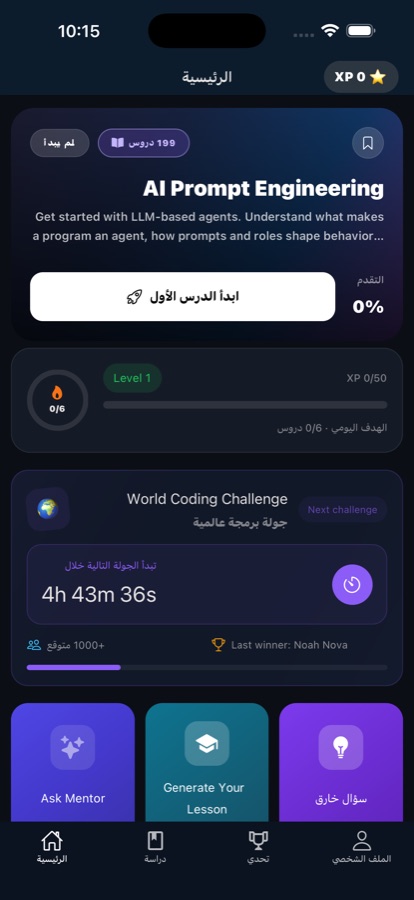
Built for real life, not lecture halls.
A prompting course you take standing on a train. Each lesson runs five to ten minutes and ends in practice, so the skill is built in the gaps of a day rather than in a reserved evening.
What it is
Learn AI Prompting is a free iOS and Android app that teaches prompt engineering from scratch, with no prior experience needed. It has more than 100 bite-sized lessons of five to ten minutes, hands-on exercises and quizzes after every topic, an AI Mentor that answers questions in seconds, a weekly code challenge, and a certificate for passing the final exam. The first course is free; Pro unlocks every course, removes ads and gives unlimited AI Mentor use.
Background
What is prompt engineering?
Prompt engineering is the practice of writing instructions that get reliable, useful output from a large language model such as ChatGPT, Claude or Gemini. It covers how you frame a task, what context and examples you supply, how you specify the format you want back, and how you revise a prompt when the first answer misses.
Zero-shot vs few-shotexamples in the prompt
A zero-shot prompt describes the task and nothing more. A few-shot prompt includes two or three worked examples of input and desired output, which usually makes the model's format and tone far more consistent.
System promptthe standing instruction
A separate instruction that sets the model's role, tone and boundaries for a whole conversation, rather than one message. It is where you put rules you want to hold for every reply, such as audience or output format.
Context windowhow much it can hold
The amount of text a model can consider at once, counted in tokens. Everything you paste competes for that space, so a prompt that includes only the relevant material generally beats one that dumps in a whole document.
Chain of thoughtasking for the steps
Asking a model to work through a problem step by step before answering. It tends to help on reasoning, arithmetic and multi-part tasks, and it also makes a wrong answer easier to spot because the reasoning is visible.
How it works
How a session works
The app is built around one short cycle you repeat whenever you have a few free minutes, rather than a long course you have to sit down for.
Take a five-minute lesson
Open the course list and pick up where you left off. Each lesson is five to ten minutes and mixes a short piece of theory with something you do, so a single commute or coffee break is enough for one.
Practise, then be tested
Every topic ends in hands-on exercises you work through on the phone, followed by quizzes and challenges. That is where the concept sticks — writing a prompt yourself rather than reading about one someone else wrote.
Ask the AI Mentor when stuck
If a concept or an error will not resolve, ask the built-in AI Mentor and get a clear answer in seconds instead of abandoning the lesson. Streaks, progress tracking and reminders keep the sequence going day to day.
What’s inside
What is in the app
100+
Bite-sized lessons
More than a hundred lessons covering prompting fundamentals, the building blocks used in real work, practical techniques, and advanced topics beyond the basics.
5-10
Minutes per lesson
Every lesson is sized for a real day rather than a study session, so progress happens in short bursts on a phone instead of at a desk.
AI
AI Mentor
Stuck on a concept or an error? Ask anything and get a clear answer in seconds. The free tier includes a daily allowance; Pro makes it unlimited.
1/wk
Weekly Code Challenge
A challenge each week that puts you against learners around the world, so practice keeps happening after the lessons for a topic are finished.
Exam
Certificate of completion
Pass the final exam and the app issues a certificate, which gives the course an endpoint rather than leaving it open indefinitely.
22
Languages
The app interface is available in 22 languages, and lessons load fast and keep working on flaky connections such as a train or a basement.
Inside the app
What it looks like
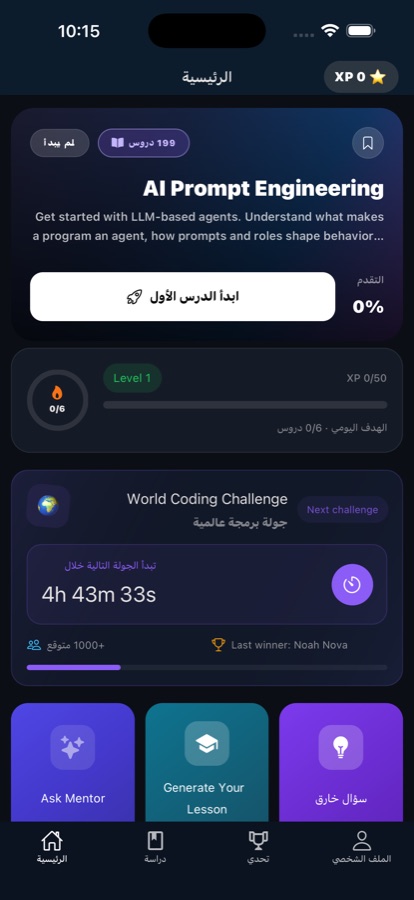
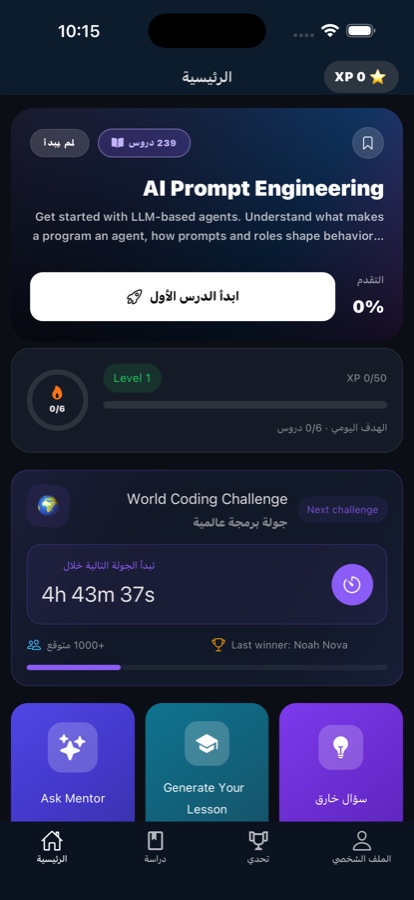
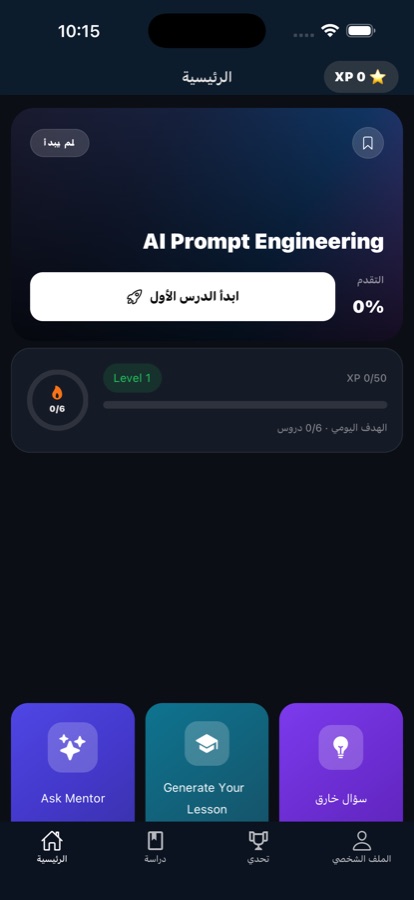
Fit
Who it’s for — and who it isn’t
A good fit if you
- Want to learn prompting in five-minute pieces on a phone, not in long sittings
- Are starting from zero and want concepts explained in plain language
- Are a student wanting extra practice alongside classes, or a career switcher building a job-ready skill
- Learn better by doing — exercises and quizzes after every topic rather than pure reading
- Want an AI Mentor on hand for the moment a concept refuses to land
Not the right tool if you
- Want a full desktop workspace for building and versioning production prompts — this is a course app
- Already work with LLMs daily and are looking for advanced research material rather than foundations
- Need guaranteed fully offline study; lessons tolerate flaky connections, but the AI Mentor needs one
- Want every course without paying — the first course is free, the rest are behind Pro
Questions
Frequently asked questions
What is the best app for learning AI prompting on your phone?
The one that fits the way a phone is actually used: lessons short enough to finish in a queue, practice rather than pure reading, and something to ask when you get stuck. Learn AI Prompting is built that way — more than 100 lessons of five to ten minutes, hands-on exercises and quizzes after every topic, and an AI Mentor that answers in seconds. It is free to start on iOS and Android, and no experience is assumed.
What is prompt engineering, in plain terms?
Prompt engineering is writing instructions that get reliable output from a language model such as ChatGPT, Claude or Gemini. In practice it means being specific about the task, giving the model the context and examples it needs, stating the format you want back, and revising when the first answer misses. It is less about magic phrasing than about removing ambiguity, which is why it can be taught and practised like any other skill.
Is learning prompt engineering still worth it?
Yes, though for a different reason than in the early days. Models no longer need clever incantations, but they still cannot read your mind about audience, format, constraints or what counts as a correct answer. Being able to state a task precisely, supply the right context, and check the output critically is a general working skill, and it transfers across models rather than being tied to one product.
How do I get better answers out of ChatGPT or Claude?
Four habits do most of the work. Say who the answer is for and what it will be used for. Give the model the source material it needs instead of assuming it knows your situation. Ask for a specific format — a table, five bullets, a paragraph. And when the reply misses, say precisely what was wrong and ask again, rather than starting over. Adding two or three worked examples also sharpens tone and structure considerably.
Do I need any coding or AI experience to start?
No. Learn AI Prompting is aimed at complete beginners, students and career switchers, and every concept is explained in plain language starting from zero. The lessons mix short theory with hands-on practice, so you build up by doing rather than by taking notes on terminology. Advanced topics exist for later, but nothing in the early course assumes prior background.
Is Learn AI Prompting free?
It is free to download and free to start. The first course is free and the AI Mentor comes with a daily allowance on the free tier. Pro unlocks every course, removes ads, and makes AI Mentor use unlimited. You can work through the free course first and decide afterwards whether the rest is worth paying for.
How long does each lesson take?
Five to ten minutes. The lessons are deliberately sized for real life rather than lecture halls, so a single commute, lunch queue or coffee break is enough to finish one and still take the quiz at the end. There are more than 100 of them, which means progress comes from repetition of short sessions rather than from blocking out whole evenings.
Does it work offline, on a train or a plane?
Lessons load fast and keep working on flaky connections, which covers most commuting situations — patchy mobile data, a tunnel, a weak cafe network. The AI Mentor is the part that needs a live connection, since it answers your questions in the moment. If you expect to be fully offline for a while, work through lessons and exercises then, and save mentor questions for when you are back on a network.
What languages is the app available in?
The app is available in 22 languages, so the interface and lessons are not English-only. It is rated 4+ and runs on both iPhone and Android phones. Learn AI Prompting is part of CoddyKit, a family of coding apps that share the same lesson format, so the way one works will be familiar if you have used another.
Do I get anything at the end of the course?
Yes. Pass the final exam and the app issues a certificate of completion, which gives the course a clear endpoint rather than trailing off. Along the way there are quizzes and challenges after every topic, a Weekly Code Challenge against learners around the world, and streaks with progress tracking and reminders to keep you consistent between sessions.
Start logging
Learn prompting in five-minute pieces
Free to start on iOS and Android, in 22 languages.
More from CoddyKit
Available on iOS and Android.