
Education · Free · iOS & Android
By CoddyKit
Learn Cyber Security & Hacking: a mobile app for security fundamentals
Learn Cyber Security & Hacking is a free app for iOS and Android that teaches security fundamentals from zero — no IT background needed. Short lessons cover network security, web vulnerabilities, cryptography and defense, each followed by a quiz or a CTF-style challenge, with an AI mentor on hand when a concept does not land.
- Price
- Free to start
- Platforms
- iOS and Android
- Languages
- 22
- Age rating
- 4+
- App Store
- 4.1 (9)
Defenders are made by studying attacks.
You cannot protect a system whose weaknesses you have never looked at. Every attack in the app is taught next to the defense that stops it, for legal and educational use only.
What it is
Learn Cyber Security & Hacking is a free iOS and Android app that teaches cyber security and ethical hacking from the ground up, for people with no IT background. It covers how attacks work — phishing, social engineering, injection, XSS, malware — alongside the defenses that stop them: firewalls, hardening, encryption and incident response. Lessons run five to ten minutes, and each topic ends in a quiz or a CTF-style challenge. Everything is taught for defensive, legal use.
Attack techniques are covered so you can recognise and prevent them, never to target systems you do not own or have permission to test.Read the white-hat note.
Background
What is ethical hacking, and how do you start with no IT background?
Ethical hacking is studying how attacks work so you can stop them — with permission, inside systems you are allowed to touch. Starting from zero is normal in this field: the usual path is fundamentals first (how networks, the web, and encryption actually behave), then hands-on practice, then certification concepts. Security is chronically short of people, and understanding attacker behaviour makes you more useful in any technical role.
White hatthe legal side
A security practitioner who tests and studies systems with authorisation, to find weaknesses before an attacker does. The technique may be identical to an attacker's; the permission and the intent are what make it lawful.
Injection and XSSweb vulnerabilities
Two of the most common ways web applications break: untrusted input being executed as a command or query, and untrusted input being rendered as script in someone else's browser. Both are prevented by validating and escaping input.
Hashing vs encryptioncryptography basics
Encryption is reversible with a key, so data can be read again by whoever holds it. Hashing is one-way and is how passwords should be stored. Confusing the two is one of the most common beginner mistakes.
CTFcapture the flag
A practice format where you solve a security puzzle inside a contained exercise and recover a hidden string as proof. It is how the field builds instinct, because you have to actually find the flaw rather than read about it.
How it works
How you actually use it
The app is built for phone-sized sessions: a lesson, then something you have to answer. You are not meant to sit down for an hour.
Pick a course and start the free one
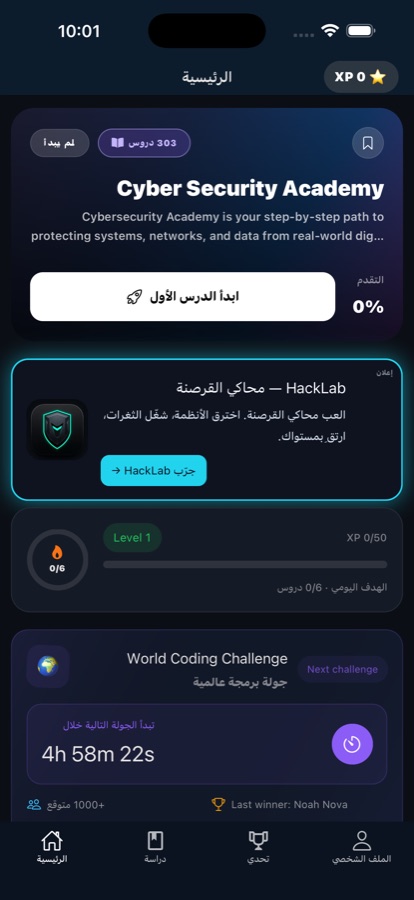
The course list spans how attackers think, network security, web security, cryptography, defense and incident response, and Linux command-line foundations. Your first course is free, so you can find out whether the subject holds you before paying for anything.
Work a lesson, then prove it
Lessons are bite-sized — five to ten minutes, short enough to finish on a commute. After each topic there is a quiz and a CTF-style challenge, so the concept has to be used rather than just read once and forgotten.
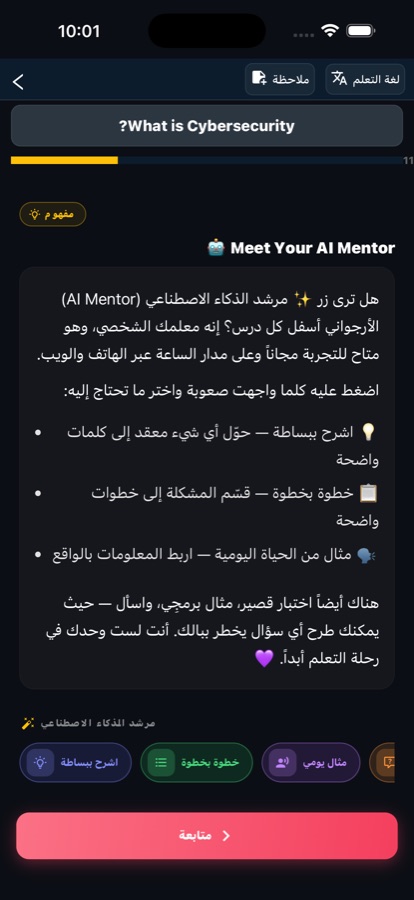
Ask the AI mentor when it does not land
Protocols and attack chains are the usual sticking points. The built-in AI mentor answers questions about the concept in front of you in seconds. Streaks, progress tracking and reminders keep the habit going, and a final exam earns a certificate of completion.
What’s inside
What is actually in the app
100+
Bite-sized lessons
More than a hundred lessons across attacker behaviour, network and web security, cryptography, defense and Linux foundations — each one short enough to finish in a single sitting.
5-10
Minutes per lesson
Sessions are built for the gaps in a day rather than a study block. Lessons load fast and keep working on flaky connections, so a commute is enough to make progress.
AI
An AI mentor for stuck moments
Ask about a protocol, a cipher or an attack chain and get a plain explanation in seconds. The free tier includes a daily allowance; Pro removes the limit.
CTF
Quizzes and CTF-style challenges
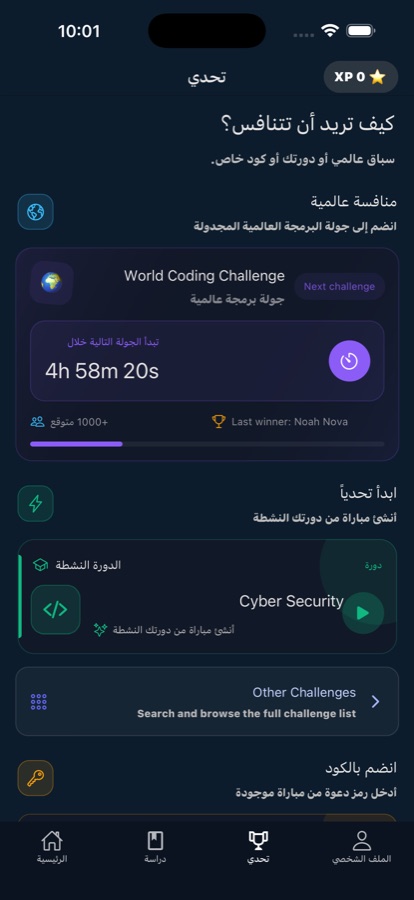
Every topic ends in a check: a quiz to confirm the theory stuck, then a capture-the-flag style challenge where you have to apply it to a contained exercise.
1/wk
Weekly Challenge
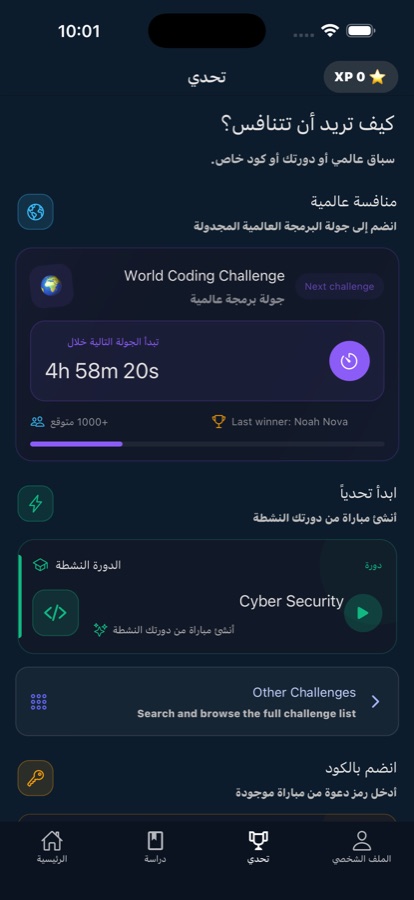
A recurring challenge that puts you against learners around the world. It is the part that gets people back into the app when motivation from a streak alone runs out.
22
Twenty-two languages
The app interface is available in 22 languages, which matters in a field where most beginner material assumes you already read technical English comfortably.
Inside the app
What it looks like
Fit
Who it’s for — and who it isn’t
A good fit if you
- Are a complete beginner curious about hacking and defense, with no IT background to start from
- Work in IT or support and want to move toward a security role
- Are studying security fundamentals and want the concepts behind entry certifications to stick
- Write code and want to understand injection, XSS and the rest well enough to prevent them
- Learn best in five-to-ten-minute sessions on a phone rather than in long study blocks
Not the right tool if you
- Want offensive tooling — this teaches how attacks work for defense, and does not produce working attack tools or target real systems
- Need a hands-on lab with virtual machines, Kali, and real network traffic; this is a phone app for learning the concepts
- Are looking for an accredited qualification — the app's certificate is a certificate of completion, not an industry certification
- Want guaranteed offline study: lessons keep working on flaky connections, but the app does not advertise a full offline mode
Safety and limits
White-hat only
Everything in this app is taught for defense, education and legal, ethical use. Attack techniques are covered the way defenders study them: you cannot recognise phishing, an injection flaw or a malware foothold in your own systems if you have never looked at how it works.
Testing systems you do not own or do not have written permission to test is illegal in most countries, regardless of intent. The app is a learning environment — it does not give you tools pointed at real targets, and nothing in it should be used against infrastructure that is not yours or explicitly authorised.
Questions
Frequently asked questions
What's the best app to learn cyber security on a phone as a beginner?
The useful test is whether an app makes you do something after each explanation. Reading about XSS builds nothing; being asked to find it does. Learn Cyber Security & Hacking is built that way — five-to-ten-minute lessons across network security, web vulnerabilities, cryptography and defense, each followed by a quiz and a CTF-style challenge, plus an AI mentor for the concepts that do not land. It is free to start on iOS and Android and assumes no IT background.
Can you learn cyber security with no IT background?
Yes, and it is the normal entry route. You do not need a degree: the proven path is fundamentals first — how networks, protocols, the web and encryption actually behave — then hands-on practice, then the concepts behind entry-level certifications. Security is one of tech's fastest-growing fields and is chronically short of people, so employers hire on demonstrated understanding. The barrier is consistency over months, not prior credentials.
Is it legal to learn hacking?
Learning how attacks work is legal and is exactly what defenders do. Using those techniques against systems you do not own or have written permission to test is not, in most countries, regardless of your intent. That is the line ethical hacking sits on: same knowledge, authorised target. Study inside courses, contained challenges and labs you control, and never point anything at infrastructure that is not yours or explicitly authorised.
What should you learn first in cyber security?
Start with how attackers actually operate — phishing, social engineering and malware — because it frames everything else. Then networking: protocols, firewalls, scanning and monitoring. Then web security, where injection and XSS explain most real breaches, followed by cryptography so you understand encryption and hashing rather than repeating the words. Defense comes next: hardening, incident response and security operations. Linux and the command line run underneath all of it.
What is a CTF challenge, and why do security people practise with them?
Capture the flag is a practice format: you are given a contained exercise with a deliberate weakness and have to find it, recovering a hidden string as proof you did. It matters because security is a judgement skill built from repetition. A quiz confirms you remember a definition; a CTF challenge confirms you can apply it under slight pressure. Learn Cyber Security & Hacking puts one after each topic for that reason.
What jobs does learning cyber security lead to?
The common entry roles are SOC analyst, watching alerts and triaging what matters; penetration tester, testing systems with authorisation; and security engineer, building and hardening defenses. Understanding attacks is also valuable without changing job title — developers who know how injection and XSS work write code that resists them. The app is aimed at beginners heading toward those roles and covers career paths alongside the technical material.
Is Learn Cyber Security & Hacking free?
It is free to download on the App Store and Google Play, and your first course is free with a daily AI Mentor allowance. Pro is a paid upgrade that unlocks every course, removes ads and makes AI Mentor unlimited. The app is listed under Education with a 4+ content rating, and its terms of use and privacy policy are linked from the store listing and at coddykit.com.
Does the app work offline?
It does not advertise a full offline mode. What it does is stay usable on a poor connection: lessons load fast and keep working on flaky networks, which is the case that actually breaks study on a train or an underground commute. If you specifically need study material with no connection at all, treat that as unconfirmed rather than assuming it works.
What languages is the app available in?
The app is available in 22 languages. That matters more than it sounds in this subject, because most beginner security material assumes comfortable technical English, and having the explanation in your own language removes one of the two difficulties at once. Note that security terminology itself — protocol names, attack names, command-line syntax — stays in its standard English form, as it does in the industry.
Does it teach you to attack real systems?
No. Everything is taught for defense, education and legal, ethical use. Attack techniques appear so you can recognise and prevent them — how phishing and social engineering succeed, how injection and XSS flaws arise, how malware persists — always paired with the defense that stops them. The app does not produce working attack tooling and is not aimed at real targets. Practice happens inside its own contained challenges.
Start logging
Learn the attack, build the defense
Free to start on iOS and Android. No IT background required.
More from CoddyKit
Not a medical device. Does not diagnose or treat any condition.