Education · Free · iOS & Android
By CoddyKit
Kidstronic: a 3D circuit builder for kids
Kidstronic is a 3D electronics workshop for kids aged 6-12. They drag a battery onto the workbench, wire it to an LED, and watch it glow the moment the circuit closes — a real-time simulation instead of diagrams to memorize. No soldering, no mess, no ads, and no account needed to start.
- Price
- Free to start
- Account
- Not required
- Ads
- No third-party ads
- Age rating
- 4+
- Requires
- iOS 16.0 or later
Every connection does something real.
A child does not learn what a switch is by reading a definition. They learn it the first time they wire one in, flip it, and the bulb they built goes dark — then comes back.
What it is
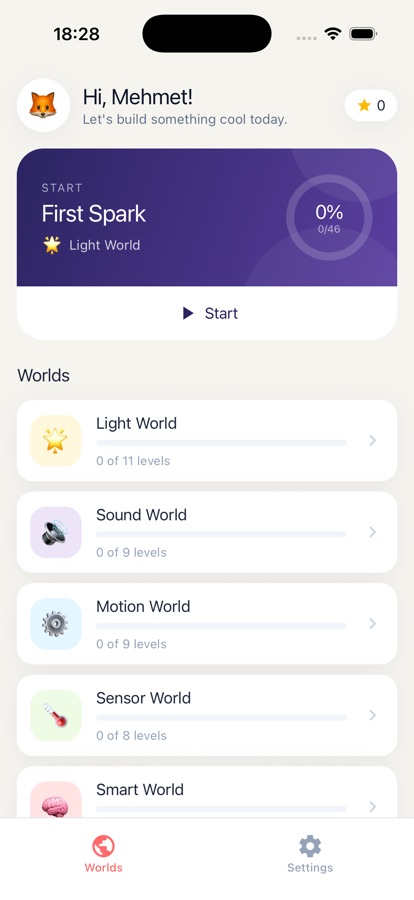
Kidstronic: Build Circuits is a free iOS and Android app that teaches children how electronics work by building real circuits in a 3D workshop. Kids drag components — battery, LED, switch, button, buzzer, motor, sensors, RGB LEDs — onto a workbench, tap two pins to wire them, and a real-time simulation lights, sounds, or spins the result. Five worlds cover 46 levels, ramping from a first spark to master-level builds.
Free levels let any child start building. A Kidstronic Pro subscription unlocks every world, level, component, and the Free Build sandbox, and a parent gate question stands in front of any purchase screen — see Safety and purchases.
Background
What is a circuit, and how do children learn one?
A circuit is a complete loop that electricity can travel around: a power source such as a battery, a path of wire, and something that uses the energy — a lamp, a buzzer, a motor. Break the loop anywhere and everything stops. Children grasp this far faster by closing and breaking a loop themselves than by reading a diagram, because the result is immediate and visible.
Polaritywhich way round it goes
Some parts only work one way round. An LED wired backwards stays dark, and nothing looks broken — which is exactly why turning it around and seeing it light is such a useful lesson.
Switchand button
A switch is simply a gap in the loop that you can open and close on purpose. It is the first component that lets a child control a circuit rather than just complete one.
Short circuitthe loop takes a shortcut
When current finds a path back to the battery that skips the component, it rushes through unopposed. In Kidstronic this is explained in plain language rather than the build silently failing.
Logic gateAND, OR, NOT
A part that decides an output from its inputs: AND needs both switches on, OR needs either, NOT flips the answer. This is where circuit building starts to become coding logic.
How it works
How a child actually uses it
The loop is the same in every world: a short lesson from a character guide, a build on the workbench, then feedback from the simulation itself.
Meet the part
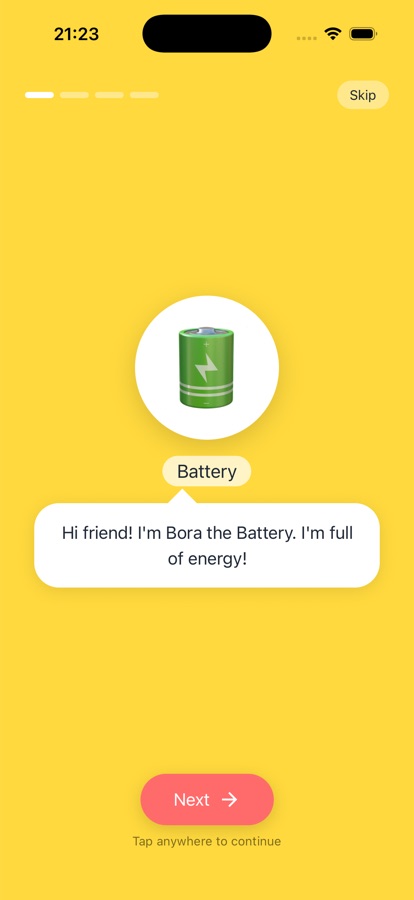
Bora the Battery, Lila the LED and the rest of the cast introduce one concept at a time in short, playful lines. Each world unlocks its own set of components, so a child never faces a workbench full of parts they have not met.
Build it on the workbench
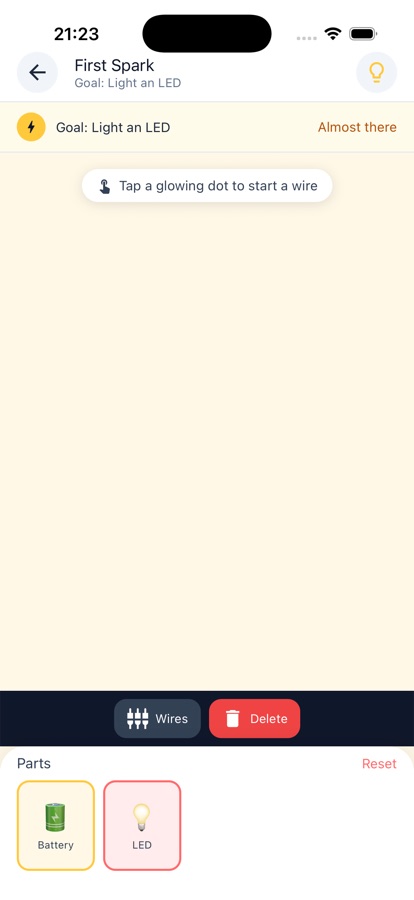
Drag components into place, tap a glowing pin and then another, and the wire snaps in. The moment the loop is complete the simulation runs: lights glow, buzzers sound, motors spin. Reversed parts and short circuits get explained, not just rejected.
Prove it, then invent
Test Yourself quizzes check what stuck — components, vocabulary, circuit logic — with explanations for wrong answers, and the Parent Zone shows worlds completed, levels cleared and concepts practiced. Master a world and the Free Build sandbox opens with no rules at all.
What’s inside
What is in the app
3D
Workbench and live simulation
Components snap together in a 3D workshop and the circuit runs in real time, so a finished loop lights, buzzes or spins immediately.
46
Five worlds, 46 levels
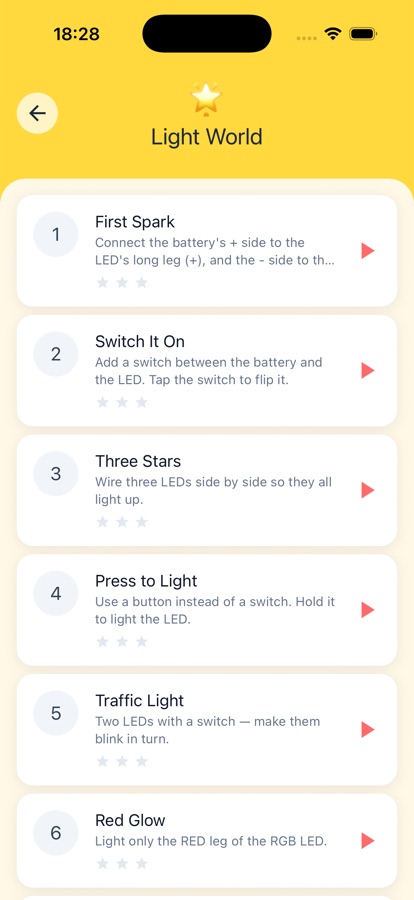
Light, Sound, Motion, Sensor and Smart World, each unlocking new parts. Difficulty ramps gently from absolute starter to confident master.
26
Story Mode gadgets
Step-by-step builds of 26 recognizable things: a night lamp, a doorbell, a burglar alarm, a race car, a traffic light and more, each with a themed badge.
30d
Daily puzzle and quizzes
A fresh circuit puzzle each day with a streak counter and a 30-day archive to replay, plus Test Yourself quizzes with clear explanations for wrong answers.
0
No ads, no login
No third-party ads and no ad tracking; guest mode is the default. The only cross-promotion is a single card for the maker's own sister app.
Free
Free Build sandbox
Once a world is mastered, an open workbench with every part unlocked and zero rules, for inventing circuits that are not part of any level.
Inside the app
What it looks like
Fit
Who it’s for — and who it isn’t
A good fit if you
- You have a curious 6-12 year old who takes things apart to see inside
- You want screen time that builds problem-solving rather than just filling it
- You would rather your child discovered polarity by mistake than memorized a diagram
- You want no third-party ads and no account before your child can play
- You want to see what they have actually practiced, not just how long they played
Not the right tool if you
- You want real hardware — this is a simulation, not a breadboard kit
- You want a full free app; free levels start you, but Pro unlocks every world and the sandbox
- You are looking for serious electronics theory such as resistor math for a teenager
- You need a fast arcade game — the pace here is build, test, and figure out why
Safety and limits
Safety, ads and purchases
Kidstronic is a simulation. Nothing in it involves real electricity, and there is no soldering, heat, or sharp parts — that is the point of learning this way first. It does not teach a child to work with household mains power, which is dangerous and always a job for an adult. Real components later on should be low-voltage and supervised.
For the parts a parent usually checks first: there are no third-party ads and no ad tracking, the only cross-promotion is a single card for the maker's own sister app, and guest mode means no login or account is required to play. A parent gate question stands between your child and any purchase or subscription screen. A Kidstronic Pro subscription is monthly or yearly with a free trial period, and can be cancelled any time from your store account settings.
Privacy
Accounts, ads and what a parent can see
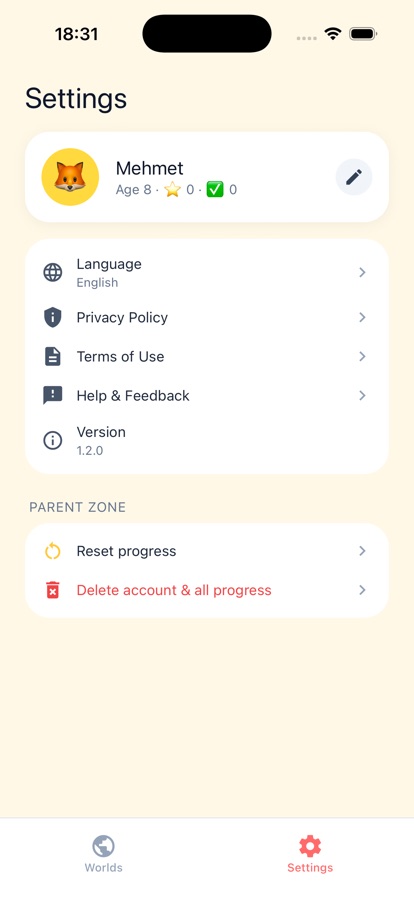
Guest mode is the default, so no login or account is needed to start building. There are no third-party ads and no ad tracking in the app. The Parent Zone gives you a private dashboard of worlds completed, levels cleared, stars earned, quizzes passed and the concepts your child has practiced.
Full details are in the CoddyKit privacy policy.
Questions
Frequently asked questions
What is the best app for teaching a child how circuits work?
The one that lets a child build rather than watch. Electronics only clicks when a wire you placed yourself makes something light up, and when a mistake gets explained instead of silently failing. Kidstronic is built that way: a 3D workbench where components snap together, a real-time simulation that responds the instant a loop closes, and plain-language explanations for reversed parts and short circuits. It is free to start on iOS and Android, with no account required.
What age can a child start learning electronics?
Around six is a realistic starting point for cause and effect — this switch makes that light turn on — as long as nothing depends on reading a schematic or doing arithmetic. Understanding why a circuit behaves the way it does comes later, usually somewhere between eight and twelve. Kidstronic is aimed at ages 6-12 and its lessons are written for a child to follow on their own, with difficulty ramping from a first spark upward.
How do you light an LED with a battery?
You need three things: a power source, a complete path back to it, and the component in the middle of that path. Wire one side of the battery to one leg of the LED and the other side to the other leg, and the loop is closed. LEDs are polarized, so if nothing happens the usual answer is that it is the wrong way round — flip it and it lights. Kidstronic shows exactly this, then explains what went wrong when it does not work.
Can a child learn electronics without buying a kit?
Yes, for the first stretch. The concepts that matter early — closed loops, polarity, switches, series and parallel paths, what a sensor does — are all about relationships between parts, and a simulation teaches those with no cost, no mess, and no risk. What a simulation cannot give is the feel of real components and wiring by hand, so it works best as the thing that comes before a physical kit rather than instead of one.
What is a short circuit, in terms a child can follow?
It is when electricity finds a shortcut. If a wire connects the battery straight back to itself without passing through the lamp or buzzer, the current takes that easier path and rushes around the loop unopposed. The component never gets what it needs, and in the real world things get hot. Kidstronic explains short circuits, reversed parts and overvoltage in plain language rather than just letting the build fail.
Is Kidstronic free, and is there a subscription?
The app is free to download on the App Store and Google Play, and free levels let any child start building right away. A Kidstronic Pro subscription — monthly or yearly, with a free trial period — unlocks every world, every level, every component and the Free Build sandbox. It can be cancelled at any time from your store account settings, and a parent gate question stands in front of any purchase screen.
Are there ads, and does my child need an account?
There are no third-party ads and no ad tracking. The only cross-promotion in the app is a single card for the maker's own sister app. No login or account is needed either — guest mode is the default, so a child can open the app and start wiring a battery to an LED without an email address or a sign-in screen in the way.
Does my child need to read well to play?
The build side is designed with no reading required: components are dragged into place, pins are tapped to connect, and the simulation itself tells a child whether it worked by lighting, buzzing or spinning. The lessons are delivered by character guides in short, playful lines pitched at a 7-10 year old, so children in that range can generally work through the app independently.
What do the five worlds cover?
Light World, Sound World, Motion World, Sensor World and Smart World, spanning 46 levels in total. Each one unlocks its own components: LEDs and RGB LEDs, switches and buttons, resistors, buzzers and speakers, motors and fans, light and temperature sensors, and AND/OR/NOT logic gates. Alongside the worlds, Story Mode walks through building 26 recognizable gadgets, from a night lamp and a doorbell to a traffic light and a burglar alarm.
Can I see what my child has actually learned?
Yes. The Parent Zone is a private dashboard showing worlds completed, levels cleared, stars earned, quizzes passed, and the specific concepts your child has practiced — batteries, polarity, parallel circuits, logic gates and so on. Test Yourself quizzes check components, vocabulary and circuit logic per world and explain anything answered wrongly, so the dashboard reflects understanding rather than time spent.
Start logging
Hand them the workbench
Free to start, no account needed, no third-party ads.
More from CoddyKit
Not a medical device. Does not diagnose or treat any condition.