
Garden Planner: Raised Beds
Garden Planner: Raised Beds — A garden planner that sets your sowing dates from your frost zone
Garden Planner: Raised Beds is a free Android garden planner for vegetable beds. It builds a planting calendar from your growing zone's frost dates, lays out a raised bed as a grid that flags bad neighbours, and keeps a plant library that answers when to sow a crop and how far apart. It works on both sides of the equator.

- Price
- Free, Pro upgrade
- Platforms
- Android
- Languages
- 10
- Zones
- 31 growing zones
Most planting calendars assume a northern spring.
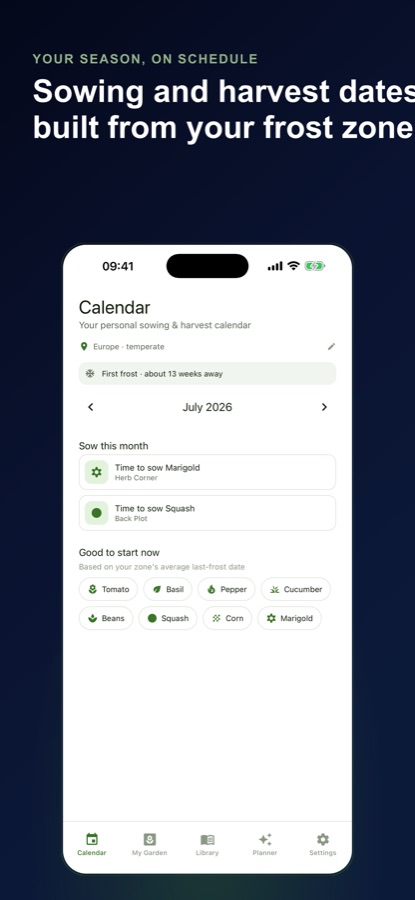
A calendar that says sow in April is no help in Auckland, Buenos Aires or Cape Town. Garden Planner covers 31 growing zones across several continents, and southern zones carry southern frost dates, so the sowing dates start from your own last frost instead of from someone else's season.
What it is
Garden Planner: Raised Beds is a free Android vegetable garden planner for raised beds, allotments and containers. You pick a growing zone from 31 options, create a bed as a grid, and plant into it from a library. The app puts sow and expected harvest dates on a monthly calendar, flags neighbouring plants that are a known bad pair, and sends reminders before sowing windows and first frost. Frost dates are zone averages, not a forecast for your yard.
Inside the app
What it looks like
Background
How do frost dates decide when to sow, and how reliable is companion planting?
The average last spring frost is the anchor for most vegetable sowing. Tender crops such as tomatoes, basil and squash wait until after it, while hardy crops such as peas, spinach and kale can go in weeks before it. Tomatoes and peppers are often started indoors a few weeks ahead. The date is an average for a region, so a cold spring can still catch a bed. Companion planting, meanwhile, mixes long-standing garden lore with some well-supported effects, so it is best treated as a helpful guide and not as a guarantee.
Last and first frostthe two dates that frame the season
The average last frost marks when tender crops can safely go out, and the average first frost marks when the season ends. The gap between them decides which varieties have time to mature before the cold returns.
Sowing relative to frostweeks before or after
Each crop has a sow week relative to the last frost, negative for hardy crops that tolerate a cold start and positive for those that need warm soil. The app uses that offset to place your sowing date.
Companions and bad pairsneighbours in the bed
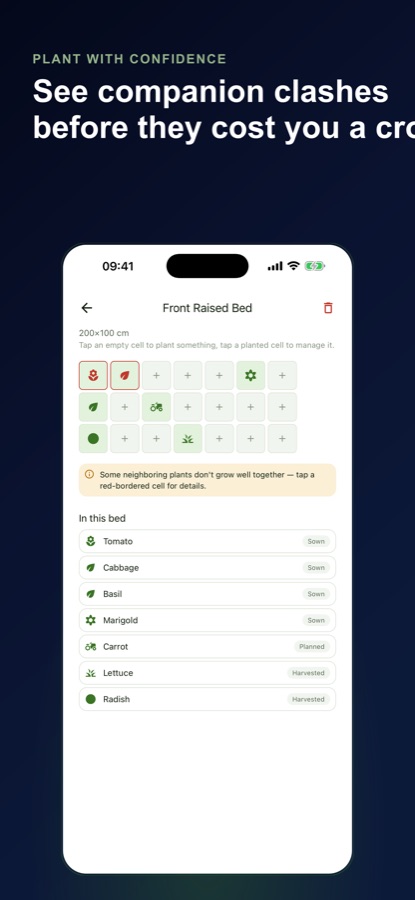
Some neighbours are commonly paired, such as tomatoes with basil, while others are avoided, such as tomatoes next to cabbage or beans next to onions. A grid makes the neighbours visible before you plant.
Raised-bed spacingwhy a grid helps
In a bed of a few square metres, each crop takes a share of space, sun and nutrients. Spacing and sow depth vary widely between a radish and a squash, which is why a library of those numbers saves guesswork.
How it works
How planning works
You set the zone and the bed once, then the app does the date arithmetic and the neighbour checks as you plant.
Pick your zone and create a bed
On first launch the app suggests a zone from your phone's region setting, never from GPS, and you can choose another at any time. Then create a raised bed sized to your space as a grid.
Plant into the grid
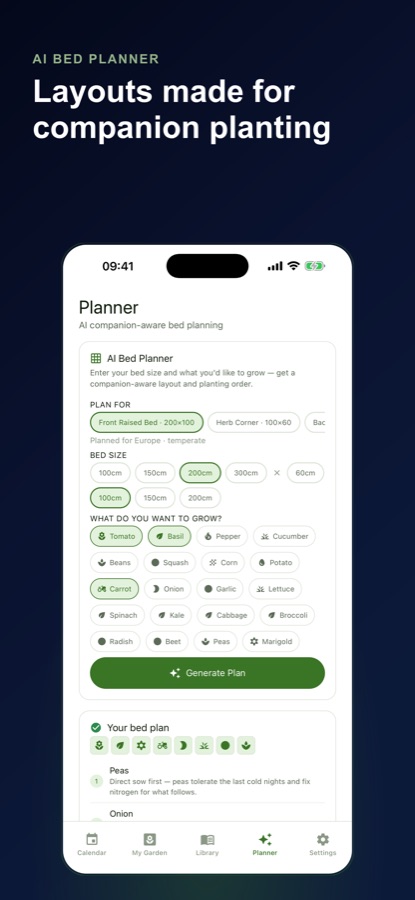
Tap an empty cell and choose a plant from the library. When two neighbouring cells are a known bad pair, the cell is flagged in red, and tapping it explains why. An optional AI Bed Planner suggests a companion-aware layout and planting order.
Mark it sown and follow the calendar
When you mark a planting as sown, the app works out an expected harvest date and puts both dates on the monthly calendar. Local reminders tell you when a sowing window opens, when a crop is nearly ready and three weeks before your average first frost.
What's inside
What comes with the app
31
Growing zones
Zones across North America, Europe, Türkiye, Japan, Korea, China, Russia, Australia, New Zealand, Brazil, Argentina, Chile, South Africa and the frost-free tropics, with southern frost dates for southern zones.
Grid
Raised bed planner
A grid sized to your space, with bad neighbouring pairs flagged, such as tomatoes beside cabbage or beans beside onions.
Library
Plant and companion library
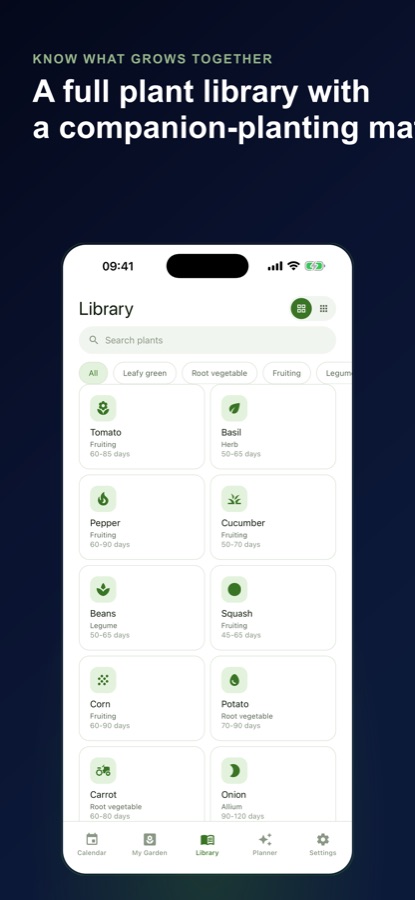
Spacing, sow depth, days to harvest, sun needs, whether to start seeds indoors and the sow week relative to your last frost, plus a companion and antagonist grid for 20 common vegetables, herbs and marigold. It works without a connection.
Calendar
Planting and sowing calendar
Sow and harvest rows for your own plantings and a good-to-start-now list for the month you are viewing, based on your average last frost date.
AI
AI Bed Planner
Enter the bed size and the vegetables you want and get a layout and planting order limited to plants in the library, so each suggestion opens in the app. The free plan includes three AI bed plans a month.
Pro
Succession Coach and AI Advisor
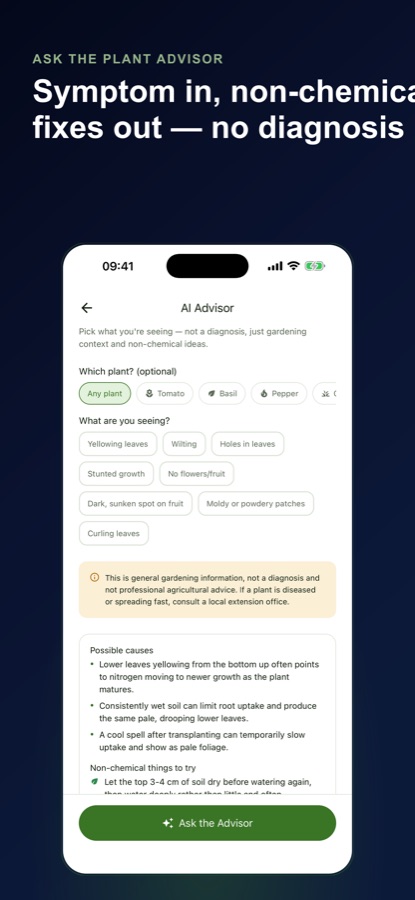
After a harvest, ask what to plant next in that spot. Or pick a symptom such as yellowing leaves or powdery patches from a fixed list and read possible causes and non-chemical things to try.
Fit
Who it's for — and who it isn't
A good fit if you
- Grow vegetables in a raised bed, an allotment plot or a few containers
- Garden in the southern hemisphere or outside North America and want dates built from your own frost zone
- Want to see which crops sit badly together before planting, not after a poor harvest
- Like reminders for sowing windows and the weeks before first frost
- Prefer an app that starts as a guest, with no sign-up
Not the right tool if you
- Need a live frost forecast for your yard; zone frost dates are averages, not a forecast
- Want to plan an ornamental or landscape garden; the app is built for vegetable beds
- Use an iPhone or iPad: the app is on Android through Google Play
- Expect unlimited beds free: the free plan has one raised bed, and Pro lifts the limit
Privacy
What stays on your phone
No sign-up is needed: the app starts you on a guest profile, and your beds, plantings and garden profile are saved on your phone. The AI features need a connection and send only what each needs to the app's server, which passes it to a third-party AI service: bed size, chosen plants and zone for a plan, the harvested plant and zone for the Succession Coach, and the symptom and plant for the Advisor. The app also uses Firebase analytics and, in the free version, Google AdMob ads.
Full details are in the CoddyKit privacy policy.
Questions
Frequently asked questions
What is Garden Planner: Raised Beds?
Garden Planner: Raised Beds is a free Android vegetable garden planner for raised beds, allotments and containers. It builds a planting calendar from your zone's frost dates, checks companion planting in a bed grid, and keeps a plant library with spacing, sow depth and days to harvest. It starts as a guest, with no sign-up.
Does it work in the southern hemisphere?
Yes. Garden Planner covers 31 growing zones, including Australia, New Zealand, South Africa, Brazil, Argentina and Chile, and southern zones carry southern frost dates. The app suggests a zone from your phone's region setting and you can change it whenever you like.
How are sowing dates worked out?
Each crop has a sow week relative to your zone's average last frost. When you mark a planting as sown, the app also works out an expected harvest date from the crop's days to harvest. Frost dates are zone averages, so treat the dates as a plan and adjust for the weather where you garden.
How does the companion planting check work?
The bed is a grid, and when two neighbouring cells hold a known bad pair, such as tomatoes next to cabbage or beans next to onions, the cell is flagged. The companion grid in the library covers 20 common vegetables, herbs and marigold. Companion advice is partly traditional, so use it as a guide.
What do the AI tools do?
The AI Bed Planner takes a bed size and your chosen vegetables and returns a companion-aware layout and planting order limited to plants in the library. In Pro, the Succession Coach suggests what to plant next after a harvest, and the AI Advisor suggests possible causes and non-chemical remedies for a symptom you pick. It is general gardening information, not a diagnosis, and it never looks at photos.
What is free and what does Pro add?
Free: the full planting calendar, the whole plant library and companion grid, reminders, one raised bed with unlimited plantings and three AI bed plans a month, with ads. Pro, a monthly or yearly subscription billed through Google Play, adds unlimited beds, unlimited AI plans, the Succession Coach, the AI Advisor and no ads.
Is Garden Planner: Raised Beds on iPhone or Android?
Garden Planner: Raised Beds is available on Android through Google Play; there is no iPhone version at the moment. The plant library works without a connection, while the AI tools need one. The interface supports 10 languages.
Get started
Plan this season's raised bed
Free to start on Android, in 10 languages.
More from CoddyKit
Available on Android.