
Health & Fitness · Free · iOS & Android
By CoddyKit
Flexibility: Splits Trainer — a stretching plan built around your goal
Flexibility Trainer builds a personal stretching plan around your goal, how flexible you are today, and how many minutes you actually have. Front splits, middle splits, backbends, or simply touching your toes — you follow a guided daily routine that counts the holds for you, and it re-plans as you improve.
- Price
- Free, Pro optional
- Platforms
- iOS and Android
- Age rating
- 4+
- Progress photos
- Stay on your device
Stretching should never hurt.
That line is from the app's own safety note, and it is also the training rule. Range comes from mild tension held regularly, not from forcing a position or bouncing into one.
What it is
Flexibility Trainer is a free iOS and Android stretching app that generates a plan for your goal — front split, middle split, backbend, hip and shoulder mobility, hamstring flexibility, or general limberness — based on your current range, your available days per week, and your minutes per session. A guided player runs the timed holds, rests, and side switches; progress photos, a milestone ladder, and a streak track what changes.
It is a general fitness tool, not physical therapy or medical advice. If you have an injury, a joint condition, or pain, speak to a clinician first — see Safety and limits.
Background
What actually makes you more flexible?
Flexibility is the range of motion available at a joint, and it is limited by muscle and connective-tissue length, joint structure, and how much stretch your nervous system will tolerate. Range generally improves with regular, moderate stretching held to mild tension rather than pain — consistency over weeks matters more than intensity in any single session, and warming up first is widely advised.
Static stretchingholding still
Holding a lengthened position still, usually for a set number of seconds. It is the familiar form of stretching and is generally placed after activity or in a dedicated session rather than immediately before hard effort.
Dynamic stretchingmoving through range
Moving a joint through its range repeatedly — leg swings, controlled lunges, arm circles — rather than holding still. It is commonly used as a warm-up because it raises tissue temperature while rehearsing the movement you are about to do.
PNFcontract-relax
A technique where you contract the muscle you are stretching against resistance, then relax and ease deeper. Often called contract-relax, it is taught as an advanced method and is usually kept to a small part of a session.
Active vs passive rangewho does the work
Passive range is how far something else can take you — gravity, a strap, a partner. Active range is how far you can move under your own muscular control. The gap between the two is where much stretching work sits.
How it works
How a plan actually runs
Instead of handing everyone the same fixed sequence, the app asks three things first, then builds the week around the answers and keeps adjusting them.
Set the goal and the constraints
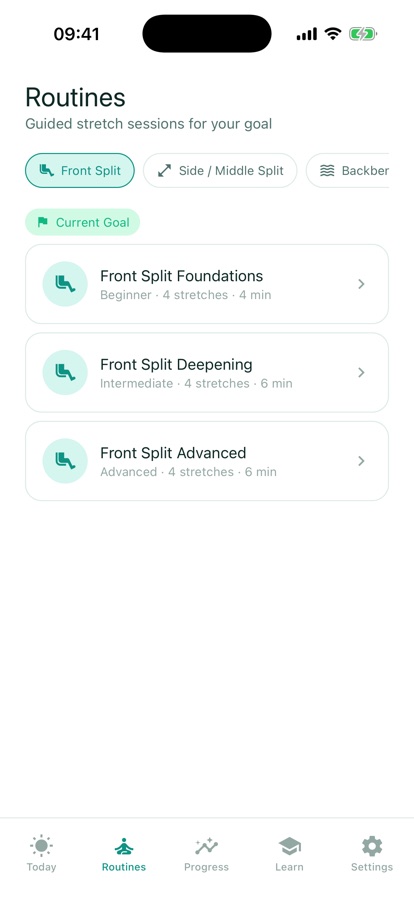
Say what you are working toward — a front split, a middle split, a backbend, looser hips and shoulders, or just touching your toes — how flexible you are right now, how many days a week you can train, and how long a session can be.
Follow the routine
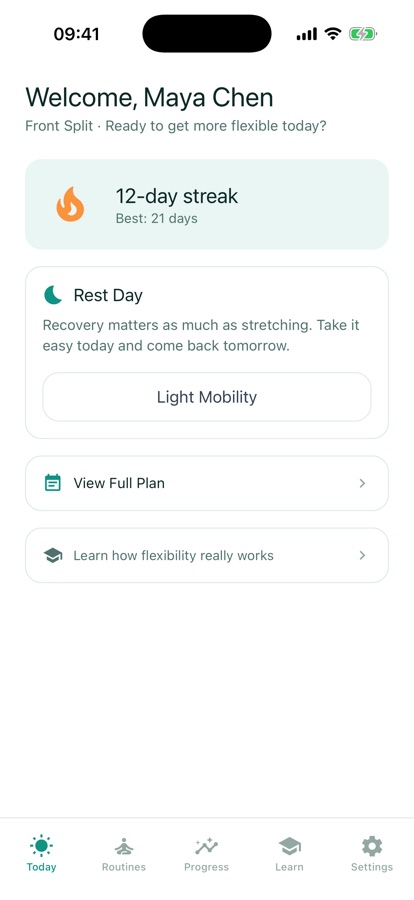
The player runs the session for you: a warm-up first, then each stretch with a timed hold and a cue, automatic rests, and per-side switching so you never lose count. Ten to fifteen minutes is enough, and gradual progression is built into the plan.
Watch it add up
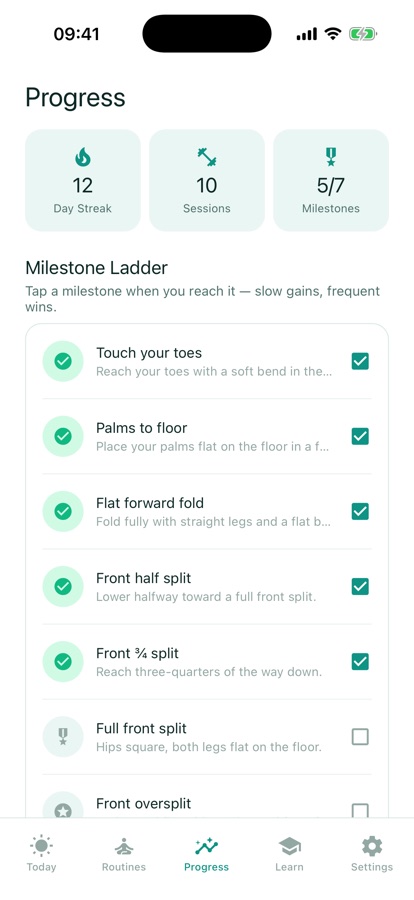
Flexibility changes slowly, so the app keeps the evidence: a streak, a full history of completed sessions, a milestone ladder from toe-touch to full split, and private progress photos you can put side by side. Pro re-plans your week as your range improves.
What’s inside
What the app gives you
AI
A plan matched to you
Tell it your goal, your starting range, your days per week and minutes per session, and it generates a stretch plan matched to those answers.
10-15
Sessions that finish
Ten to fifteen minutes is genuinely plenty. The routine player counts the holds, inserts rests, and switches sides for you, so nothing needs tracking in your head.
5
Milestone ladder
Each goal has rungs you can name: toe-touch, palms to floor, half split, three-quarter split, full split. Slow progress becomes something you can point at.
2
Before and after, side by side
Progress photos stay on your device, are never uploaded and never scored. Compare any two of them side by side to see change that a single day hides.
PNF
Short lessons on technique
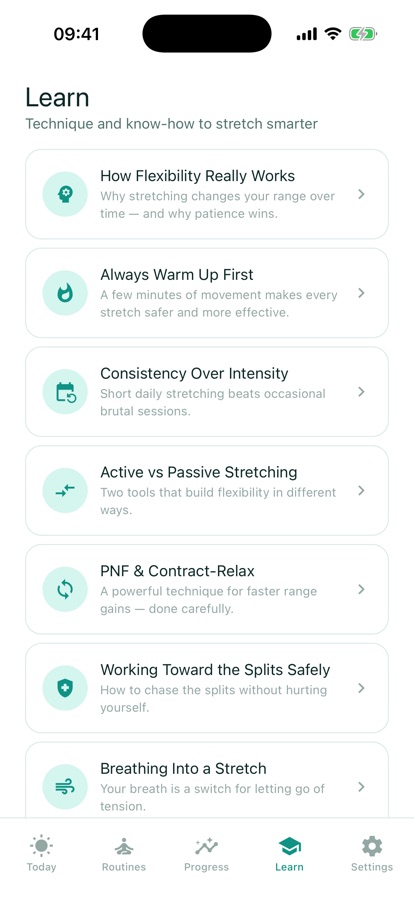
Practical explainers on warming up properly, active versus passive stretching, PNF and contract-relax, breathing through a deep position, and what to try when progress stalls.
Pro
What the subscription adds
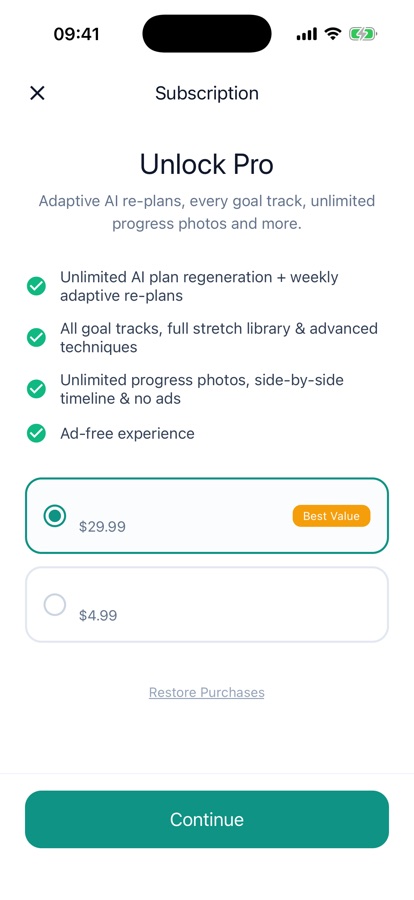
Unlimited plans with weekly adaptive re-plans, every goal track and the full stretch library, unlimited photos, "why is this stuck?" tips, and no ads. Monthly or annual, cancel anytime.
Inside the app
What it looks like
Fit
Who it’s for — and who it isn’t
A good fit if you
- Are working toward a front split, a middle split, or a deeper backbend
- Want a plan shaped around your days per week and minutes per session
- Have tight hips, tight hamstrings, or limited shoulders to work around
- Need short sessions — ten to fifteen minutes — that you will actually finish
- Want before-and-after photos that stay private on your own device
Not the right tool if you
- Are injured, in pain, or have a joint condition — see a clinician before starting
- Want a guaranteed date for your splits; this app promises no timeline
- Are looking for physical therapy or a rehab protocol, which this is not
- Expect the full stretch library and unlimited plans for free — those are Pro
Safety and limits
A fitness tool, not physical therapy
Flexibility Trainer is a general fitness and flexibility tool. It does not diagnose, treat, or rehabilitate anything, and it is not medical advice or physical therapy. If you have an injury, a joint condition, or ongoing pain, check with a doctor or physiotherapist before following a stretching programme.
Stretching should never hurt. Warm up first, ease into every position, and never bounce or force a stretch. Stop right away if you feel sharp pain. Everyone's body is different and progress varies from person to person — the app makes no promise about how long any goal will take, and you should treat any source that does with suspicion.
Privacy
What leaves your device
Your progress photos always stay on your device. They are never uploaded and never scored — they exist only for your own before-and-after timeline, and comparing two of them happens on the phone.
Full details are in the CoddyKit privacy policy.
Questions
Frequently asked questions
What's the best app for learning to do the splits?
A good splits app should ask where you are starting, fit the days and minutes you actually have, warm you up before deep positions, and be honest that progress varies. Flexibility Trainer does those things: it generates a plan from your goal and current range, runs timed holds with automatic rests and side switches, and tracks a milestone ladder from toe-touch to full split. It is free to start on iOS and Android, and it promises no timeline.
How long does it take to get the splits?
There is no reliable answer, and any app that gives you a fixed date is guessing. Time to a full split depends on your starting range, joint structure, age, training history, how often you stretch, and how well you recover — individual variation is large. What is consistent across guidance is that regular moderate work beats occasional hard sessions, and that trying to shortcut the process by forcing positions tends to cost you more time than it saves.
Should I stretch before or after exercise?
The common guidance is dynamic before, static after. Dynamic stretching — leg swings, controlled lunges, arm circles — raises tissue temperature and rehearses the movement, so it suits a warm-up. Long static holds immediately before heavy or explosive effort can briefly reduce force output, so they are usually placed after training or in a separate flexibility session. Either way, warm up before deep positions rather than stretching cold.
How often should I stretch to get more flexible?
Frequency matters more than intensity. Most flexibility guidance points to stretching most days, in sessions short enough that you keep doing them — ten to fifteen minutes is enough to be useful. Range gained inside a single long session largely fades; range built from repeated exposure over weeks tends to stay. Pick a number of days you can genuinely hold to, then build the plan around that rather than around an ideal week you will abandon.
What is PNF stretching?
PNF stands for proprioceptive neuromuscular facilitation, usually described as contract-relax. You take a muscle into a stretch, contract it against resistance for a few seconds, then relax and ease slightly deeper. The contraction is thought to reduce the nervous system's resistance to the position. It is treated as an advanced technique, is typically used sparingly within a session, and is not a good starting point if you are new to stretching.
Should stretching hurt?
No. Mild tension is the target; sharp pain is a stop signal. Bouncing into a position or forcing past what your body will give you raises injury risk without speeding anything up. Ease in, breathe, and hold at a level you could sustain while talking. If a position produces sharp, pinching, or radiating pain, come out of it and have it looked at rather than pushing through it session after session.
Is Flexibility Trainer free?
Yes, it is free to download. The free tier includes one AI-generated starter plan, the guided routine player with a starter set of stretches, one goal track, streak tracking, and your first progress photos. Pro is an optional monthly or annual subscription that adds unlimited plan generation, weekly adaptive re-plans, all goal tracks, the full stretch library, unlimited progress photos, and an ad-free experience. The annual plan is the better value and you can cancel anytime.
I can't touch my toes. Is this app still for me?
Yes — that is one of the starting points it is built for. You tell it how flexible you are today, and the plan is generated from that answer rather than from a fixed thirty-day sequence everyone gets. Touching your toes comfortably is an explicit goal, and toe-touch is the first rung on the milestone ladder, before palms to floor, half split, three-quarter split, and full split.
Are my progress photos private?
Yes. Progress photos are stored only on your device. They are never uploaded and never scored — the app does not send them anywhere or judge them. Their only purpose is your own before-and-after timeline, where you can put any two photos side by side and see change that a single day hides. The free tier includes your first progress photos; unlimited photos and the complete timeline are part of Pro.
What if I have tight hips, an old injury, or a joint problem?
You can flag limitations such as tight hips, tight hamstrings, or limited shoulders when you set up your plan, and the routine is built to work around them. An injury or a diagnosed joint condition is a different matter: Flexibility Trainer is a general fitness tool, not physical therapy or medical advice, so check with a clinician before starting a stretching programme if that applies to you.
Start logging
Start from where you actually are
Free to start on iOS and Android. Your progress photos never leave your device.
More from CoddyKit
Not a medical device. Does not diagnose or treat any condition.