

Android सीखें और करें
Android सीखें और करें — Kotlin और Jetpack Compose के साथ Android विकास, हर बार एक छोटा पाठ
Android सीखें और करें आपके फ़ोन के लिए एक मुफ़्त Android development course है: इसमें 36 पाठ्यक्रम और 152 छोटे पाठ हैं, जो आपको Kotlin की पहली पंक्ति से लेकर Jetpack Compose स्क्रीन, Room, Hilt, coroutines और Firebase के ज़रिए Google Play पर प्रकाशित करने तक ले जाते हैं। बिल्ट-इन एडिटर में Kotlin लिखें और चलाएँ, और अटकने पर AI मेंटर से पूछें।

- कीमत
- मुफ़्त, Pro अपग्रेड
- प्लैटफ़ॉर्म
- Android, Google Play पर
- भाषाएँ
- 22
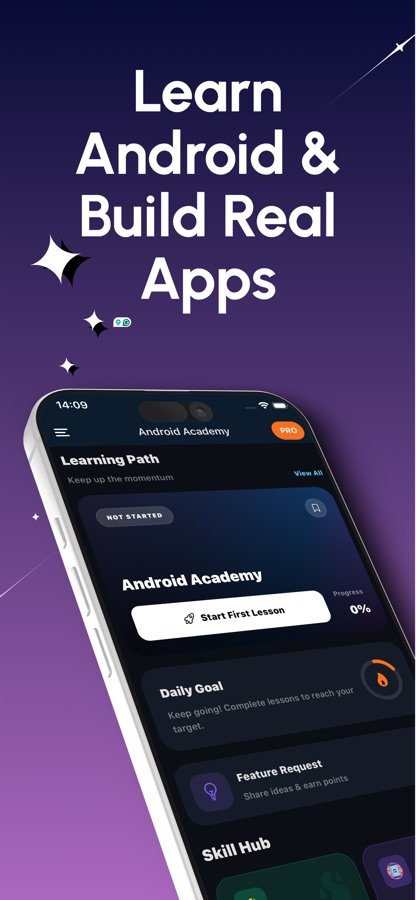
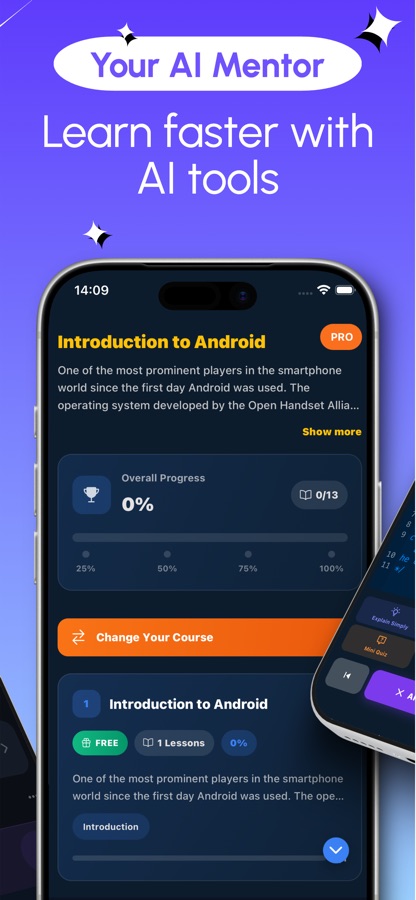
Kotlin की पहली पंक्ति से लेकर Google Play लिस्टिंग तक।
यह रास्ता उसी क्रम में व्यवस्थित है, जिस क्रम में एक असली पहला ऐप बनाया जाता है: पहले भाषा, फिर स्क्रीन, उसके बाद state और navigation, फिर data, device features और architecture, और अंत में testing, profiling और publishing। आपको हमेशा पता रहता है कि आगे क्या आएगा और क्यों।
यह क्या है
Android सीखें और करें एक मुफ़्त Android ऐप है, जो Kotlin और Jetpack Compose के साथ Android ऐप विकास सिखाता है। इसमें शुरुआती से उन्नत स्तर तक क्रमबद्ध 36 पाठ्यक्रम और 152 पाठ हैं, जिनमें Kotlin fundamentals, Compose स्क्रीन, state, navigation, ViewModel और lifecycle, Room, DataStore, coroutines और Flow, Hilt, CameraX, Maps, Firebase, testing और Google Play पर publishing शामिल हैं। हर पाठ में छोटा-सा स्पष्टीकरण और अभ्यास होता है, बिल्ट-इन एडिटर Kotlin code चलाता है, और AI मेंटर errors को सरल भाषा में समझाता है।
ऐप के अंदर
यह कैसा दिखता है
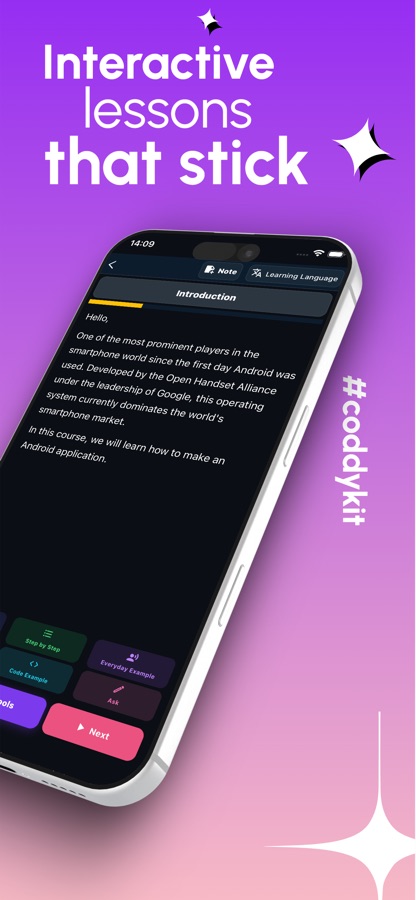
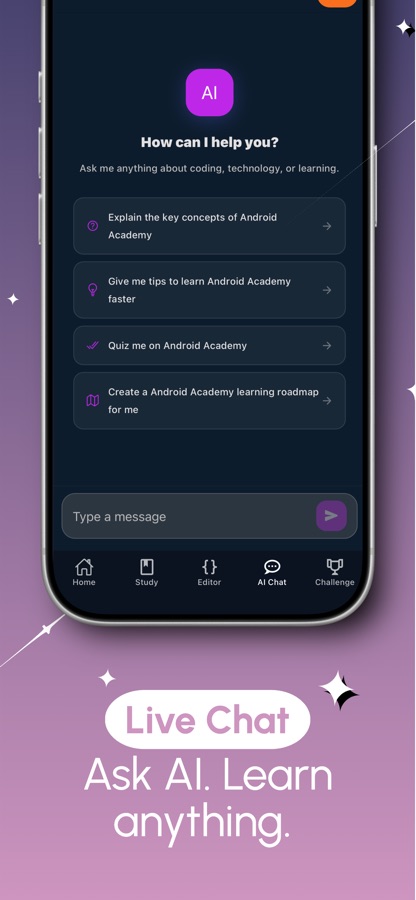
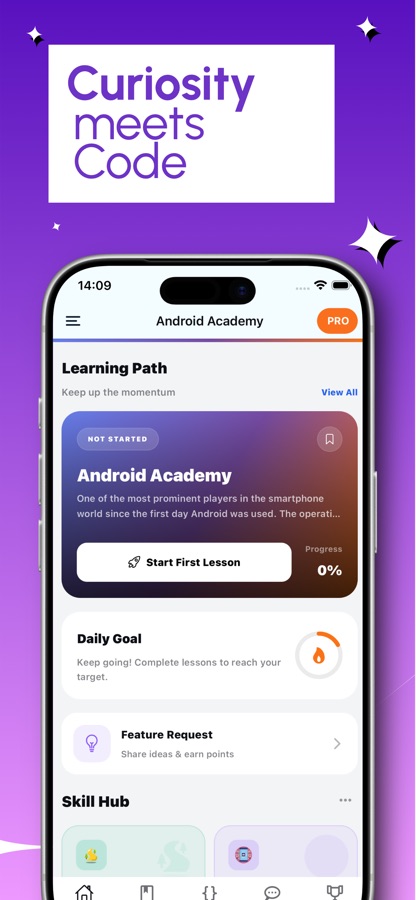
कोर्स
Android course में क्या-क्या शामिल है
ऐप की अपनी course list में A1 से C1 स्तरों के 36 courses। ये मुख्य चरण हैं, जिनमें वास्तविक course names का इस्तेमाल किया गया है।
यहाँ से शुरू करें: Android और Kotlin की बुनियादी बातें
Welcome to Android Development, Kotlin Fundamentals के दो भाग और Functions and Classes in Kotlin।
आपकी पहली Compose screens
Your First Composable Screen, Android App Basics, Jetpack Compose Fundamentals, Handling User Input and Forms, Lists and Data और Styling Text and Buttons।
Kotlin collections, null safety और lambdas
Kotlin Collections and Lambdas और Kotlin Null Safety Essentials — language features, जिन पर लगभग हर Android screen निर्भर करती है।
State, layout और navigation
Compose State and Recomposition, Compose Layouts and Modifiers, Animations in Jetpack Compose, Navigation in Compose और UI and Material Design।
Architecture और data
ViewModel and Lifecycle Awareness, App Architecture, Dependency Injection with Hilt, Room Database and Persistence, DataStore and Preferences और Paging Large Data Sets with Paging 3।
Device features और background work
Permissions, Notifications and Channels, Maps and Location Services, CameraX, Images and Media Loading with Coil, Coroutines and Flow, WorkManager and Networking।
Firebase और publishing
Firebase: Auth, Firestore and Messaging, Testing and Debugging, Multi-Module App Architecture, Performance Optimization and Profiling और Publishing to Google Play।
यह कैसे काम करता है
आपके फ़ोन पर course कैसे चलता है
आपके फ़ोन का editor Kotlin code चलाता है। पूरा app project बनाना बाद में computer पर Android Studio में किया जाता है, और यह course आपको उसके लिए तैयार करता है।
इस रास्ते पर चलें
Welcome to Android Development और Kotlin Fundamentals से शुरुआत करें, फिर Compose और आगे के बाकी path पर बढ़ें। हर lesson में छोटा-सा explanation और practice शामिल है।
लिखें, चलाएँ, बिगाड़ें, ठीक करें
बिल्ट-इन code editor में Kotlin टाइप करें, उसे चलाएँ और कुछ ही seconds में output देखें। किसी example को बदलें, उसे बिगाड़ें और ठीक करें, ताकि हर concept ऐसी चीज़ बने जिसे आपने खुद आज़माया हो।
Review करें और पूछें
Lessons में दिए गए quizzes अभी सीखी हुई चीज़ों को जाँचते हैं, और जिन questions का उत्तर आप गलत देते हैं, वे बाद में छोटे review cards के रूप में लौटते हैं। Compose error या ऐसे coroutine से अटक गए हैं जो ठीक से काम नहीं कर रहा? AI mentor विचार समझाता है और bug की ओर संकेत करता है।
इसमें क्या है
ऐप के साथ क्या मिलता है
36
Beginner से advanced तक के courses
Welcome to Android Development से Publishing to Google Play तक क्रमबद्ध 152 lessons, जिनके बीच Kotlin, Compose, architecture, data, device features और Firebase शामिल हैं।
Kotlin
बिल्ट-इन code editor
Code टाइप करें, उसे चलाएँ और कुछ ही seconds में output देखें—मानो आपकी जेब में एक छोटा Kotlin compiler हो।
AI
AI mentor
यह Compose error या coroutine problem को सरल भाषा में समझाता है, bug की ओर संकेत करता है और fix लिखने में आपकी मदद करता है। मुफ़्त users के लिए daily allowance उपलब्ध है।
2 min
Review cards
जिन questions का उत्तर आप गलत देते हैं, वे रोज़ाना लगभग दो मिनट के छोटे review cards के रूप में फिर सामने आते हैं।
Streak
Streaks और weekly league
Daily streaks, streak freezes और reminders के साथ weekly league और friendly competition के लिए World Coding Challenge।
Cert
Certificate exam
Path पूरा करें और exam पास करके अपने नाम वाला certificate पाएँ, जिसे CoddyKit ने verify किया है और जिसे आप LinkedIn पर share कर सकते हैं या अपने resume में जोड़ सकते हैं।
पृष्ठभूमि
आज Android विकास शुरू करने के लिए आपको क्या सीखना होगा?
आधुनिक Android विकास दो चीज़ों पर आधारित है: Kotlin language, जिसे Google Android के लिए पसंद करता है, और Jetpack Compose, जो code में ऐप स्क्रीन बनाने का आधुनिक तरीका है। इनके साथ हर असली ऐप के लिए ज़रूरी चीज़ें आती हैं: rotation के बाद भी सुरक्षित रहने वाला state, स्क्रीन के बीच navigation, एक local database, background work, networking और ऐप को release करने का तरीका। एक अच्छा शुरुआती रास्ता इन्हें इसी क्रम में सिखाता है, ताकि हर नया विचार किसी पहले से सीखी चीज़ से जुड़ सके।
Kotlinपहले language
Kotlin वह language है, जिसमें Android का अधिकांश code लिखा जाता है। Null safety, lambdas और collections आपके लगभग हर बनाए हुए screen में काम आते हैं, इसलिए UI पर काम शुरू करने से पहले इन्हें सीख लेना उपयोगी है।
Jetpack Composefunctions के रूप में screens
Compose में screen को composable functions से बनाया जाता है, जो बताते हैं कि मौजूदा state के अनुसार UI कैसा दिखना चाहिए। State बदलने पर प्रभावित हिस्से फिर से draw होते हैं। इसे recomposition कहा जाता है, और यह वह विचार है जिसे ज़्यादातर शुरुआती लोगों को दो बार समझाना पड़ता है।
ViewModel और lifecyclestate कहाँ रहता है
Android आपकी screen को कभी भी destroy और recreate कर सकता है, जैसे rotation के दौरान। ViewModel state को screen के बाहर रखता है, इसलिए lifecycle को समझना ही वह चीज़ है जो ऐप को यूज़र द्वारा लिखी गई जानकारी खोने से रोकती है।
Coroutines और Flowmain thread से अलग काम
Network calls और database reads को interface को block नहीं करना चाहिए। Coroutines इस code को क्रम से पढ़ने योग्य बनाते हैं, और Flow बदलते हुए data को screen तक stream करता है, जैसे Room query का data।
Publishingवह हिस्सा जिसे tutorials छोड़ देते हैं
Testing, profiling और store listing, code लिखने से अलग skills हैं। Google Play पर publishing पर समाप्त होने वाला course path, working app से लेकर उसे दूसरे लोगों के install करने योग्य बनाने के बीच के steps को कवर करता है।
उपयुक्तता
यह किन लोगों के लिए है — और किनके लिए नहीं
आपके लिए सही है, अगर आप
- ऐसा Kotlin tutorial चाहते हैं जो zero से शुरू होकर real Android apps बनाने तक ले जाए
- वेब या backend developer हैं और mobile app development की ओर बढ़ रहे हैं
- Android Studio खोला है और समझ नहीं आया कि शुरुआत कहाँ से करें
- ऐसे student हैं जिसे class या bootcamp के साथ अतिरिक्त practice चाहिए
- junior developer हैं और अपनी पहली Android developer job की तैयारी कर रहे हैं
आपके लिए सही टूल नहीं है, अगर आप
- iPhone इस्तेमाल करते हैं, क्योंकि यह ऐप Android पर Google Play के ज़रिए उपलब्ध है
- फोन से पूरा app project बनाकर install करना चाहते हैं, जबकि यह काम Android Studio में किया जाता है
- हर चीज़ मुफ़्त होने की उम्मीद रखते हैं, क्योंकि पहला course मुफ़्त है और Pro सभी 36 courses को unlock करता है
सवाल
अक्सर पूछे जाने वाले सवाल
पूरी तरह beginner के रूप में Android development कैसे शुरू करूँ?
पहले Kotlin, फिर Jetpack Compose और उसके बाद उनसे जुड़े बाकी हिस्से सीखें। Android सीखें और करें इसी क्रम का पालन करता है और इसमें 36 courses तथा 152 lessons हैं। शुरुआत Welcome to Android Development और Kotlin Fundamentals से होती है और अंत Publishing to Google Play पर होता है। इसके लिए किसी पूर्व अनुभव की ज़रूरत नहीं है और शुरुआत मुफ़्त है।
क्या मुझे Android के लिए Kotlin या Java सीखना चाहिए?
Android के लिए Google की पसंदीदा language Kotlin है और यही इस course में Jetpack Compose के साथ सिखाई जाती है। पुराने Android code में Java अब भी मौजूद है, लेकिन Kotlin से शुरुआत करने पर आप आज के apps में इस्तेमाल होने वाले tools सीखते हैं। अगर आपकी रुचि Java में ही है, तो CoddyKit का अलग Java course भी है।
Jetpack Compose क्या है?
Jetpack Compose Android पर Kotlin code में screens बनाने का आधुनिक toolkit है। इसमें interface का हर हिस्सा एक composable function होता है, जो current state के लिए UI का वर्णन करता है। Android सीखें और करें में Compose lessons के तहत आपका पहला composable screen, state and recomposition, layouts and modifiers, styling, user input, lists, animations और navigation शामिल हैं।
क्या मैं इस ऐप से अपने फोन पर Android apps बना सकता हूँ?
आप अपने फोन पर built-in editor में Kotlin code लिख और चला सकते हैं, जो language और concepts सीखने के लिए उपयोगी है। पूरा app project बनाना और install करना आम तौर पर computer पर Android Studio में किया जाता है। Course path testing, profiling और publishing to Google Play पर समाप्त होता है और आपको इसके लिए तैयार करता है।
क्या course में databases और Firebase शामिल हैं?
हाँ। Data courses में Room database, DataStore and preferences, Paging 3 और networking शामिल हैं। एक अलग course Firebase Auth, Firestore और Cloud Messaging पर है। Permissions, notifications, Maps and location और CameraX जैसी device features के लिए भी अलग-अलग courses हैं।
क्या Android सीखें और करें मुफ़्त है?
इसे मुफ़्त में download किया जा सकता है। आपका पहला course मुफ़्त है और इसमें daily AI mentor allowance मिलता है। Pro सभी 36 courses को unlock करता है, ads हटाता है और आपको unlimited AI mentor help देता है।
क्या certificate मिलता है?
हाँ। जब आप path पूरा करके certificate exam पास कर लेते हैं, तो आपको अपने नाम वाला certificate मिलता है, जिसे CoddyKit verify करता है। आप इसे LinkedIn पर share कर सकते हैं या अपने resume में जोड़ सकते हैं। इसमें आपका course work दर्ज होता है और यह Google certification नहीं है।
AI mentor Android errors में कैसे मदद करता है?
जब Compose error आए या coroutine आपके अनुसार काम न करे, तब उससे पूछें। यह idea को आसान भाषा में समझाता है, bug की ओर इशारा करता है और fix लिखने में आपकी मदद करता है। Free users को हर दिन सीमित answers मिलते हैं और Pro यह limit हटा देता है।
Android development सीखने में कितना समय लगता है?
यह मुख्य रूप से इस बात पर निर्भर करता है कि आप कितनी नियमितता से practice करते हैं। छोटे daily lessons, लगभग two minutes के review cards और streaks आपको ऐसी गति बनाए रखने में मदद करते हैं जिसे आप जारी रख सकें। अधिकांश लोग Kotlin और पहले Compose courses को कुछ हफ्तों में पूरा कर सकते हैं, जबकि architecture, data और device features में अधिक समय लगता है।
ऐप किन languages में उपलब्ध है?
Interface 22 languages में उपलब्ध है, जिनमें English, Spanish, Portuguese, German, French, Turkish, Arabic, Hindi, Indonesian, Japanese, Korean और Chinese शामिल हैं। ऐप Android के लिए Google Play पर उपलब्ध है।
शुरू करें
पहला lesson खोलें और अपना पहला Kotlin लिखें
Android पर 22 languages में शुरुआत मुफ़्त है।
CoddyKit की ओर से और
Android पर उपलब्ध है।