
AI Code Editor & Compiler
AI Code Editor & Compiler — Write real code on your phone and watch it run
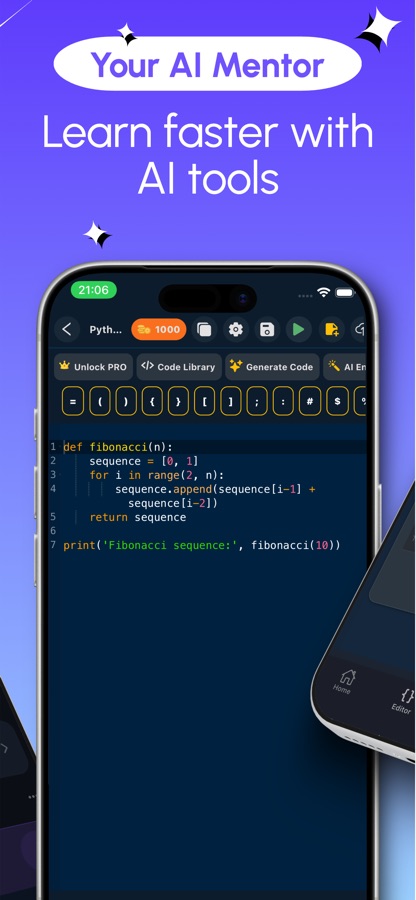
AI Code Editor & Compiler is a mobile IDE: type Python, Java, C, C++, C#, PHP, SQL or one of a dozen more languages, tap Run, and read the real output a few seconds later. When a program fails, select the broken lines and ask the built-in AI to explain the error or fix it — a corrected version comes back as a diff you review before it touches your file.


- Price
- Free, Pro upgrade
- Platforms
- iOS and Android
- Languages
- 22
- Age rating
- 4+
- Version
- 82.5.1
- Requires
- iOS 15.1 or later
Code is a claim. Running it is the only proof.
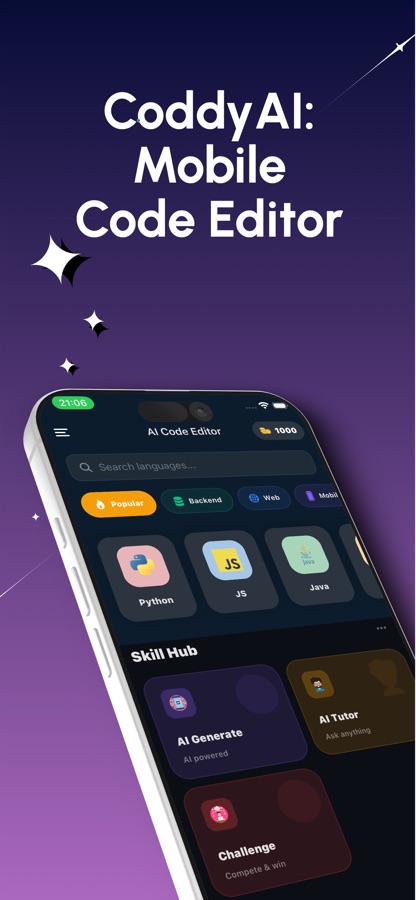
A snippet that reads correctly can still fail the moment it meets a real interpreter — a missing import, an off-by-one loop, a type the compiler won't accept. This app keeps the editor and a real code runner on the same screen, so a theory about what the code does turns into an actual answer in the time it takes to tap Run.
What it is
AI Code Editor & Compiler is a free iOS and Android app for writing and running real programs on a phone or tablet. It's a touch-optimised code editor with syntax highlighting for more than 30 languages and formats, a real code runner for about 20 of them — including Python, Java, C, C++, C#, JavaScript, TypeScript, Kotlin, Swift, Go, Rust, PHP, Ruby, SQL, Lua, R, Scala, Haskell, Perl and Bash — and a live HTML/CSS/JavaScript preview. Programs build and execute on remote servers, so running needs an internet connection; when a run fails, a built-in AI assistant reads the error and offers a fix.
Inside the app
What it looks like
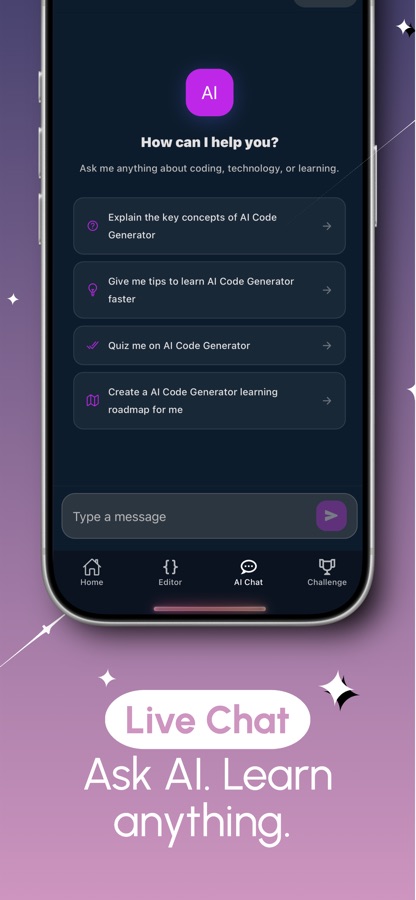
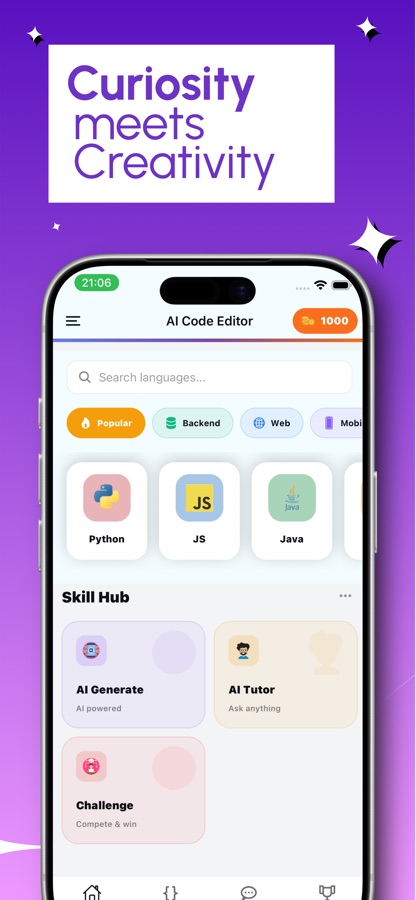
Background
Why can't a phone just run any program by itself?
A desktop IDE runs code against a toolchain installed on that machine — a Python interpreter, a JVM, a C compiler, all sitting on disk. A phone generally has none of that, and installing a dozen toolchains on a touchscreen device isn't realistic. A mobile code runner solves this by sending the program to a server that already has the right compiler or interpreter installed, executing it there, and streaming the real output or the real error back. The trade-off is a live connection: no server round trip, no run.
Build and run on a server, not the devicewhy it needs a connection
Tapping Run sends the file to a remote machine that compiles or interprets it with the toolchain that language actually needs, then returns the program's real output or its real error message. Nothing is simulated locally, which is also why a run fails outright without a network connection.
Formats you can edit but not runJSON, XML, YAML, Markdown, Dart
Not everything opened in a code editor is a program. JSON, XML, YAML and Markdown are data and document formats with nothing to execute, so the editor highlights their syntax but never shows a Run button for them; Dart is the one listed language with the same restriction in this app today.
Preview versus executionHTML, CSS and JavaScript are the exception
A web page doesn't need a server to prove itself — the browser engine on the phone can render it directly. HTML, CSS and JavaScript render as a live, interactive preview the instant you edit them, while every other runnable language goes through the remote compiler and prints real text output underneath the editor.
Reading an error versus asking for a fixtwo different habits
A failed run returns the same stack trace or compiler error a desktop toolchain would show. Reading it yourself is how the error stops being noise; asking the AI to explain the selected lines or to send the program and its error back for a corrected version is the faster route when you're stuck, and the fix arrives as a diff rather than a silent overwrite.
How it works
How the editor is actually used
Nothing needs installing before you start. The loop is write, run, and — when something breaks — ask.
Open a language and start typing
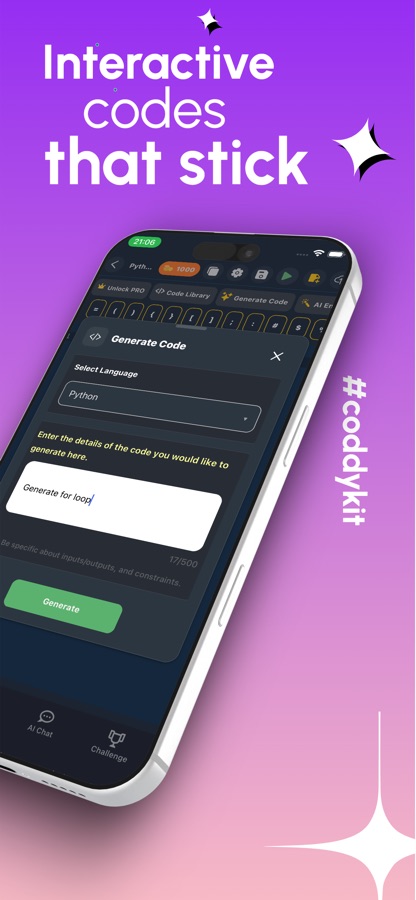
Pick a language from the search or the category grid — web, mobile, backend, data formats — open a blank file or start from the examples library, and write in a keyboard bar built for the brackets, quotes and symbols code actually uses. Multi-file projects let a single script grow into something bigger instead of staying one file.
Tap Run and read what comes back
For HTML, CSS and JavaScript the preview updates live next to the markup. For everything else — Python, Java, C, C++, C#, Go, Kotlin, Swift, Rust, PHP, Ruby, SQL and more — the program builds and executes on a remote server, and split view keeps the code and its real output or error on screen together.
Select the broken part and ask the assistant
Highlight the failing lines and ask the AI to explain what they do, or send the program with its error message and get a corrected version back as a diff to review before applying. The same assistant can optimise, reformat, write a unit test for, or translate a snippet into another language.
What's inside
What the editor actually does
30+
Languages and formats
Syntax highlighting for Python, Java, C, C++, C#, JavaScript, TypeScript, Kotlin, Swift, PHP, Go, Rust, Ruby, SQL, HTML, CSS, JSON, YAML, Markdown and more, built for a touchscreen keyboard.
20+
A real code runner
Python, Java, C, C++, C#, JavaScript, TypeScript, Kotlin, Swift, Go, Rust, PHP, Ruby, SQL (SQLite), Lua, R, Scala, Haskell, Perl and Bash build and execute on remote servers, not a simulation.
Fix
AI reads the error
Send a failing program and its error message to the assistant and get a corrected version back as a diff, or select a few lines and ask what they do, step by step.
Split
Split-view runner
The editor and its live output or preview sit on screen together, so checking what a change did doesn't mean switching screens or scrolling away from the code.
Multi
Multi-file projects
A script that outgrows one file becomes a multi-file project inside the app, with history snapshots so an experiment can be rolled back instead of rewritten from memory.
Java
Practice missions
Java practice missions with real tasks to solve sit inside the app itself — a few are free, the rest unlock with Pro, alongside a deeper AI code review.
Fit
Who it's for — and who it isn't
A good fit if you
- Want to write real Python, Java, C, C++, C# or SQL and see it actually execute, not just highlighted on screen
- Get stuck on an error and want it explained or fixed instead of searched for separately
- Need a Java or C compiler for homework between classes, with no laptop around
- Are testing an algorithm, a script or a SQL query away from your desk
- Want HTML, CSS and JavaScript to preview live while you edit, without a separate browser
Not the right tool if you
- Need a production setup with package managers, debuggers or version control integration
- Expect the code to run without a connection — building and execution both happen on a remote server
- Want unlimited AI fixes and explanations for free — the daily limit is one request, plus one for watching an ad
- Need every one of the 30+ highlighted languages to also run; a handful, like JSON, YAML and Dart, are edit-only
Questions
Frequently asked questions
What's a good app for writing and running code on a phone?
The useful test is whether tapping Run actually executes the program somewhere real, rather than just validating the syntax. AI Code Editor & Compiler does that for about 20 languages — Python, Java, C, C++, C#, JavaScript, Go, Kotlin, Swift, Rust, PHP, Ruby and SQL among them — building and running each one on a remote server and returning the real output or the real error. Free on iOS and Android, with syntax highlighting covering 30-plus languages and formats.
Does the compiler run code on my phone or somewhere else?
Somewhere else. Tapping Run sends the program to a remote server that has the right compiler or interpreter installed for that language, executes it there, and streams back the real output or error. That's also why execution needs an internet connection — writing and editing a file works offline, but a run itself does not.
Which languages can I actually run, not just write?
The code runner covers Python, Java, C, C++, C#, JavaScript, TypeScript, Kotlin, Swift, Go, Rust, PHP, Ruby, SQL (SQLite), Lua, R, Scala, Haskell, Perl and Bash. HTML, CSS and JavaScript are a separate case: they render as a live, interactive preview instead of printing text output. A few formats the editor highlights — JSON, YAML, XML, Markdown and Dart — are for editing only and never show a Run button, because they aren't executable programs.
What happens when my code doesn't compile?
The app shows the real compiler or interpreter error underneath your code, the same message a desktop toolchain would give. From there you can select the failing lines and ask the AI to explain what they do, or send the whole program with its error to get a corrected version back as a diff you review before it replaces anything.
Can the AI fix a bug for me instead of explaining it?
Yes, both options exist separately. Fix sends a failing program and its error message to the assistant and returns a corrected version. Explain walks through a selection of lines step by step without changing them. Either way the result opens as a diff against your current file, so you decide whether to apply it rather than having it overwrite your work silently.
Is AI Code Editor & Compiler free?
The editor and the compilers are free to use, with ads. Free users get one AI request a day — Fix, Explain, Generate or the rest — plus one more by watching a short ad. Pro removes ads, lifts the daily AI limit, and unlocks the code review and every Java practice mission. The app is rated 4+ and the current version is 82.5.1.
Can I work across more than one file?
Yes. A script that outgrows a single file becomes a multi-file project inside the app rather than one long document, and a history of recent snapshots means an experiment that goes wrong can be rolled back instead of rewritten from memory. Split view keeps the file you're editing and its output or preview visible at the same time.
What are the Java practice missions?
They're real Java tasks to solve inside the app itself, separate from writing your own project from scratch — useful for practising syntax and logic with a defined problem rather than a blank file. A few missions are free; the rest, along with a deeper AI code review of your own files, come with the Pro upgrade.
Can I write and test an SQL query without installing a database?
Yes. SQL runs through the same built-in code runner as the programming languages, against SQLite, so a query can be typed and executed on the spot to check it returns what you expect — useful for testing a join or a filter away from a real project's database.
Who is this app actually for?
Students who need a Java or C compiler for homework between classes, developers testing an algorithm or an SQL query away from a laptop, interview candidates practising problems anywhere, and web learners who want HTML, CSS and JavaScript changes to preview instantly. It's built for writing and running real programs on the move, not for managing a large production codebase.
Get started
Write it. Run it. Fix what breaks.
Free on iOS and Android, with a real code runner for about 20 languages and an AI that reads the error with you.
More from CoddyKit
Available on iOS and Android.