
C++ सीखें और करें
C++ सीखें और करें — अपने फ़ोन से C++ कोड लिखें, compile करें और चलाएँ
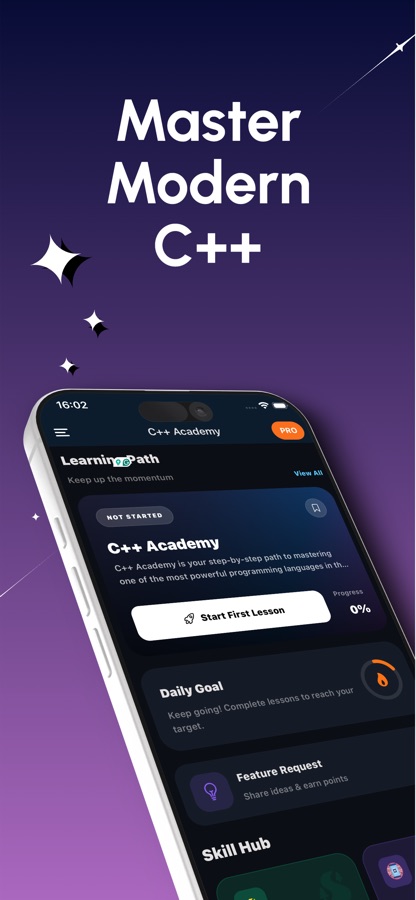
C++ सीखें और करें शुरुआती लोगों, computer science के छात्रों और उन developers के लिए एक मुफ़्त iOS और Android app है, जो C++ लिखकर सीखना चाहते हैं। इसमें मौजूद editor आपके code को वास्तविक GCC compiler पर भेजता है और output व exit code दिखाता है, जबकि AI Mentor compiler errors को सरल अंग्रेज़ी में समझाता है। 51 courses और 200+ छोटे lessons आपको अपने पहले cout से लेकर classes, STL, move semantics और C++20 तक ले जाते हैं।


- कीमत
- मुफ़्त, Pro upgrade
- प्लैटफ़ॉर्म
- iOS और Android
- भाषाएँ
- 22
- आयु रेटिंग
- 4+
- आवश्यकताएँ
- iOS 15.1 या बाद का संस्करण
- App Store
- 4.9 ★ (7)
Pointers केवल lesson twelve तक ही डरावने लगते हैं।
C++ को अक्सर ऐसा माना जाता है कि इसे सीखा नहीं जा सकता, लेकिन इसकी बड़ी वजह यह है कि शुरुआत में सब कुछ एक साथ दिखा दिया जाता है: ownership, heap, templates और STL—पहले ही दिन। 51 छोटे courses में बाँटकर यही सामग्री एक-एक layer में आती है, और हर idea ऐसे code पर खत्म होता है जिसे आप खुद compile और run करते हैं।
यह क्या है
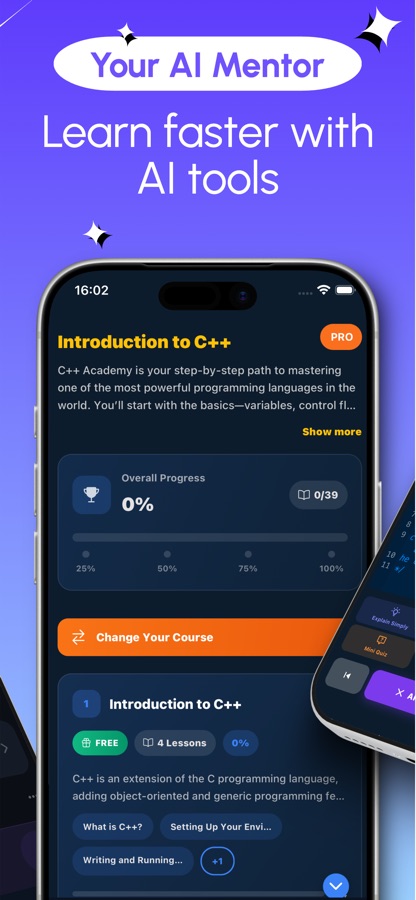
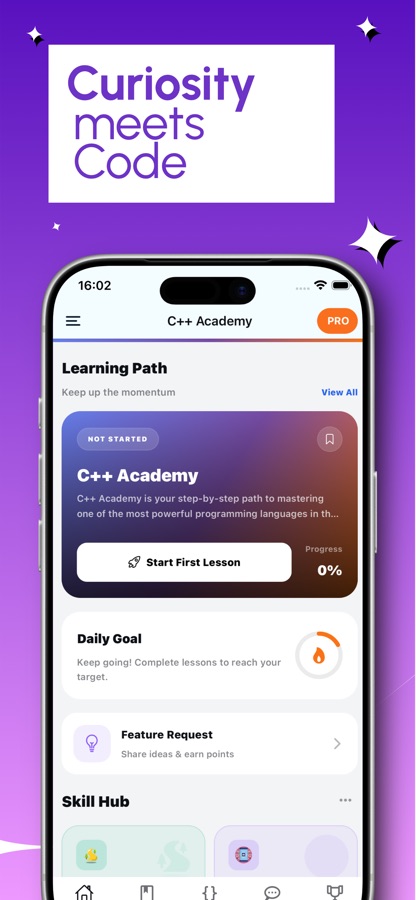
C++ सीखें और करें एक मुफ़्त iOS और Android app है, जो आपको आपके पहले cout से लेकर classes, STL, move semantics और modern C++20 तक C++ सिखाता है। इसमें पाँच tracks (basics, memory, objects, STL और building real programs) में बाँटे गए 51 courses और 200+ छोटे lessons, real GCC compiler पर compile करने वाला editor, 20 guided projects, 60 coding missions और error translator के साथ AI Mentor शामिल हैं।
ऐप के अंदर
यह कैसा दिखता है
कोर्स
C++ कोर्स में क्या-क्या शामिल है
ऐप के अपने पाठ्यक्रम के 51 कोर्स, पहले compiled प्रोग्राम से लेकर lock-free concurrency और coroutines तक।
Syntax, Strings और Control Flow
Compiler सेट करना और पहला प्रोग्राम चलाना, फिर variables और type inference, std::string बनाम C-style char arrays, input और output streams, तथा वे control-flow patterns जिन्हें बाद के हर कोर्स में माना जाता है।
Structs, Vectors और Mini Projects
Structs और classes का परिचय, numbers और math के साथ काम करना, vectors और dynamic arrays, pass-by-reference, तथा छोटे व्यावहारिक projects जो इन सभी हिस्सों को एक साथ इस्तेमाल कराते हैं।
Memory, RAII और Raw Pointers के सुरक्षित विकल्प
Stack बनाम heap memory model, RAII और resource management, exception handling और noexcept, const correctness, pointers का सुरक्षित उपयोग, तथा manual new और delete के आधुनिक विकल्प के रूप में smart pointers।
Modern Types, Containers और Object-Oriented Design
Enums, unions और std::variant, std::optional और std::expected, std::string_view और std::span, associative containers और unordered_map hashing, inheritance और polymorphism, तथा user-defined types के लिए operator overloading।
Build Tools, File I/O और Standard Library
CMake और package management के साथ building, fstream के ज़रिए file I/O, समय के लिए chrono library, और regex header के साथ pattern matching—C++ के वे हिस्से जो code को filesystem और clock से जोड़ते हैं।
STL और Modern C++11 से C++20 तक
C++11 से C++20 तक हुए बदलावों का परिचय, move semantics और rvalue references, lambdas और std::function, STL algorithms, iterators और ranges, तथा sanitizers के साथ debugging।
Templates, Performance और Systems Programming
Concurrency primitives, template specialization और SFINAE, advanced templates और metaprogramming, C++20 concepts, performance profiling, तथा किसी library की public API design करना।
Advanced Concurrency और Coroutines
उन स्थितियों के लिए lock-free programming और atomics जहाँ mutex बहुत धीमा पड़ता है, तथा C++20 coroutines—language में सबसे हालिया जोड़—जिन्हें अंत में सिखाया जाता है क्योंकि उनसे पहले के सभी विषय उनकी prerequisite हैं।
यह कैसे काम करता है
C++ session कैसे काम करता है
हर session में एक छोटा lesson उस code के साथ होता है जिसे आप run करते हैं, साथ ही कुछ daily drills होती हैं, जो syntax को याद बनाए रखती हैं।
एक छोटा lesson पढ़ें
कोई course खोलें और किसी एक idea पर एक lesson करें, जैसे struct, reference या smart pointer। पहला course मुफ़्त है, इसलिए आप कोई निर्णय लेने से पहले देख सकते हैं कि lessons का अनुभव कैसा है।
इसे लिखें, compile करें और run करें
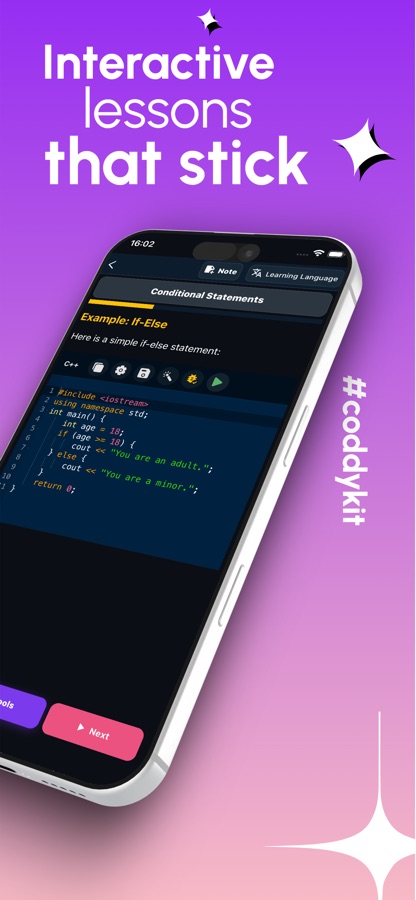
Mobile editor में code type करके run करें। वास्तविक GCC compiler इसे build करके output और exit code लौटाता है, और cin से input लेने वाले programs में input type करने की सुविधा होती है। Compiler remote होने के कारण code run करने के लिए connection आवश्यक है।
daily drills और AI Mentor से अपनी पकड़ बनाए रखें
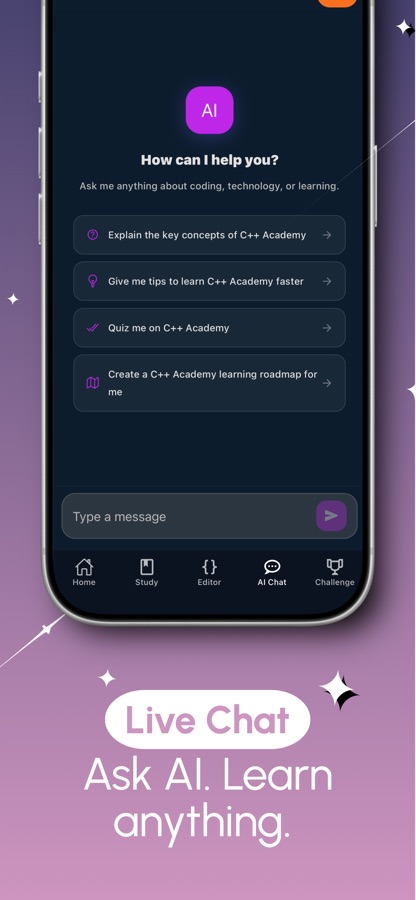
पाँच छोटे programs का output predict करें, daily bug hunt में एक टूटे हुए program को ठीक करें या 60-second Syntax Sprint खेलें। जब कोई error समझ में न आए, उसे AI Mentor में paste करें और एक sentence में उसका explanation पाएँ, साथ ही ठीक की जाने वाली line भी।
इसमें क्या है
app के साथ क्या मिलता है
51
Courses और 200+ lessons
एक course map courses को पाँच tracks में बाँटता है: basics, memory, objects, STL और building real programs। Topics variables और streams से लेकर pointers, RAII और templates होते हुए CMake, concurrency और coroutines तक जाते हैं।
GCC
editor में वास्तविक compiler
Code किसी simulator से नहीं, बल्कि वास्तविक GCC compiler से build होता है। आप output और exit code देखते हैं, cin से input लेने वाले programs को input दे सकते हैं और एक tap में फिर से run कर सकते हैं। आपके द्वारा run किया गया हर program save हो जाता है।
3/day
हर दिन practice की तीन आदतें
Output predict करें (हर दिन पाँच छोटे programs का, compiler के इसे तय करने से पहले answer दें), free hints के साथ daily bug hunt करें और one-tap questions वाला 60-second Syntax Sprint खेलें।
20
Guided projects
Real programs को step by step बनाएँ, जैसे inventory, bank account, polymorphism वाले shapes, template stack, RPN calculator, linked list और state machine।
AI
AI Mentor और error translator
किसी pointer पर अटक गए हैं या template errors की लंबी दीवार के सामने रुक गए हैं? Error paste करें और एक sentence में उसका explanation पाएँ, या plain language में AI Mentor से कुछ भी पूछें।
60
Missions और world challenge
आसान से कठिन तक 60 coding missions, हर दिन एक नई coding problem और World Coding Challenge—leaderboard के साथ हर दिन तीन live global rounds—साथ ही streaks, XP और reminders।
पृष्ठभूमि
C++ आज भी उस software को क्यों चलाता है, जो धीमा होने का ख़र्च नहीं उठा सकता?
C++ सीधे machine code में compile होता है और programmer को memory पर सीधा control देता है, इसलिए code और hardware के बीच कुछ भी नहीं आता। यही कारण है कि higher-level languages आने के दशकों बाद भी Unreal जैसे game engines, high-frequency trading systems, robotics firmware और कई operating system components इसमें लिखे जाते हैं। यही control शुरुआत में इसे कठिन भी बनाता है: C++ program को साफ़-साफ़ बताना पड़ता है कि कोई value कहाँ रहती है और उसे free करने की ज़िम्मेदारी किसकी है—यह काम Python या JavaScript अपने-आप कर देते हैं।
Stack बनाम heapmemory model
Stack memory किसी function के return होते ही अपने-आप free हो जाती है; heap memory तब तक बनी रहती है, जब तक कोई उसे स्पष्ट रूप से release न कर दे। शुरुआती लोगों को होने वाले कई bugs—जैसे dangling pointer, leak या freed memory को छूने से होने वाला crash—इन दोनों को आपस में मिला देने से पैदा होते हैं।
RAIIC++ का अपना safety net
Resource Acquisition Is Initialization किसी resource की lifetime को object के constructor और destructor से जोड़ता है, इसलिए object के scope से बाहर जाते ही वह resource अपने-आप release हो जाता है। Smart pointers memory पर लागू RAII हैं, और यही idiom modern C++ को उस raw-pointer code से कहीं अधिक सुरक्षित बनाता है, जिसकी जगह इसने ली है।
STLlanguage के अंदर का toolkit
Standard Template Library में vector, map और unordered_map जैसे containers के साथ iterators और ऐसे algorithms शामिल हैं, जो sorting, searching और transforming पहले से लागू करते हैं। खुद linked list बनाने के बजाय STL का उपयोग करना वह मोड़ है, जहाँ C++ manual labour जैसा लगना बंद हो जाता है।
Templatesऐसा code जो किसी भी type पर काम करे
Template किसी एक function या class को ऐसे किसी भी type पर काम करने देता है, जिसे compiler compile time पर resolve कर सके—और इसमें runtime cost नहीं होती। यही STL के पीछे का mechanism है और यही कारण है कि C++ libraries generic भी हो सकती हैं और fast भी।
उपयुक्तता
यह किन लोगों के लिए है — और किनके लिए नहीं
आपके लिए सही है, अगर आप
- क्या आप C++ के कठिन हिस्से—pointers, heap और templates—एक ही घने manual में नहीं, बल्कि एक-एक करके सीखना चाहते हैं
- क्या आप ऐसे computer science student हैं जो STL और basic data structures पर आधारित coursework कर रहे हैं
- क्या आप game, embedded या systems work की ओर बढ़ रहे हैं और memory model को वास्तव में समझना चाहते हैं
- क्या आप Python या Java से आते हैं और समझना चाहते हैं कि memory में क्या होता है
- क्या आप template message के लिए forums खोजने के बजाय किसी वास्तविक compiler error को AI Mentor में paste करना पसंद करेंगे
आपके लिए सही टूल नहीं है, अगर आप
- क्या आपको बिना connection के code चलाना है: programs को remote GCC compiler पर compile किया जाता है
- क्या आपको आज ही एक full desktop toolchain चाहिए, जैसे multi-file CMake projects, बड़ी external libraries और debugger, जिनके लिए computer बेहतर है
- क्या आप 51 में से हर course मुफ़्त में चाहते हैं: पहला course और daily drills का एक set मुफ़्त है, जबकि Pro बाकी सभी को unlock करता है
- क्या आप पहले से C++ में professional रूप से काम करते हैं और sequenced course के बजाय reference चाहते हैं
सवाल
अक्सर पूछे जाने वाले सवाल
C++ सीखें और करें क्या है?
C++ सीखें और करें एक मुफ़्त iOS और Android app है, जो short lessons और built-in code editor के ज़रिए C++ programming सिखाता है और वास्तविक GCC compiler पर code compile करता है। यह beginners, computer science students, game और systems developers तथा programming class की तैयारी करने वाले हर व्यक्ति के लिए बनाया गया है। इसका interface 22 भाषाओं में उपलब्ध है।
क्या C++ सीखें और करें मुफ़्त है?
इसे App Store और Google Play से मुफ़्त download किया जा सकता है और शुरुआत भी मुफ़्त है। पहला course, daily Predict the output set, daily bug hunt, रोज़ाना तीन Syntax Sprint rounds, पहला guided project, दो missions, daily coding problem, World Coding Challenge और प्रतिदिन एक AI Mentor question मुफ़्त हैं। Pro हर course, mission और project, unlimited Syntax Sprint, full AI tools, certificate exam और ad-free experience unlock करता है।
क्या मैं अपने phone पर C++ compile और run कर सकता हूँ, और क्या यह offline काम करता है?
हाँ, आप app के editor में C++ लिखकर उसे अपने phone से run कर सकते हैं। वास्तविक GCC compiler code को build करके output और exit code लौटाता है, और cin से input पढ़ने वाले programs में typed input दिया जा सकता है। Compiler remote होने के कारण code चलाने के लिए internet connection आवश्यक है। बड़े multi-file CMake projects को computer पर build करना बेहतर है।
यह किसके लिए है और इसमें क्या शामिल है?
यह उन beginners के लिए उपयुक्त है जो C++ को पहली या दूसरी language के रूप में सीख रहे हैं, C++ class के students, game और systems developers, तथा Python या Java से आने वाले वे developers जो memory को समझना चाहते हैं। 51 courses में variables, strings, streams, control flow, structs और classes, vectors, references, pointers, RAII, smart pointers, templates, lambdas, STL, file I/O, CMake, concurrency और coroutines शामिल हैं।
Predict the output, Bug hunt और Syntax Sprint क्या हैं?
ये C++ अभ्यास की तीन daily habits हैं। Predict the output में हर दिन पाँच short programs दिए जाते हैं और compiler के परिणाम तय करने से पहले answer देने को कहा जाता है। Bug hunt में हर दिन एक broken program दिया जाता है, जिसे आपको ठीक करके compiler से साबित करना होता है; इसके लिए free hints मिलते हैं। Syntax Sprint में 60 seconds के one-tap syntax questions होते हैं, जिनमें आप अपना best score बेहतर करने की कोशिश करते हैं।
C++ में pointers और stack बनाम heap का विभाजन इतना कठिन क्यों लगता है?
अधिकांश languages आपके लिए तय करती हैं कि कोई value कहाँ रहेगी और कब free होगी; C++ में यह निर्णय आपको लेना होता है, और कठिनाई का मुख्य कारण यही है। Pointer केवल एक ऐसा variable है जिसमें किसी दूसरी value का address रखा जाता है, लेकिन stack और heap को मिला देने से dangling pointers, leaks और crashes हो सकते हैं। App memory model, RAII और smart pointers को अलग-अलग courses के रूप में सिखाता है।
RAII क्या है और modern C++ manual new और delete के बजाय इसे क्यों पसंद करता है?
RAII, Resource Acquisition Is Initialization, किसी resource के lifetime को object के constructor और destructor से जोड़ता है, इसलिए object के scope से बाहर निकलते ही resource अपने-आप release हो जाता है और भूल जाने के लिए कोई delete call नहीं रहती। Smart pointers memory पर लागू RAII हैं, और raw new तथा delete से smart pointers की ओर बढ़ना modern C++ के सबसे बड़े safety improvements में से एक है।
क्या मुझे अपनी data structures लिखने से पहले STL सीखना चाहिए?
आम तौर पर हाँ। Standard Template Library में tested vectors, maps, sets, iterators और algorithms पहले से मौजूद हैं, इसलिए आप इसे दोबारा implement करने के बजाय std::sort का उपयोग करना सीखते हैं। Fundamentals समझ में आने के बाद app के guided projects में linked list, template stack और अन्य structures भी बनवाए जाते हैं।
क्या यह C++ interview preparation में मदद करता है?
यह practice वाले हिस्से में मदद करता है। Predict the output और bug hunt सावधानी से code पढ़ने का अभ्यास कराते हैं, STL courses उन containers और algorithms को cover करते हैं जिन पर interviews में ज़ोर दिया जाता है, और linked list, template stack तथा RPN calculator जैसे guided projects common structures का अभ्यास कराते हैं। यह एक course है, dedicated interview-question bank नहीं।
क्या App Store पर Learn C++: Code & Practice वही app है?
हाँ। App Store listing का title Learn C++: Code & Practice है और Google Play listing का title C++ सीखें और करें है, लेकिन यह वही app है जिसमें वही 51 courses हैं। Final exam के बाद certificate of completion जारी किया जाता है; यह आपके काम का record रखता है और accredited qualification नहीं है।
शुरू करें
आज ही अपना पहला C++ program compile करें
51 courses, एक वास्तविक GCC compiler और एक AI Mentor। iOS और Android पर 22 भाषाओं में शुरुआत मुफ़्त।
CoddyKit की ओर से और
iOS और Android पर उपलब्ध है।