

Angular: सीखो, कोड करो
Angular: सीखो, कोड करो — एक component लिखें और उसे अपने फ़ोन पर लाइव render होते देखें
Angular: सीखो, कोड करो शुरुआती learners, students और JavaScript से आने वाले developers के लिए मुफ़्त iOS और Android app है, जो अपने फ़ोन पर Angular सीखना चाहते हैं। इसका लाइव three-pane workbench — component.ts, template.html और styles.css आपके code को टाइप करते ही render करता है, और 38 courses पहले standalone component से लेकर signals, RxJS, NgRx और server-side rendering तक सिखाते हैं।


- कीमत
- मुफ़्त, Pro upgrade
- प्लैटफ़ॉर्म
- iOS और Android
- भाषाएँ
- 22
- आयु रेटिंग
- 4+
- आवश्यकताएँ
- iOS 15.1 या बाद का संस्करण
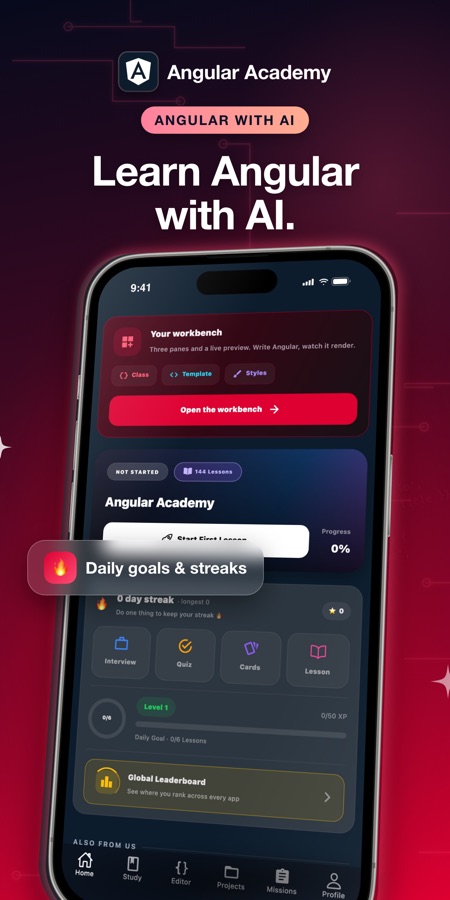
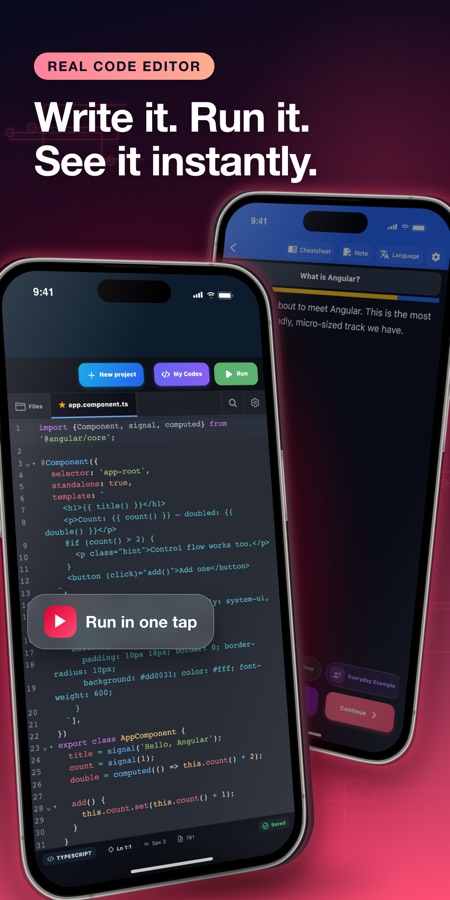
class में कोई value बदलें और देखें कि template उसके साथ कैसे अपडेट होता है।
Angular का पूरा आधार यही है कि वह एक ऐसा framework है, जो component की class, template और view को आपके लिए आपस में sync रखता है। workbench इसे फ़ोन की screen पर साफ़ दिखाता है: component.ts को edit करें और preview फिर से render हो जाता है। Dependency injection और signals की परिभाषा पढ़ने के बजाय उन्हें सचमुच महसूस करने का यह सबसे तेज़ तरीका है।
यह क्या है
Angular: सीखो, कोड करो iOS और Android के लिए एक मुफ़्त education app है, जो पहले standalone component से लेकर frontend के पूरे learning path तक Angular framework सिखाता है। इसमें live three-pane workbench (component.ts, template.html, styles.css) है, जिसका preview आपके लिखते ही code को render करता है। इसके 38 courses में signals, RxJS, routing, forms, NgRx state management और server-side rendering शामिल हैं, साथ ही 60 TypeScript coding missions और किसी भी अटकने वाली बात के लिए AI Mentor भी है।
ऐप के अंदर
यह कैसा दिखता है
कोर्स
Angular course में क्या-क्या शामिल है
ऐप की अपनी course list से लिए गए 38 courses और 144 lessons — पहले standalone component से लेकर signals, NgRx और server-side rendering तक।
Components और Project Fundamentals
Welcome to Angular, Angular CLI and Project Structure, Angular 19 Fundamentals, Standalone Components Deep Dive, Built-in Control Flow, Component Styling and Encapsulation और Component Lifecycle Hooks।
Signals और Reactive State
Angular Signals Fundamentals, Signals: Computed and Effects, Signal Inputs and Queries, Signal-Based State Management और NgRx SignalStore — component state को रखने और उससे नया state निकालने का मौजूदा, recommended तरीका।
Services, Directives और Templates
Dependency Injection Basics, Pipes: Built-in and Custom, Two-Way Binding and Model Inputs, Content Projection and Templates, Directive Composition API और Advanced Components and Directives।
Routing और Forms
Angular Routing and Navigation, Angular Router Advanced, Working with Forms, Reactive Forms Advanced और Custom Form Controls।
RxJS और HTTP
RxJS Fundamentals for Angular, RxJS Operators in Depth, HttpClient Interceptors और HTTP and API Integration — वह layer जो component को real backend से connect करती है।
State Management और Testing
State Management with NgRx, Angular Unit and Component Testing और End-to-End Testing for Angular।
Performance और Production
Change Detection and Performance, Server-Side Rendering with Angular SSR, Hydration and Performance, Angular Animations, Internationalization (i18n), Micro Frontends with Module Federation, Building Angular Libraries और Angular Security Essentials।
यह कैसे काम करता है
Workbench में एक session कैसे काम करता है
हर lesson में एक छोटा explanation live workbench के साथ होता है, इसलिए आपने अभी जो Angular concept पढ़ा है और उसका इस्तेमाल करने वाला code एक ही screen पर रहता है, बाद में किसी अलग exercise में नहीं।
Concept पढ़ें, फिर workbench खोलें
एक छोटा lesson एक idea — signal, directive या router guard — से परिचित कराता है और फिर आपको component.ts, template.html और styles.css साथ-साथ देता है, जिसमें preview pane आपके लिखे हुए code को render करता है।
Code बदलें और देखें कि component कैसे react करता है
Class में कोई value edit करें और preview में template update होता देखें; किसी binding में गड़बड़ी करें और preview ठीक वही दिखाएगा। Static code example यह नहीं कर सकता, और इसी वजह से course केवल snippets पढ़ने के बजाय workbench पर ज़ोर देता है।
TypeScript mission पूरा करें, फिर अटकने पर पूछें
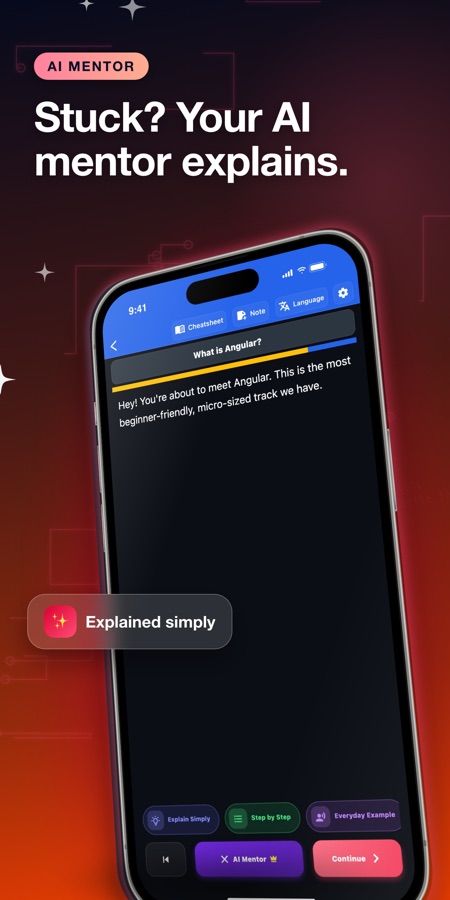
Lessons के साथ तीन difficulty levels में 60 coding missions हैं। किसी mission पर अटकने पर hints और worked solutions मिलते हैं। और अगर फिर भी कुछ समझ न आए — जैसे कोई signal update न हो या injected service undefined मिले — तो AI Mentor lesson की अपनी chat screen से उसका explanation देता है।
इसमें क्या है
App के साथ क्या मिलता है
38
Courses, A1 से C1 तक
38 courses में 144 lessons, standalone components और signals से लेकर RxJS, forms, routing, NgRx state management, testing, server-side rendering और micro frontends तक।
लाइव
Three-pane workbench
component.ts, template.html और styles.css को साथ-साथ edit करें, और preview में अपना Angular code टाइप करते ही render होते देखें — चलाने के लिए connection ज़रूरी है।
60
TypeScript coding missions
तीन difficulty levels, hints और worked solutions के साथ, साथ ही multi-file workspaces, guided project tracks और version history वाला Projects tab।
AI
AI tutor (Pro)
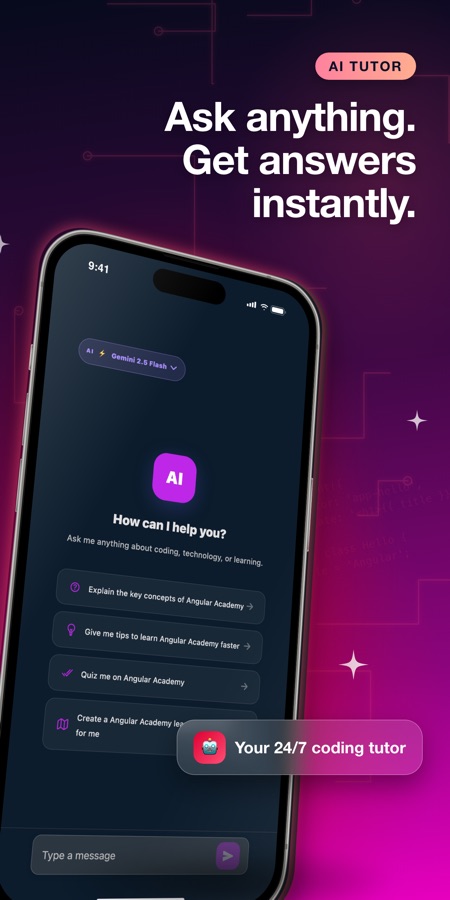
Lesson की chat screen से किसी error, concept या अपने code के बारे में पूछें; Pro में किसी ऐसे topic के लिए AI lesson generator भी मिलता है जिसे आप अभी ठीक से नहीं समझते, और एक AI playground भी, जो बताए गए page को code में तैयार करता है।
World
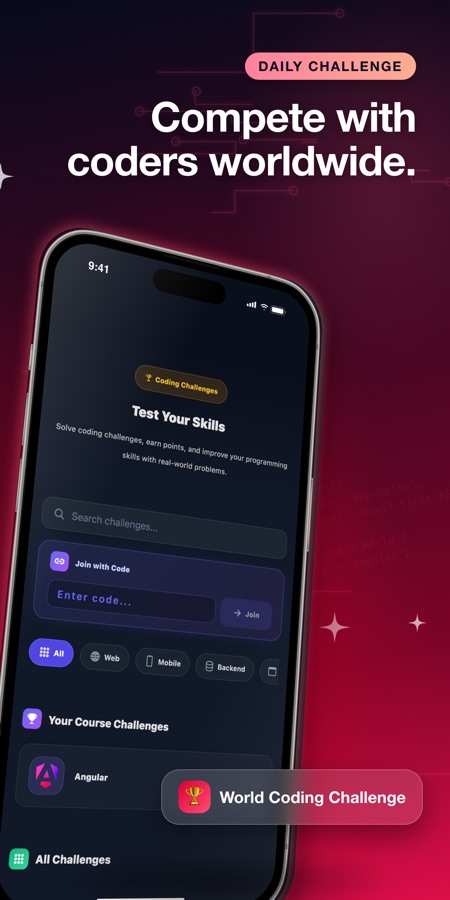
World Coding Challenge
एक साझा problem, जिसमें सभी के solutions दिखाई देते हैं, साथ ही streaks, XP, leaderboard और daily reminders।
Cert
Completion certificate
Mini quizzes, flashcard review और syntax, decorators तथा directives की one-page cheatsheet के साथ final exam और आपके नाम वाला certificate।
पृष्ठभूमि
Angular क्या है और इसे वास्तव में किस क्रम में सीखना चाहिए?
Angular Google द्वारा maintain किया जाने वाला और TypeScript में लिखा गया frontend framework है, जिसका इस्तेमाल बड़ी web applications के interactive, single-page interfaces बनाने के लिए किया जाता है। किसी library की तरह, जिसे आपको खुद जोड़कर तैयार करना पड़े, इसके विपरीत इसमें पहले से तय components, router, forms system, dependency injection और events की streams के लिए RxJS जैसी सुविधाएँ शामिल होती हैं। इसे सीखने का व्यावहारिक क्रम पहले components और templates, फिर signals और services, उसके बाद routing और forms, और अंत में RxJS तथा HTTP layer है, जो real backend से बात करती है।
Standalone componentबुनियादी building block
Interface का एक self-contained हिस्सा — अपनी class, template और styles के साथ — जो shared module का हिस्सा बनने के बजाय अपनी dependencies खुद declare करता है। Modern Angular apps ऐसे components के tree के रूप में बनाई जाती हैं, इसलिए course की शुरुआत पुराने module-based patterns से नहीं, बल्कि यहीं से होती है।
Signalstate manage करने का आधुनिक तरीका
signal() से बनाई गई एक reactive value, जिसे template का कोई भी हिस्सा पढ़ सकता है; computed() एक signal से दूसरा signal तैयार करता है और effect() किसी signal के बदलने पर code चलाता है। Signals ने manual change-detection के बहुत-से काम को हटा दिया है और अब component की state रखने का recommended तरीका हैं।
Dependency injectionparts को जोड़ने का तरीका
Component को अपनी ज़रूरत की services खुद बनाने के बजाय, वह उन्हें request करता है और Angular उन्हें उपलब्ध कराता है। पहली बार सीखते समय beginners को सबसे ज़्यादा उलझाने वाली यही concept है, और यही किसी बड़े codebase को testable बनाती है, क्योंकि test में real service को fake service से बदलना आसान होता है।
RxJS और observablesdata flow
ऐसी values के लिए library, जो एक साथ पूरी आने के बजाय समय के साथ आती हैं — HTTP responses, route parameters और बदलते समय form input। Angular का HttpClient और router सीधे observables लौटाते हैं, इसलिए map और switchMap जैसे operators की व्यावहारिक समझ आपको हासिल करनी ही पड़ती है, चाहे आपने उन्हें सीखने की योजना बनाई हो या नहीं।
उपयुक्तता
यह किन लोगों के लिए है — और किनके लिए नहीं
आपके लिए सही है, अगर आप
- आप Angular बिल्कुल शुरुआत से सीख रहे हैं और उसके पीछे की theory याद करने से पहले किसी component को react करते हुए देखना चाहते हैं
- आप JavaScript या TypeScript पहले से जानते हैं और अपना पहला framework सीख रहे हैं
- आप React या Vue में काम करते हैं और नौकरी के लिए Angular पर जा रहे हैं, और concepts को शुरू से दोबारा पढ़ने के बजाय उनकी vocabulary का अनुवाद चाहते हैं
- आप TypeScript coding missions और एक real multi-file project workspace चाहते हैं, केवल multiple-choice questions नहीं
- आप student हैं या career switcher हैं और frontend developer interview की तैयारी कर रहे हैं
आपके लिए सही टूल नहीं है, अगर आप
- आपको ऐसा workbench चाहिए जो बिल्कुल बिना connection के काम करे — live preview के लिए विशेष रूप से connection आवश्यक है
- आप पूरी तरह free experience की अपेक्षा कर रहे हैं: पहला course और workbench free हैं, जबकि Pro बाकी सब कुछ unlock करता है, जिनमें AI tools भी शामिल हैं
- आप पहले से production Angular apps बना चुके हैं और course के बजाय deep architecture या API reference material चाहते हैं
- आपको accredited qualification चाहिए — certificate केवल completion certificate है, formal credential नहीं
सवाल
अक्सर पूछे जाने वाले सवाल
Angular app का live workbench वास्तव में क्या दिखाता है?
तीन editable panes — TypeScript class के लिए component.ts, markup के लिए template.html और styling के लिए styles.css — इनके साथ एक preview होता है, जो इन तीनों में से किसी को edit करते ही component को render करता है। Class में signal की value बदलकर template को तुरंत update होते देखना वह खास चीज़ है, जो किसी book का static code sample नहीं दिखा सकता। इसी वजह से यह course केवल पढ़ने वाले examples के बजाय इसी अनुभव के इर्द-गिर्द बनाया गया है।
क्या Angular सीखने से पहले मुझे JavaScript या TypeScript आना ज़रूरी है?
कुछ JavaScript आना मददगार है, लेकिन इसे पहले पूरा कर लेना prerequisite नहीं है। Angular को TypeScript में लिखा गया है, जो type system जोड़ी गई JavaScript है। Course में type annotations और interfaces को उसी समय introduce किया जाता है जब वे सामने आते हैं, इसलिए यह मानकर नहीं चला जाता कि आप उन्हें पहले से जानते हैं। Angular: सीखो, कोड करो पहले standalone component से शुरू होता है और उसके साथ-साथ TypeScript समझाता है।
Angular signals क्या हैं और course की शुरुआत इनसे क्यों होती है?
signal() से बनाई गई reactive value को signal कहते हैं, जिसे template सीधे पढ़ता है; computed() मौजूदा signals से नया signal निकालता है, और effect() अपने-आप code चलाता है, जब वह signal बदलता है जिस पर वह निर्भर करता है। Signals component state रखने का मौजूदा, Angular-recommended तरीका हैं। ये पुराने versions में किए जाने वाले बहुत-से manual change-detection काम की जगह लेते हैं, इसलिए Signals Fundamentals course path में शुरुआत के पास है, advanced topic के रूप में बाद में नहीं।
Angular और React में क्या अंतर है?
React एक rendering library है; इसके साथ router, forms handling, HTTP client और state management आप खुद चुनते हैं। Angular एक full framework है और ये फैसले पहले से तय रूप में उपलब्ध कराता है — components, dependency injection, router, RxJS और अब signals भी built in हैं। React आम तौर पर शुरुआत में हल्का और Angular भारी लगता है, लेकिन बड़ी team में Angular codebase एक company से दूसरी company तक अधिक समान दिखता है। यही एक वजह है कि बड़ी organisations इसका इस्तेमाल जारी रखती हैं।
क्या 2026 में Angular सीखना अभी भी उपयोगी है?
हाँ, खासकर तब जब लक्ष्य side project के बजाय employment हो। Angular का इस्तेमाल बड़ी companies और enterprise tooling में व्यापक रूप से होता है, जहाँ उसका opinionated structure, built-in testing support और long-term support schedule novelty से अधिक महत्वपूर्ण होते हैं। इसलिए इसके job listings आम तौर पर stable रहते हैं। इस course में signals और SignalStore की सामग्री यह भी दिखाती है कि framework वास्तव में किस दिशा में आगे बढ़ा है, न कि उसका कोई outdated snapshot।
कुछ बनाने लायक Angular सीखने में कितना समय लगता है?
कुल hours से अधिक consistency मायने रखती है। Workbench में रोज़ के छोटे lessons पूरे करते हुए, ज़्यादातर beginners कुछ हफ्तों में कई components बना और उन्हें आपस में जोड़ सकते हैं, signals के ज़रिए data पास कर सकते हैं और API call कर सकते हैं। Dependency injection, RxJS operators और NgRx state management वे हिस्से हैं जिन्हें आम तौर पर दूसरी बार पढ़ने की ज़रूरत पड़ती है। Course इन्हें शुरुआत में देने के बजाय basics के बाद रखता है।
क्या Angular: सीखो, कोड करो iPhone और Android पर उपलब्ध है, और यह किसके लिए है?
Angular: सीखो, कोड करो iPhone और iPad के लिए App Store पर और Android के लिए Google Play पर उपलब्ध है। इसका interface 22 भाषाओं में है और age rating 4+ है। यह complete beginners, students, career switchers और उन developers के लिए है जिन्हें कुछ JavaScript आती है और वे Angular को अपना पहला framework बनाना या React या Vue से इस पर जाना चाहते हैं।
क्या Angular: सीखो, कोड करो free है?
ऐप App Store और Google Play से free download की जा सकती है। पहला course और live workbench free हैं। Pro paid upgrade है: यह हर course, सभी 60 coding missions और AI tutor, lesson generator और playground को unlock करता है, साथ ही ads हटा देता है।
क्या live preview offline, underground या plane में काम करता है?
नहीं, खास तौर पर preview नहीं — component को live render करने के लिए connection चाहिए। ऐप यह बात स्पष्ट रूप से बताता है, चुपचाप सुविधाएँ कम नहीं करता। Lessons और reading material कमजोर connection पर भी load होते हैं और उपयोगी रहते हैं, लेकिन अगर आपको पूरी तरह offline workbench चाहिए, तो इस ऐप का live preview वह सुविधा नहीं देगा।
क्या यह ऐप Google या official Angular team से affiliated है?
नहीं। Angular: सीखो, कोड करो, CoddyKit का independent learning course है और Google या Angular team से affiliated या endorsed नहीं है। यह framework को उसी तरह सिखाता है जैसे Google इसे maintain और publish करता है, लेकिन ऐप स्वयं official product के बजाय third-party course है।
शुरू करें
आज अपना पहला Angular component बनाएँ
iOS और Android पर 22 भाषाओं में शुरुआत free है।
CoddyKit की ओर से और
iOS और Android पर उपलब्ध है।